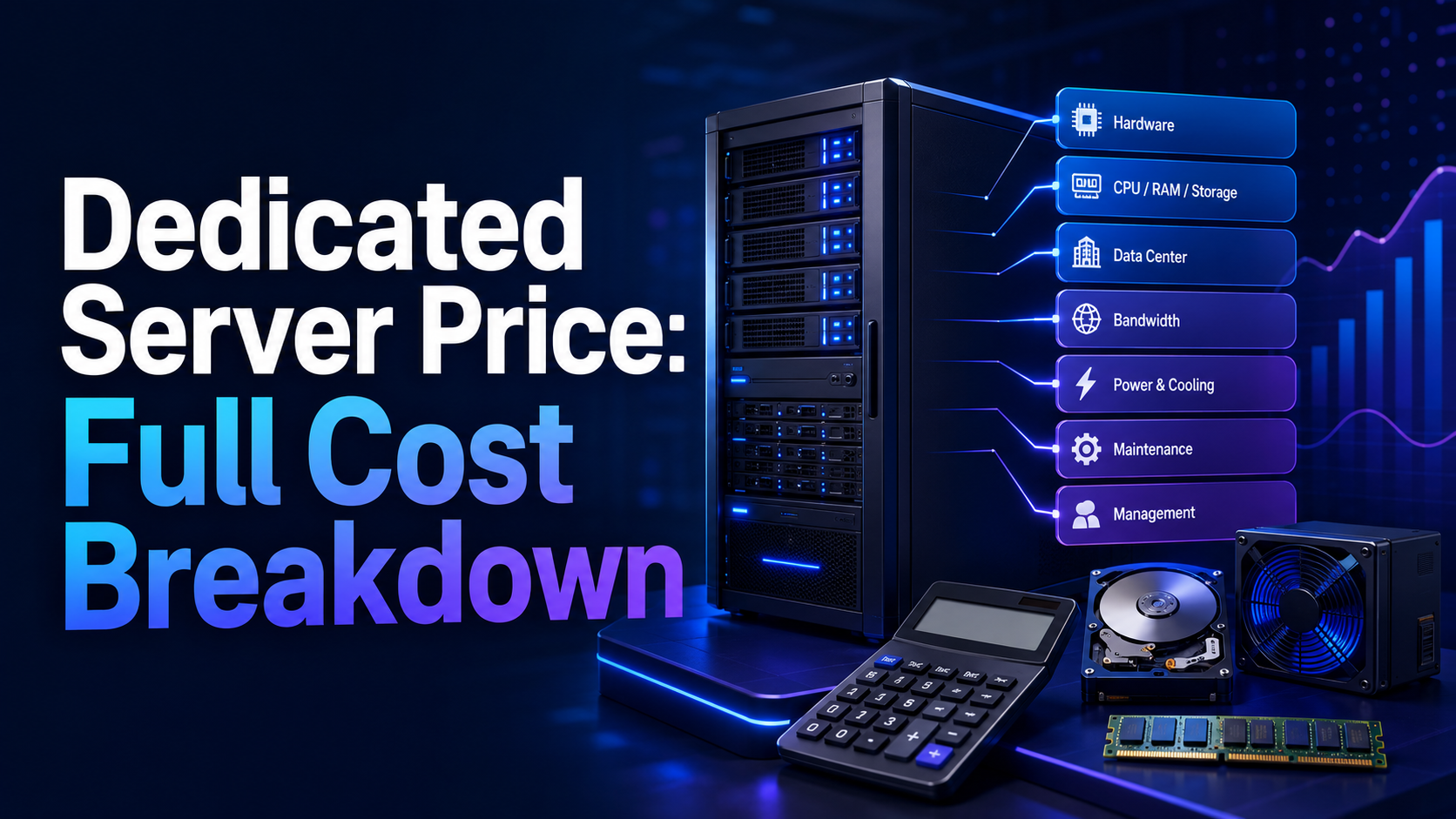
A dedicated server typically costs more than a VPS because one customer receives the resources of an entire physical machine. In 2026, a practical monthly budget can range from roughly $50–$120 for an entry-level unmanaged server to $120–$300 for a modern mid-range configuration, while high-performance, managed, storage-heavy, or GPU-equipped systems can cost $300 to several thousand dollars per month. The advertised server price is only the starting point. Windows licensing, control panels, managed support, backups, extra IP addresses, high-bandwidth ports, DDoS protection, setup fees, and taxes can change the final bill.
Compare dedicated server prices by calculating the total monthly cost for the exact workload, not by choosing the cheapest hardware line. A low-priced server can become expensive after essential add-ons, while a more complete plan may include bandwidth, security, backup storage, and management that would otherwise be charged separately.
Quick answer: Budget about $50–$120 per month for older or entry-level unmanaged hardware, $120–$300 for a balanced business server, $300–$800 for high-performance or fully managed hosting, and $800–$3,000+ for enterprise, GPU, large-memory, high-bandwidth, or specialized infrastructure. Always compare the same CPU generation, RAM type, storage layout, network allowance, management level, backup policy, licensing, and setup charges.
Dedicated Server Price Ranges at a Glance
| Server tier | Typical monthly range | Common configuration | Best suited to |
|---|---|---|---|
| Budget or refurbished | $50–$120 | Older-generation CPU, 16–64 GB RAM, SATA SSD or mixed storage, unmanaged support | Development, small game servers, backups, low-risk workloads, technical users |
| Modern entry-level | $90–$180 | Recent single-socket CPU, 32–64 GB ECC RAM, dual SSD or NVMe, 1 Gbps port | Business websites, small databases, APIs, moderate traffic |
| Mid-range business | $150–$350 | More cores, 64–256 GB ECC RAM, redundant NVMe, better bandwidth and support | E-commerce, SaaS, virtualization, busy databases, agencies |
| High-performance | $300–$800 | High-core-count CPU, 128–512 GB RAM, enterprise NVMe, 10 Gbps options | Large databases, hosting platforms, analytics, streaming, private cloud |
| GPU or specialist | $500–$3,000+ | One or more data-center GPUs, high-wattage platform, large RAM, fast storage | AI inference, model training, rendering, video processing, scientific work |
| Enterprise custom | $800–$5,000+ | Dual-socket platform, very large memory, premium network, custom security and SLA | Critical applications, regulated workloads, large virtualization clusters |
These are planning ranges, not fixed market prices. Hardware availability, region, currency, taxes, energy costs, contract duration, promotions, and provider positioning can move a quote above or below them. Compare matching specifications and included services line by line.
Before budgeting, review what dedicated server hosting is. Dedicated hosting is most valuable when exclusive hardware, predictable performance, custom networking, large local storage, or stronger workload isolation solves a real business problem. If the configuration is still undecided, how to choose a dedicated server covers workload measurement, CPU selection, memory sizing, and storage layout before you compare quotes.
What Is Included in a Dedicated Server Price?
A rented dedicated server normally combines several costs into one recurring charge. The base plan usually includes the physical machine, rack space, electricity, cooling, network access, hardware replacement, and remote management access. What providers include beyond that base varies considerably.
A dedicated server quote may include:
- The physical CPU, motherboard, RAM, storage drives, and network interfaces
- Rack space, power, cooling, and data-center operations
- A public network port and a defined traffic allowance
- One IPv4 address and an IPv6 allocation
- Remote console, rescue mode, or out-of-band management
- Basic network-level DDoS mitigation
- Hardware monitoring and failed-component replacement
- An operating-system installation or deployment panel
- A limited amount of external backup space
- Support for hardware and network incidents
Do not assume the advertised price includes server administration, application troubleshooting, malware removal, backup restoration, control-panel licensing, Windows licensing, premium DDoS protection, additional IPs, private networking, or software configuration. These may be separate recurring services.
What Affects Dedicated Server Pricing?
1. CPU Model, Generation, and Core Count
The processor has a major effect on price. A modern high-frequency CPU can cost more than an older processor with a larger advertised core count because newer architectures may deliver stronger performance per core, faster memory support, newer instructions, and better energy efficiency.
Choose a CPU based on the workload:
- High clock speed: Often important for game servers, lightly threaded applications, trading software, and some databases.
- High core count: Useful for virtualization, containers, parallel builds, rendering, analytics, and many concurrent services.
- Large cache and memory capacity: Valuable for databases, virtualization, and data-intensive applications.
- GPU-capable platform: Required when the workload needs AI acceleration, CUDA-compatible software, rendering, or transcoding at scale.
Brand and core count are not enough for a CPU comparison. Use choosing the best server CPU to match frequency, cores, platform age, power efficiency, and workload behavior.
2. RAM Capacity and Memory Type
More memory increases the monthly price, especially when the server uses enterprise ECC RAM and supports large capacities. Memory prices also change with supply, platform generation, and module density. Moving from 32 GB to 64 GB may be a modest upgrade, but moving from 256 GB to 1 TB can change both the server platform and total cost significantly.
RAM requirements depend on active data and concurrency. Web servers may run comfortably with 32–64 GB, while large databases, in-memory caches, virtualization hosts, and analytics platforms can need hundreds of gigabytes. Leave headroom for traffic spikes, operating-system cache, maintenance jobs, and future growth. Running permanently at the memory limit creates swapping, latency, and instability.
3. Storage Type, Capacity, and Redundancy
Storage price depends on more than the number of terabytes. Drive type and layout can matter more than raw capacity.
| Storage option | Main advantage | Main limitation | Typical use |
|---|---|---|---|
| HDD | Low cost per terabyte | Lower random I/O and higher latency | Archives, backups, media libraries, large sequential data |
| SATA SSD | Faster and quieter than HDD | Slower than NVMe for demanding I/O | General web hosting, applications, moderate databases |
| NVMe SSD | High throughput and low latency | Higher cost per terabyte | Databases, busy websites, virtualization, build systems |
| Enterprise SSD/NVMe | Higher endurance and predictable sustained performance | Higher price | Write-heavy databases, critical workloads, high utilization |
The choice between flash and mechanical drives changes both the monthly price and the performance ceiling. The SSD vs HDD for servers comparison shows when the higher cost per terabyte is justified and when a hybrid layout is more economical.
Redundancy also adds cost. Two drives in RAID 1 provide less usable capacity than two independent drives, but they can keep the server running after one drive fails. RAID 10 requires at least four drives and sacrifices half the raw capacity for performance and redundancy. The RAID levels comparison covers usable capacity, rebuild risk, and cost for each layout. RAID is not a backup; accidental deletion, corruption, ransomware, and application errors can affect every drive in the array.
4. Bandwidth, Traffic Allowance, and Port Speed
Providers may advertise a 1 Gbps, 10 Gbps, or faster port, but the port speed alone does not reveal the usable monthly traffic. A plan may include a fixed transfer allowance, unmetered traffic under a fair-use policy, a committed bandwidth rate, or usage-based overage fees.
Compare:
- Public port speed and whether it is shared or guaranteed
- Included inbound and outbound traffic
- Overage price per terabyte or bandwidth percentile
- Traffic shaping after the allowance is exceeded
- Private network speed between servers
- DDoS filtering capacity and protected protocols
- Regional transit quality and peering
A website with mostly cached pages may need relatively little bandwidth, while video delivery, game updates, backups, proxies, and large downloads can use many terabytes. Use the planned traffic pattern rather than the size of the website alone.
5. Data-Center Location
Location affects price through local electricity, property, labor, connectivity, taxes, demand, and hardware availability. A server in one region may cost more even when the hardware is identical. However, choosing the cheapest location can increase latency or create data-residency problems.
Place latency-sensitive workloads near the users, brokers, application dependencies, or other servers they communicate with. The guides to choosing the best server location and selecting a server location for low latency explain how geography, routing, and network quality affect real performance.
6. Operating-System Licensing
Many Linux distributions have no operating-system license fee, although commercial support subscriptions may cost extra. Windows Server normally adds a licensing charge, and some deployments may also require Client Access Licenses, Remote Desktop Services licenses, SQL Server licensing, or other Microsoft product licenses.
Licensing can depend on physical cores, edition, users, devices, virtualization rights, and how the server is accessed. Do not assume a monthly Windows add-on covers every Microsoft application or remote-user requirement. Ask the provider exactly what the license includes and who is responsible for compliance. The Linux vs Windows dedicated server comparison shows where licence costs appear and which workloads require Windows.
For workload compatibility, compare the best server operating systems before selecting a licensed or free platform.
7. Control-Panel Licensing
cPanel, Plesk, and other commercial panels can add a recurring fee. The cost may depend on the server type, number of accounts, edition, or included features. A cheap dedicated server can become noticeably more expensive after a panel, backup extension, security suite, and email-filtering tools are added.
Choose a panel because it reduces administration time or enables a required hosting workflow—not because it is familiar. Compare the differences between Plesk and cPanel and review the broader list of web hosting control panels before paying for a license.
8. Managed vs Unmanaged Support
An unmanaged server generally includes hardware, network, and data-center support. You are responsible for the operating system, firewall, patches, monitoring, software, backups, and incident response. A managed service may include some or all of those tasks. The unmanaged dedicated server guide lists which responsibilities move to the customer so you can judge whether the lower price offers real value.
Management can add tens or hundreds of dollars per month, but it can be cheaper than hiring staff or paying emergency rates after a failure. Compare the scope carefully. “Managed” may mean basic operating-system updates at one provider and comprehensive application support at another.
Ask whether management includes:
- Initial hardening and firewall configuration
- Operating-system and control-panel patching
- 24/7 monitoring and proactive response
- Web stack, database, and mail-service support
- Backup setup and test restorations
- Malware scanning and incident cleanup
- Performance tuning
- Migration assistance
- Defined response and resolution targets
9. Backups and Disaster Recovery
Backups are often excluded from the base server price or limited to a small amount of storage. A reliable design normally keeps backups outside the production server so one hardware failure, compromise, or accidental deletion does not destroy both the live data and the backup.
Budget for backup capacity, retention, transfer, encryption, restore requests, and disaster-recovery testing. A server with 4 TB of storage does not necessarily need 4 TB of backup space, but the final requirement depends on active data, retention periods, compression, change rate, and recovery objectives.
The backing up and restoring server data guide covers full, incremental, application-aware, and test-restoration considerations that also apply to dedicated servers.
10. Security and DDoS Protection
Basic network filtering may be included, while advanced DDoS protection, web application firewalls, endpoint security, managed firewalls, vulnerability scanning, and security monitoring may cost extra. Choose the level according to the workload’s exposure and business impact.
A public game server, e-commerce site, financial application, or popular API may need stronger protection than an internal development server. Confirm whether DDoS mitigation is always active, automatically triggered, limited by attack size, or billed as an add-on. Server security software also has licensing and management costs. Review server antivirus and endpoint protection when planning host-level defenses.
11. IP Addresses and Network Add-ons
Additional IPv4 addresses are no longer a trivial free extra. Providers may charge monthly fees, setup fees, or require justification. Private VLANs, routed subnets, load balancers, cross-connects, BGP, premium transit, and dedicated firewall appliances can also increase cost.
Use additional addresses only when the architecture requires them. Many websites can share one IP through modern web-server configuration, while mail platforms, virtualization environments, SSL isolation policies, or network appliances may need more.
12. Setup Fees, Contracts, Taxes, and Currency
Some providers charge a one-time deployment or installation fee. Others waive it for longer contracts or promotions. A low monthly rate paired with a large setup fee can be poor value for a short project but reasonable over several years.
Always calculate:
- First-month total
- 12-month total
- Renewal price after discounts
- Cancellation terms
- Upgrade or hardware replacement fees
- Taxes and VAT
- Currency-conversion costs
- Minimum contract period
Dedicated Server Cost by Management Model
| Management model | What you usually manage | Relative cost | Best for |
|---|---|---|---|
| Unmanaged | OS, security, software, monitoring, backups, troubleshooting | Lowest provider fee | Experienced administrators and automated environments |
| Semi-managed | Applications and some configuration; provider handles defined infrastructure tasks | Moderate | Small teams that need occasional technical assistance |
| Fully managed | Business application and content; provider handles broad server operations | Higher | Businesses without 24/7 server expertise |
| Application-managed | Business logic; provider or specialist manages OS and application stack | Highest | Critical e-commerce, database, SaaS, and compliance workloads |
The least expensive unmanaged plan may not have the lowest total cost. Include staff time, on-call coverage, monitoring tools, security maintenance, and downtime. A business with no Linux administrator may spend more repairing an unmanaged server than it would have paid for a suitable managed plan.
Renting vs Buying a Dedicated Server
Most hosting buyers rent a server from a provider. The monthly fee spreads hardware, rack space, power, cooling, connectivity, and hardware support across the contract. Renting also makes it easier to replace or upgrade hardware without owning obsolete equipment. The benefits of a dedicated server rental explain why most businesses avoid buying hardware outright.
Buying can make sense when a company has a long equipment lifecycle, predictable capacity, existing data-center operations, specialized hardware, or compliance requirements. However, the purchase price is only part of the cost.
Costs of renting
- Monthly or annual server fee
- Optional setup fee
- Licensing and management
- Backup and security add-ons
- Bandwidth overages or premium networking
Costs of buying and colocating
- Server chassis, CPU, RAM, storage, network cards, and spare parts
- Warranty or support contract
- Rack units, power allocation, cooling, and network commit
- Remote-hands work and replacement logistics
- Firewalls, switches, cables, and out-of-band management
- Backup infrastructure and monitoring
- Depreciation and eventual disposal
Colocation places customer-owned hardware in a professional facility. It is different from renting provider-owned hardware. The guides to colocation hosting and data centers versus server rooms explain the operational trade-offs.
Dedicated Server Prices by Use Case
| Use case | Practical starting configuration | Indicative monthly budget | Major cost driver |
|---|---|---|---|
| Business website | 4–8 modern cores, 32 GB RAM, mirrored SSD/NVMe | $90–$200 | Management, backups, traffic |
| Busy WordPress or e-commerce | 8–16 fast cores, 64–128 GB RAM, mirrored NVMe | $150–$400 | CPU speed, NVMe, managed support |
| Database server | 8–32 cores, 128–512 GB RAM, enterprise NVMe | $250–$1,000+ | RAM, storage endurance, redundancy |
| Virtualization host | 16–64 cores, 128–512 GB RAM, multiple NVMe drives | $300–$1,200+ | Core count, RAM, storage layout, licenses |
| Game server | High-frequency CPU, 32–128 GB RAM, NVMe | $100–$350 | Single-thread speed, location, DDoS protection |
| Media or streaming | 8–32 cores, large storage, strong outbound network | $200–$1,000+ | Bandwidth, storage, transcoding |
| Backup or archive | Moderate CPU, 32–64 GB RAM, high-capacity HDD array | $100–$500+ | Usable storage, retention, transfer |
| AI, rendering, or GPU compute | GPU platform, 64–512 GB RAM, fast NVMe | $500–$3,000+ | GPU model, quantity, power, availability |
These estimates assume a single server. Production architectures may need a second server, load balancer, database replica, off-site backups, or disaster-recovery location. High availability is a system design, not a feature created by purchasing one powerful machine. For workload-specific budgets, see the cost sections in the guides to a dedicated server for ecommerce and a dedicated streaming server.
How to Calculate the True Monthly Cost
Calculate the total with this formula:
Total monthly cost = base server + setup fee allocation + operating-system licenses + panel licenses + management + backups + security + extra IPs + bandwidth overages + taxes
For a fair contract comparison, divide one-time fees by the expected number of months. For example, a $240 setup fee on a 24-month deployment adds an effective $10 per month.
Example monthly calculation
| Item | Monthly cost |
|---|---|
| Base dedicated server | $179 |
| Setup fee allocated over 24 months | $10 |
| Control panel | $35 |
| Managed support | $90 |
| Off-site backup | $30 |
| Security add-on | $20 |
| Estimated total before tax | $364 |
The $179 headline price represents less than half of the effective operating budget in this example. A provider charging $250 but including the panel, management, backup storage, and security could offer better value.
Hidden Dedicated Server Costs to Check Before Ordering
- Renewal increases: Introductory discounts may not continue.
- Setup charges: A waived setup fee may require a long commitment.
- Bandwidth overages: Large downloads or attacks can create unexpected usage.
- Backup restore fees: Storage may be included while assisted restores are not.
- Remote-hands fees: Custom physical work may be billed by time.
- Drive replacements: Hardware replacement may be included, but data recovery is usually not.
- License growth: More hosting accounts, cores, users, or remote sessions can change license costs.
- IPv4 charges: Additional addresses may have monthly and setup fees.
- Migration work: Moving websites, databases, and mail can cost more than the first month of hosting.
- Emergency administration: Unmanaged incident work can carry premium hourly rates.
- Downtime: Lost sales and staff time are part of total cost even when they are not on the provider invoice.
How to Lower Dedicated Server Costs Without Creating Risk
Match the CPU to the application
A cheaper high-core processor may not beat a smaller high-frequency CPU for a single-thread-sensitive workload. Avoid paying for cores the software cannot use.
Buy enough RAM, not the maximum
Measure active memory and growth. Leave headroom, but do not pay for hundreds of gigabytes that remain empty. Confirm upgrade pricing before choosing a smaller initial configuration.
Use the right storage tier
Keep databases and active applications on SSD or NVMe. Place archives and infrequently accessed media on lower-cost storage when performance requirements allow it.
Choose a suitable RAID layout
Redundancy prevents some outages, but excessive drive counts increase price. Match the layout to required performance, usable capacity, and recovery objectives.
Review management realistically
Choose unmanaged hosting only when someone can patch, monitor, troubleshoot, and restore the server. Saving on management without operational coverage creates expensive risk.
Control bandwidth before deployment
Estimate normal transfer, peak traffic, backups, replication, and attack scenarios. A plan with more included traffic may cost less than a cheaper plan with overages.
Use annual contracts carefully
A longer commitment can reduce monthly cost or setup charges, but it also reduces flexibility. Commit only after validating performance, support, network quality, and workload growth.
Monitor utilization
Use CPU, memory, disk latency, network, and application metrics to verify whether the server is underused or approaching its limits. The best Linux system monitoring tools provide options for tracking capacity and performance.
When Is a Dedicated Server Worth the Price?
A dedicated server is often worth the cost when one or more of these conditions apply:
- The workload needs predictable CPU and storage performance.
- Traffic or database growth makes a VPS too constrained.
- You need large local storage or a custom drive layout.
- The application needs a specific CPU, GPU, NIC, or operating system.
- Virtualization requires many cores and a large amount of RAM.
- Security policy requires stronger workload isolation.
- Bandwidth use is consistently high and predictable.
- Licensing or architecture is more economical on a fixed physical host.
- The business needs custom firewall, routing, or private-network options.
A dedicated server may not suit a small website with low traffic, a short experiment, an unpredictable burst workload, or a project that needs instant horizontal scaling. In those cases, a VPS or cloud service may provide more flexibility. The VPS vs dedicated server vs cloud comparison shows where each model works best, while cloud vs dedicated server cost examines the break-even point between fixed hardware and usage-based billing.
Dedicated Server Pricing Checklist
Before ordering, compare every provider using the same checklist:
- Record the exact CPU model, core count, base frequency, and generation.
- Confirm RAM capacity, ECC support, and upgrade limits.
- Compare drive model class, capacity, endurance, and RAID layout.
- Check usable storage after RAID—not only raw capacity.
- Verify public port speed, included traffic, and overage rules.
- Confirm data-center location and test network latency.
- List operating-system, panel, database, and remote-access licenses.
- Define what managed support includes and excludes.
- Price off-site backups and test restorations.
- Check DDoS, firewall, malware, and monitoring coverage.
- Add setup fees, additional IPs, taxes, and currency conversion.
- Calculate the first-month, 12-month, and renewal totals.
- Review replacement time, SLA, cancellation terms, and upgrade options.
- Compare cost against a VPS, cloud platform, and colocation where appropriate.
Frequently Asked Questions
How much does a dedicated server cost per month?
A dedicated server can cost about $50–$120 per month for budget unmanaged hardware, $120–$300 for a modern mid-range server, $300–$800 for high-performance or managed configurations, and $800–$3,000+ for GPU, large-memory, high-bandwidth, or enterprise systems. The final price depends on hardware, location, network, licensing, management, backups, and security.
Why are some dedicated servers so cheap?
Low-cost servers may use older or refurbished hardware, have limited management, include smaller traffic allowances, charge setup fees, or operate in lower-cost locations. They can still work well, but compare performance, drive health policy, support scope, network quality, and renewal terms.
Does a dedicated server include software licenses?
Not always. Linux may be available without an operating-system fee, while Windows Server, control panels, database software, Remote Desktop Services, security tools, and backup platforms may require separate licenses.
Is a managed dedicated server worth the extra cost?
Managed hosting is often worth it when the business lacks 24/7 server administration, needs proactive monitoring, or cannot tolerate long incidents. Review the exact scope because management packages vary widely.
Is a dedicated server cheaper than cloud hosting?
A dedicated server can be more predictable and cost-effective for a stable, continuously utilized workload. Cloud can be more economical for short-lived, variable, or rapidly scaling workloads. Compare the full architecture, data transfer, storage, support, redundancy, and staff time rather than the compute price alone.
Should I rent or buy a dedicated server?
Renting is usually simpler because the provider supplies the data center, network, power, cooling, hardware replacement, and remote tools. Buying and colocating can make sense for specialized hardware, long lifecycles, or established infrastructure teams.
How much RAM does a dedicated server need?
Small business websites may use 32–64 GB, while busy databases, virtualization, analytics, and hosting platforms may need 128 GB to 1 TB or more. Base the decision on measured workload data, concurrency, cache needs, and growth.
Do I need RAID on a dedicated server?
Production systems usually benefit from storage redundancy, but the right RAID level depends on performance, capacity, and recovery requirements. RAID reduces downtime from some drive failures; it does not replace an independent backup.
Are setup fees a bad sign?
Not necessarily. Setup fees can reflect custom hardware provisioning or allow a lower recurring price. Compare the total cost over the expected contract period and check whether the fee is refundable.
What is the most important dedicated server cost to compare?
Compare the total cost for the complete required service. Include hardware, network, management, licensing, backups, security, setup fees, overages, and taxes. A lower base price offers little value when essential features create a higher final bill.
Final Verdict
Dedicated server pricing in 2026 spans a wide range because the term covers everything from older unmanaged machines to high-end GPU and enterprise platforms. For many business workloads, a realistic budget begins around $120–$300 per month for balanced hardware, then rises with management, Windows or panel licensing, backups, security, premium networking, and redundancy.
Compare total value rather than the headline price. Define the workload, estimate CPU, RAM, storage, and transfer needs, decide who will manage the system, and calculate the complete first-year cost. Choose a configuration that meets performance and recovery requirements without paying for capacity or services the workload does not need.
Latest Hosting Guides
VPS Hosting for Kubernetes: Complete Guide for 2026
VPS Hosting for Docker Containers: Complete Guide for 2026
VPS Hosting for Redis: Complete Guide for 2026
VPS Hosting for Elasticsearch: Complete Guide for 2026
How to Host a Discord Bot on a VPS in 2026: Complete Step-by-Step Guide
Swipe or scroll to explore more guides
What costs are commonly excluded from a dedicated server’s advertised monthly price?
The full dedicated server cost can include setup fees, management, control-panel licenses, backups, additional IPs, DDoS protection, bandwidth overages, remote hands, and hardware upgrades.
Comparing annual cost is often clearer than comparing the first monthly invoice. Renewal pricing, contract length, replacement terms, and migration support can materially change the total.
A dedicated server price comparison should separate the base hardware fee from the complete monthly cost. CPU generation, RAM type, NVMe or HDD storage, RAID, port speed, included transfer, IP addresses, server location, Windows licensing, control panels, managed support, backups, DDoS protection, and setup fees can all change the budget. I would also compare older discounted hardware with newer efficient platforms because a low price may come with weaker single-core performance, slower storage, or limited upgrade options. Contract length and renewal pricing should be included as well.
Entry-level dedicated servers can be inexpensive when they use older hardware, but buyers should check CPU performance, drive health, network limits, remote management, and hardware replacement terms.
The realistic dedicated server budget should include backups, monitoring, administration, licenses, and recovery planning. The lowest hardware price is not the same as the total cost of operating the server.