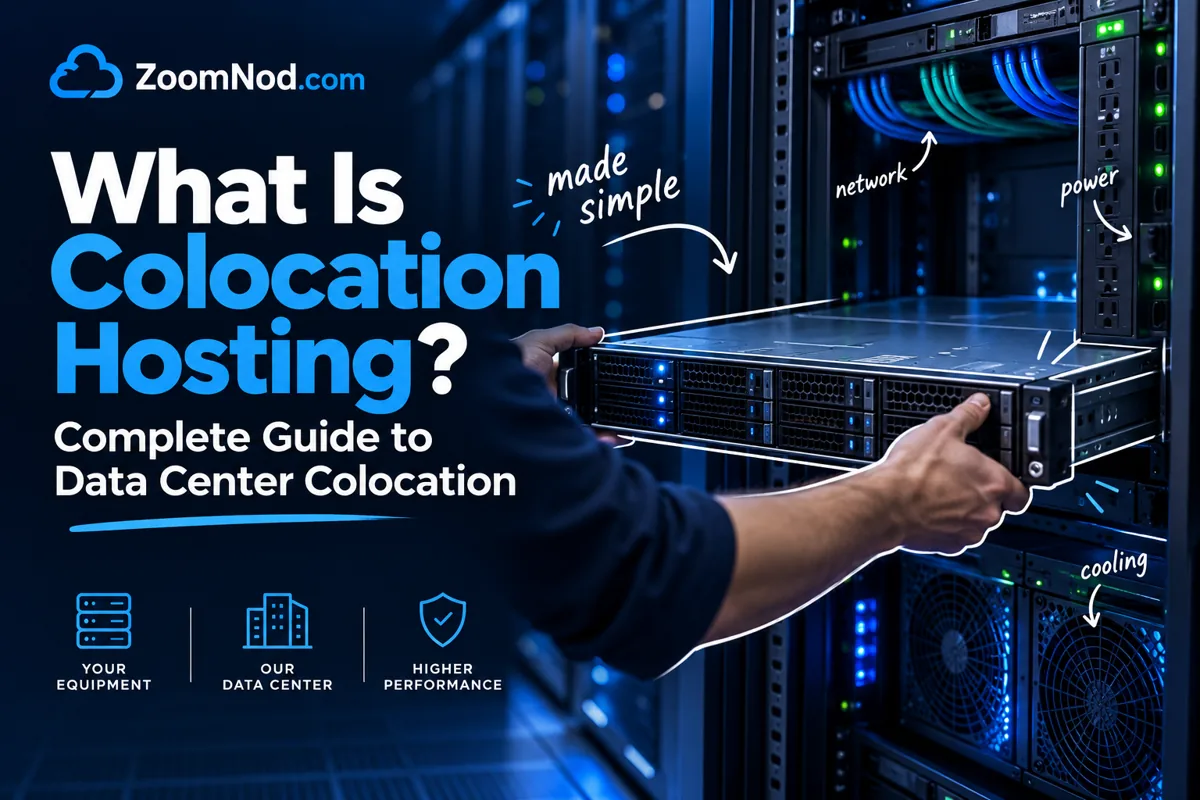
Colocation hosting is a data center service where you place your own physical servers, storage systems, firewalls, switches, or other IT hardware inside a third-party data center instead of keeping that equipment in your office, server room, or private facility. The colocation provider supplies the building, power, cooling, physical security, network connectivity options, rack space, and operational environment. You still own or control the hardware, while the data center provides a safer, more reliable operating environment.
For many businesses, colocation sits between two common infrastructure choices: running servers on-site and renting cloud or VPS resources. With on-site infrastructure, you control everything but also become responsible for power, cooling, internet redundancy, fire suppression, physical access, maintenance planning, and uptime risk. With cloud hosting, you rent virtualized resources and avoid owning hardware, but you may have less hardware-level control and different long-term cost dynamics. Colocation combines control of physical servers with the facility benefits of a professional data center.
This guide covers how colocation hosting works, when it makes sense, how it compares with cloud and dedicated servers, which features matter, and how to choose a provider in 2026. If you are still deciding whether you need physical hardware or a hosted server, you may also want to compare best VPS hosting, best dedicated server for high traffic websites, and colocation vs cloud hosting before committing to a rack.
What Is Colocation Hosting?
Colocation hosting, also called data center colocation or simply colo, is the practice of placing your privately owned server hardware in a professional data center facility. The facility rents you space, power, cooling, connectivity access, and physical security. You provide the server hardware and usually manage the operating system, applications, data, and configuration.
For example, a company buys two rackmount servers for a SaaS platform, a firewall, and a backup appliance. Instead of storing them in an office closet, the company ships them to a colocation data center. The provider installs the hardware in a rack, connects power and network cables, gives the customer remote access, and maintains the facility environment. The customer continues managing the servers remotely, while the data center keeps the equipment powered, cooled, connected, and physically protected.
Colocation providers usually offer several space models. A small business may rent a single rack unit, also called 1U. A larger company may rent a quarter cabinet, half cabinet, full rack, private cage, or dedicated suite. The more hardware you colocate, the more important power density, cross-connect availability, remote hands support, and bandwidth pricing become.
The official description from major colocation providers is similar: colocation means placing your own servers and related IT hardware in rented data center space operated by a third party. Providers such as Equinix describe colocation as placing an organization’s servers and critical IT equipment in a physical data center. Standards organizations such as Uptime Institute also provide frameworks for understanding data center availability, resilience, power, cooling, and fault tolerance.
How Colocation Hosting Works
Colocation works by separating hardware ownership from facility ownership. You own the server equipment, but the data center owns and operates the environment where that equipment runs. This is different from VPS hosting, where you rent virtual resources, and different from dedicated server hosting, where the provider usually owns the physical server and leases it to you.
A typical colocation deployment follows these steps:
- You choose the colocation provider and location. You compare data center location, power pricing, rack space, network carriers, security standards, remote hands, and contract terms.
- You select the rack space and power commit. You may rent 1U, 2U, a quarter rack, half rack, full cabinet, cage, or suite. You also choose the amount of power your hardware needs.
- You prepare and ship your hardware. This may include servers, rails, switches, firewalls, storage devices, cables, and spare parts.
- The provider installs or assists with installation. Depending on the contract, the provider may rack, cable, label, and power on your equipment.
- You connect to bandwidth or carriers. You may use the provider’s blended bandwidth or order cross-connects to specific network carriers, cloud providers, or exchange points.
- You manage the systems remotely. You administer the OS, applications, updates, backups, security, and monitoring using SSH, RDP, VPN, IPMI, iDRAC, iLO, or another management method.
- The provider maintains the facility. The data center handles building security, cooling, generators, UPS systems, physical access controls, fire suppression, and environmental operations.
The shared responsibility model is central to colocation. The data center is responsible for the facility. You are responsible for your hardware, software, security configuration, data, and business applications unless you purchase managed services. Colocation therefore suits experienced teams, but demands more work than fully managed hosting.
What Is Colocation Used For?
Colocation hosting is used when a business wants physical server control without building and operating its own data center. Companies commonly use it for predictable workloads, compliance requirements, custom hardware, high bandwidth needs, or expensive equipment intended to run for several years.
Common colocation use cases include:
- SaaS platforms that need predictable performance and control over hardware.
- Financial services that require low latency, secure facilities, and redundant infrastructure.
- iGaming and sportsbook platforms that need uptime, network reliability, DDoS protection, and regional infrastructure planning.
- Media companies that move large files and need high bandwidth or storage-heavy servers.
- Enterprises that have legacy systems but no longer want to maintain an internal server room.
- Agencies and hosting providers that run their own servers for customers.
- Backup and disaster recovery environments where off-site physical infrastructure is required.
- Private cloud deployments where the business wants virtualization but still owns the hardware.
- AI, analytics, and GPU workloads where specialized hardware may be easier to own than rent long term.
- Compliance-sensitive workloads where physical control, auditability, and documentation matter.
Colocation also serves smaller organizations. A smaller company may colocate one or two servers when uptime, security, and network quality outweigh the convenience of keeping equipment in the office. However, for very small websites, a managed vs unmanaged VPS comparison may show that VPS hosting is cheaper and easier.
Colocation Hosting vs Standard Web Hosting
Standard web hosting usually means shared hosting, VPS hosting, cloud hosting, managed WordPress hosting, or dedicated hosting. In most of those models, the hosting company owns the hardware and rents you some level of access. With colocation, you own the hardware and rent the facility environment.
| Feature | Colocation Hosting | Standard Hosting |
|---|---|---|
| Hardware ownership | You own the server hardware | Provider usually owns the hardware |
| Facility responsibility | Provider manages power, cooling, physical security, and network environment | Provider manages facility and hardware |
| Server control | Very high | Depends on plan type |
| Setup complexity | Higher | Lower |
| Best for | Custom hardware, compliance, predictable workloads, private infrastructure | Websites, apps, startups, flexible scaling |
| Upfront cost | Higher because you buy hardware | Lower because you rent resources |
| Long-term cost | Can be efficient at scale | Can be higher for large steady workloads |
If you only need a website, blog, ecommerce store, or lightweight app, colocation is usually more complex than necessary. If you need full hardware ownership, predictable high usage, or private infrastructure, colocation becomes more attractive.
Types of Colocation Services
Colocation services vary by deployment size and support level. Providers offer different service levels depending on the amount of space, power, network access, and support you need.
1. Per-U Colocation
Per-U colocation is the smallest common model. You rent one or more rack units in a shared cabinet. A 1U server takes one rack unit. It suits small deployments, testing, backup servers, or businesses that need only a few physical machines.
The benefit is lower cost. The limitation is that you share cabinet space with other customers, and you may have fewer customization options for cabling, network design, and physical access.
2. Quarter Rack or Half Rack Colocation
A quarter rack or half rack gives more space and usually better organization. It is useful when you need multiple servers, a firewall, switches, and storage devices but do not need a full cabinet.
Growing businesses, development teams, agencies, and companies leaving an office server room commonly use this model.
3. Full Rack Colocation
Full rack colocation gives you an entire cabinet, usually with a defined power allocation and lockable access. It is better for businesses with multiple production servers, virtualization clusters, storage arrays, backup appliances, and network equipment.
A full rack offers more control but requires better planning. You need to consider power draw, airflow, cable management, switch capacity, network redundancy, and remote management.
4. Private Cage or Suite
A private cage or suite is for larger deployments that need additional physical separation. Enterprises, financial companies, SaaS platforms, healthcare organizations, and regulated businesses may use cages or suites to meet internal security and compliance requirements.
This is more expensive but provides stronger physical control and room for growth.
5. Managed Colocation
Managed colocation adds operational services on top of rack space, power, and network. The provider may help with monitoring, patching, hardware replacement, operating system management, backups, or security services.
Managed colocation suits businesses that want colocation benefits without a full internal infrastructure team. Before choosing managed colocation, define exactly what is included, what is billable, and what remains your responsibility.
Main Benefits of Colocation Hosting
1. Better Facility Reliability Than Most Office Server Rooms
A serious data center is designed for uptime. It usually has redundant power systems, UPS units, backup generators, cooling infrastructure, physical security, fire detection, environmental monitoring, and multiple connectivity options. Most office server rooms cannot match that environment without major investment.
This facility resilience is a primary reason businesses move servers into colocation. It reduces the risk of office power outages, poor cooling, accidental cable disconnections, weak physical security, and single internet connections.
2. Full Hardware Control
With colocation, you decide what hardware to buy. You can choose server CPUs, RAM capacity, NVMe storage, RAID cards, GPUs, firewalls, and network equipment. That flexibility matters when standard cloud or VPS plans do not fit your workload.
For example, a database-heavy application may need high-end NVMe storage and large RAM capacity. A media workload may need large local storage. A virtualization cluster may need specific CPUs and network cards. Colocation lets you design around those needs.
3. Predictable Long-Term Costs for Stable Workloads
Cloud hosting is flexible, but large steady workloads can become expensive over time. Colocation may cost less over time if you already own hardware or plan to use the same servers for several years.
The cost model is different. You pay upfront for hardware, then ongoing monthly fees for rack space, power, bandwidth, cross-connects, remote hands, and support. For stable workloads, this can be easier to forecast than variable cloud billing.
4. Stronger Physical Security
Professional data centers typically use access control, surveillance, visitor logging, locked cabinets, security staff, and controlled entry points. These controls exceed what an office cabinet or utility room usually provides.
Physical security matters because anyone with direct access to a server can potentially remove disks, attach devices, reboot systems, or tamper with hardware. Colocation reduces that risk through controlled facility procedures.
5. Better Network Options
Many colocation facilities offer access to multiple carriers, internet exchanges, cloud on-ramps, private cross-connects, and blended bandwidth. These options can improve redundancy and reduce latency for certain workloads.
If network performance is a major reason for your infrastructure decision, compare colocation with best server location and best server location for low latency before choosing a facility.
6. Compliance and Audit Support
Some businesses need infrastructure that supports compliance goals such as SOC reports, ISO/IEC 27001, PCI DSS, or industry-specific security controls. Colocation providers may offer audit reports, physical security documentation, access logs, and facility compliance information.
A compliant colocation facility does not automatically make your business compliant. It only gives you a better facility foundation. Your applications, data handling, access controls, encryption, logging, and operational policies still need to meet the relevant standard.
7. Easier Disaster Recovery Planning
Colocation can be used as part of a disaster recovery strategy. You can place backup servers or replicated infrastructure in a separate data center location, reducing dependence on your office, primary facility, or cloud region.
It works best with off-site backups, replication, failover planning, and documented recovery procedures.
Limitations of Colocation Hosting
Colocation offers extensive control, but it does not fit every organization. The same control that makes colocation attractive also creates responsibility.
Higher Upfront Cost
You need to buy hardware before you can colocate it. That may include servers, storage, switches, firewalls, rails, cables, spare drives, and remote management licenses. Cloud or VPS hosting usually has a lower entry cost.
More Technical Responsibility
You are usually responsible for OS installation, security hardening, patching, backups, monitoring, firewall configuration, and application management. If hardware fails, you must coordinate replacement or pay for remote hands support.
Slower Scaling Than Cloud
Scaling colocation requires buying, shipping, installing, and configuring more hardware. Cloud servers can be created in minutes. Cloud therefore suits unpredictable growth, while colocation suits planned infrastructure.
Contract Complexity
Colocation contracts may include separate charges for rack space, power, bandwidth, IP addresses, cross-connects, remote hands, installation, after-hours access, and overage usage. You need to read terms carefully.
Physical Distance Matters
If the data center is far from your team, hardware changes depend on remote hands or travel. That is manageable, but it must be planned. Always check the provider’s support response times and remote hands pricing.
Colocation vs Cloud Hosting
Colocation and cloud hosting address different needs. Cloud hosting suits flexibility, fast provisioning, and provider-managed hardware. Colocation suits hardware ownership, predictable workloads, and stronger physical control.
| Question | Choose Colocation If… | Choose Cloud If… |
|---|---|---|
| Do you want to own hardware? | Yes | No |
| Do you need fast scaling? | Not as the main priority | Yes |
| Do you have predictable workloads? | Yes | Maybe |
| Do you need custom hardware? | Yes | No or rarely |
| Do you want lower operational burden? | Only with managed colocation | Yes |
| Do you need strict hardware control? | Yes | Usually no |
Many businesses use a hybrid approach. A business may colocate database servers, storage systems, or private cloud clusters while using public cloud for burst capacity, backups, testing, CDN, analytics, or global distribution.
Colocation vs Dedicated Server Hosting
Dedicated server hosting and colocation both involve physical servers, but ownership is the difference. With a dedicated server, the provider usually owns the hardware and rents it to you. With colocation, you own the server and rent the space where it runs.
Choose dedicated server hosting if you want physical server performance without buying hardware. Choose colocation if you already own hardware, need custom equipment, or want long-term control over infrastructure design.
If your main goal is high traffic performance but not hardware ownership, a best dedicated server for high traffic websites comparison may be more practical than colocation.
Colocation vs VPS Hosting
VPS hosting is usually the easier and cheaper option for small websites, apps, development servers, and growing online projects. A VPS gives you virtual CPU, RAM, storage, and root/admin access without requiring you to buy or maintain hardware.
Colocation is more suitable when you need physical control, custom hardware, predictable high usage, or a private infrastructure footprint. If your workload can run well on a VPS, colocation may be unnecessary.
Start with VPS or cloud unless you have a clear reason to own hardware. Move to dedicated servers or colocation when performance, compliance, cost, or control requirements justify it.
Key Colocation Features to Compare
1. Data Center Location
Location affects latency, legal jurisdiction, support access, disaster recovery, and network routing. Choose a location close to your users, trading venues, business operations, or compliance requirements.
Global businesses may need more than one location. You may need multiple regions or a hybrid model using colocation, VPS, cloud, CDN, and backup sites.
2. Power and Redundancy
Power is a major colocation cost and reliability factor. Ask how power is billed, what redundancy model is used, whether A/B power feeds are available, and how much power density is supported per rack.
High-performance servers, dense storage, and GPU machines can draw significant power. Do not choose rack space before estimating your actual power requirement.
3. Cooling Capacity
Modern servers generate substantial heat, making cooling capacity essential. Poor cooling can reduce hardware lifespan, trigger thermal throttling, or create failures. Ask about cooling design, hot aisle/cold aisle containment, rack density support, and environmental monitoring.
4. Network Carriers and Bandwidth
Check whether the provider offers blended bandwidth, carrier-neutral access, cross-connects, private connectivity, internet exchange access, and cloud connectivity. For latency-sensitive workloads, network quality can matter more than rack price.
5. Remote Hands Support
Remote hands support becomes critical when you cannot reach the data center quickly. It can include rebooting servers, replacing drives, checking cables, reading console output, installing hardware, or moving equipment.
Before signing, ask what is included, what is billed hourly, response times, after-hours pricing, and whether technical tasks require scheduled windows.
6. Physical Security
Look for access controls, visitor logging, cameras, mantraps, biometric access, locked cabinets, cage options, security guards, and documented access procedures.
7. Compliance Documentation
If compliance matters, ask for current reports and certifications. Useful frameworks may include ISO/IEC 27001, SOC 1, SOC 2, PCI DSS, HIPAA-related controls, or local regulatory documentation depending on your industry.
8. Contract Terms
Review minimum terms, setup fees, cancellation terms, bandwidth overage costs, power pricing, cross-connect fees, remote hands rates, SLA terms, and hardware removal procedures.
How Much Does Colocation Hosting Cost?
Colocation pricing varies based on location, rack space, power, bandwidth, support, and contract length. A single 1U server may have a low monthly space cost, but power, bandwidth, remote hands, IP addresses, and setup fees can change the final price.
The main cost factors are:
- Rack space: 1U, 2U, quarter rack, half rack, full rack, cage, or suite.
- Power: Often billed by amp, kilowatt, or committed power allocation.
- Bandwidth: Included transfer, committed Mbps, burstable billing, or carrier cross-connects.
- Cross-connects: Physical connections to carriers, cloud providers, partners, or exchanges.
- Remote hands: Technical help from data center staff.
- Setup fees: Installation, cabling, rack setup, and onboarding.
- Hardware costs: Servers, storage, switches, firewalls, spare parts, warranties, and shipping.
Rack price alone does not provide a useful colocation comparison. A cheaper rack can become expensive if power, cross-connects, bandwidth, and remote hands cost more than expected. For a deeper financial model, see how to calculate colocation costs.
How to Choose a Colocation Provider
Choosing a colocation provider is a long-term infrastructure decision that requires more than comparing brand names or prices.
1. Match the Facility to Your Use Case
A small backup server does not need the same facility as a high-frequency trading system, iGaming platform, or private cloud cluster. Start by defining your workload, uptime needs, data sensitivity, power density, and latency requirements.
2. Check Connectivity Options
Network design heavily influences colocation value. Look for multiple carriers, strong peering, DDoS options, cloud connectivity, cross-connect flexibility, and low-latency routes to your target users or platforms.
3. Validate Power and Cooling Capacity
Ask whether the facility can support your current and future hardware. Dense racks, GPU servers, storage arrays, and virtualization clusters may need more power and cooling than entry-level colocation plans allow.
4. Review Remote Hands Quality
Remote hands staff handle on-site tasks when your team is not physically present. Ask for response times, escalation process, supported tasks, pricing, and availability.
5. Ask About SLAs and Maintenance Windows
Read the SLA carefully. Understand what is covered, what credits apply, how maintenance is announced, and what happens during power or network events.
6. Confirm Security and Compliance
Ask for security policies, access control details, compliance documentation, audit reports, and customer access procedures. This is especially important for finance, healthcare, iGaming, ecommerce, and regulated workloads.
7. Plan Hardware Lifecycle
Colocation planning extends beyond the initial installation. Plan hardware refresh cycles, spare parts, firmware updates, drive replacement, warranty support, and eventual server removal.
Common Colocation Mistakes to Avoid
- Choosing only by monthly rack price. Power, bandwidth, and remote hands can matter more than space cost.
- Underestimating power usage. Real hardware draw may be higher under load than expected.
- Ignoring remote management. Always configure IPMI, iDRAC, iLO, VPN, or secure out-of-band access.
- Not testing backups. Colocation does not replace backup planning.
- Assuming compliance is automatic. A compliant facility does not automatically make your application compliant.
- Using one data center for everything. Critical systems may need off-site replication or failover.
- Forgetting hardware replacement logistics. Drive failures and component failures require a plan.
- Ignoring network route quality. Distance is important, but routing and carrier quality also affect latency.
Is Colocation Hosting Right for You?
Colocation suits businesses that need physical server control, custom hardware, predictable infrastructure costs, professional data center reliability, and better physical security than an office server room provides.
It may be right for you if:
- You already own servers and want a safer facility.
- You need custom hardware that cloud plans do not offer.
- You have stable workloads that justify hardware ownership.
- You need compliance documentation and controlled physical access.
- You want multiple carriers or private network connections.
- You are building private cloud, virtualization, storage, or backup infrastructure.
It may not be right for you if:
- You only need a small website or blog.
- You do not have technical staff.
- You need instant scaling.
- You want the provider to manage all hardware and software.
- You do not want upfront hardware costs.
If you are unsure, compare colocation with VPS, cloud, and dedicated hosting before choosing. For many growing businesses, the best path is to start with VPS or dedicated hosting, then move to colocation when hardware ownership makes financial or technical sense.
Final Verdict: What Is Colocation Hosting?
Colocation hosting is a data center service that lets you place your own physical servers and IT hardware in a professional facility. The provider supplies rack space, power, cooling, physical security, and network access. You keep control of the hardware, operating system, applications, and data.
Colocation’s primary advantage is control. You can choose your own hardware, design your own infrastructure, and run it in a more reliable environment than most office server rooms. Its primary drawback is responsibility. You need to manage hardware lifecycle, software, security, backups, monitoring, and support planning.
Choose colocation if you need custom hardware, predictable long-term infrastructure, physical control, compliance support, or a private infrastructure footprint. Choose VPS, cloud, or dedicated servers if you want simpler management, lower upfront cost, or faster scaling.
For businesses ready for physical infrastructure but unwilling to operate a private data center, colocation can be a practical hosting model in 2026.
FAQs About Colocation Hosting
What is colocation hosting?
Colocation hosting is a service where you place your own servers and IT hardware inside a third-party data center. The provider supplies rack space, power, cooling, security, and network access while you manage the hardware and software.
How does colocation hosting work?
You buy or provide the server hardware, ship it to the data center, install it in rented rack space, connect it to power and network services, and manage it remotely. The data center maintains the facility environment.
Is colocation the same as dedicated server hosting?
No. With dedicated server hosting, the provider usually owns the server and rents it to you. With colocation, you own the server and rent the data center space where it runs.
Is colocation better than cloud hosting?
Colocation is better if you need hardware ownership, custom equipment, and predictable workloads. Cloud hosting is better if you need fast scaling, low upfront cost, and provider-managed hardware.
Who should use colocation hosting?
Colocation is best for businesses with physical servers, custom hardware needs, compliance requirements, predictable high usage, private cloud plans, or disaster recovery needs.
How much does colocation hosting cost?
Colocation cost depends on rack space, power, bandwidth, cross-connects, remote hands, location, and hardware requirements. Always calculate total cost, not only rack price.
Do I need technical staff for colocation?
Usually yes. You need someone to manage operating systems, updates, backups, monitoring, security, and hardware lifecycle. Managed colocation can reduce the workload but does not remove all responsibility.
What is a colocation rack?
A colocation rack is cabinet space inside a data center where your servers and network equipment are installed. You may rent a single rack unit, partial rack, full rack, cage, or private suite.
Is colocation secure?
Colocation can be very secure when the provider has strong access controls, monitoring, locked cabinets, compliance documentation, and physical security processes. Application and server security still remain your responsibility.
Can I use colocation for disaster recovery?
Yes. Many businesses use colocation for off-site backup servers, replication targets, standby systems, and disaster recovery environments.
Latest Hosting Guides
VPS Hosting for Kubernetes: Complete Guide for 2026
VPS Hosting for Docker Containers: Complete Guide for 2026
VPS Hosting for Redis: Complete Guide for 2026
VPS Hosting for Elasticsearch: Complete Guide for 2026
How to Host a Discord Bot on a VPS in 2026: Complete Step-by-Step Guide
Swipe or scroll to explore more guides
Colocation hosting makes sense when a company wants to own and control its physical hardware but use a professional data-center facility for power, cooling, connectivity, and security. I would compare rack units, cabinet space, power allocation, redundant feeds, bandwidth commits, IP transit, cross-connects, remote hands, hardware shipping, access procedures, insurance, and contract terms. The organization still needs to purchase spare parts, manage warranties, plan upgrades, and handle operating-system administration. A realistic colocation cost model should include both the facility invoice and the lifecycle cost of the owned servers.
In colocation, the customer normally owns the server hardware while the provider supplies the facility and supporting infrastructure. This differs from renting a dedicated server owned by the hosting company.
Redundant power and network connections improve colocation availability, but backups and disaster recovery should still use another site. One facility remains a geographic failure domain.