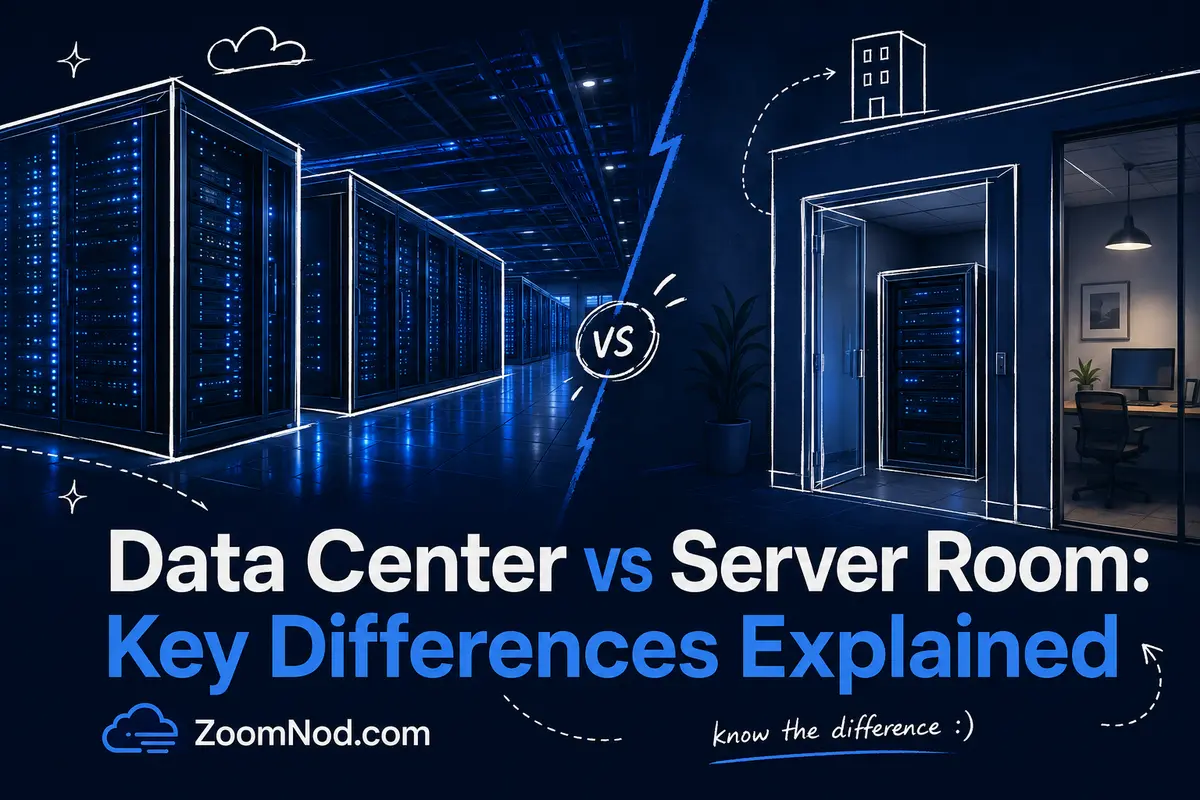
Introduction: Data Center vs Server Room in 2026
When comparing infrastructure for websites, business applications, databases, private software, game servers, or internal systems, the distinction between a data center and a server room matters. Both can house servers, networking equipment, storage, and backup systems, but they are not the same in scale, reliability, security, cooling, power design, or long-term cost.
A server room is usually a smaller dedicated space inside an office, branch location, school, warehouse, or business facility. It may contain a few racks, switches, firewalls, storage devices, backup appliances, and local servers. A data center is a purpose-built facility designed to host IT infrastructure at a much higher standard, usually with redundant power, professional cooling, physical security, fire suppression, monitoring, carrier connectivity, and operational procedures.
For small businesses, a server room may seem convenient because the hardware is nearby. For growing companies, agencies, SaaS teams, eCommerce businesses, iGaming operators, Forex platforms, developers, and high-traffic websites, that convenience may become a limitation. Server rooms are often harder to cool, harder to secure, harder to scale, and more vulnerable to power or network problems.
This practical datacenter vs. server room comparison focuses on hosting buyers. It covers use cases, infrastructure requirements, costs, location, security, and when VPS hosting, dedicated servers, cloud infrastructure, or colocation hosting makes more sense than building your own room.
What Is a Data Center?
A data center is a physical facility built to house and operate IT infrastructure. IBM defines a data center as a physical room, building, or facility that houses IT infrastructure used to build, run, and deliver applications and services. In practice, a data center keeps servers online, cooled, connected, secure, and monitored around the clock.
Modern data centers can support many types of infrastructure, including VPS nodes, dedicated servers, private cloud clusters, storage arrays, backup systems, network routers, firewalls, load balancers, GPU servers, and enterprise applications. Large public cloud providers, hosting companies, financial platforms, telecom operators, and enterprise IT teams all depend on data center infrastructure.
A data center is more than a room full of servers. It usually includes:
- Power systems: utility feeds, UPS units, generators, power distribution units, and backup fuel planning.
- Cooling systems: precision cooling, hot aisle/cold aisle design, airflow control, liquid cooling, or advanced HVAC systems.
- Network systems: carrier connectivity, fiber routes, routers, switches, BGP, DDoS mitigation, and redundant uplinks.
- Physical security: access control, CCTV, security staff, visitor procedures, cages, locked racks, and audit logs.
- Fire protection: early detection, suppression systems, and facility-specific safety procedures.
- Monitoring: temperature, humidity, power load, network health, access logs, and hardware alerts.
- Operations: technicians, remote hands, maintenance processes, incident response, spare hardware, and change controls.
Organizations choose data centers when uptime, scalability, compliance, network performance, and physical security matter. For example, if you are running a betting platform, Forex trading system, high-traffic website, SaaS product, or mission-critical database, a professionally operated data center is usually safer than keeping equipment in a small office server room.
The Uptime Institute Tier Classification System is a widely used framework for comparing data center resilience. It helps classify facilities by infrastructure redundancy and availability expectations. You do not need to memorize every tier, but the principle matters: more resilient facilities are designed with fewer single points of failure.
What Is a Server Room?
A server room is a dedicated space inside an existing building where an organization keeps servers, network devices, storage, UPS units, patch panels, and other IT equipment. Unlike a data center, a server room is usually not a purpose-built facility. It may be converted from an office room, storage area, utility room, secure cabinet area, or small technical space.
Server rooms are common in small businesses, schools, local offices, agencies, retail chains, warehouses, clinics, and organizations that need on-site infrastructure for local users. They support file sharing, local authentication, office applications, local backup, print services, surveillance storage, point-of-sale systems, and internal tools.
A typical server room might include:
- One or more server racks
- Switches and patch panels
- A firewall or router
- One or more physical servers
- Local storage or NAS devices
- A small UPS
- Basic cooling or dedicated air conditioning
- Lockable doors or cabinet locks
- Backup drives or local backup appliances
A server room can suit small local workloads. Problems arise when it must support workloads requiring strong uptime, low latency, high bandwidth, strict compliance, professional monitoring, or rapid growth. Many server rooms are built gradually rather than designed from the start, which can create issues with heat, cabling, access control, backup power, and disaster recovery.
For example, a server room may work for a company file server, but it may not be ideal for hosting a public eCommerce website, iGaming platform, Forex VPS environment, large database, or customer-facing SaaS application. In those cases, a VPS, dedicated server, cloud server, or colocation solution can often provide a more reliable foundation.
Data Center vs Server Room: Quick Comparison Table
| Feature | Data Center | Server Room |
|---|---|---|
| Main purpose | Professional hosting and large-scale IT infrastructure | Small to medium on-site IT equipment |
| Scale | Multiple racks to thousands of racks | Usually one rack to a few racks |
| Power redundancy | UPS, generators, redundant power paths | Often basic UPS only |
| Cooling | Precision cooling and airflow engineering | Office AC or smaller dedicated cooling |
| Network | Multiple carriers, fiber routes, high bandwidth | Usually one or two business internet connections |
| Security | Multi-layer physical security and monitoring | Door lock, cabinet lock, or basic access control |
| Scalability | Designed to scale | Limited by space, power, cooling, and cabling |
| Cost model | Service-based, colocation, cloud, VPS, or dedicated hosting | DIY capital expense plus maintenance |
| Best for | Public workloads, hosting, databases, compliance, high uptime | Local business services and small internal workloads |
| Main risk | Choosing the wrong provider or location | Power, cooling, network, security, and staffing limits |
Key Requirements for a Data Center
A data center requires more than racks and servers. It requires the right physical environment, redundant infrastructure, operational discipline, and network architecture. These requirements lead many businesses to choose hosting providers instead of building their own facilities.
1. Reliable Power Design
Servers need stable electricity. In a data center, power design usually includes multiple utility feeds where available, UPS systems, power distribution, backup generators, generator fuel planning, and continuous monitoring. The design reduces the chance that one power problem takes down hosted services.
In a server room, power is often simpler. A business may rely on one building circuit, a small UPS, and a generator only if the building already has one. This may be acceptable for small internal services but is risky for customer-facing systems.
2. Professional Cooling and Airflow
Servers generate heat continuously. If cooling fails, equipment may throttle, shut down, or suffer hardware damage. Data centers are designed around airflow, cooling redundancy, temperature control, and humidity control.
Server rooms often struggle with cooling because office HVAC systems are not designed for 24/7 IT loads. A small room with several servers can become too hot quickly, especially during weekends, outages, or building HVAC failures.
3. Network Connectivity
Data centers usually connect to multiple carriers and internet exchanges. This provides more bandwidth options, route diversity, lower latency, and stronger reliability. For hosting buyers, network quality often affects website speed, game server ping, Forex VPS latency, iGaming performance, and application response time.
If network performance is a priority, you should also read best server location and best server location for low latency, because the physical location of the infrastructure can affect response times for users, brokers, players, or customers.
4. Physical Security
A data center normally uses multiple layers of access control. This can include perimeter security, reception checks, badges, biometric access, mantraps, CCTV, locked cages, locked cabinets, visitor logs, and security staff.
A server room may only have a locked office door. A door lock alone may be insufficient when the room holds customer data, financial systems, authentication servers, or business-critical backups. If employees, cleaners, contractors, or visitors can access the room too easily, the physical risk is higher.
5. Fire Detection and Suppression
Fire protection in IT environments needs careful planning. Data centers use detection and suppression systems designed for technical infrastructure. In a small office server room, fire protection may simply be the building’s standard fire alarm and sprinkler system, which may not be optimized for servers and electrical equipment.
6. Monitoring and Operations
Data center infrastructure must be monitored continuously. Power, cooling, humidity, network links, access logs, and incident alerts need active oversight. Server rooms often depend on internal IT staff who may not monitor the room 24/7.
For this reason, many businesses move public workloads to VPS, dedicated servers, or colocation. The provider handles the facility layer while the business focuses on applications, websites, customers, and growth.
Key Requirements for a Server Room
An on-site server room requires careful planning. Poor server-room design can create hidden business risks.
1. Dedicated Space
A server room should not double as a storage room, break room, cleaning closet, or general office space. Keep it dedicated to IT equipment. Avoid dust, water pipes, direct sunlight, heavy foot traffic, and unnecessary access.
2. Proper Rack and Cable Management
Servers, switches, patch panels, UPS units, and storage devices should be installed in proper racks or cabinets. Cables should be labeled, organized, and documented. Poor cable management makes troubleshooting slower and increases the chance of accidental disconnections.
3. Adequate Power and UPS Capacity
A small UPS may be insufficient for multiple servers. Calculate power load, expected runtime, and safe shutdown procedures. If the room supports important services, consider whether the building needs generator backup or whether those services should move to a data center instead.
4. Dedicated Cooling
Office air conditioning may not support server loads after hours. Measure heat output, monitor room temperature, and use dedicated cooling if needed. Heat is a common server-room problem.
5. Access Control
Limit access to people who need it. Use locked doors, access logs, and locked racks. Keep a record of who can enter and why. Server rooms often hold sensitive business data, so physical access should be treated seriously.
6. Backup and Disaster Recovery
Keeping backups beside the primary servers is insufficient. Fire, water damage, theft, or building failure can affect everything at once. Use off-site backups, cloud backups, or remote replication.
7. Documentation
Document IP addresses, hardware inventory, firewall rules, rack layout, support contacts, warranty dates, backup schedules, and restore procedures. A server room without documentation is difficult to manage during emergencies.
What Are Data Centers and Server Rooms Used For?
Both environments can host IT systems, but they suit different use cases.
Common Data Center Use Cases
- VPS hosting: Providers use data center infrastructure to run virtualization nodes and deliver VPS plans to customers.
- Dedicated servers: Businesses rent full physical servers for high performance, traffic-heavy sites, private apps, or databases. Learn more in what is dedicated server hosting.
- Colocation: Companies place their own hardware in a professional facility instead of keeping it on-site. See colocation hosting for a full guide.
- Cloud platforms: Cloud providers use large data centers to deliver virtual machines, storage, networking, databases, and managed services.
- Disaster recovery: Businesses replicate workloads to separate facilities to reduce outage risk.
- iGaming and betting platforms: These workloads need uptime, DDoS protection, security, and low-latency infrastructure. See what is iGaming hosting.
- Forex trading infrastructure: Traders often use VPS hosting close to broker servers for better latency. See what is forex VPS.
- High-traffic websites: Large websites may need dedicated servers, load balancing, CDN integration, and strong network capacity.
Common Server Room Use Cases
- Local file servers
- Local backup systems
- Office authentication services
- Print servers
- Small accounting or ERP systems
- Security camera storage
- Local development or testing equipment
- Branch-office network infrastructure
- Temporary migration systems
A server room suits local workloads when the business can tolerate its limitations. A data center or hosting provider is usually better when the workload is public, customer-facing, revenue-critical, or performance-sensitive.
How Important Is Location When Choosing a Server?
Location is a major factor when choosing where to host a server. The distance between the server and the user affects latency, page speed, application response time, gaming ping, trading execution environment, and user experience.
For example, if most of your customers are in Germany, hosting in Frankfurt or another nearby European location may provide better performance than hosting in a far-away region. If you run a Forex VPS, the best location is usually close to your broker’s trading servers. If you run an iGaming platform, you may need a location that balances latency, licensing, compliance, DDoS protection, and market access.
Location also affects:
- Latency: Physical distance and network routing can increase round-trip time.
- SEO and user experience: Faster page loading can improve engagement and conversion rates.
- Legal jurisdiction: Data privacy and regulatory requirements can depend on where data is stored.
- Disaster recovery: Workloads should not all depend on one building or region.
- Connectivity: Some cities have stronger carrier ecosystems and internet exchange access.
- Cost: Power, real estate, bandwidth, and compliance costs vary by location.
Data center location is especially important for best server location for iGaming, gaming servers, Forex VPS, SaaS platforms, eCommerce, and websites with international visitors.
Data Center vs Server Room for VPS Hosting
For VPS hosting, a professional data center is usually the better option. VPS hosting depends on virtualization nodes, fast storage, redundant networking, stable power, and proper cooling. A small server room can run virtual machines, but it rarely matches a hosting provider’s data-center reliability and network quality.
A VPS hosted in a good data center can provide:
- Better uptime expectations
- Faster network connectivity
- More reliable power and cooling
- Remote reinstall and rescue options
- Snapshots and backups, depending on the provider
- Multiple operating system templates
- Scalable plans
- Better support options
If you are choosing between keeping a small server in your office and using a VPS, the VPS is often easier to manage and more predictable for public-facing workloads. It can be especially useful for websites, Linux applications, Windows apps, Minecraft servers, Forex VPS setups, monitoring tools, and business dashboards.
Choosing the right operating system also matters. For guidance, read Best Server OS.
Data Center vs Server Room for Dedicated Servers
Dedicated servers can be hosted in a data center, a colocation facility, or an internal server room. For most public workloads, a data center provides stronger power, cooling, security, and network infrastructure.
A dedicated server in a data center is suitable for:
- High-traffic websites
- Large databases
- Media streaming
- Game servers
- Private cloud nodes
- Virtualization platforms
- AI or GPU workloads
- Enterprise applications
- Hosting control panels
For high-traffic websites, a dedicated server gives you more predictable resources than shared hosting or small VPS plans. You can also combine dedicated servers with load balancers, CDN services, caching layers, and database replicas. For deeper guidance, see best dedicated server for high traffic websites.
A server room may still work for internal dedicated hardware, but you need to consider power, cooling, physical access, replacement parts, and disaster recovery. If one office power outage can take your revenue system offline, the server room is not enough.
Data Center vs Server Room for Security
Security extends beyond firewalls and antivirus software. Physical security matters too. If someone can walk into a server room, unplug equipment, copy drives, steal hardware, or connect unauthorized devices, the system is at risk even if the software is well configured.
Data centers usually provide stronger physical controls through multiple layers of access protection. Server rooms need similar thinking, but many small businesses underestimate the risk.
Security differences include:
- Access control: Data centers usually track and restrict access more strictly.
- Surveillance: Data centers often use CCTV and access logs.
- Environmental alerts: Data centers monitor temperature, humidity, fire, and power events.
- Network protection: Hosting providers may offer DDoS mitigation and redundant routing.
- Audit readiness: Data centers may support compliance documentation better than office server rooms.
If your infrastructure processes payments, customer accounts, regulated data, or sensitive business systems, a professional facility is usually easier to justify than a basic server room.
Data Center vs Server Room Cost Comparison
A server room may initially look cheaper because the office space already exists. The real cost extends beyond the room itself.
Server room costs can include:
- Racks and cabinets
- UPS units and batteries
- Electrical work
- Dedicated cooling
- Fire protection
- Network circuits
- Security systems
- Server hardware
- Storage and backup hardware
- Replacement parts
- IT staff time
- Monitoring tools
- Insurance and risk
- Downtime cost
Data center hosting costs can include:
- VPS monthly fees
- Dedicated server rental
- Colocation rack units
- Bandwidth commits
- Remote hands fees
- Backup services
- DDoS protection
- Managed support
- Control panel licenses
- IP addresses
The right choice depends on the workload. If you only need a small internal file server, a server room might make sense. If you need a public website, Forex VPS, game server, database, iGaming platform, or high-traffic application, the cost of downtime can quickly make a professional data center or VPS plan the better value.
For businesses that do not want to manage the facility layer, managed vs unmanaged VPS is another important comparison. A managed VPS can reduce the technical burden, while an unmanaged VPS gives more control to experienced users.
When Should You Use a Server Room?
A server room remains useful in some cases. You may choose a server room if the workload is local, the business already has IT staff, and the risk of short downtime is acceptable.
A server room can make sense for:
- Local file sharing
- Small internal apps
- Local backups combined with off-site backup
- Branch-office services
- Security camera storage
- On-site testing labs
- Temporary migration projects
- Private systems that must remain physically on-site
However, a server room is not ideal if the business needs 24/7 public access, low latency for international users, high uptime, DDoS protection, strong compliance, or fast scalability.
When Should You Use a Data Center?
Consider a data center, VPS provider, dedicated server provider, or colocation facility when uptime and performance matter more than proximity to your office.
A data center-based solution is usually better for:
- Public websites
- eCommerce platforms
- SaaS applications
- Customer portals
- Forex trading VPS
- iGaming and betting platforms
- Game servers
- High-traffic databases
- Remote teams
- Disaster recovery
- Compliance-sensitive workloads
- Business-critical applications
Data centers also offer more flexibility. You can start with a VPS, upgrade to a larger VPS, move to a dedicated server, add another region, or use colocation if you need your own hardware. That path is usually easier than expanding a small office server room.
Data Center vs Server Room: Which One Is Better?
No single option suits every business. A data center is better for professional hosting, public workloads, scalability, and uptime. A server room is better for small local workloads where physical proximity and direct control matter.
Choose a data center if you need:
- Higher uptime
- Professional cooling
- Redundant power
- Better network connectivity
- Stronger physical security
- Remote access and remote hands
- DDoS protection
- Scalability
- Compliance support
- Public hosting reliability
Choose a server room if you need:
- Small local infrastructure
- On-site hardware access
- Internal-only workloads
- Simple file or office services
- Local backup appliances
- Temporary lab systems
- Direct control over physical equipment
For workloads affecting revenue, customers, trading, gaming, compliance, or brand trust, a data center-based solution is usually safer.
How to Choose Between a Data Center, Server Room, VPS, Dedicated Server, and Colocation
Use this decision framework:
- Use a server room if the workload is local, small, and not highly uptime-sensitive.
- Use VPS hosting if you need affordable, flexible hosting for websites, apps, trading tools, Linux services, or small business workloads.
- Use a dedicated server if you need full physical resources, high performance, large databases, or heavy traffic.
- Use colocation if you own the hardware but want it hosted in a professional facility.
- Use cloud or multi-region hosting if you need global scale, automation, and geographic redundancy.
If you are unsure, start by defining the workload. Ask:
- Who uses this system?
- Where are the users located?
- How much downtime can the business tolerate?
- What happens if the office loses power?
- Does the workload need DDoS protection?
- Does the workload need low latency?
- Does the business have technical staff?
- Will the system need to scale in the next 12 months?
- Are there compliance or data location requirements?
The answers usually clarify the appropriate infrastructure choice.
Conclusion
The difference between a data center and a server room comes down to purpose, scale, reliability, and risk. A server room is a small on-site space for local IT equipment. A data center is a professional facility built for resilient hosting, power, cooling, security, network connectivity, and operational control.
If you only need local file sharing, internal tools, or branch-office equipment, a well-planned server room may be enough. But if you are hosting public websites, databases, game servers, Forex VPS environments, iGaming platforms, SaaS apps, or high-traffic business systems, a data center-based solution is usually better.
For many businesses, the best path is not building a server room at all. It is choosing the right hosting model: VPS hosting for flexibility, dedicated servers for performance, colocation for owned hardware, and multi-location infrastructure for low latency and resilience.
A practical rule is to keep local workloads local while hosting revenue-critical and customer-facing systems on infrastructure designed for uptime.
FAQ: Data Center vs Server Room
What is the main difference between a data center and a server room?
A server room is usually a small on-site room that holds local IT equipment. A data center is a purpose-built facility designed for professional hosting, redundant power, cooling, network connectivity, physical security, and continuous operations.
Is a server room cheaper than a data center?
A server room may look cheaper at first, especially if the business already owns the office space. However, the full cost includes cooling, power, UPS units, security, staff time, monitoring, downtime risk, and hardware replacement. For public workloads, VPS hosting or data center-based services are often better value.
Can I host a website from a server room?
Yes, but it is usually not recommended for business-critical websites. A server room may have weaker bandwidth, cooling, uptime, DDoS protection, and physical security than a professional hosting environment.
When should I use a VPS instead of a server room?
Use a VPS when you need public hosting, remote access, better uptime, easier scaling, or lower maintenance than on-site hardware. A VPS is often better for websites, apps, Forex tools, development servers, and small business workloads.
What are data centers used for?
Data centers are used for VPS hosting, dedicated servers, cloud infrastructure, colocation, databases, backups, disaster recovery, AI workloads, gaming servers, iGaming platforms, and enterprise applications.
What are server rooms used for?
Server rooms are commonly used for local file servers, office systems, authentication, backups, network equipment, security camera storage, and small internal business applications.
How important is data center location?
Data center location is very important for latency, user experience, compliance, disaster recovery, and connectivity. Hosting closer to your users, brokers, players, or customers can reduce response time.
Is colocation the same as a data center?
Colocation is a service offered inside a data center. With colocation, you own the hardware and rent space, power, cooling, and network access in a professional facility.
Is a data center better for security?
Usually yes. Data centers generally provide stronger physical security, access logs, CCTV, controlled entry, locked racks or cages, and better environmental monitoring than a typical office server room.
Should small businesses build a server room?
Small businesses should build a server room only if they truly need on-site equipment and can manage power, cooling, backups, security, and support. For many workloads, VPS hosting, managed hosting, or dedicated servers are simpler and safer.
Latest Hosting Guides
VPS Hosting for Kubernetes: Complete Guide for 2026
VPS Hosting for Docker Containers: Complete Guide for 2026
VPS Hosting for Redis: Complete Guide for 2026
VPS Hosting for Elasticsearch: Complete Guide for 2026
How to Host a Discord Bot on a VPS in 2026: Complete Step-by-Step Guide
Swipe or scroll to explore more guides
A data center and an office server room may both contain racks and network equipment, but the operational environment is very different. I would compare redundant utility power, UPS and generators, cooling, fire detection and suppression, physical security, carrier diversity, monitoring, staffing, maintenance procedures, and compliance. A server room can be appropriate for small internal systems or edge workloads, but the business must account for building outages, cooling failures, internet connectivity, hardware access, and disaster recovery. The total cost comparison should include facilities and operational responsibility, not only the server hardware.
A server room can be sufficient for a small business when the workload is local and the organization accepts the facility risk, but power, cooling, internet, access control, and monitoring still need professional planning.
Whether servers are in a data center or server room, backups and disaster recovery should use another location. Redundant equipment inside one building does not protect against a site-wide incident.