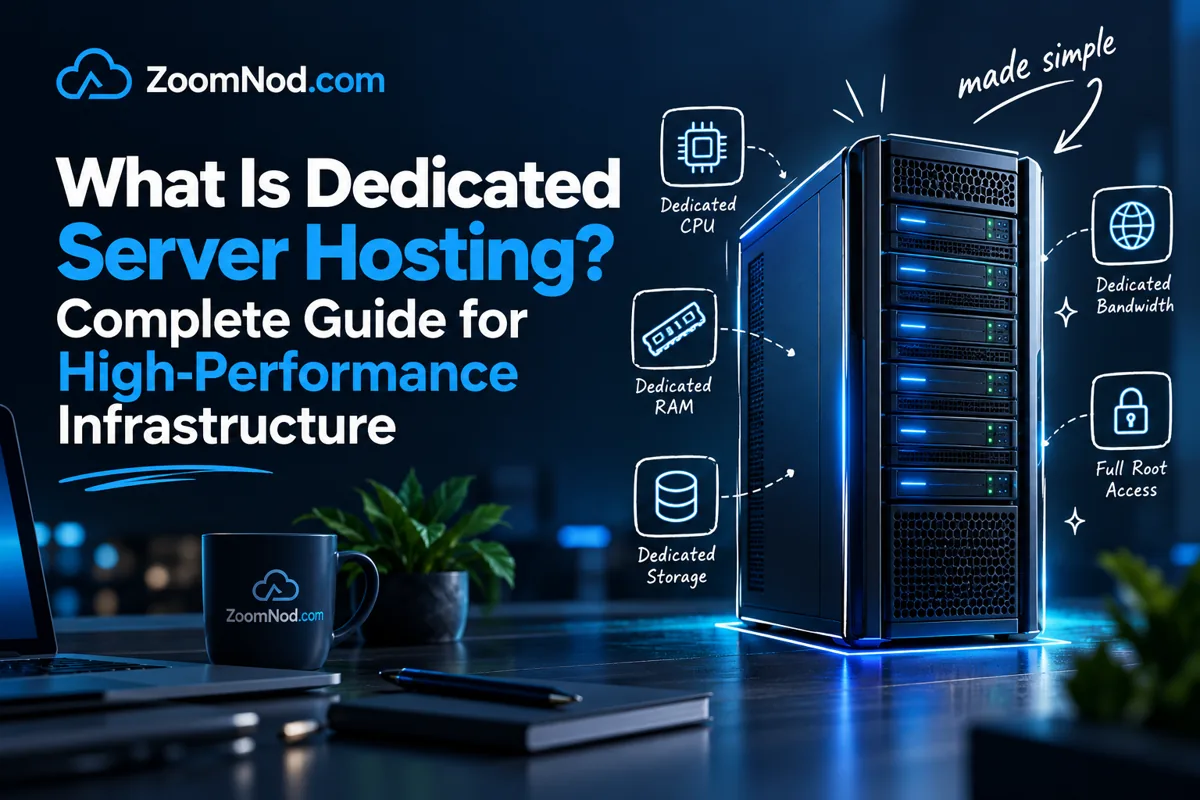
If you are comparing hosting options for a serious website, application, online store, game server, database, trading platform, SaaS product, or enterprise workload, the central question is what is dedicated server hosting? In simple terms, dedicated server hosting gives you access to an entire physical server reserved for your own workloads. You do not share the CPU, RAM, storage, network allocation, or operating system environment with other customers in the same way you would with shared hosting or a typical virtual private server.
A dedicated server is usually chosen when performance, control, isolation, compliance, or predictable resource availability matters more than the lowest possible monthly price. Most businesses do not need it as their first hosting plan, but it becomes a suitable upgrade when traffic grows, applications consume more resources, or inconsistent performance becomes too costly.
This guide covers how dedicated servers work, when they make sense, how they compare with VPS and cloud hosting, which specifications matter, what they cost, and how to choose a provider in 2026. The focus is practical buying decisions rather than hosting marketing.
Quick Answer: What Is Dedicated Server Hosting?
Dedicated server hosting is a hosting service where a provider rents an entire physical server to one customer. The customer gets dedicated hardware resources, usually including a specific CPU, RAM allocation, storage drives, network port, bandwidth allowance, IP addresses, and operating system options.
Unlike shared hosting, a dedicated server does not place your website or application on the same server environment as many unrelated customers. Unlike a standard VPS, your server resources are not divided from a larger host machine through virtualization. You may still use virtualization software on top of your dedicated machine if you want to create your own private VMs, but the underlying hardware is assigned to you.
Dedicated server hosting is commonly used for:
- High-traffic websites
- Large WordPress or WooCommerce stores
- iGaming and betting platforms
- Game servers
- SaaS applications
- Database servers
- Video streaming and media workloads
- Private cloud infrastructure
- Enterprise applications
- Compliance-sensitive workloads
- GPU and AI workloads
If you are still comparing hosting tiers, it can also help to read about managed vs unmanaged VPS and best dedicated server for high traffic websites before choosing a final plan.
Dedicated Server Hosting Explained
A dedicated server is a physical machine located in a data center. It has real hardware components: processor, motherboard, memory, storage drives, network card, power supply, cooling, and remote management features. When you rent dedicated server hosting, the provider gives you access to that server for your own use.
This hardware assignment distinguishes dedicated hosting from ordinary web hosting. With shared hosting, many customers share the same environment. With a VPS, several virtual machines may run on one physical host. With dedicated server hosting, the physical machine is reserved for one customer.
That does not automatically make every dedicated server faster than every VPS or cloud server. A modern high-end VPS can outperform an old dedicated server with slow disks and weak CPUs. The value of a dedicated server comes from predictable physical resources, isolation, custom configuration, and direct control over hardware-level choices.
Providers often use the terms dedicated server and bare metal server for closely related services. In many buying situations, they refer to the same idea: a single-tenant physical server. IBM describes bare metal servers as physical machines rented to one tenant without sharing the hardware with others, and OVHcloud describes bare metal as a physical server dedicated to one customer. See IBM’s explanation of bare metal dedicated servers and OVHcloud’s overview of bare metal servers for official examples.
How Dedicated Servers Work
A dedicated server works by giving your workload exclusive access to the physical server assigned to you. The provider owns or operates the data center infrastructure. You rent the server and use it for websites, applications, databases, storage, virtualization, hosting panels, or custom infrastructure.
A typical deployment follows these steps:
- You choose a server configuration. This includes CPU, RAM, storage, bandwidth, operating system, location, and management level.
- The provider deploys the server. Some dedicated servers are instant-deploy, while custom builds can take longer.
- An operating system is installed. Popular choices include Linux distributions and Windows Server. For more details, see best server OS.
- You connect remotely. Linux servers are usually managed over SSH, while Windows servers are usually managed through Remote Desktop.
- You install your stack. This may include Nginx, Apache, LiteSpeed, MySQL, PostgreSQL, Docker, cPanel, Plesk, game server software, or application frameworks.
- You monitor and maintain the server. Updates, backups, firewall rules, performance tuning, and security hardening become part of your hosting process.
Dedicated servers are often managed through SSH, control panels, IPMI, KVM over IP, remote console tools, or provider dashboards. A hosting control panel simplifies website and email administration. Common options include cPanel and Plesk. You can also compare control panel options in best web hosting control panel.
Types of Dedicated Servers
Dedicated server configurations vary widely. A small entry-level dedicated server for one business website is very different from a dual-CPU machine for databases or a GPU server for AI workloads. Understanding these types helps prevent an unsuitable purchase.
1. Unmanaged Dedicated Server
An unmanaged dedicated server gives you control over the server, but you are responsible for setup, updates, security, monitoring, backups, troubleshooting, and software configuration. This option suits experienced developers, system administrators, DevOps teams, and companies with in-house technical knowledge.
Choose unmanaged dedicated hosting if you want full control and already know how to manage a server safely.
2. Managed Dedicated Server
A managed dedicated server includes provider assistance for server administration tasks. The scope varies by provider, so review the service definition carefully. Managed support may include OS updates, security patches, monitoring, control panel setup, backups, troubleshooting, and software stack maintenance.
Choose managed dedicated hosting if uptime matters but you do not want to handle every system administration task yourself.
3. Bare Metal Server
A bare metal server is usually a dedicated physical server provisioned with minimal abstraction and direct access to the hardware. Some providers use “bare metal” to describe fast-deploy dedicated infrastructure with cloud-like automation. Others use it interchangeably with dedicated servers.
For a deeper comparison, see what is bare metal server.
4. GPU Dedicated Server
A GPU dedicated server includes graphics processing units for workloads that need accelerated compute. These are used for AI, machine learning, rendering, video processing, computer vision, remote workstation workloads, and some scientific computing workloads. NVIDIA lists data center GPU products for AI, visual computing, and enterprise acceleration on its data center products page.
5. Storage Dedicated Server
A storage dedicated server prioritizes disk capacity, RAID, backup space, and throughput. It may use HDDs for large capacity, SSDs for speed, NVMe drives for low-latency storage, or a hybrid layout. The NVMe base specification was designed for SSDs and low-latency access over PCIe, which is why NVMe is often preferred for high-performance server storage. See the official NVMe specification overview for background.
6. High-Bandwidth Dedicated Server
A high-bandwidth dedicated server is built for large traffic volumes, streaming, software downloads, proxy workloads, gaming, CDN origin use, media delivery, and platforms that move a lot of data. These plans often focus on network port speed, bandwidth allowance, traffic policy, and DDoS protection.
7. Enterprise Dedicated Server
An enterprise dedicated server is designed for businesses that need stronger hardware, redundancy, support, compliance, and predictable operations. These servers may include ECC memory, enterprise drives, RAID controllers, private networking, remote management, premium bandwidth, and service-level agreements.
Dedicated Server vs Other Hosting Solutions
Dedicated hosting is only one infrastructure option. The right choice depends on traffic, budget, control, performance, scalability, and management needs.
Dedicated Server vs Shared Hosting
Shared hosting is usually cheaper and easier, but you share resources with many users. It suits small websites, simple blogs, and beginner projects. However, shared hosting can become limiting when you need root access, custom software, advanced caching, high traffic capacity, or isolated performance.
A dedicated server is better when you need more control, stronger performance, and fewer noisy-neighbor risks.
Dedicated Server vs VPS
A VPS gives you a virtual slice of a physical server. It is more flexible than shared hosting and cheaper than dedicated hosting. For many websites, a VPS provides a practical balance of cost and control. But a dedicated server gives you the full physical machine, which can be better for heavy workloads, large databases, virtualization, private hosting infrastructure, and predictable performance.
Choose VPS if you need affordable control. Choose dedicated hosting if your resource needs are large, steady, or business-critical.
Dedicated Server vs Cloud Server
Cloud servers support flexible scaling, fast resizing, distributed infrastructure, API-based provisioning, and elastic usage. Dedicated servers are often better for predictable workloads where fixed resources, physical isolation, or high sustained performance matter.
Many businesses combine the two in a hybrid model: cloud servers for flexible app components and dedicated servers for databases, storage, compliance, or heavy workloads.
Dedicated Server vs Colocation
With dedicated hosting, you rent the provider’s server. With colocation, you usually own the server hardware and place it in a professional data center. Colocation suits businesses that need hardware ownership, custom appliances, or long-term infrastructure control. Dedicated hosting is easier if you do not want to purchase, ship, maintain, and replace physical hardware.
If you are comparing these models, read what is colocation hosting and colocation vs cloud hosting.
| Hosting Type | Best For | Main Advantage | Main Limitation |
|---|---|---|---|
| Shared Hosting | Small websites and beginners | Low cost and easy setup | Limited control and shared resources |
| VPS Hosting | Growing websites and developers | Good balance of cost and control | Physical host is still shared |
| Dedicated Server | High-performance workloads | Exclusive physical resources | Higher cost and more management |
| Cloud Server | Elastic and distributed apps | Scalability and automation | Costs can rise with usage |
| Colocation | Hardware ownership | Full hardware control | Requires buying and maintaining equipment |
When Should You Upgrade to a Dedicated Server?
A higher-powered label alone does not justify moving to a dedicated server. The upgrade should be based on real requirements. A well-optimized VPS may be enough for many small and mid-sized websites. Dedicated hosting becomes worthwhile when poor performance, downtime, or resource limits cost more than the server.
You should consider dedicated server hosting when:
- Your website receives steady high traffic.
- Your VPS CPU or RAM usage is regularly maxed out.
- Your database needs more memory, IOPS, or isolation.
- You run heavy applications, game servers, or media workloads.
- You need custom firewall, virtualization, storage, or kernel configuration.
- You need stricter compliance or tenant isolation.
- Your business needs predictable monthly performance.
- You host many customer websites or applications.
- Your application has stable resource needs and cloud pricing is becoming expensive.
For high-traffic use cases, a dedicated server can be a better long-term fit than repeatedly upgrading smaller VPS plans. If your main issue is high website traffic, compare this guide with best dedicated server for high traffic websites.
Performance Benefits of Dedicated Servers
Performance consistency is a primary reason businesses choose dedicated hosting. When a workload has direct access to physical resources, it avoids many of the shared-resource problems that affect low-cost hosting environments.
Dedicated CPU Resources
CPU performance matters for dynamic websites, database queries, APIs, game servers, compression, encryption, background jobs, and application logic. Dedicated servers let you choose processor class, core count, clock speed, cache, and generation based on your workload.
Modern server CPU options include AMD EPYC and enterprise families like Intel Xeon. AMD’s EPYC 9005 series includes configurations with up to 192 cores, while Intel Xeon 6 includes options designed for performance, efficiency, AI, and data center workloads.
If you are comparing CPU-heavy plans, see best server CPU.
Dedicated RAM
Dedicated RAM is important for databases, caching, Java applications, game servers, virtualization, and high-traffic websites. More RAM can reduce disk reads, improve cache hit rates, and help applications stay responsive under load.
For WordPress, ecommerce, and dynamic websites, RAM is often just as important as CPU. For database-heavy workloads, insufficient memory can create slow queries, high disk I/O, and poor user experience.
Fast Storage
Storage affects database performance, file access, backups, log writing, and application responsiveness. NVMe storage is usually preferred for high-performance dedicated servers because it offers lower latency and better throughput than older SATA SSDs or HDDs.
HDD storage can still suit backups, archives, and large-capacity needs. The best configuration depends on whether you need speed, capacity, redundancy, or all three.
Network Capacity
Dedicated servers often provide stronger network options than entry-level VPS plans. This may include 1 Gbps, 10 Gbps, or higher network ports, dedicated bandwidth allowances, private networking, and DDoS protection.
For latency-sensitive workloads, server location matters as much as raw bandwidth. Read best server location and best server location for low latency before choosing a data center.
Security Advantages of Dedicated Servers
Dedicated hosting can improve security by reducing shared-environment risks. You are not sharing the same OS environment with unrelated customers, and you can apply your own hardening policies, firewall rules, monitoring tools, access controls, and backup strategy.
Security advantages include:
- Physical resource isolation
- More control over firewall and network rules
- Custom OS hardening
- Dedicated IP addressing
- Private networking options
- Better control over logging and monitoring
- Custom backup and disaster recovery strategy
- Compatibility with compliance-driven setups
However, a dedicated server is not automatically secure. If you leave SSH exposed with weak passwords, ignore patches, skip backups, or run outdated software, the server can still be compromised. A secure setup combines dedicated hardware with firewall rules, SSH keys, malware protection, patching, monitoring, backups, least-privilege access, and DDoS protection.
For server protection planning, see best antivirus software for servers and how to secure Linux server.
Dedicated Server Pricing Explained
Dedicated server pricing depends on hardware, location, bandwidth, support, licensing, storage, redundancy, and contract terms. A small single-CPU server and a high-end GPU server have very different costs, so one price cannot represent every buyer.
Common pricing factors include:
- CPU model: Newer CPUs, more cores, and higher clock speeds cost more.
- RAM: More memory increases cost, especially ECC memory in enterprise servers.
- Storage: NVMe storage is usually more expensive than SATA SSD or HDD storage.
- RAID: Hardware RAID, software RAID, and redundant disk layouts can affect pricing.
- Bandwidth: Higher traffic allowances and premium network routes cost more.
- Port speed: 10 Gbps ports usually cost more than 1 Gbps ports.
- Location: Some data center regions are more expensive due to power, real estate, compliance, or network costs.
- Management: Managed support adds cost but reduces operational burden.
- Licenses: Windows Server, cPanel, Plesk, and commercial software can increase monthly cost.
- DDoS protection: Advanced mitigation may be included or sold separately.
Typical entry-level dedicated servers may be suitable for small business sites, game servers, or moderate workloads. Mid-range servers are better for ecommerce, SaaS, databases, and agencies. Enterprise dedicated servers are built for high-traffic platforms, private cloud, compliance, and mission-critical infrastructure.
| Dedicated Server Tier | Typical Specs | Best For | Buyer Note |
|---|---|---|---|
| Entry Level | 4-8 cores, 16-32 GB RAM, SSD/NVMe | Small business sites, dev servers, light apps | Check upgrade options before choosing |
| Performance | 8-32 cores, 64-128 GB RAM, NVMe RAID | Ecommerce, SaaS, busy WordPress, databases | Strong balance for growing workloads |
| Enterprise | 32+ cores, 128 GB+ RAM, redundant storage | High traffic, compliance, iGaming, private cloud | Support and network quality matter heavily |
| GPU Server | Server CPU, large RAM, one or more GPUs | AI, rendering, video processing, ML workloads | Confirm GPU model and software compatibility |
Managed vs Unmanaged Dedicated Servers
Choosing between managed and unmanaged service determines who handles routine server administration. The hardware may look similar, but the responsibility model is very different.
Choose Managed Dedicated Hosting If…
- You do not have a server administrator.
- You want help with updates, monitoring, and troubleshooting.
- You run business-critical websites or applications.
- You use cPanel, Plesk, or a managed stack.
- You prefer paying more to reduce operational risk.
Choose Unmanaged Dedicated Hosting If…
- You have Linux or Windows server administration experience.
- You want full root or administrator control.
- You run custom software stacks.
- You can handle security, backups, updates, and monitoring.
- You want lower monthly cost and more configuration freedom.
The right choice depends on your team’s capabilities. A managed server is not “better” if you already have strong DevOps capability. An unmanaged server is not “cheaper” if downtime or misconfiguration costs your business money.
Dedicated Server Use Cases by Industry
High-Traffic Websites
High-traffic websites need consistent CPU, RAM, disk I/O, and network performance. A dedicated server can support busy WordPress, WooCommerce, news, media, and community websites when shared or VPS hosting becomes unstable.
Ecommerce Stores
Ecommerce sites need stable performance during product launches, sales campaigns, and seasonal traffic spikes. Dedicated hosting can provide isolated resources, stronger security control, and better database performance.
SaaS Applications
SaaS platforms may use dedicated servers for application hosting, databases, background workers, internal tools, private APIs, or hybrid cloud infrastructure. Predictable resource allocation can make costs easier to estimate.
iGaming and Betting Platforms
iGaming platforms often need low latency, DDoS protection, strong uptime, private networking, and compliance-aware infrastructure. Dedicated servers can support databases, game engines, payment components, odds feeds, and backend services.
For this use case, compare what is iGaming hosting, iGaming server requirements, and Best Server Location for iGaming.
Game Servers
Game servers benefit from high clock speeds, low latency, enough RAM, fast storage, and DDoS protection. Dedicated servers are often used for large Minecraft, ARK, Rust, FiveM, and multiplayer communities.
If you are focused on game hosting, see Minecraft server price and make a minecraft server.
Databases
Database servers benefit from fast storage, high memory, dedicated CPU resources, and predictable disk I/O. Dedicated servers are commonly used for MySQL, MariaDB, PostgreSQL, MongoDB, Redis, and analytics workloads.
Private Cloud and Virtualization
A dedicated server can be used as a virtualization host for multiple private VMs. This is useful for agencies, developers, businesses, and labs that want more control than a typical VPS plan provides.
How to Choose the Right Dedicated Server Provider
Choosing a provider should not be based on CPU, RAM, and price alone. A suitable provider combines the performance, uptime, network quality, support, security, and upgrade flexibility your workload requires.
1. Start With the Workload
Define what the server will run. A WordPress site, SQL database, game server, virtualization node, AI workload, and media streaming platform all need different configurations.
2. Choose the Right CPU
High core count is not always better. Some workloads need many cores, while others need higher single-thread performance. Databases, game servers, and some application stacks can benefit from high clock speed. Virtualization, rendering, and parallel workloads often benefit from more cores.
3. Size RAM Carefully
RAM is one of the biggest performance factors for databases, caching, Java apps, game servers, and virtualization. Buying too little RAM creates bottlenecks. Buying too much RAM wastes budget.
4. Prefer NVMe for Performance Workloads
If your workload involves database reads/writes, ecommerce transactions, caching, or heavy application I/O, NVMe storage is usually worth considering. For backup storage or archives, HDD capacity may be more economical.
5. Check Data Center Location
Server location affects latency, SEO, legal requirements, compliance, and user experience. Choose a data center close to your users, brokers, players, business region, or compliance zone.
6. Review Network and DDoS Protection
Check port speed, included bandwidth, overage policies, traffic quality, upstream providers, private networking options, and DDoS protection. Network quality matters heavily for gaming, iGaming, Forex, SaaS, and high-traffic websites.
7. Check Data Center Reliability
Look for power redundancy, cooling redundancy, carrier diversity, physical security, monitoring, remote hands, and clear uptime commitments. Uptime Institute’s Tier Classification System is one recognized framework for understanding data center infrastructure levels.
8. Understand Support Scope
Support quality can determine whether a dedicated hosting deployment succeeds. Ask whether support covers only hardware/network issues or also OS, software, control panel, security, and application stack problems.
9. Check Upgrade and Migration Options
A suitable plan should allow future upgrades, storage expansion, additional IPs, private network options, backup services, and migration support.
10. Compare Total Cost, Not Just Base Price
A low base price can become expensive after adding Windows licenses, control panel licenses, backups, DDoS protection, extra bandwidth, management, and remote hands. Always compare total monthly cost.
Common Dedicated Server Mistakes to Avoid
- Buying too much hardware too early: A powerful server is useful only if your workload can use it.
- Ignoring backups: Dedicated servers still fail. Backups are not optional.
- Choosing the wrong OS: Your OS must match your application stack and control panel. See best server OS.
- Skipping monitoring: Use monitoring for CPU, RAM, storage, network, disk health, and services.
- Forgetting security updates: Dedicated hardware does not protect outdated software.
- Choosing a location randomly: Location affects latency and compliance.
- Underestimating support needs: Unmanaged hosting can be risky without technical expertise.
- Not checking control panel compatibility: cPanel and Plesk have specific system requirements and OS support policies. See cPanel system requirements and Plesk system requirements.
Recommended Dedicated Server Configurations
No dedicated server configuration suits every workload. The right setup depends on your workload. Use the examples below as practical starting points.
| Use Case | Recommended CPU | Recommended RAM | Recommended Storage | Key Priority |
|---|---|---|---|---|
| Small business website | 4-8 cores | 16-32 GB | SSD or NVMe | Reliability and support |
| High-traffic WordPress | 8-16 cores | 32-64 GB | NVMe RAID | CPU, cache, and disk I/O |
| Ecommerce store | 8-32 cores | 64-128 GB | NVMe with backups | Database speed and uptime |
| Game server | High clock speed CPU | 32-128 GB | NVMe | Latency and DDoS protection |
| Database server | 16-64 cores | 128 GB+ | NVMe RAID | Memory and IOPS |
| Virtualization node | High core count CPU | 128 GB+ | NVMe plus backup storage | Core count and RAM |
| AI or rendering | Server CPU plus GPU | 128 GB+ | NVMe | GPU compatibility |
Is Dedicated Server Hosting Right for You?
Dedicated server hosting suits workloads that need exclusive hardware resources, consistent performance, advanced customization, or better isolation than shared hosting or a VPS provides.
It may not be right if you only run a small brochure website, a new blog, or a low-traffic project. In that case, a VPS or managed web hosting plan can be more cost-effective.
Choose dedicated hosting if you need:
- Predictable performance
- Dedicated CPU, RAM, and storage
- Custom OS and control panel setup
- Better isolation
- Large database capacity
- High traffic handling
- Private infrastructure
- Advanced network options
- Long-term stable resource allocation
Before buying, compare your expected traffic, software stack, management skills, backup needs, and security requirements. The right dedicated server matches your workload without making you pay for unused resources.
Conclusion
Dedicated server hosting is a model where one customer rents an entire physical server for their own workloads. It offers dedicated hardware resources, stronger control, better isolation, and more predictable performance than shared hosting or many VPS environments.
Dedicated servers are best for high-traffic websites, ecommerce, SaaS, iGaming, game servers, databases, private cloud, media workloads, and enterprise infrastructure. They can also suit stable, predictable resource needs because you pay for a fixed physical machine instead of continually scaling virtual resources.
The main tradeoff is responsibility. Dedicated servers cost more and require more planning than shared hosting. You need to think about OS choice, security, backups, monitoring, hardware specs, support level, and server location. A well-matched dedicated server can support performance, uptime, and long-term infrastructure control.
FAQs About Dedicated Server Hosting
What is dedicated server hosting?
Dedicated server hosting is a hosting service where one customer rents an entire physical server. The customer gets dedicated CPU, RAM, storage, network resources, and operating system control for websites, applications, databases, or infrastructure workloads.
Is a dedicated server better than VPS?
A dedicated server is better than a VPS when you need exclusive physical resources, high sustained performance, custom hardware control, or stronger isolation. A VPS is usually better for lower-cost hosting, smaller workloads, or projects that do not need an entire physical machine.
What is the difference between a dedicated server and bare metal server?
In many hosting contexts, dedicated server and bare metal server are used similarly. Both usually refer to a physical server reserved for one customer. Some providers use bare metal to describe faster provisioning, cloud-like automation, or direct access to hardware without a virtualization layer.
How much does dedicated server hosting cost?
Dedicated server hosting cost depends on CPU, RAM, storage, bandwidth, location, management level, software licenses, backups, and DDoS protection. Entry-level plans cost less, while enterprise, high-bandwidth, and GPU dedicated servers cost much more.
Who needs a dedicated server?
Dedicated servers are useful for high-traffic websites, ecommerce stores, SaaS platforms, game servers, iGaming platforms, large databases, compliance-sensitive workloads, private cloud environments, and businesses that need predictable performance.
Can I host multiple websites on a dedicated server?
Yes. You can host multiple websites on a dedicated server if the server has enough CPU, RAM, storage, and bandwidth. A hosting control panel such as cPanel, Plesk, or DirectAdmin can make multi-site management easier.
Is dedicated hosting secure?
Dedicated hosting can be more secure than shared hosting because the physical resources are isolated. However, security still depends on patching, firewall rules, access control, backups, monitoring, malware protection, and proper server administration.
Should I choose managed or unmanaged dedicated hosting?
Choose managed dedicated hosting if you want provider help with server administration, updates, monitoring, and troubleshooting. Choose unmanaged dedicated hosting if you have technical experience and want full control at a lower management cost.
What operating system should I use on a dedicated server?
The best operating system depends on your workload. Linux is common for web hosting, databases, and open-source applications. Windows Server is better for Microsoft workloads, Remote Desktop, ASP.NET, and Windows-only software.
When should I upgrade from VPS to dedicated server?
Upgrade from VPS to dedicated server when your VPS is regularly hitting CPU, RAM, storage, or network limits, when you need stronger isolation, or when your workload needs predictable physical resources.
Latest Hosting Guides
VPS Hosting for Kubernetes: Complete Guide for 2026
VPS Hosting for Docker Containers: Complete Guide for 2026
VPS Hosting for Redis: Complete Guide for 2026
VPS Hosting for Elasticsearch: Complete Guide for 2026
How to Host a Discord Bot on a VPS in 2026: Complete Step-by-Step Guide
Swipe or scroll to explore more guides
Dedicated server hosting gives one customer access to an entire physical server, but the service can still vary significantly between providers. I would compare unmanaged and managed plans, hardware age, CPU, RAM, storage, RAID, network port, included transfer, IP addresses, remote console, DDoS protection, backups, and hardware replacement terms. Dedicated hosting is useful for sustained high-performance workloads, large databases, virtualization, game servers, streaming, and strict isolation, but the customer also needs a plan for security, monitoring, patching, and recovery. The total value depends on both hardware and operational support.
Bare-metal server and dedicated server are often used interchangeably, although some providers use bare metal to emphasize rapid provisioning or cloud-style billing for physical hardware.
A VPS provides isolated virtual resources on shared physical hardware, while dedicated hosting reserves the full machine for one customer. The practical difference is control, isolation, performance consistency, and cost.