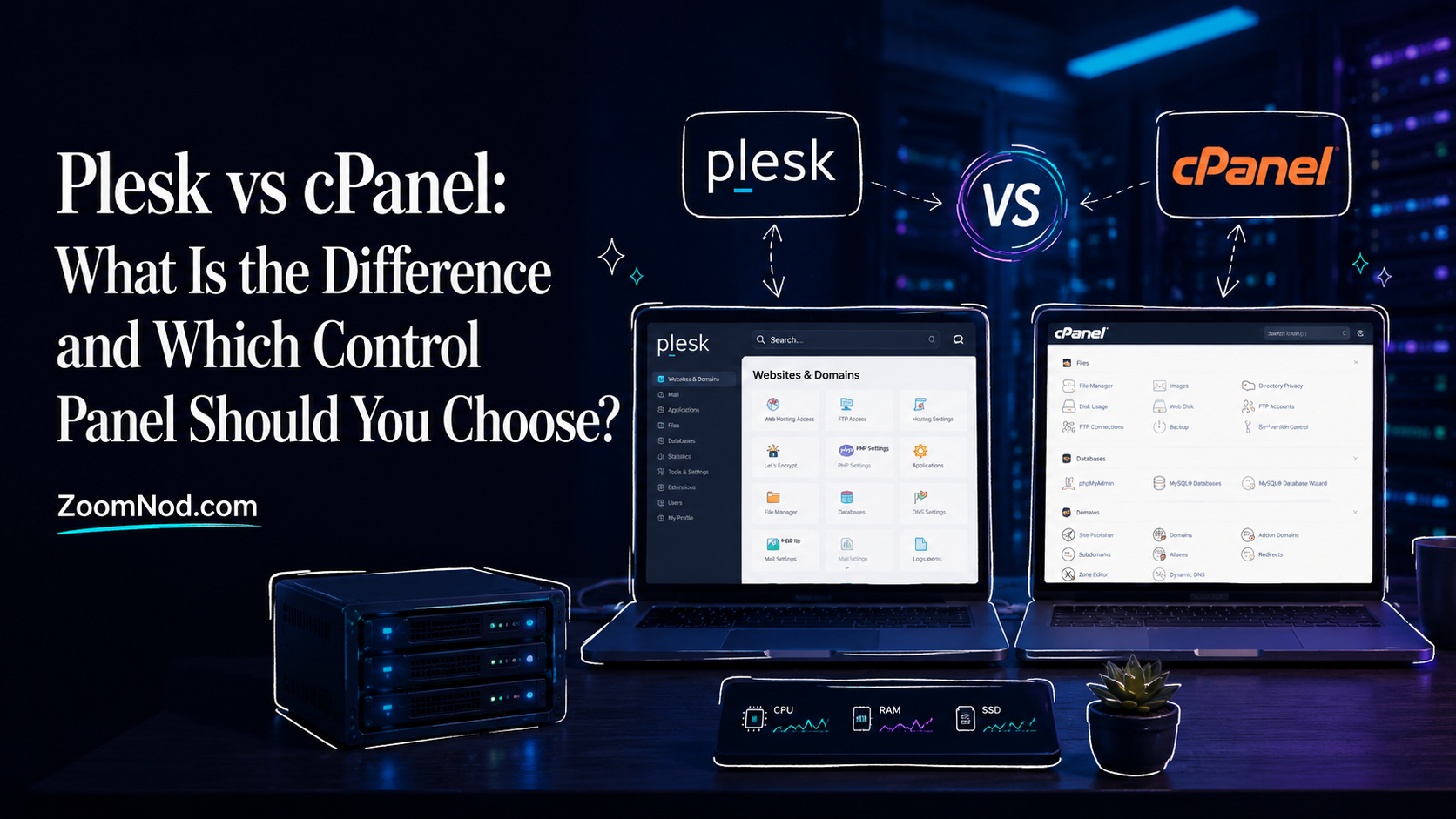
When buying a VPS, dedicated server, reseller plan, or managed hosting service, the control panel can affect your daily workflow more than the server specifications. Two names appear in most hosting comparisons: Plesk and cPanel. Both help you manage websites, domains, databases, SSL certificates, email accounts, backups, DNS records, file access, security tools, and server-level settings from a browser-based dashboard.
The short answer: cPanel is usually the better choice for traditional Linux hosting, reseller hosting, and users who already know the WHM/cPanel workflow. Plesk is usually better if you want a modern interface, Windows Server support, broader developer tools, or one panel for Linux and Windows environments.
Neither panel is automatically better for every user. The right choice depends on your operating system, hosting provider, number of websites, budget, technical skill level, and whether you need reseller tools, WordPress management, Windows hosting, or simple VPS administration. If you are still choosing the server itself, start with a practical guide like best VPS hosting or compare your operating system options with Best Server OS before committing to a control panel.
This practical Plesk vs cPanel comparison covers the main decision points. It explains what web control panels do, where DirectAdmin fits, how Plesk and cPanel differ, how pricing usually works, and which panel suits common hosting use cases.
What Is a Web Control Panel?
A web hosting control panel is a browser-based interface that helps you manage a hosting server without doing every task manually from the command line. Instead of creating Linux users, editing configuration files, generating SSL certificates, setting up mailboxes, creating databases, and managing DNS zones manually, a control panel puts those tasks into a dashboard.
A good web control panel can help with:
- Adding and managing websites
- Creating email accounts
- Installing SSL certificates
- Managing DNS records
- Creating MySQL or MariaDB databases
- Managing PHP versions
- Uploading and editing files
- Creating FTP accounts
- Installing WordPress
- Running backups and restores
- Monitoring storage and bandwidth
- Managing users, packages, and subscriptions
- Handling reseller or client accounts
- Improving server security through firewall, malware, and update tools
For beginners, a control panel makes server management easier to learn. For agencies, it saves time when managing many client websites. For hosting resellers, it provides account creation and package management. For developers, it can simplify common tasks while still allowing SSH access and advanced configuration when needed.
However, a control panel also adds overhead. It consumes disk space, RAM, CPU, and license cost. It can also limit how freely you customize the server. That is why unmanaged VPS users sometimes avoid panels completely, while agencies and small businesses often prefer them. To understand that trade-off better, compare managed vs unmanaged VPS.
Quick Verdict: Plesk vs cPanel
Use this table as a starting point:
| Use Case | Better Choice | Why |
|---|---|---|
| Traditional Linux shared hosting | cPanel | Very common, familiar, strong WHM/cPanel ecosystem |
| Windows Server hosting | Plesk | Plesk supports Windows Server workflows, while cPanel is Linux-focused |
| Reseller hosting | cPanel | WHM is widely used for reseller account management |
| Modern dashboard experience | Plesk | Cleaner interface and more application-focused layout |
| WordPress management | Plesk or cPanel | Both have WordPress tools, but the workflow differs |
| Budget-conscious single VPS | Depends | Compare license cost, account limits, and provider bundles |
| Developers managing apps | Plesk | Often easier for Git, Docker-style workflows, and multi-stack use |
| Hosting providers with many accounts | cPanel | Strong account/package/reseller management through WHM |
| Users who want a lighter alternative | DirectAdmin | Usually simpler and lighter than both Plesk and cPanel |
If your hosting environment is Linux-only and you already know WHM, cPanel is the familiar choice. If you need Windows hosting, a modern interface, or broader flexibility, Plesk often fits better.
What Is cPanel?
cPanel is a widely used web hosting control panel. It is especially common in shared hosting, reseller hosting, Linux VPS hosting, and dedicated server hosting. In most setups, cPanel is paired with WHM, which stands for WebHost Manager.
The two interfaces serve different roles:
- WHM is the server/admin side used to manage accounts, packages, server services, reseller access, DNS, and hosting-level settings.
- cPanel is the user/account side used to manage websites, email, databases, files, domains, SSL, and WordPress.
This split suits hosting companies and resellers. A provider can use WHM to create hosting packages and customer accounts, while each customer gets a cPanel account for their own website management.
What cPanel Is Best For
cPanel works well when you need an established Linux hosting workflow. It is especially strong for:
- Linux shared hosting
- Reseller hosting
- Agency hosting
- WordPress hosting
- Multiple client websites
- Email and DNS management
- Traditional LAMP hosting
- Hosting providers that need account isolation
- Users who want a familiar control panel interface
If your main goal is to manage websites, databases, domains, and email accounts on a Linux server, cPanel is still one of the most familiar options. Many tutorials, hosts, developers, and support teams already understand the cPanel workflow.
Where cPanel Can Be Less Ideal
cPanel is not the best fit for every server. It is mainly designed for Linux hosting, so it is not the right choice if you need Windows Server hosting. It can also become expensive when you manage many accounts because pricing depends heavily on license tier and account limits. It may also feel heavier than simpler panels if you only want to host one or two websites on a small VPS.
Do not choose cPanel solely because it is popular. Choose it when you actually need its account structure, reseller tools, Linux hosting ecosystem, and support familiarity.
What Is Plesk?
Plesk is another major web hosting control panel used to manage websites, domains, databases, mailboxes, security tools, WordPress sites, and server services from a web dashboard. It is often seen as more modern and flexible than cPanel, especially for users who want one interface across different server environments.
A key difference is that Plesk works with supported Linux and Windows hosting environments, depending on the server and license. This matters if you need ASP.NET, Microsoft SQL Server, Windows Server, or a mixed hosting setup. If your workload depends on Windows Server, cPanel is usually not the right option, while Plesk can be a practical fit.
What Plesk Is Best For
Plesk is especially useful for:
- Windows Server hosting
- Linux VPS hosting
- WordPress management
- Small business websites
- Agencies managing client sites
- Developers who want a cleaner app-focused interface
- Users who prefer a modern dashboard
- Hosting environments with mixed technologies
- ASP.NET and Microsoft-focused hosting workflows
Plesk may feel easier to users unfamiliar with the WHM/cPanel structure. Its interface groups many tasks around websites and subscriptions, which can feel more natural when managing a smaller number of sites.
Where Plesk Can Be Less Ideal
Plesk may not be the first choice if you specifically need classic WHM-style reseller hosting or if your team already has years of cPanel experience. Some hosting providers also bundle cPanel more commonly than Plesk, so provider availability can affect your decision.
Plesk suits Windows, WordPress, and mixed-stack hosting, but check the license edition, domain limits, extension costs, and provider support before buying.
What Is DirectAdmin?
DirectAdmin is another established hosting control panel. It is often considered a lighter, simpler, and sometimes more affordable alternative to cPanel and Plesk. It supports many common hosting tasks, including domain management, email accounts, DNS, SSL, databases, file access, user levels, reseller features, and server management.
DirectAdmin is worth mentioning in a Plesk vs cPanel comparison because many VPS buyers are not only choosing between two panels. They are choosing the best panel for cost, simplicity, server resources, and management style. DirectAdmin may not have the same ecosystem depth as cPanel or the same Windows flexibility as Plesk, but it can be a good option for users who want a practical Linux hosting panel without extra complexity.
When DirectAdmin Makes Sense
DirectAdmin can make sense if:
- You want a lighter Linux hosting panel
- You are managing a VPS with limited resources
- You do not need the full WHM/cPanel ecosystem
- You want reseller features without a heavier interface
- You prefer a simpler dashboard
- Your provider offers strong DirectAdmin support
If you want a broader list of Linux panel options, compare best control panel for linux VPS. If you want a wider panel comparison across operating systems, see best web hosting control panel.
Plesk vs cPanel: Main Differences
The differences between Plesk and cPanel extend beyond appearance. They differ in operating system support, interface design, account structure, reseller workflow, WordPress management style, pricing model, and ideal user type.
1. Operating System Support
cPanel is mainly a Linux hosting control panel. It supports specific Linux operating systems and versions, which must be checked before installation. This makes it a strong fit for AlmaLinux, CloudLinux, Ubuntu, and other supported Linux environments, depending on cPanel’s current compatibility list.
Plesk is more flexible because it supports both Linux and Windows Server environments. That makes Plesk a better choice if you need Windows hosting, ASP.NET, Microsoft SQL Server, or a control panel that can fit more than one server OS family.
Operating-system support is a central decision point. If you are building Linux shared hosting or reseller hosting, cPanel is usually straightforward. If you need Windows Server, Plesk is the practical answer.
2. Interface and Ease of Use
cPanel uses a familiar icon-based layout. Many hosting customers already know how to use it because it has been widely used for years. The learning curve is low for users who have hosted websites before.
Plesk uses a more centralized interface. Its layout is often easier for users who manage sites as projects rather than as separate hosting accounts. Tasks such as WordPress management, SSL setup, subscriptions, users, and domains are presented in a way that can feel cleaner to new users.
For beginners, Plesk may feel more straightforward. For experienced hosting users, cPanel may feel faster because the workflow is familiar.
3. Admin Structure
cPanel separates the admin and user experience into WHM and cPanel. WHM is used by server administrators, resellers, and hosting providers. cPanel is used by individual website owners.
Plesk uses a more unified dashboard approach. You can manage websites, subscriptions, users, extensions, applications, and server services from a single interface structure. This can feel simpler for small businesses and agencies, especially when the hosting environment is not a large reseller operation.
If you need to create hosting accounts at scale, WHM is well suited to the task. If you want a more unified website management dashboard, Plesk may feel cleaner.
4. WordPress Management
Both panels can manage WordPress. Both can help with installation, updates, staging-style workflows depending on tools/extensions, security, and site maintenance. The difference is usually the workflow and included tools available through your license or provider.
Plesk is often praised for its WordPress Toolkit experience. cPanel also offers WordPress management through its own tools and add-ons. For a single WordPress site, either can work. For agencies managing many client WordPress sites, the better option depends on how comfortable your team is with the interface and what your provider includes.
If WordPress is your main workload, also consider server performance, caching, backups, PHP version management, and support quality. The panel helps, but it does not replace good hosting infrastructure.
5. Security Tools
Both panels include or support important security features such as SSL management, user permissions, updates, firewall integrations, malware tools, and extension ecosystems. However, security depends heavily on configuration.
cPanel environments often use tools such as AutoSSL, ModSecurity, Imunify, CloudLinux, and related hosting security add-ons. Plesk environments can also use SSL tools, firewall features, security extensions, WordPress hardening, and server protection integrations.
The safer choice is the panel your provider keeps patched and configures correctly. A poorly maintained cPanel server is not safer than a well-maintained Plesk server, and the reverse is also true.
6. Email Management
Both Plesk and cPanel can handle email accounts, webmail, mail routing, spam tools, DNS records, and mailbox settings. cPanel is especially common in shared hosting environments where email hosting is expected as part of the account.
Plesk also handles email management well, including business-oriented setups. On Windows Server, Plesk may be the stronger fit because cPanel is not designed for Windows hosting.
For professional business email, you should also consider deliverability, SPF, DKIM, DMARC, rDNS, IP reputation, and whether your provider allows outbound mail. A control panel can help configure email, but it cannot guarantee inbox placement by itself.
7. Developer Features
Plesk may suit developers who want to manage applications, Git workflows, multiple stacks, and modern site operations from one panel. It can be attractive for small dev teams that want control without building everything manually.
cPanel is also useful for developers, especially in traditional PHP, WordPress, and LAMP hosting environments. It is not limited to beginners. Many experienced administrators use cPanel because it is predictable and well supported.
If your stack is more app-focused, Plesk may be easier. If your stack is traditional hosting-focused, cPanel may be better.
8. Reseller Hosting
cPanel suits reseller hosting because WHM was built around account management, packages, user limits, resource plans, and reseller workflows. Many hosting businesses and agencies know this structure well.
Plesk can support reseller and customer management too, but cPanel/WHM remains the more familiar choice in traditional reseller hosting.
If your goal is to sell hosting accounts, cPanel is usually the familiar default. If your goal is to manage websites for clients without necessarily selling classic hosting packages, Plesk can still be a strong option.
Plesk vs cPanel Pricing in 2026
Plesk vs cPanel pricing matters because license costs can change the total monthly price of a VPS or dedicated server. Pricing changes over time, so you should always check the official pricing pages or your hosting provider’s bundled license pricing before buying.
cPanel pricing is usually based on license type and account limits. That means a server with many cPanel accounts can cost more than a server with one website. This pricing structure matters for agencies, resellers, and hosting providers because each client account may affect the license tier.
Plesk pricing usually depends on edition and domain limits. It can be attractive for smaller use cases when the domain count fits the selected plan. For larger hosting providers, the right Plesk license depends on the number of domains, features, and server type.
| Pricing Factor | cPanel | Plesk |
|---|---|---|
| Main pricing structure | License tier and account limits | Edition and domain/site limits |
| Best value for | Traditional hosting account workflows | Small business, Windows hosting, mixed environments |
| Can become expensive when | You host many accounts | You need higher editions or many domains |
| Provider bundle matters? | Yes | Yes |
| Check before buying | Account limits, add-ons, renewal price | Domain limits, extensions, renewal price |
Do not compare only the base license price. Compare the full monthly cost of your server, control panel license, backups, security add-ons, email requirements, support level, and number of websites or accounts.
Plesk vs cPanel Comparison Table
| Feature | cPanel | Plesk |
|---|---|---|
| Best for | Linux hosting, reseller hosting, shared hosting | Windows hosting, Linux hosting, modern site management |
| Operating system support | Linux-focused | Linux and Windows Server |
| Admin interface | WHM for admin, cPanel for users | Unified dashboard structure |
| Ease for beginners | Easy if familiar with hosting | Often easier for new users |
| Reseller hosting | Very strong | Good, but less traditional than WHM |
| WordPress tools | Strong | Strong |
| Windows hosting | Not the right fit | Strong option |
| Linux VPS hosting | Strong | Strong |
| Developer workflows | Good for classic hosting stacks | Often better for app-focused workflows |
| Pricing concern | Account-based tiers | Edition/domain-based tiers |
| Best alternative | DirectAdmin, Plesk | cPanel, DirectAdmin |
Which One Is Better for VPS Hosting?
Both Plesk and cPanel can work well on a VPS. The better choice depends on what kind of VPS you are buying.
Choose cPanel for a VPS if:
- You want Linux hosting with a familiar dashboard
- You plan to host multiple cPanel accounts
- You need WHM reseller-style management
- Your provider has strong cPanel support
- You are hosting WordPress, PHP, MySQL, and email accounts
- You want a control panel many clients already recognize
Choose Plesk for a VPS if:
- You want a cleaner modern interface
- You need Windows Server support
- You manage websites as projects rather than separate cPanel accounts
- You prefer Plesk’s WordPress workflow
- You need broader technology support
- You want a single panel style across Linux and Windows environments
If you are still deciding between Linux and Windows, read Best Server OS. If you want a broader VPS provider comparison, use best VPS hosting.
Which One Is Better for WordPress?
Both panels work well for WordPress. The best choice depends on your management style.
cPanel fits users who already manage WordPress through its file manager, phpMyAdmin, MySQL databases, SSL tools, and backup functions. Many WordPress tutorials and hosting support teams are written around cPanel workflows.
Plesk fits users who want WordPress management tools grouped around each site. It can feel cleaner for users managing several WordPress websites and wanting centralized updates, security checks, and site-level control.
For beginners, Plesk may feel more intuitive. For users moving from shared hosting, cPanel may feel more familiar. For agencies, the decision should be based on workflow, client access, backups, staging requirements, and provider support.
Which One Is Better for Reseller Hosting?
cPanel usually fits classic reseller hosting better. WHM gives resellers and hosting providers a strong framework for creating packages, accounts, limits, permissions, DNS zones, and customer-level access. This is why many reseller hosting plans still use cPanel/WHM.
Plesk can still support customers and subscriptions, but it is not always the first choice for classic reseller hosting businesses that expect WHM-style account control.
If you are building a hosting resale business, cPanel is usually the safer default. If you are an agency managing websites for clients rather than selling standalone hosting accounts, Plesk may still be easier to operate.
Which One Is Better for Windows Hosting?
Plesk is generally the practical choice for Windows hosting. If you need Windows Server, ASP.NET, Microsoft SQL Server, or Windows-focused hosting workflows, Plesk is the practical option.
cPanel is not designed as a Windows hosting control panel. It is mainly used in Linux hosting environments. If your project depends on Windows Server, choosing cPanel would create the wrong foundation from the start.
If your website uses PHP, WordPress, MySQL, MariaDB, or Nginx/Apache, Linux with cPanel or Plesk can work. If your app uses ASP.NET or Microsoft SQL Server, Plesk on Windows is usually the better path.
Which One Is Better for Small Businesses?
Small businesses should choose based on simplicity, support, and total cost.
cPanel suits small businesses that want familiar website, domain, email, and database management. It is especially useful if the business has used shared hosting before and wants a similar experience on a VPS.
Plesk suits small businesses that want a cleaner dashboard, Windows support, or a modern site-management interface. It may be easier for non-technical staff to understand.
Small businesses should not choose based only on the panel name. A good hosting provider, backups, support quality, security updates, and clear pricing matter just as much as the panel itself.
Which One Is Better for Developers?
Developers should choose based on stack and workflow.
cPanel is good for developers working with traditional PHP, WordPress, MySQL, and shared-hosting-style environments. It is predictable and widely understood.
Plesk is often better for developers who want a more modern dashboard, Git-oriented workflows, application management, and support for different server stacks. It can also fit teams that manage both Linux and Windows projects.
Some developers may prefer no control panel at all. If you are comfortable with SSH, Nginx, Apache, Docker, databases, firewalls, and system updates, an unmanaged VPS may be cleaner. If you want convenience and faster client management, a panel is usually worth it.
Common Mistakes When Choosing Between Plesk and cPanel
Choosing Before Checking OS Compatibility
Always check whether the panel supports your server OS version. A control panel that does not support your OS can create install failures, update problems, and security risks.
Ignoring License Limits
Do not compare only the starting price. Check account limits, domain limits, add-ons, extensions, renewal pricing, and whether your provider includes the license.
Choosing cPanel for Windows Hosting
If you need Windows Server hosting, Plesk is usually the correct panel. cPanel is Linux-focused.
Choosing Plesk Without Checking Provider Support
Provider support matters when choosing Plesk. If your hosting provider specializes in cPanel, cPanel may be easier to troubleshoot.
Using a Control Panel When You Do Not Need One
If you only need one lightweight application and you are comfortable with Linux administration, a full hosting panel may be unnecessary overhead.
Forgetting About Backups
A control panel is not a backup strategy by itself. Make sure you have automated backups, off-server copies, and a clear restore process.
Plesk vs cPanel: Which One Should You Choose?
Choose cPanel if you want the safest traditional Linux hosting experience, reseller hosting support, WHM account management, and a dashboard many website owners already know.
Choose Plesk if you want Windows Server support, a modern interface, flexible site management, or a panel that works well for mixed hosting environments.
Choose DirectAdmin if you want a lighter Linux hosting panel and do not need the full cPanel or Plesk ecosystem.
The best control panel is not necessarily the most popular one. It is the one that fits your server OS, website stack, number of accounts, support needs, and budget. For most Linux reseller hosting use cases, cPanel is still a strong choice. For Windows hosting and modern site management, Plesk often makes more sense.
Final Verdict
The Plesk vs cPanel decision comes down to your hosting workflow. cPanel is the classic choice for Linux hosting, WHM reseller management, and users who want a familiar web hosting dashboard. Plesk is the more flexible choice for Windows Server, modern website management, and teams that prefer a cleaner all-in-one interface.
If you are a hosting reseller, choose cPanel. If you need Windows hosting, choose Plesk. If you are a small business or WordPress user, compare the interface, included tools, pricing, and support from your hosting provider before deciding.
For many users, the decision involves more than Plesk versus cPanel. It is choosing the right combination of server, operating system, control panel, security tools, backups, and support. A good panel can save hours of admin work, but only if it matches your real hosting needs.
FAQs
What is the main difference between Plesk and cPanel?
The main difference is operating system support and workflow. cPanel is mainly used for Linux hosting with WHM account management, while Plesk supports both Linux and Windows Server environments and uses a more unified dashboard.
Is Plesk better than cPanel?
Plesk is better if you need Windows hosting, a modern interface, or flexible website management. cPanel is better for traditional Linux hosting, reseller hosting, and users who already know WHM/cPanel.
Is cPanel better than Plesk?
cPanel is better for classic Linux hosting and reseller hosting. It is widely recognized, well supported, and familiar to many website owners. However, it is not the better option for Windows Server hosting.
Which is cheaper, Plesk or cPanel?
Pricing depends on the license tier, number of accounts, number of domains, provider bundles, and renewal terms. cPanel is often account-based, while Plesk pricing usually depends on edition and domain limits. Always check current provider pricing before buying.
Can I use cPanel on Windows Server?
No. cPanel is not the right control panel for Windows Server hosting. If you need Windows hosting, Plesk is usually the better option.
Can I use Plesk on Linux?
Yes. Plesk can be used on supported Linux distributions. It is also known for supporting Windows Server environments, which gives it broader OS flexibility than cPanel.
Which control panel is best for WordPress?
Both Plesk and cPanel can manage WordPress well. Plesk may feel more modern for WordPress management, while cPanel is familiar and widely supported by hosting providers.
Which control panel is best for reseller hosting?
cPanel with WHM is usually the stronger choice for traditional reseller hosting because it has a mature account, package, and reseller management structure.
What is DirectAdmin used for?
DirectAdmin is a web hosting control panel used to manage websites, email, DNS, SSL, databases, users, and reseller hosting. It is often chosen as a lighter alternative to cPanel and Plesk.
Should I choose Plesk, cPanel, or DirectAdmin?
Choose cPanel for classic Linux reseller hosting, Plesk for Windows hosting or a modern dashboard, and DirectAdmin if you want a lighter Linux control panel with lower complexity.
Latest Hosting Guides
VPS Hosting for Kubernetes: Complete Guide for 2026
VPS Hosting for Docker Containers: Complete Guide for 2026
VPS Hosting for Redis: Complete Guide for 2026
VPS Hosting for Elasticsearch: Complete Guide for 2026
How to Host a Discord Bot on a VPS in 2026: Complete Step-by-Step Guide
Swipe or scroll to explore more guides
The Plesk vs cPanel decision should probably begin with operating-system and workflow requirements. Plesk supports both Linux and Windows environments, while cPanel is focused on Linux hosting. I would compare website and domain management, email, DNS, backups, staging, security extensions, reseller features, automation, command-line access, migration tools, and third-party integrations. Licensing structure and account limits also affect the total VPS or dedicated server cost. For an existing hosting company, staff familiarity and migration complexity may be more important than small interface differences.
Plesk can be a practical choice for Windows Server hosting and also supports Linux, while cPanel is designed for Linux-based hosting environments. Software compatibility should be checked before comparing the interfaces.
Control-panel pricing should be calculated using the expected number of accounts, servers, and add-ons. A lower entry license may become more expensive as the hosting operation grows.