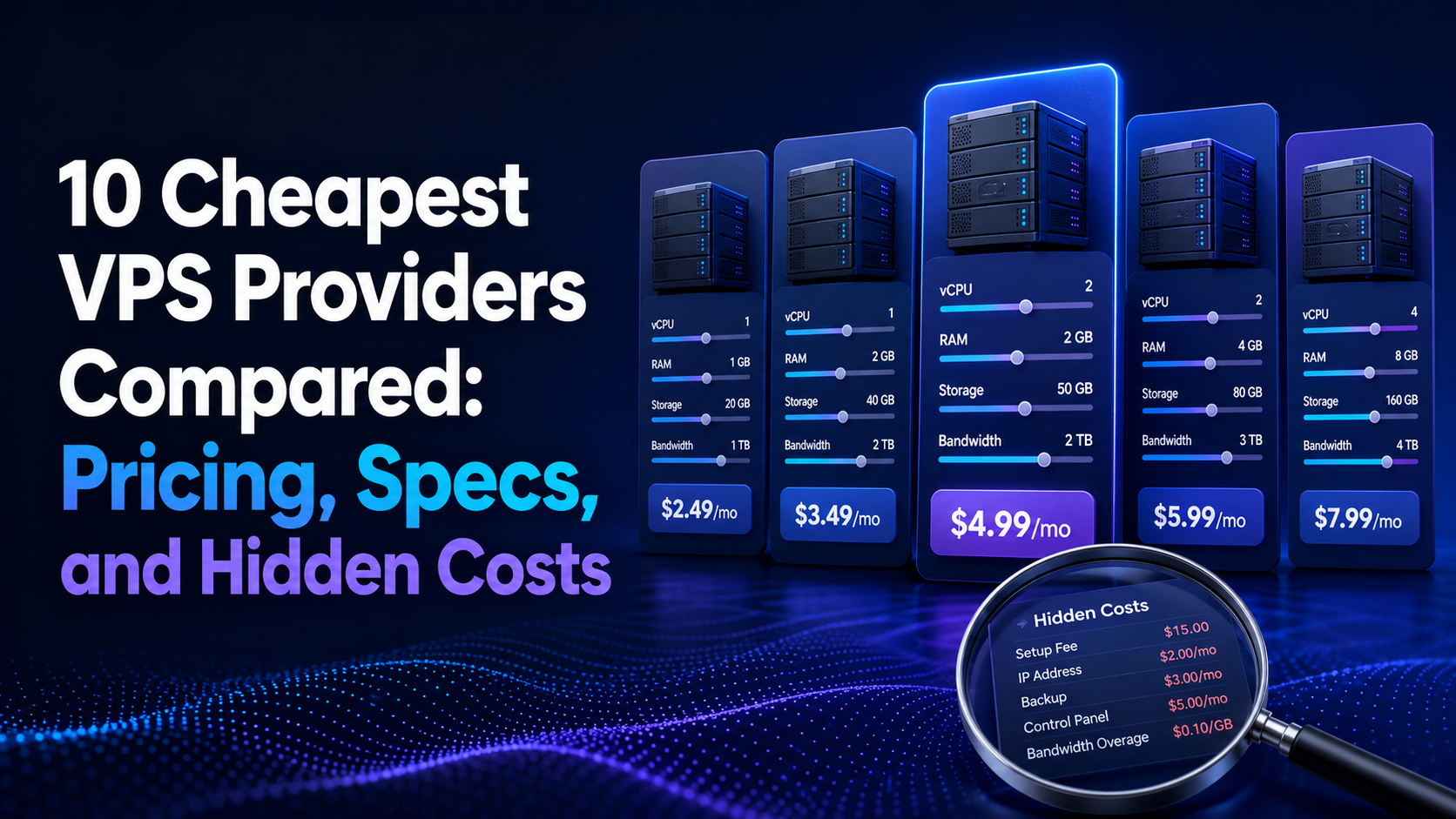
The cheapest VPS is not always the plan with the smallest number beside the dollar sign. Introductory discounts, long commitments, renewal prices, low RAM, IPv6-only networking, limited storage, data-transfer charges, backup fees, and regional pricing can turn a cheap-looking plan into an expensive or unsuitable server.
For most buyers, the practical low-cost choices in 2026 fall into three groups: ultra-low entry plans for testing and small services, value plans that include more RAM and storage, and developer cloud platforms with transparent hourly billing and automation.
This comparison examines 10 established VPS and cloud-server providers with publicly advertised entry plans. Prices were checked on July 17, 2026. They can change by location, tax, billing term, promotion, currency, and selected operating system. Always verify checkout and renewal pricing before ordering.
Cheapest VPS Providers in 2026: Quick Comparison
| Provider | Advertised entry price | Entry resources | Billing condition | Best for |
|---|---|---|---|---|
| IONOS | $2/month initially; $5 regular | 2 vCores, 2 GB RAM, 90 GB NVMe | $2 for 3 months with a 1-year term | Lowest introductory price with generous storage |
| InterServer | $3/month | 2 GB RAM, 30 GB SSD, 2 TB transfer | Monthly Linux KVM slice | Low-cost month-to-month VPS |
| UpCloud | €3/month | 1 vCPU, 1 GB RAM, 10 GB storage | Hourly billing capped monthly | Developer testing and self-hosting |
| DigitalOcean | $4/month | 1 vCPU, 512 MiB RAM, 10 GiB SSD, 500 GiB transfer | Per-second billing with monthly maximum | Simple developer cloud |
| OVHcloud | About $4.54/month | 2 vCores, 4 GB RAM, 40 GB NVMe | Regional price; taxes may apply | Strong resources and included traffic |
| Amazon Lightsail | $5/month with public IPv4 | 512 MB RAM, 2 vCPUs, 20 GB SSD, 1 TB transfer | Fixed monthly bundle | Simple entry into AWS |
| Akamai Cloud Computing | $5/month in many regions | 1 vCPU, 1 GB RAM, 25 GB storage, 1 TB transfer | Regional pricing can vary | Predictable global developer hosting |
| Contabo | About €5.50/month | Plan resources vary by region and current lineup | Setup or regional conditions may apply | Large resource allocations for the price |
| Hetzner | From about €5.99/month | 2 vCPU, 4 GB RAM, 40 GB SSD on CX23 | Hourly billing with monthly cap; excluding VAT | European price-to-performance |
| Hostinger | $6.49/month promotional | 1 vCPU, 4 GB RAM, 50 GB NVMe, 4 TB bandwidth | Paid upfront; renews at $11.99/month on listed term | Beginners wanting guided tools and backups |
The table does not rank overall performance. Providers use different CPU generations, oversubscription policies, storage platforms, transfer rules, regions, and support models. A 1 vCPU plan from one provider may not perform like a 1 vCPU plan from another. If you are still deciding between hosting models entirely, the comparison of VPS vs dedicated server vs cloud explains where each option makes sense before you shop on price.
How We Define a Cheap VPS
A low monthly price matters, but the server must still be usable. This comparison focuses on plans that provide an operating system with administrative access and can run applications, websites, development tools, VPNs, bots, monitoring, or small databases. Budget buyers deploying automation or personal cloud storage can also compare our best Hermes Agent hosting providers and best Nextcloud hosting providers.
The evaluation considers:
- Entry and renewal price.
- Required payment term.
- CPU allocation.
- RAM.
- SSD or NVMe storage.
- Included transfer.
- Public IPv4 availability.
- Backup and snapshot costs.
- Data-center coverage.
- Upgrade options.
- Control panel and API quality.
- Management responsibility.
Promotional Price vs Regular Price
A promotional price may apply only to the first few months or a long prepaid term. A more useful calculation is the total cost over the period you expect to keep the server.
Use this formula:
Total first-term cost = promotional monthly equivalent × number of promotional months + regular monthly price × remaining months + setup and add-on fees
Also compare the renewal cost. A provider with a $3 month-to-month plan may be cheaper over two years than a plan advertised at $2 but renewed at a much higher rate. The breakdown of dedicated server price ranges shows how the same principle applies at the next tier.
1. IONOS: Best Introductory VPS Price
IONOS advertises its VPS S+ at $2 per month for the first three months with a one-year term. The listed regular price is $5 per month. The entry plan includes 2 vCores, 2 GB RAM, and 90 GB NVMe storage.
Why it stands out
- Very low initial price.
- More storage than many entry plans.
- NVMe storage.
- Unlimited traffic under the provider’s terms.
- Full virtualization and root access.
- Linux and Windows options across the product range.
Limitations to check
- The lowest price is promotional.
- A one-year term is required for the listed offer.
- The price rises after the introductory period.
- Taxes and optional software can increase cost.
- Compare CPU performance with your real workload.
Choose IONOS if: you want a low first-year entry cost, substantial NVMe capacity, and a traditional VPS package.
Avoid it if: you need a no-commitment monthly plan and do not want to track renewal pricing.
2. InterServer: Best Cheap Month-to-Month VPS
InterServer advertises Linux KVM VPS slices from $3 per month. Its listed starting slice includes 2 GB RAM, 30 GB SSD storage, and 2 TB transfer. Windows requires a higher starting allocation.
Why it stands out
- Low month-to-month starting price.
- 2 GB RAM at entry level.
- KVM virtualization.
- Root access.
- Slice-based upgrades.
- No need to commit to a multi-year promotional term for the listed Linux entry price.
Limitations to check
- CPU allocation should be confirmed for the selected slice.
- Data-center choices may be narrower than global cloud platforms.
- Backups and management scope should be checked.
- Windows starts at a higher minimum.
Choose InterServer if: you want an inexpensive US-based KVM VPS with monthly scaling.
Avoid it if: you need a large global region selection or advanced managed cloud services.
3. UpCloud: Best €3 Developer Starter Plan
UpCloud’s Starter plan begins at €3 per month and includes 1 vCPU, 1 GB RAM, 10 GB storage, a 250 Mbit/s connection, IPv4, IPv6, and private networking. The plan is billed hourly and capped at a maximum monthly amount.
Why it stands out
- Low entry price.
- Public IPv4 included.
- Zero-cost egress under a fair-transfer policy.
- API, command-line, and Terraform-friendly platform.
- Private networking and firewall tools.
- Consistent pricing across listed data centers.
Limitations to check
- Only 10 GB storage on the cheapest plan.
- Starter plans are intended for lighter workloads.
- Fair-transfer conditions still apply.
- Servers remain billable while allocated.
Choose UpCloud if: you want an inexpensive developer VM with automation and network tools.
Avoid it if: your application needs substantial local storage at the entry price.
4. DigitalOcean: Best Simple Developer Experience
DigitalOcean Droplets start at $4 per month. The smallest Basic Droplet includes 1 vCPU, 512 MiB RAM, 10 GiB SSD storage, and 500 GiB transfer. Droplets use per-second billing with a minimum charge and a monthly maximum.
Why it stands out
- Clear interface and documentation.
- Fast deployment.
- Per-second billing.
- Marketplace images and developer tools.
- Predictable pricing across many services.
- 500 GiB entry transfer allowance.
Limitations to check
- 512 MiB RAM is too small for many modern production applications.
- Only 10 GiB storage on the cheapest plan.
- Backups, snapshots, load balancers, and databases cost extra.
- Higher-resource plans may be more expensive per GB than budget VPS providers.
Choose DigitalOcean if: ease of use, documentation, APIs, and fast experimentation matter more than maximum RAM per dollar.
Avoid it if: you need large memory and storage at the lowest possible price.
5. OVHcloud: Best Entry Resources and Included Traffic
OVHcloud lists an entry VPS around $4.54 per month in selected regions. The VPS-1 configuration includes 2 vCores, 4 GB RAM, 40 GB NVMe storage, a daily backup of the previous 24 hours, unlimited traffic, and a listed 500 Mbps public bandwidth level.
Why it stands out
- 4 GB RAM at a low entry price.
- 40 GB NVMe storage.
- Daily backup feature on the listed plan.
- Unlimited traffic under provider terms.
- Broad data-center coverage.
- DDoS protection is part of the provider’s infrastructure positioning.
Limitations to check
- Pricing differs by country, currency, and tax.
- Support level and response expectations should be reviewed.
- Additional IP addresses and services can cost extra.
- Confirm current stock in the preferred location.
Choose OVHcloud if: you want high entry-level RAM and NVMe storage with generous traffic.
Avoid it if: you need highly hands-on application management from the provider.
6. Amazon Lightsail: Best Simple AWS VPS
Amazon Lightsail offers a $5 per month Linux bundle with a public IPv4 address. The entry bundle lists 512 MB RAM, 2 vCPUs, 20 GB SSD storage, and 1 TB transfer. An IPv6-only bundle is cheaper, but many users still need public IPv4 compatibility.
Why it stands out
- Simple fixed-price entry into AWS.
- 1 TB transfer on the IPv4 entry bundle.
- Blueprints for common applications.
- Integration path toward other AWS services.
- Snapshots, databases, object storage, CDN, and load balancers available.
Limitations to check
- Only 512 MB RAM on the $5 IPv4 plan.
- Additional services create separate charges.
- Transfer allowances differ in selected regions.
- Moving from Lightsail into broader AWS architecture can increase complexity.
Choose Lightsail if: you want a simple VPS-like product and may later use AWS services.
Avoid it if: maximum RAM and storage per dollar are the main priority. Note that usage-based cloud billing can grow quickly beyond the entry bundle — the analysis of cloud vs dedicated server cost shows where fixed hardware becomes cheaper.
7. Akamai Cloud Computing: Best Predictable Global Developer VPS
Akamai’s shared CPU instances, historically known as Linode plans, start at $5 per month in many regions. A common entry configuration includes 1 vCPU, 1 GB RAM, 25 GB storage, and 1 TB transfer. Pricing can vary in selected regions.
Why it stands out
- Simple monthly plan structure.
- 1 GB RAM and 25 GB storage.
- 1 TB included transfer on the common entry plan.
- Developer-friendly API and documentation.
- Broad global infrastructure.
- Shared and dedicated CPU options.
Limitations to check
- Some regions cost more.
- Shared CPU is not intended for constant maximum processor use.
- Backups and managed services cost extra.
- Entry resources are lower than some budget-focused providers.
Choose Akamai Cloud Computing if: you want a mature developer platform with predictable bundles and multiple regions.
Avoid it if: your main goal is the largest possible RAM allocation for $5.
8. Contabo: Best for High RAM and Storage Value
Contabo’s low-cost VPS lineup starts around €5.50 per month, depending on region, currency, availability, and plan generation. The provider offers larger RAM, storage, and transfer allocations than many developer clouds at similar prices.
Why it stands out
- High resource allocations for the price.
- Large RAM and storage options.
- Flat monthly VPS plans.
- Multiple regions.
- Useful for self-hosting, storage, development, and applications that need capacity.
Limitations to check
- Setup fees or regional pricing conditions may apply.
- CPU resources are shared on entry plans.
- Large headline resources do not guarantee low latency or high single-core speed.
- Support expectations and backup options should be reviewed.
- Confirm the exact current configuration at checkout.
Choose Contabo if: RAM and storage capacity matter more than premium single-core performance.
Avoid it if: the workload requires highly consistent CPU performance or ultra-low-latency support response.
9. Hetzner: Best European Price-to-Performance
Hetzner’s cost-optimized CX23 plan starts around €5.99 per month in selected European locations after its June 2026 pricing changes. The configuration includes 2 shared vCPUs, 4 GB RAM, and 40 GB SSD storage. Pricing is hourly with a monthly cap and is generally shown excluding VAT.
Why it stands out
- Strong CPU, RAM, and storage balance.
- Hourly billing with monthly maximum.
- API, private networks, and cloud firewalls.
- Good fit for development, small websites, and variable CPU workloads.
- Transparent cost controls.
Limitations to check
- Cost-optimized plans use older but supported hardware generations.
- Availability can be limited.
- Prices exclude VAT.
- Entry locations are concentrated in Europe.
- Shared CPU is not designed for constant heavy use.
Choose Hetzner if: you want strong European cloud value and are comfortable managing the server.
Avoid it if: you require a data center close to an audience far from its available regions.
10. Hostinger: Best for Guided VPS Management Tools
Hostinger advertises KVM 1 at $6.49 per month under its current promotion, paid upfront. The plan includes 1 vCPU, 4 GB RAM, 50 GB NVMe storage, 4 TB bandwidth, weekly backups, firewall management, and a 1 Gbps network. The listed renewal rate is $11.99 per month for the specified renewal term.
Why it stands out
- 4 GB RAM and 50 GB NVMe.
- Weekly backups included.
- Firewall tools.
- Application templates.
- Guided terminal and management features.
- Global data-center choices.
Limitations to check
- The advertised price requires upfront payment.
- Renewal is significantly higher than the promotional rate.
- The VPS remains self-managed despite assistance tools.
- One vCPU may limit CPU-heavy applications.
Choose Hostinger if: you want more RAM, included backups, and beginner-friendly management tools.
Avoid it if: you need month-to-month billing or want the same low rate at renewal.
Best Cheap VPS by Use Case
| Use case | Strong starting choice | Why |
|---|---|---|
| Lowest introductory price | IONOS | $2 initial price with 2 GB RAM and 90 GB NVMe |
| Month-to-month budget VPS | InterServer | $3 Linux KVM entry plan |
| Developer testing | UpCloud or DigitalOcean | Hourly or per-second billing and APIs |
| High entry-level RAM | OVHcloud | 4 GB RAM at a low listed price |
| AWS ecosystem | Amazon Lightsail | Simple bundle with AWS integration path |
| Global developer platform | Akamai Cloud Computing | Predictable plans and multiple regions |
| Large capacity per euro | Contabo | Resource-heavy value plans |
| European workloads | Hetzner | Strong cost-to-resource balance |
| Beginner-friendly tools | Hostinger | Templates, weekly backups, and guided management |
What You Can Actually Run on a Cheap VPS
A carefully matched entry-level plan can handle more than its price suggests. Common projects that fit comfortably within 1–4 GB RAM include:
- A small business website or landing page — see the full tutorial on how to host a website on a VPS.
- An always-on chat or automation bot — the guide to host a Discord bot on a VPS covers systemd, secrets, and monitoring.
- A private Git repository using your own Git server.
- A personal cloud with Nextcloud installed on a VPS.
- A MetaTrader terminal, though latency to the broker matters more than price — see what Forex VPS hosting is.
Complete the base configuration before deploying any workload. The step-by-step guide on how to set up a VPS covers deployment through to production readiness.
How Much RAM Do You Need?
| Workload | Practical minimum RAM |
|---|---|
| SSH learning, DNS, tiny bot, or simple VPN | 512 MB–1 GB |
| Small static site or lightweight web server | 1 GB |
| Small WordPress site | 2 GB |
| Several websites or moderate WordPress | 4 GB |
| Small e-commerce, control panel, or application stack | 4–8 GB |
| Database, game server, or busy application | 8 GB or more |
Treat these as starting points. Windows, control panels, databases, malware scanners, Docker containers, and multiple applications increase memory requirements.
Shared vCPU vs Dedicated vCPU
Cheap VPS plans normally use shared vCPUs. You receive scheduled access to physical CPU resources that are also used by other virtual machines. This is suitable for websites, development, small databases, and workloads with variable CPU use.
Dedicated-vCPU plans reserve processor capacity more directly, but they cost more. Choose dedicated vCPU for sustained compilation, busy databases, continuous game servers, media encoding, or applications where CPU variability creates a business problem.
The vCPU count alone does not show overall performance. Processor generation, clock speed, host load, allocation policy, and thermal behavior matter. Use Choosing the Best Server CPU when evaluating performance-sensitive plans.
NVMe vs SSD on a Cheap VPS
NVMe storage can reduce latency for databases, control panels, package installation, and dynamic websites. The storage platform may still be shared, replicated, rate-limited, or network attached. A provider advertising NVMe does not guarantee unlimited IOPS. The comparison of SSD vs HDD for servers explains why random-access latency, not headline capacity, usually determines how responsive an application feels.
Ask:
- Is storage local or distributed?
- Are IOPS or throughput capped?
- Are snapshots stored separately?
- Can storage be expanded without migration?
- What happens if the physical host fails?
Bandwidth and Transfer Limits
Some providers advertise unlimited traffic while applying port-speed or acceptable-use limits. Others include a fixed transfer allowance and charge for overages.
Estimate monthly transfer before ordering:
Monthly transfer = average page size × monthly page views + downloads + backups + software updates + API traffic
Also check inbound traffic, outbound traffic, port speed, regional differences, and DDoS policies. Bandwidth-heavy projects such as video delivery usually outgrow budget plans quickly; the guide to building a dedicated streaming server explains how to estimate outbound capacity properly.
IPv4 vs IPv6 Pricing
Some ultra-cheap cloud plans are IPv6-only. They can work for modern internal services, proxies, or applications behind a compatible CDN, but many users still need public IPv4 for broad client compatibility.
Confirm whether public IPv4 is included, optional, or unavailable. An extra IPv4 charge can eliminate the apparent saving of an IPv6-only plan. When troubleshooting reachability on a new server, the techniques in Port Ping: How to Ping a Specific Port help confirm whether a service is actually listening.
Backup and Snapshot Costs
Low-cost VPS plans often exclude automatic backups. A snapshot can help with rollback, but it should not be the only recovery method. Snapshots may be stored in the same provider account and can disappear if the account or region is lost.
Use independent backups with retention and restore testing. The VPS backup and restore guide explains how to build a recoverable process.
Managed vs Unmanaged Cheap VPS
Most low-cost VPS plans are unmanaged. The provider operates the physical host and network, while you manage:
- Operating-system updates.
- SSH or RDP security.
- Firewall rules.
- Web and database software.
- Monitoring.
- Backups.
- Malware response.
- Application troubleshooting.
A managed VPS costs more because administrator time is included. Beginners should compare the total risk, not only the monthly price. The same trade-off exists at the hardware tier, as the guide to the unmanaged dedicated server model explains in detail.
Which Operating System Should You Choose?
Ubuntu and Debian are common low-cost choices because they are widely supported and do not add license fees. AlmaLinux and Rocky Linux fit users who prefer an enterprise Linux ecosystem. Windows Server increases the price because of licensing and requires more RAM.
Use Best Server OS in 2026 to compare Linux and Windows options before selecting a template, and the comparison of Linux vs Windows dedicated server platforms for a closer look at licence costs. If the provider supplies only an ISO, the walkthrough on how to install Ubuntu Server covers the full installation.
How Location Affects a Cheap VPS
The lowest-priced region may be a poor fit. Distance increases network latency, and some providers charge different prices by location.
Choose a data center near the majority of users or near the services the VPS must contact. Review How to Choose the Best Server Location and Best Server Location for Low Latency.
Security Checklist for a New VPS
- Install current security updates.
- Create a non-root administrative user.
- Use SSH keys where practical.
- Restrict root or administrator login.
- Configure a firewall.
- Expose only required ports.
- Enable login and service monitoring.
- Protect the provider account with multi-factor authentication.
- Configure backups before production use.
- Use malware protection appropriate to the operating system and workload.
The complete procedure is covered in the guide to how to secure a VPS in ten essential steps. The server antivirus comparison can help with endpoint protection. Security software does not replace patching, least privilege, and backups.
Hidden Costs to Check Before Buying
- Renewal price.
- Required prepaid term.
- Setup fee.
- VAT or sales tax.
- Public IPv4 fee.
- Windows license.
- Control-panel license.
- Automatic backups.
- Snapshot storage.
- Extra block storage.
- Traffic overages.
- Premium support.
- Migration service.
- Managed administration.
How to Compare VPS Value Fairly
Use a configuration that can actually run your workload. Comparing a 512 MB plan against a 4 GB plan only by price is misleading.
A useful comparison worksheet should include:
- First-term total.
- Renewal total.
- RAM per dollar.
- Storage per dollar.
- Included transfer.
- IPv4 cost.
- Backup cost.
- CPU type and policy.
- Region.
- Support and management.
Test the top two options with the real application. Measure response time, CPU steal, disk latency, memory pressure, and network consistency. The tools compared in Best Linux System Monitor make it easier to capture those measurements over several days rather than a single snapshot.
When a Cheap VPS Is Not the Right Choice
A low-cost shared-vCPU plan may not be appropriate for:
- Large production databases.
- Continuous high CPU use.
- High-traffic e-commerce.
- Critical business applications without redundancy.
- Heavy video encoding.
- Large game communities.
- Compliance environments requiring managed controls.
- Users with no ability to secure and maintain a server.
In these cases, a performance VPS, managed VPS, dedicated server, or cloud architecture may cost more but reduce operational risk. The guide to how to choose a dedicated server explains how to size exclusive hardware, the benefits of a dedicated server article covers why renting usually beats buying, and the list of dedicated server use cases shows which workloads genuinely need the upgrade. Online stores in particular should review the requirements for a dedicated server for ecommerce before scaling on a budget plan.
Cheap VPS Buying Checklist
- Is the advertised price promotional or permanent?
- How much is due upfront?
- What is the renewal price?
- Is public IPv4 included?
- How much RAM does the workload require?
- Are vCPUs shared, burstable, or dedicated?
- Is storage NVMe, SSD, local, or distributed?
- What transfer and port-speed limits apply?
- Are backups included?
- What does support cover?
- Can the plan be upgraded easily?
- Is the data center near users?
- Are taxes and setup fees included?
- Can you export or migrate the server?
- Have you tested the real workload?
Final Verdict
IONOS has the lowest headline introductory price in this comparison, InterServer offers one of the strongest low-cost month-to-month entries, and UpCloud provides a €3 developer plan with modern cloud controls. OVHcloud stands out for entry-level RAM and NVMe capacity, while Hetzner and Contabo target buyers seeking strong resource value in Europe. DigitalOcean, Akamai Cloud Computing, and Amazon Lightsail cost slightly more per unit of RAM but provide simple developer platforms and broader service ecosystems. Hostinger is attractive for buyers who value included backups and guided tools, but its renewal price must be considered.
For a production website, 2–4 GB RAM is a more realistic starting point than the absolute cheapest 512 MB server. Compare the full first-term and renewal cost, include backups and IPv4, choose a location near users, and test the actual application before committing.
Frequently Asked Questions
What is the cheapest VPS provider in 2026?
IONOS advertises a $2 introductory plan, while InterServer starts at $3 month-to-month and UpCloud starts at €3. The best long-term price depends on renewal, term, taxes, and add-ons.
Is a $3 VPS good enough for a website?
It can host a small optimized site, static application, bot, VPN, or development environment. Check RAM, CPU policy, storage, and backup requirements.
How much should a VPS cost?
Entry unmanaged VPS plans commonly cost about $3–$10 per month. Production plans with more RAM, dedicated CPU, backups, or management cost more.
Why are some VPS plans so cheap?
Providers use shared CPU resources, automated provisioning, large-scale hardware, limited support, older hardware generations, promotional pricing, or long prepaid terms.
Is cheap VPS hosting safe?
It can be safe when the provider maintains its platform and the customer patches, secures, monitors, and backs up the operating system and applications.
Do cheap VPS plans include backups?
Some include basic backups, but many charge separately. Always maintain an independent backup and test restoration.
Is NVMe important for a VPS?
NVMe can improve storage latency, but provider I/O limits and shared storage architecture also affect performance.
Should I choose monthly or yearly VPS billing?
Monthly billing offers flexibility. Annual or multi-year billing can lower the rate but increases renewal and migration risk. Calculate the full term before buying.
Do I need 2 GB or 4 GB RAM?
Two GB can run a small Linux web stack. Four GB provides more practical headroom for WordPress, databases, control panels, containers, and security tools.
What is the biggest hidden VPS cost?
Common hidden costs include renewal pricing, backups, IPv4, Windows licensing, control panels, traffic overages, storage, and administrator time.
Latest Hosting Guides
VPS Hosting for Kubernetes: Complete Guide for 2026
VPS Hosting for Docker Containers: Complete Guide for 2026
VPS Hosting for Redis: Complete Guide for 2026
VPS Hosting for Elasticsearch: Complete Guide for 2026
How to Host a Discord Bot on a VPS in 2026: Complete Step-by-Step Guide
Swipe or scroll to explore more guides
Which hidden costs should be checked when comparing the cheapest VPS providers, especially renewal pricing, backups, IPv4, bandwidth, snapshots, and support?
A low monthly VPS price is not automatically good value. RAM type, CPU sharing, storage performance, region, uptime, billing term, and resource limits can matter more than the headline price.
The best cheap VPS is the lowest-cost plan that still meets the workload’s reliability and performance needs. Testing network latency, disk speed, and support quality can prevent an expensive migration later.
When comparing the cheapest VPS providers, the monthly headline price can be misleading. I would calculate the total cost for the required billing period and include renewal pricing, setup fees, backups, snapshots, extra IPv4 addresses, control panels, managed support, bandwidth overages, storage upgrades, and regional price differences. The plan also needs enough RAM, usable CPU, NVMe storage, network quality, and virtualization features for the workload. A low-cost VPS that requires immediate upgrades or lacks reliable backups may be more expensive than a slightly higher-priced plan with the necessary features included.
The introductory VPS price should always be compared with the renewal price and minimum commitment. A very low monthly rate may require annual or multi-year prepayment.
A cheap VPS with very low RAM, shared burst CPU, limited storage, IPv6-only networking, or expensive backup options may not suit production hosting even when the advertised price looks attractive.