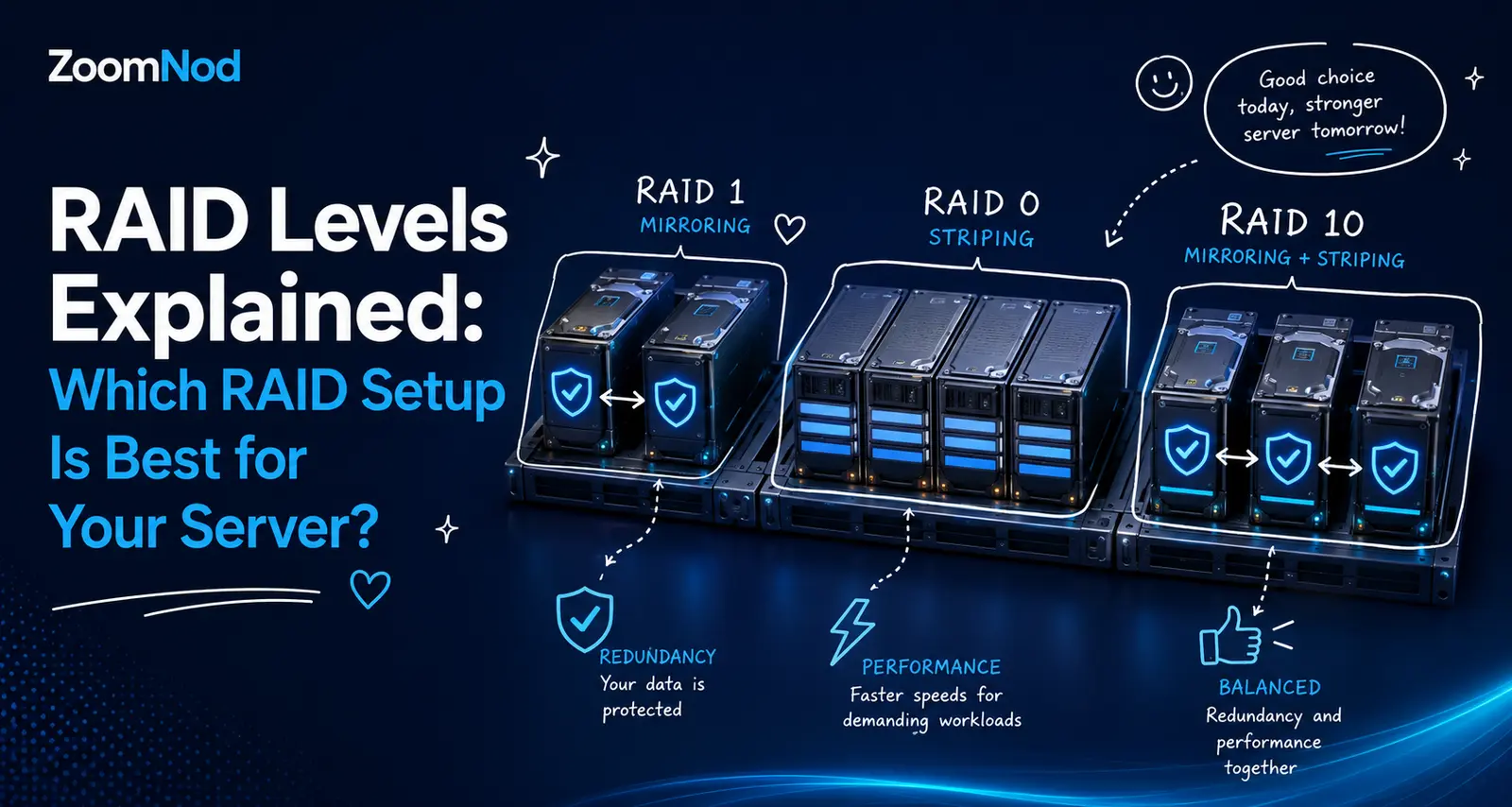
RAID Levels Explained: Which RAID Setup Is Best for Your Server in 2026?
The best RAID level depends on what matters most for your server: speed, usable capacity, fault tolerance, or recovery time. RAID 1 suits a simple two-drive server, RAID 10 often fits databases and write-heavy production workloads, RAID 6 helps when capacity efficiency and protection against two drive failures matter, and RAID 0 should only be used when performance matters more than data protection.
RAID combines multiple physical drives into one logical storage system. Depending on the RAID level, data may be striped across drives for speed, mirrored for redundancy, or protected with parity so the array can continue operating after a drive failure. RAID can improve availability, but it does not replace backups, application-level replication, or a disaster-recovery plan.
The comparison covers RAID 0, RAID 1, RAID 5, RAID 6, and RAID 10, including minimum drive counts, usable capacity, failure tolerance, performance, rebuild behavior, costs, and suitable workloads.
What Is RAID?
RAID stands for Redundant Array of Independent Disks. It is a storage design that groups multiple drives so the operating system or RAID controller can use them as a single logical volume. The exact behavior depends on the selected RAID level.
RAID is commonly used in dedicated servers, database systems, virtualization hosts, file servers, backup repositories, web hosting platforms, and other systems where one failed drive should not immediately make the entire service unavailable.
Most RAID designs use one or more of these techniques:
- Striping: Data is split into blocks and distributed across several drives. This can improve throughput because multiple drives work at the same time.
- Mirroring: The same data is written to two or more drives. A surviving mirror can continue serving data if another drive fails.
- Parity: Calculated recovery information is distributed across the array. If a drive fails, the missing data can be reconstructed from the remaining data and parity blocks.
RAID may be implemented through a hardware controller, software such as Linux MD RAID, a storage appliance, or a filesystem and volume manager with integrated redundancy features. The implementation should match the operating system, hardware, workload, support requirements, and recovery procedures.
RAID Levels Comparison Table
| RAID level | Minimum drives | Usable capacity | Drive failures tolerated | Read performance | Write performance | Best suited for |
|---|---|---|---|---|---|---|
| RAID 0 | 2 | N × smallest drive | 0 | Very high | Very high | Temporary, reproducible, performance-first data |
| RAID 1 | 2 | 1 × smallest drive | Usually 1 in a two-drive mirror | Good | Good to moderate | Boot volumes, small servers, simple redundancy |
| RAID 5 | 3 | (N − 1) × smallest drive | 1 | Good | Moderate | Read-heavy workloads and capacity efficiency |
| RAID 6 | 4 | (N − 2) × smallest drive | 2 | Good | Lower than RAID 5 | Large arrays, archives, file storage |
| RAID 10 | 4 | N ÷ 2 × smallest drive | At least 1; potentially more if failures are in different mirror pairs | Very high | High | Databases, virtualization, e-commerce, write-heavy applications |
The usable-capacity formulas assume drives of equal size. When different-capacity drives are mixed, many traditional RAID implementations treat each member as if it were the size of the smallest drive. Controller metadata, filesystem formatting, spare drives, and reserved space can reduce the capacity visible to applications.
RAID 0 Explained
RAID 0 stripes data across two or more drives. It offers no mirroring and no parity. Every drive contributes to usable capacity, and parallel disk access can increase sequential throughput and, depending on the workload, input/output operations per second.
RAID 0 capacity
With four 2 TB drives, RAID 0 provides approximately 8 TB of raw usable capacity before formatting and overhead. The basic formula is:
Usable capacity = number of drives × capacity of the smallest drive
RAID 0 advantages
- Maximum capacity efficiency because no space is reserved for mirrors or parity.
- Strong read and write throughput when the workload can use parallel disks.
- Simple architecture with no parity calculation.
- Useful for scratch storage, temporary processing, caches, and data that can be recreated.
RAID 0 disadvantages
- No drive-failure protection.
- A single failed member can make the entire array unavailable.
- The failure exposure increases as more drives are added.
- It is unsuitable for the only copy of business, customer, website, or production data.
When should you use RAID 0?
Use RAID 0 only when the data is temporary, replaceable, replicated somewhere else, or recoverable from a verified backup. Examples include video-rendering scratch space, transient build artifacts, disposable analytics data, and high-speed caches. It rarely belongs on a production hosting server.
RAID 1 Explained
RAID 1 mirrors data. In a standard two-drive setup, every write is stored on both drives. If one drive fails, the other contains a complete copy and can continue serving the workload while the failed disk is replaced.
RAID 1 capacity
Two 2 TB drives in RAID 1 provide approximately 2 TB of raw usable capacity. The remaining capacity is consumed by the mirror.
Usable capacity in a two-drive mirror = capacity of the smallest drive
RAID 1 advantages
- Simple redundancy and straightforward recovery.
- Only two drives are required.
- Read operations may be distributed between mirror members.
- Well suited to operating-system volumes and modest servers.
- Rebuild logic is simpler than parity RAID.
RAID 1 disadvantages
- Only about 50% of raw drive capacity is usable in a two-drive mirror.
- Write performance is limited by the need to write each copy.
- It protects against a drive failure, not accidental deletion, ransomware, corruption, or administrator error.
- A second failure during a rebuild can still cause data loss.
When should you use RAID 1?
RAID 1 fits small dedicated servers, boot volumes, control-panel servers, DNS servers, monitoring nodes, and applications that fit comfortably on one drive but need basic disk redundancy. Its straightforward design also helps when operational simplicity matters more than maximum capacity.
RAID 5 Explained
RAID 5 stripes data and distributed parity across at least three drives. It can tolerate one failed drive. Because the parity information is distributed, there is no single dedicated parity disk.
RAID 5 capacity
Four 4 TB drives in RAID 5 provide approximately 12 TB of raw usable capacity.
Usable capacity = (number of drives − 1) × capacity of the smallest drive
RAID 5 advantages
- Better usable-capacity efficiency than RAID 1 or RAID 10.
- Good read performance for many sequential and read-heavy workloads.
- Can continue operating after one member drive fails.
- Useful when storage capacity matters and write intensity is moderate.
RAID 5 disadvantages
- Only one drive failure is tolerated.
- Small random writes can be slower because data and parity must be updated.
- Rebuilds on large or busy arrays can take a long time.
- Performance may decline significantly while the array is degraded or rebuilding.
- A second drive failure before the rebuild completes can make the array unavailable.
When should you use RAID 5?
RAID 5 fits some read-heavy file storage, static-content repositories, and capacity-sensitive systems with smaller arrays, good monitoring, tested backups, and a realistic replacement process. It is a poor fit for write-heavy databases, heavily loaded virtualization hosts, or large-capacity arrays where rebuild duration and exposure are major concerns.
RAID 6 Explained
RAID 6 is similar to RAID 5 but stores two independent parity values. It requires at least four drives and can remain operational after two member drives fail.
RAID 6 capacity
Six 8 TB drives in RAID 6 provide approximately 32 TB of raw usable capacity.
Usable capacity = (number of drives − 2) × capacity of the smallest drive
RAID 6 advantages
- Can tolerate two drive failures.
- Offers more protection during long rebuilds than RAID 5.
- Provides better capacity efficiency than mirrored designs in larger arrays.
- Suitable for large file repositories, archives, and read-oriented storage.
RAID 6 disadvantages
- Two drives’ worth of capacity is reserved for parity.
- Writes require more parity work than RAID 5.
- Random-write latency can be unsuitable for demanding transactional workloads.
- Rebuilds still create performance pressure and operational risk.
When should you use RAID 6?
RAID 6 suits larger HDD arrays, backup repositories, media libraries, document archives, and file servers where capacity efficiency matters but surviving two drive failures is important. It is usually preferable to RAID 5 when drive capacities are large or replacement cannot happen immediately.
RAID 10 Explained
RAID 10, also written RAID 1+0, combines mirroring and striping. Drives are grouped into mirrored pairs, and data is striped across those pairs. A standard RAID 10 array requires at least four drives and normally provides 50% raw-capacity efficiency.
RAID 10 capacity
Four 2 TB drives in RAID 10 provide approximately 4 TB of raw usable capacity.
Usable capacity = number of drives ÷ 2 × capacity of the smallest drive
RAID 10 advantages
- Strong read and write performance.
- No distributed-parity write penalty.
- Fast and comparatively straightforward rebuild behavior because data is copied from the surviving mirror.
- Good fit for databases, virtual machines, busy websites, and transactional applications.
- Can sometimes survive multiple failures when they occur in different mirror pairs.
RAID 10 disadvantages
- About half of raw drive capacity is usable.
- At least four drives are required.
- Failure tolerance depends on which drives fail; losing both members of one mirror pair can fail the array.
- Higher drive cost per usable terabyte than RAID 5 or RAID 6.
When should you use RAID 10?
RAID 10 suits production databases, e-commerce systems, virtual-machine hosts, mail servers, application servers, and other workloads with frequent random reads and writes. It works particularly well when predictable latency and shorter rebuild windows matter more than maximizing usable capacity.
RAID 5 vs RAID 6 vs RAID 10
| Requirement | RAID 5 | RAID 6 | RAID 10 |
|---|---|---|---|
| Capacity efficiency | High | High on larger arrays | 50% |
| Drive failures tolerated | 1 | 2 | Depends on mirror-pair placement |
| Random-write performance | Moderate | Lower | High |
| Rebuild complexity | Parity reconstruction | Dual-parity reconstruction | Mirror copy |
| Typical workload | Read-heavy storage | Large capacity-oriented storage | Databases and transactional systems |
Choose RAID 5 when cost per usable terabyte is important, the array is not excessively large, writes are moderate, and one-drive fault tolerance is acceptable. Choose RAID 6 when a capacity-oriented array must survive two drive failures. Choose RAID 10 when application latency, write performance, and predictable recovery are more important than storage efficiency.
Hardware RAID vs Software RAID
What is hardware RAID?
Hardware RAID uses a dedicated controller to manage the array. The controller presents a logical volume to the operating system and may provide write cache, battery or flash-backed cache protection, drive-management features, and vendor-specific monitoring.
Hardware RAID reduces dependence on the host operating system, but the controller becomes a critical component. Recovery may require a compatible controller, correct firmware, preserved metadata, and documented configuration. A failed controller should not be replaced casually without checking compatibility and recovery procedures.
What is software RAID?
Software RAID uses the server’s operating system and CPU to manage the array. Linux servers commonly use MD RAID, while other operating systems and storage platforms provide their own software-defined options.
Modern server processors can handle many RAID tasks efficiently, but software RAID still shares CPU, memory, and I/O resources with applications. It also requires administrators who understand the chosen tools and boot-recovery process. Hardware selection should therefore be planned alongside the workload; see the guide to choosing a server CPU when comparing compute-heavy storage designs.
Which is better?
Neither implementation is better in every situation. Hardware RAID can offer controller-managed cache and a familiar enterprise support path. Software RAID can improve transparency, portability, and flexibility while avoiding dependence on a specific controller. Choose based on the operating system, required features, support contract, recovery plan, performance testing, and administrator experience.
RAID Is Not a Backup
RAID protects primarily against specific drive failures. It does not create a historical, isolated copy of your data. If a user deletes a database, malware encrypts files, an application corrupts records, a controller writes damaged data, or the entire server is lost, RAID may reproduce the same problem across every member.
A resilient server combines RAID with a documented backup and recovery process. Backups should be stored outside the array and preferably outside the server. They should include retention periods, protected credentials, restore instructions, and regular recovery tests. The practical steps in this VPS backup and restore guide also apply to many dedicated-server workloads.
The distinction is:
- RAID improves availability after certain disk failures.
- Backups provide recoverable copies from earlier points in time.
- Replication supports service continuity across systems or locations.
- Disaster recovery defines how the full service will be restored.
How Drive Type Changes the RAID Decision
HDD and SSD arrays behave differently. HDD rebuilds may take a long time because large capacities must be read mechanically while the production workload continues. SSD and NVMe arrays can rebuild faster, but they still have endurance, thermal, controller, firmware, and failure-domain considerations.
Do not choose a RAID level based only on headline drive speed. Consider:
- Random versus sequential I/O.
- Read-to-write ratio.
- Required latency under peak load.
- Drive endurance and workload rating.
- Controller queue depth and cache policy.
- PCIe lanes and platform bandwidth for NVMe.
- Expected rebuild duration.
- Ability to replace failed drives quickly.
- Application-level replication and backup frequency.
Using enterprise-grade drives with consistent firmware and workload ratings can simplify operations. Mixing drive sizes, models, interfaces, and performance classes may cause the array to operate at the limits of its slowest members.
How to Calculate RAID Usable Capacity
Use the smallest member drive in your estimate. For example, an array containing three 4 TB drives and one 2 TB drive may treat every member as a 2 TB drive in a traditional layout.
| Example | Raw capacity | Approximate RAID capacity |
|---|---|---|
| 2 × 2 TB, RAID 1 | 4 TB | 2 TB |
| 4 × 2 TB, RAID 5 | 8 TB | 6 TB |
| 4 × 2 TB, RAID 6 | 8 TB | 4 TB |
| 4 × 2 TB, RAID 10 | 8 TB | 4 TB |
| 8 × 8 TB, RAID 6 | 64 TB | 48 TB |
| 8 × 8 TB, RAID 10 | 64 TB | 32 TB |
These are simplified raw-capacity estimates. Operating systems may report tebibytes rather than decimal terabytes, and formatting, metadata, overprovisioning, hot spares, snapshots, and reserved blocks reduce application-usable capacity.
What Is a Hot Spare?
A hot spare is an installed drive reserved to replace a failed array member automatically or with minimal intervention. It does not normally add usable storage or fault tolerance while idle. Its main benefit is shortening the time between a failure and the start of a rebuild.
A spare is valuable when administrators cannot replace drives immediately, but it is not a substitute for monitoring. The array still needs alerts, health checks, and a process for replacing the failed physical drive and restoring spare coverage.
RAID Rebuilds: What Server Owners Need to Know
A rebuild reconstructs data onto a replacement or spare drive. During this process, the array reads heavily from surviving members. Performance may decline, latency may increase, and the remaining drives are under additional load.
Rebuild time depends on drive size, drive speed, controller or software settings, workload activity, interface bandwidth, array level, error handling, and the amount of data that must be reconstructed. Treat a rebuild as an operational event with potential business impact.
Before replacing a drive:
- Confirm the failed member using the controller or RAID-management tool.
- Record the array layout, serial numbers, slot numbers, and current state.
- Verify that a recent backup can be restored.
- Check whether another drive is reporting errors.
- Use an approved replacement with adequate capacity and compatible specifications.
- Monitor the entire rebuild and investigate abnormal speed, errors, or repeated degradation.
How to Monitor a RAID Array
Monitoring should include the logical array and the physical drives. A server can report that an array is operational while one member is degraded, a spare is missing, or a drive is accumulating errors.
Track at least:
- Array state and degraded-member count.
- Rebuild, resync, or consistency-check progress.
- Controller cache and battery or capacitor status.
- Drive health, media errors, temperature, and wear indicators.
- Filesystem capacity and inode usage.
- I/O latency, queue depth, throughput, and saturation.
- Alert-delivery tests and escalation contacts.
Linux administrators can combine RAID tools with the utilities covered in the Linux system monitoring guide. Centralizing checks through a server management tool helps prevent a failed alert or overlooked dashboard from turning a degraded array into an outage.
Best RAID Level by Server Workload
| Workload | Common starting point | Why |
|---|---|---|
| Operating-system volume | RAID 1 | Simple two-drive redundancy and straightforward recovery |
| Busy relational database | RAID 10 | Strong random I/O, predictable writes, mirror-based rebuilds |
| Virtualization host | RAID 10 | Handles mixed random workloads and concurrent virtual machines |
| Large media archive | RAID 6 | Capacity efficiency with two-drive failure tolerance |
| Read-heavy file repository | RAID 5 or RAID 6 | Balances usable capacity and redundancy |
| Scratch or cache data | RAID 0 | Maximum speed and capacity when data is disposable |
| Small web server | RAID 1 | Low complexity and basic drive protection |
| High-traffic e-commerce server | RAID 10 | Consistent latency for application and database writes |
These recommendations are not universal. Application replication, database architecture, storage media, caching, write-ahead logs, object storage, backup targets, and recovery objectives can change them.
How to Choose the Best RAID Level
1. Define the acceptable downtime
Decide how long the server may remain degraded and how quickly a failed drive must be replaced. A business-critical platform may require more redundancy, spare hardware, and application-level failover than a test server.
2. Measure the workload
Separate sequential throughput from random I/O and identify the read-to-write ratio. A video archive and an order-processing database may need similar capacity but have very different latency and write patterns.
3. Calculate capacity growth
Estimate current data, annual growth, snapshots, logs, database indexes, temporary files, and free-space requirements. Do not design an array that will be nearly full immediately after deployment.
4. Evaluate rebuild exposure
Consider drive capacity, array width, workload pressure, replacement time, and the consequences of another failure during recovery. More disks do not automatically make a larger array safer.
5. Match the RAID design to the operating system
Confirm that the OS, boot process, controller drivers, management tools, and rescue environment support the selected layout. The server operating-system comparison can help when the storage design is part of a broader platform decision.
6. Plan monitoring and maintenance
Document alert thresholds, health-check intervals, spare strategy, firmware policy, replacement instructions, and escalation procedures. Security monitoring should also cover the storage-management interface; review the server antivirus guide as one part of a layered protection plan.
7. Verify the hosting environment
Ask whether the provider offers hot-swap bays, remote hands, spare-drive replacement, controller support, rescue access, and clear response times. Physical operations differ between a professional facility and an office server room, as explained in the data center vs server room comparison.
Common RAID Mistakes to Avoid
- Treating RAID as backup: Redundancy cannot restore deleted or encrypted files.
- Ignoring degraded alerts: A redundant array can quietly become a non-redundant array.
- Using RAID 0 for important data: One failed member can destroy access to the entire stripe set.
- Choosing only by usable capacity: Parity write behavior and rebuild exposure may matter more.
- Mixing incompatible drives: Different sizes, speeds, endurance ratings, and firmware can complicate performance and support.
- Skipping restore tests: A backup that has never been restored is an unverified recovery assumption.
- Failing to document slots and serial numbers: Pulling the wrong drive from a degraded array can cause a severe outage.
- Running arrays almost full: Low free space can hurt filesystems, databases, snapshots, and maintenance operations.
- Ignoring physical location: Replacement speed and remote-hands quality can be as important as the RAID level. Review the server location guide when comparing facilities.
RAID Selection Checklist
- What data and applications will use the array?
- How much usable capacity is required now and in two years?
- Is the workload read-heavy, write-heavy, sequential, or random?
- What is the maximum acceptable storage latency?
- How many simultaneous drive failures must the design tolerate?
- How quickly can a failed drive be replaced?
- Will the server use hardware RAID, software RAID, or integrated filesystem redundancy?
- Are controller cache protection and compatible spare parts available?
- How will array and drive health be monitored?
- Where are backups stored, and when was the last successful restore test?
- What happens if the controller, motherboard, chassis, or entire data center fails?
- Is the storage layout documented for another administrator to recover?
Final Verdict: Which RAID Level Is Best?
RAID 10 often fits performance-sensitive production servers when the budget can support 50% capacity efficiency. RAID 1 provides straightforward redundancy for two-drive servers and operating-system volumes. RAID 6 usually fits large capacity-oriented arrays that need protection against two drive failures. RAID 5 can serve selected read-heavy and cost-sensitive workloads, but its one-drive tolerance and parity rebuild exposure require careful evaluation. Restrict RAID 0 to temporary or fully reproducible data.
The RAID level is one part of storage reliability. The design also needs suitable drives, monitoring, verified backups, documented replacement procedures, application recovery, and a hosting provider that can respond quickly when hardware fails.
Frequently Asked Questions
What is the safest RAID level?
There is no universally safest level. RAID 1 provides simple mirroring, RAID 6 survives two drive failures, and RAID 10 combines strong performance with mirrored redundancy. Safety also depends on array width, drive condition, monitoring, rebuild time, backups, and application architecture.
Is RAID 10 better than RAID 5?
RAID 10 is generally better for write-heavy databases, virtualization, and latency-sensitive workloads. RAID 5 usually provides more usable capacity per drive but tolerates only one failure and has parity-related write and rebuild overhead.
How many drives are required for RAID 10?
A conventional RAID 10 array requires at least four drives. Drives are organized into mirrored pairs and data is striped across those pairs.
Can RAID 5 survive two drive failures?
No. Standard RAID 5 tolerates one failed drive. A second member failure before recovery normally causes the array to fail.
Can RAID 6 survive two drive failures?
Yes. RAID 6 uses dual parity and is designed to continue operating after two member drives fail, although performance and risk still worsen while the array is degraded.
Does RAID improve server speed?
Some RAID levels can improve throughput or read performance by using multiple drives in parallel. The result depends on the level, controller, drive type, workload, stripe size, cache, filesystem, and application behavior.
Is hardware RAID faster than software RAID?
Not always. A quality hardware controller with protected write cache can perform well, while modern software RAID can also deliver strong performance on capable CPUs. Benchmark the complete system under a representative workload.
Do SSD servers still need RAID?
SSDs can still fail, so redundant storage may be appropriate when availability matters. The best design depends on endurance, performance, application replication, backups, rebuild behavior, and whether the workload can tolerate downtime.
Is a hot spare the same as a backup?
No. A hot spare helps the array begin rebuilding after a member fails. It does not preserve older versions or protect against deletion, malware, corruption, or loss of the entire server.
Which RAID is best for a database server?
RAID 10 is often used for transactional databases because it offers strong random read and write performance without distributed-parity write overhead. The database should still use backups, transaction-log protection, monitoring, and replication where required.
Which RAID level is a practical choice for a database server that needs both write performance and drive-failure tolerance?
RAID 1 is simple for two drives, RAID 10 is common for performance-sensitive workloads, and parity RAID can prioritize usable capacity. The correct choice depends on workload and recovery objectives.
RAID is not a backup. Accidental deletion, corruption, ransomware, and controller failure still require independent backups and tested restore procedures.
Choosing the best RAID level for a server should include rebuild risk and recovery objectives, not only usable capacity. RAID 1 is simple for a two-drive server, RAID 10 offers strong performance and fault tolerance for databases or virtualization, while RAID 5 and RAID 6 may suit capacity-focused workloads with careful planning. I would compare drive count, write penalty, failure tolerance, rebuild time, controller cache, hot spares, and the effect of large-capacity disks. The application’s backup and restore strategy should also influence the decision because RAID protects availability, not historical data.
RAID is not a replacement for backups. It may keep a server running after a drive failure, but it does not protect against accidental deletion, ransomware, database corruption, or a complete server loss.
For write-heavy databases and virtual machines, RAID 10 is often easier to justify than RAID 5 because it avoids parity write overhead and usually rebuilds with less performance impact.