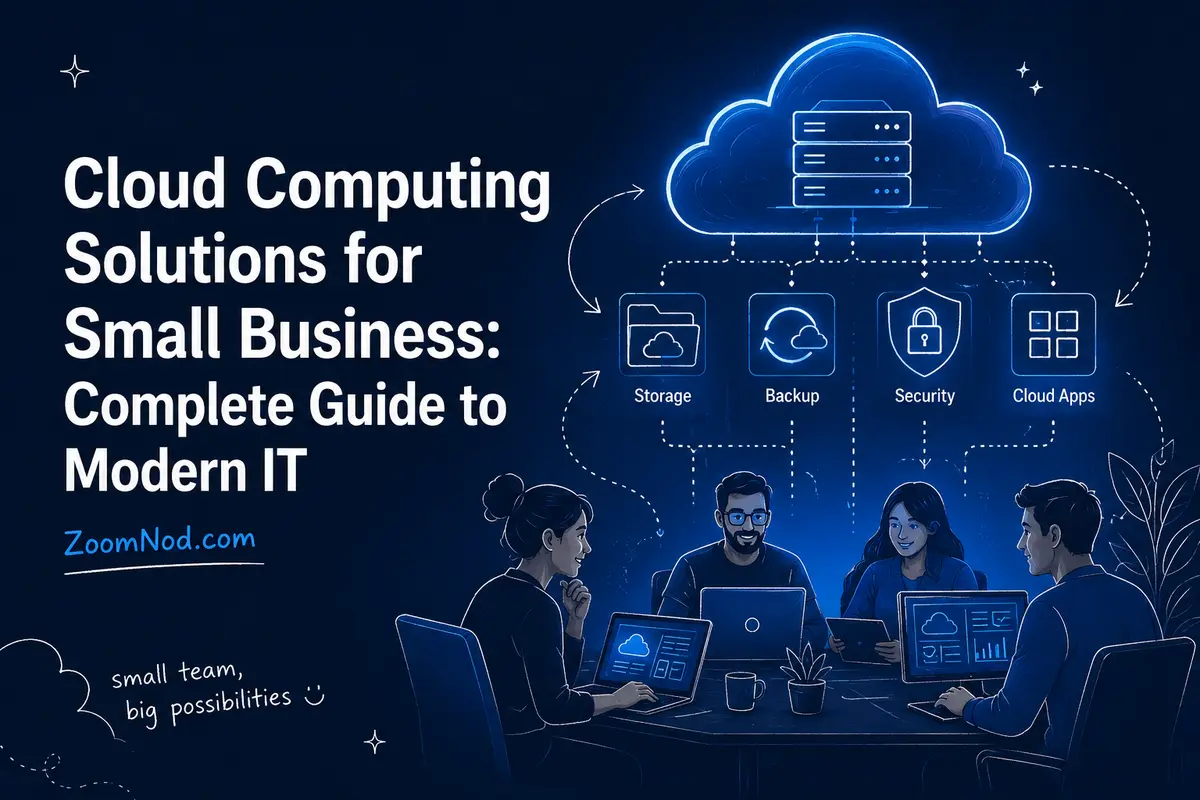
Cloud computing gives small businesses access to business-grade software, servers, storage, backup, collaboration tools, databases, security services, and application platforms without requiring them to build a traditional data center. Instead of buying every server and software package upfront, a business can subscribe to what it needs, add or remove capacity as requirements change, and access services over the internet.
For most small businesses in 2026, the best cloud strategy is not “move everything to one cloud.” It is a practical mix of software as a service for everyday business applications, cloud storage and backup for data protection, and cloud servers or managed platforms only where custom applications require them. A ten-person accounting firm, a growing e-commerce store, and a software startup may all use cloud computing, but they should not use it in the same way. Startup teams can compare credits, post-credit costs, AI capabilities, managed services, and scaling trade-offs in ZoomNod’s best cloud for startups guide.
This guide examines cloud computing from a small-business perspective: what it is, how SaaS, PaaS, and IaaS differ, which cloud solutions provide the most value, the real benefits and limitations, what cloud services cost, how to improve security, and how to build a sensible cloud adoption roadmap without creating unnecessary complexity.
What Is Cloud Computing for a Small Business?
Cloud computing is the delivery of computing resources over a network on demand. Those resources can include servers, storage, databases, networking, business software, analytics, artificial intelligence services, development tools, and security capabilities.
Instead of purchasing a physical server for the office, for example, a company can rent a virtual server from a cloud provider. Instead of installing an email server, it can subscribe to a cloud email and collaboration platform. Instead of storing backups on a drive sitting next to the production computer, it can maintain encrypted off-site copies in cloud storage.
The core principle is service consumption instead of infrastructure ownership. You pay for access to a service or resource while the provider operates some portion of the underlying technology.
The Five Characteristics That Make Cloud Computing Different
Cloud computing is commonly defined by five characteristics:
- On-demand self-service: Resources can be provisioned when needed without buying new physical hardware for every change.
- Broad network access: Services are available over networks and can be reached from supported devices and locations.
- Resource pooling: Providers operate shared pools of infrastructure that serve many customers while logically separating their resources.
- Rapid elasticity: Capacity can expand or contract much faster than traditional hardware procurement.
- Measured service: Usage can be monitored and, depending on the service, billed by subscription, consumption, users, storage, requests, or other units.
For a small business, these characteristics make technology easier to align with business demand. You can add a new employee to a SaaS platform in minutes, deploy a new server without ordering hardware, or increase storage without replacing an office file server.
Cloud Computing Models: SaaS vs PaaS vs IaaS
The three main cloud service models differ in how much of the technology stack you manage yourself.
Software as a Service (SaaS)
SaaS is often the most practical cloud model for a typical small business. The provider delivers a complete application, and users normally access it through a browser, desktop app, or mobile app.
Common small-business SaaS categories include:
- Email and calendars
- Office productivity
- Team chat and video meetings
- Accounting and invoicing
- Customer relationship management
- Project management
- Help desk software
- Payroll and HR systems
- E-commerce platforms
- Password managers
- Cloud file sharing
- Marketing automation
The main advantage is that the provider handles most infrastructure, patching, and application maintenance. Your company still manages users, permissions, configuration, data governance, devices, and account security.
Platform as a Service (PaaS)
PaaS primarily serves businesses that develop software. The provider manages more of the operating system, runtime, scaling, and underlying infrastructure so developers can focus on deploying applications.
A small SaaS company might use a PaaS to deploy an API without administering individual Linux servers. An e-commerce company could run custom backend services on a managed application platform while keeping its accounting and email in SaaS products.
PaaS can reduce operational work, but it can also create stronger dependence on provider-specific services. Review portability, supported programming languages, database options, scaling behavior, and pricing before building a core product around one platform.
Infrastructure as a Service (IaaS)
IaaS provides virtualized compute, storage, and networking while leaving more responsibility with your team. Cloud virtual machines are a common example.
IaaS is useful when you need:
- A custom web server
- A Linux or Windows application server
- A self-managed database
- A VPN gateway
- A development or test environment
- Special software that cannot run as SaaS
- Greater operating-system control
IaaS provides flexibility, but it also creates operational responsibility. You normally need to secure the operating system, install updates, configure backups, monitor performance, manage firewall rules, and respond to incidents.
If you need a simple virtual server rather than a broad cloud platform, compare the differences between VPS, dedicated servers, and cloud hosting before choosing infrastructure.
Public Cloud vs Private Cloud vs Hybrid Cloud
Public Cloud
Public cloud services run on infrastructure operated by an external provider. Small businesses commonly use public cloud because there is no need to purchase and operate the underlying data center.
Public cloud is usually the best default for SaaS subscriptions, cloud storage, web applications, backups, development platforms, and general-purpose virtual servers.
Private Cloud
A private cloud is dedicated to one organization and provides cloud-like self-service and automation on private infrastructure. It can run in a company facility or hosted data center.
Most small businesses do not need a true private cloud because it adds infrastructure cost and management complexity. It becomes relevant when regulatory, contractual, data sovereignty, performance, or customization requirements justify dedicated infrastructure.
Hybrid Cloud
Hybrid cloud combines cloud services with private or on-premises systems. A manufacturer might keep an old production-control application on-site while moving email, backups, analytics, and newer business applications to the cloud.
Hybrid architecture is often a transition state, but it can also be a deliberate long-term design. The main challenge is integrating identity, networking, monitoring, backup, and security across environments.
10 Best Cloud Computing Solutions for Small Businesses
1. Cloud Email and Collaboration
Cloud email, calendars, shared documents, messaging, and video meetings are often a high-value starting point because they remove the need to run collaboration servers internally.
A small business should prioritize:
- Multi-factor authentication
- Spam and phishing protection
- Shared calendars
- Document collaboration
- Mobile access
- Administrative controls
- Audit logs
- Retention and recovery options
For many organizations, productivity SaaS delivers a faster return than migrating a legacy server because employees use these services every day.
2. Cloud File Storage and Sharing
Cloud file storage lets employees access business documents from approved devices while enabling sharing, version history, and centralized permissions. Businesses that want control over file location and administration can compare the best Nextcloud hosting providers for managed and self-hosted options.
Synchronization is not a substitute for backup. If ransomware, accidental deletion, or an administrator mistake affects synchronized files, the change can propagate. Use retention, versioning, and independent backup where the business impact justifies it.
3. Cloud Backup and Disaster Recovery
Small businesses should plan for hardware failure, compromised accounts, accidental deletion, and ransomware damage. Cloud backup helps maintain off-site copies so the same local incident does not destroy the production system and every backup.
A sound backup strategy defines:
- Recovery Point Objective (RPO): How much recent data can the business afford to lose?
- Recovery Time Objective (RTO): How long can the service be unavailable?
- Retention: How far back must data be recoverable?
- Immutability: Can backups be protected from alteration or deletion?
- Restore testing: Has the business proved that it can actually recover?
Zoomnod’s guide to backing up and restoring VPS data covers many of the same principles for cloud-hosted servers.
4. Cloud Accounting, CRM, and Business Applications
SaaS accounting and CRM systems can replace software installed on one employee’s computer or a server in the office. The business gains centralized updates, easier remote access, and simpler user provisioning.
Evaluate data export, integration, permissions, auditability, uptime, vendor support, and what happens if you leave the provider. A cloud application is convenient only when you can still control and recover your business data.
5. Cloud Website and E-Commerce Hosting
Cloud hosting can support company websites, online stores, APIs, customer portals, and custom applications. The best hosting architecture depends on traffic, application stack, technical expertise, and availability requirements.
A small brochure website may need only a basic VPS or managed web host. A fast-growing e-commerce system may need load balancing, managed databases, object storage, caching, and automated scaling.
If you are comparing infrastructure cost, review Zoomnod’s list of the cheapest VPS providers before assuming a complex public-cloud architecture is necessary.
6. Cloud Servers for Custom Applications
Virtual cloud servers are useful when SaaS does not meet your requirements. They provide administrative control and can run websites, APIs, databases, internal tools, automation, and line-of-business software.
Cloud servers work best when your company has someone who can manage them responsibly. An unmanaged server requires patching, monitoring, access control, backup, firewalling, logging, and incident response.
Use Zoomnod’s VPS security checklist as a baseline for any internet-facing Linux or Windows virtual server.
7. Managed Databases
Managed database services can reduce the operational burden of running MySQL, PostgreSQL, Redis, and other database technologies yourself. Depending on the platform, the provider may handle backups, patching, replication, failover, monitoring, and version maintenance.
Managed databases often cost more than placing a database on a small self-managed VM, but that comparison is incomplete. The real question is how much staff time and outage risk the managed service removes.
8. Cloud Development and Testing
Cloud infrastructure is especially useful for temporary development, quality assurance, demos, and proof-of-concept environments. Developers can create environments when needed and remove them after testing instead of keeping spare physical hardware.
Cost savings depend on operational discipline. Forgotten development instances, disks, snapshots, and databases can quietly accumulate recurring charges. Use naming standards, ownership tags, budgets, automated shutdown schedules, and regular cleanup.
9. Cloud Cybersecurity Services
Cloud security services can include email filtering, endpoint management, identity protection, logging, web application firewalls, vulnerability scanning, DNS security, secure access, and managed detection.
Cloud services do not eliminate cybersecurity responsibility. It changes where controls are implemented. A SaaS provider may secure its infrastructure while your business remains responsible for passwords, MFA, user permissions, devices, data-sharing rules, and configuration.
10. Cloud AI and Automation
Small businesses can now consume AI through SaaS products and APIs without buying GPU servers. Useful applications include document summarization, customer support assistance, marketing workflows, coding help, data extraction, transcription, search, forecasting, and process automation.
Before sending business data to any AI service, define what information employees may upload, how sensitive data is handled, whether prompts or outputs are retained, and which systems the AI can access. The productivity gain is valuable only if data governance keeps pace.
Benefits of Cloud Computing for Small Business
Lower Upfront Infrastructure Cost
Cloud services can replace large upfront hardware purchases with subscriptions or usage-based billing. This is useful for growing companies that would rather preserve cash than buy servers sized for future demand.
Cloud services do not guarantee a lower lifetime cost. A poorly managed cloud environment can be expensive. The benefit is financial flexibility and reduced capital commitment, not automatically “cheap IT.”
Faster Deployment
Provisioning a SaaS account or cloud VM is usually much faster than ordering, shipping, installing, and configuring physical hardware. That speed helps small businesses launch new products, onboard employees, and test ideas quickly.
Support for Remote and Hybrid Work
Cloud applications are designed to be accessed over networks, which makes them well suited to distributed teams. Employees can collaborate on documents, join meetings, use business applications, and access approved files without being inside the office.
Easier Scaling
A growing business can add users, storage, or compute resources without replacing an entire server. A seasonal company can increase capacity for busy periods and reduce it later if the architecture supports scaling.
Access to Enterprise Technology
Cloud services let small organizations use sophisticated databases, analytics, security, AI, backup, and application platforms that would be expensive to build internally.
Reduced Hardware Maintenance
Moving services to SaaS and managed cloud platforms reduces the amount of physical infrastructure a small business must purchase, power, cool, patch, and replace.
Disadvantages and Risks of Cloud Computing
Small teams should evaluate these risks as part of one operating model rather than as isolated technical problems. Zoomnod’s guide to the biggest cloud computing challenges in 2026 explains how cost, security, outages, lock-in, skills, governance, and backup responsibilities interact.
Ongoing Subscription Cost
Cloud services convert many technology expenses into recurring operating costs. Five inexpensive subscriptions per employee can become a meaningful annual expense as headcount grows.
Internet Dependence
A cloud-first business needs reliable connectivity. Consider a secondary internet connection or mobile failover if internet downtime would stop revenue-generating work.
Vendor Lock-In
Moving data into a cloud service is often easier than moving it out. Before adopting a critical SaaS application or proprietary platform, understand data export formats, API access, termination procedures, migration assistance, and retention after cancellation.
Configuration Risk
Cloud providers can operate highly secure infrastructure while customers still create common cloud vulnerabilities through weak passwords, excessive permissions, public storage, insecure API keys, or misconfigured firewalls.
Cost Sprawl
Usage-based billing can hide waste. Unused servers, duplicate SaaS subscriptions, forgotten storage, data transfer, logs, and snapshots can grow unnoticed without ownership and budgets.
How Much Does Cloud Computing Cost for a Small Business?
A universal monthly price is not useful because a two-person consulting company and a 100-person software business use completely different services. Model small-business cloud costs in layers.
| Cost Layer | Typical Billing Unit | Examples |
|---|---|---|
| Productivity SaaS | Per user/month | Email, documents, meetings |
| Business SaaS | Per user, feature, or transaction | CRM, accounting, help desk |
| Compute | Per hour, second, or monthly plan | Cloud VMs and application servers |
| Storage | Per GB/month | Object, file, block, backup storage |
| Data transfer | Per GB or bundled allowance | Outbound traffic and inter-region transfer |
| Managed services | Per instance, request, user, or consumption | Databases, monitoring, security |
| Support | Fixed or usage-based plan | Vendor and managed-service support |
For infrastructure workloads, compare the complete monthly cost with other hosting models. A predictable, always-on workload may sometimes be economical on dedicated infrastructure. Zoomnod’s dedicated server pricing guide can help establish a comparison point.
Cloud Cost Formula for Small Businesses
A practical monthly estimate is:
Total cloud cost = user subscriptions + compute + storage + backup + data transfer + managed services + security + support + administration.
Include administration in the calculation. A self-managed cloud VM may be inexpensive on the invoice but costly if an employee spends ten hours per month maintaining it.
Cloud Security for Small Businesses
Cloud security follows a shared-responsibility model. The exact boundary varies by service.
With SaaS, the provider manages most of the infrastructure and application platform, while the customer still manages identities, permissions, device security, sharing policies, and data use. With IaaS, the customer is also responsible for the operating system, applications, firewall configuration, and much more.
Small-Business Cloud Security Checklist
- Require multi-factor authentication for administrators and employees.
- Use individual accounts rather than shared credentials.
- Remove accounts immediately when employees leave.
- Apply least privilege so users only access what they need.
- Use a business password manager.
- Keep laptops and phones patched.
- Enable endpoint protection and disk encryption.
- Review cloud audit and sign-in logs.
- Back up critical SaaS and server data where business requirements justify independent copies.
- Use cloud firewalls and restrict administrative ports.
- Store API keys and secrets outside source code.
- Review public links and external file sharing.
- Maintain incident-response contacts and recovery procedures.
- Test backups and account-recovery processes.
- Use separate administrator accounts for privileged changes where practical.
How to Choose a Cloud Provider for a Small Business
1. Start With the Business Problem
Start with “What problem are we solving?” rather than “Which cloud should we use?” Examples include replacing an aging file server, supporting remote work, launching an application, improving backups, reducing downtime, or supporting growth.
2. Decide How Much You Want to Manage
If your company has no infrastructure specialist, prefer SaaS and managed services. If you have technical staff and require control, IaaS may be appropriate.
3. Check Data Location and Compliance
Determine whether contracts, industry rules, customer requirements, or local laws restrict where data can be stored or processed. Server region also affects latency. Zoomnod’s guide to choosing the best server location explains how geography should influence hosting decisions.
4. Compare Security Features
Look for MFA, identity management, audit logs, encryption, backup capabilities, administrative roles, access controls, certifications relevant to your industry, and security documentation your team can actually implement.
5. Understand the Exit Plan
Ask how data can be exported, how long exports take, which formats are available, whether APIs exist, what happens after account termination, and whether there are fees for data transfer or migration assistance.
6. Test Support Before a Crisis
A feature list cannot reveal support quality. During a pilot, submit realistic technical and billing questions and evaluate how quickly and accurately the provider responds.
Small Business Cloud Adoption Roadmap
Phase 1: Inventory What You Already Use
Create a list of applications, servers, file shares, databases, user accounts, devices, backups, internet connections, licenses, and vendors. Identify the business owner and technical owner for each system.
Phase 2: Classify Business Criticality
Separate systems into critical, important, and non-critical categories. Record how much downtime and data loss the business can tolerate.
Phase 3: Move Low-Risk SaaS First
Email, collaboration, file sharing, CRM, and other common SaaS services are often easier adoption projects than migrating a custom server. Success builds cloud-management skills before more complex infrastructure work.
Phase 4: Establish Identity and Security Standards
Define MFA, password, device, administrator, logging, data-sharing, backup, and employee-offboarding policies before cloud use expands across the company.
Phase 5: Pilot Infrastructure Workloads
Test a non-critical application or development environment. Measure performance, cost, backup, monitoring, and management effort.
Phase 6: Migrate in Controlled Waves
Move related applications together only after dependencies are understood. Document rollback procedures and validate each workload after cutover.
Phase 7: Optimize Every Quarter
Review subscriptions, unused accounts, VM sizing, storage, backup retention, security alerts, permissions, and vendor invoices. Cloud environments drift unless someone owns optimization.
When Cloud Computing Is Not the Best Choice
Cloud is not always the correct destination for every application.
A business may prefer dedicated or local infrastructure when:
- A workload runs at high, predictable utilization for years.
- Extremely low latency to local equipment is required.
- Internet connectivity is unreliable.
- Special hardware is required.
- A software license restricts virtualization or cloud use.
- Regulatory or contractual requirements require a particular deployment model.
- Data-transfer volumes make cloud egress uneconomical.
If single-tenant infrastructure may fit better, read what dedicated server hosting is before forcing the workload into a cloud model.
Common Cloud Computing Mistakes Small Businesses Should Avoid
Buying Too Many SaaS Tools
Small teams often accumulate overlapping project-management, messaging, storage, marketing, and automation subscriptions. Review usage and consolidate tools before renewing annual plans.
Giving Everyone Administrator Rights
Administrative permissions should be rare. Most employees do not need the ability to modify security settings, billing, identity, or infrastructure.
Assuming the Provider Handles Every Backup
High availability is not the same as backup. Understand retention, deletion recovery, ransomware scenarios, and what the provider will and will not restore.
Ignoring Cloud Bills Until They Grow
Create budgets and cost alerts from day one. Assign every infrastructure resource and SaaS subscription to an owner.
Moving Legacy Problems Instead of Fixing Them
Migrating an obsolete, insecure application to a cloud VM does not make the application modern. Sometimes replacing the system with SaaS or retiring it is better than moving it.
Skipping Employee Training
Cloud security depends heavily on users. Train employees to recognize phishing, protect credentials, use approved file-sharing methods, and report suspicious activity.
Cloud Computing vs Traditional IT for Small Business
| Area | Cloud Computing | Traditional On-Premises IT |
|---|---|---|
| Upfront hardware | Low to moderate | Often higher |
| Provisioning speed | Minutes to hours | Days to weeks for new hardware |
| Scaling | Usually fast | Requires capacity planning |
| Maintenance | Shared with provider | Mostly internal |
| Internet dependence | High | Varies |
| Cost model | Subscription/usage | Capital + maintenance |
| Physical control | Lower | Higher |
Final Verdict: Is Cloud Computing Worth It for Small Businesses in 2026?
Yes—for most small businesses, cloud computing is worth using, but the best strategy is selective rather than absolute. Use SaaS where a mature business application already exists. Use cloud backup for off-site resilience. Use managed platforms when they remove operational work. Use cloud servers when your business genuinely needs operating-system control. Keep local or dedicated infrastructure when performance, regulation, economics, or hardware requirements justify it.
A common small-business cloud mistake is treating “the cloud” as one product. It is a collection of service models with different responsibilities and costs. A successful cloud strategy matches each business problem to the simplest service that solves it securely.
Start with an inventory. Protect identities with MFA. Move low-risk services first. Measure cost. Build backups. Document ownership. Review permissions and subscriptions regularly. When infrastructure migration becomes necessary, plan it as a business project—not merely a server-copy exercise.
Frequently Asked Questions About Cloud Computing for Small Business
What is cloud computing in simple terms?
Cloud computing means using computing resources such as software, servers, storage, and databases over a network instead of owning and operating all of the underlying hardware yourself.
What cloud services do small businesses need most?
Most small businesses benefit first from cloud email and collaboration, file storage, backup, accounting or CRM software, password management, cybersecurity services, and website hosting. Custom cloud servers are useful when packaged SaaS products cannot meet a requirement.
Is cloud computing cheaper for small businesses?
Cloud computing can reduce upfront hardware purchases and maintenance, but it is not always cheaper over the long term. Total cost depends on subscriptions, compute, storage, bandwidth, backup, support, and administration. Cost management is essential.
What are SaaS, PaaS, and IaaS?
SaaS delivers complete software, PaaS provides a managed application-development platform, and IaaS provides virtual compute, storage, and networking that the customer configures and manages at a lower level.
Is cloud computing secure for a small business?
Cloud services can provide strong security, but customers remain responsible for important controls such as MFA, account permissions, endpoint security, data sharing, configuration, and backup. Security depends on both provider capabilities and customer practices.
What is the best cloud for a small business?
There is no single best provider. The best service depends on whether the business needs SaaS productivity tools, cloud storage, website hosting, virtual servers, databases, or application platforms. Choose by workload, security, region, support, portability, and total cost.
Does a small business need AWS, Azure, or Google Cloud?
No. Many small companies can run almost entirely on SaaS products and managed hosting. Hyperscale cloud platforms become more useful when a business develops custom applications, needs programmable infrastructure, or requires advanced cloud services.
What is hybrid cloud for a small business?
Hybrid cloud means using cloud services alongside private or on-premises systems. For example, a business might use cloud email and backup while keeping a manufacturing application on a local server.
How do I move my small business to the cloud?
Inventory your systems, define business requirements, choose appropriate SaaS or infrastructure services, establish identity and security standards, pilot low-risk workloads, migrate in stages, validate backups and performance, then optimize cost and permissions regularly.
What are the biggest risks of cloud computing?
Common risks include account compromise, misconfiguration, vendor lock-in, service outages, unexpected costs, internet dependence, data-sharing mistakes, and inadequate backup or recovery planning.
Can a small business run entirely in the cloud?
Yes, many service businesses and startups can operate almost entirely with cloud applications and hosted infrastructure. Businesses that rely on specialized local hardware, factory systems, poor-connectivity locations, or strict data requirements may still need local infrastructure.