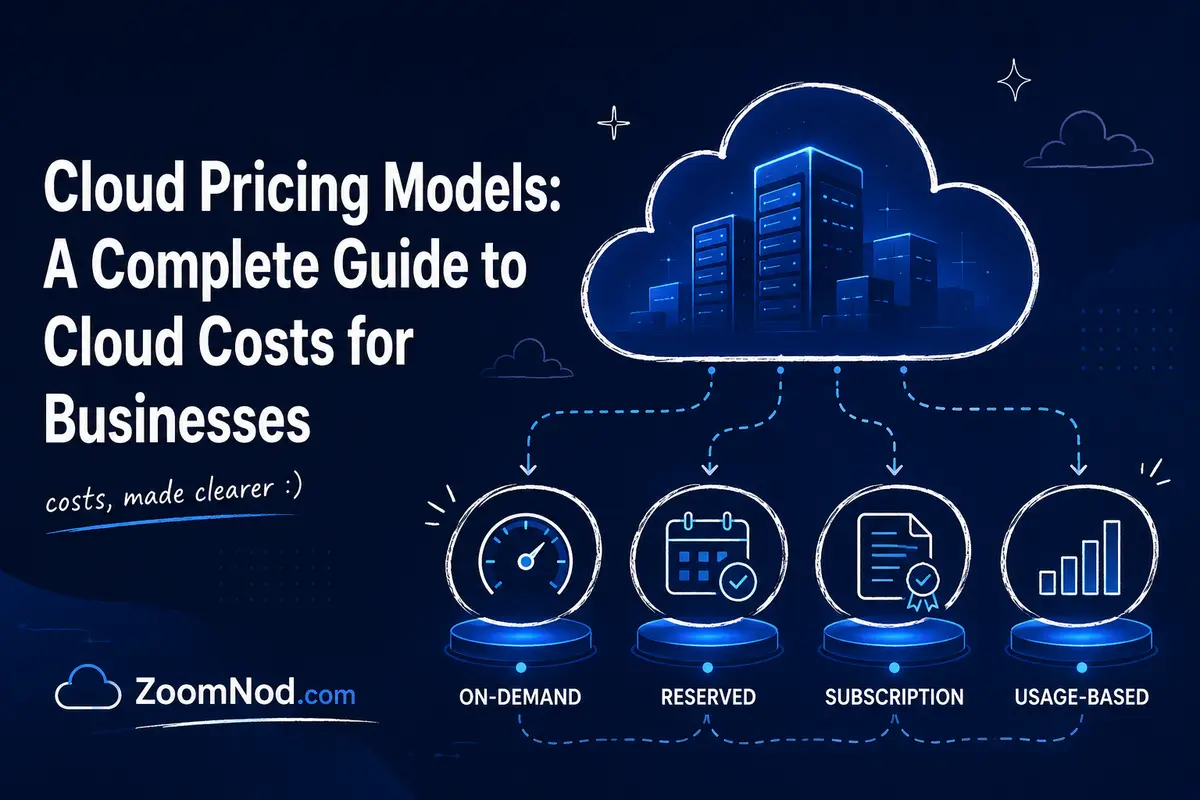
Cloud pricing appears simple at first: choose a server, database, storage bucket, or SaaS plan and pay for what you use. In practice, cloud bills are shaped by several pricing models at the same time. A business may pay an on-demand rate for variable compute, use one- or three-year commitments for predictable workloads, run batch jobs on discounted Spot capacity, pay per gigabyte for storage, pay per request for serverless functions, and pay separate charges for outbound data transfer.
The best cloud pricing model in 2026 is usually a combination rather than a single option. Use flexible pay-as-you-go pricing for uncertain demand, commitments for stable baseline usage, Spot or interruptible capacity for fault-tolerant workloads, and fixed subscriptions when predictability matters more than granular consumption billing. The work lies in matching each workload to the pricing model that minimizes total cost without creating unacceptable operational risk.
This guide covers the major cloud pricing models businesses encounter in 2026, including pay-as-you-go, reserved and committed pricing, savings plans, Spot capacity, subscriptions, tiered pricing, per-user SaaS pricing, serverless consumption pricing, free tiers, licensing models, and dedicated capacity. It also explains the hidden charges that make cloud cost difficult to forecast and provides a practical framework for choosing the right model for each workload. For the wider operational context, examine the cloud computing problems that affect cost, security, reliability, and governance.
What Is a Cloud Pricing Model?
A cloud pricing model is the method a cloud provider uses to calculate what a customer pays for a service. The billing unit can be time, users, compute resources, storage capacity, network transfer, API requests, transactions, database operations, tokens, messages, or another measurable unit.
Pricing models matter because two services with similar technical capabilities can create very different costs depending on how they are billed. A virtual machine that runs continuously for three years may benefit from commitment-based pricing, while a development server that exists for only a few hours should usually remain on flexible consumption pricing. A batch-processing job may be a good candidate for interruptible compute, while a production database generally is not.
Separate pricing model from cloud deployment model. Public cloud, private cloud, hybrid cloud, VPS hosting, and dedicated hosting describe how infrastructure is deployed. Pay-as-you-go, subscription, committed use, and Spot describe how services are priced.
If you are still deciding which infrastructure model fits your workload, compare VPS vs dedicated server vs cloud before optimizing the pricing model. Cost optimization works best after the architecture is appropriate.
Cloud Pricing Models at a Glance
| Pricing Model | How You Pay | Best For | Main Advantage | Main Risk |
|---|---|---|---|---|
| Pay-as-you-go / On-demand | For actual usage without long commitment | Variable and new workloads | Maximum flexibility | Higher unit price |
| Reserved / Committed use | Commit to usage for a term | Stable production workloads | Lower unit cost | Paying for unused commitment |
| Savings plan / Spend commitment | Commit to a level of eligible spend | Stable but changing compute fleets | More flexibility than rigid reservations | Commitment still creates financial risk |
| Spot / Interruptible | Use spare cloud capacity at a discount | Batch, CI, rendering, fault-tolerant jobs | Very low compute cost | Capacity can be interrupted |
| Subscription | Fixed recurring fee | SaaS and predictable hosting | Budget predictability | Paying for unused capacity or seats |
| Per-user / Per-seat | Fee for each licensed user | Business SaaS | Easy to understand | Costs scale directly with headcount |
| Tiered / Volume | Different rates at usage thresholds | Storage, APIs, SaaS, transfer | Lower unit price at scale | Complex forecasting |
| Serverless / Request-based | Requests, execution time, memory, tokens, etc. | Event-driven and variable workloads | Little idle-cost exposure | Can become expensive at high scale |
| Free tier / Freemium | Free allowance then paid usage | Testing and small workloads | Low entry cost | Unexpected charges after limits |
| Dedicated capacity | Pay for isolated hosts or reserved capacity | Licensing, compliance, predictable scale | Control and isolation | Higher baseline cost |
1. Pay-As-You-Go and On-Demand Pricing
Pay-as-you-go pricing charges for resources as they are consumed without requiring a long-term commitment. In infrastructure cloud services, this often means compute billed by the second, minute, or hour; storage billed by gigabyte-month; and databases billed according to provisioned resources or actual consumption.
On-demand pricing is a sensible baseline for new workloads because you can observe real usage before deciding whether to make a commitment.
Advantages of Pay-As-You-Go
- No multi-year commitment.
- Easy to start and stop resources.
- Good for unpredictable traffic.
- Useful for development, testing, pilots, and short projects.
- Reduces the risk of committing to the wrong instance family or architecture.
- Works well when infrastructure is frequently replaced or redesigned.
Disadvantages of Pay-As-You-Go
- Usually has the highest unit price for continuously running compute.
- Costs can fluctuate significantly.
- Unused but running resources still generate charges.
- Teams may leave test resources active because there is no procurement friction.
Best Use Cases
Pay-as-you-go is ideal for a new application with unknown traffic, temporary development environments, proof-of-concept infrastructure, short-term projects, seasonal applications, migration staging, and workloads where business requirements change rapidly.
2. Reserved and Committed-Use Pricing
Commitment-based pricing provides a discount in exchange for agreeing to a defined period of usage or spending. The exact mechanism varies by provider.
A commitment may apply to:
- A particular virtual machine family
- A region
- A defined amount of compute resources
- A minimum hourly spend
- A one-year or three-year term
This model works because providers receive more predictable demand while customers receive a lower effective unit rate.
When Commitments Make Sense
Commitments are strongest when a workload has a reliable baseline. For example, if a business knows that eight production application servers will run 24/7 for the next three years, paying full on-demand rates for the entire baseline may be unnecessarily expensive.
When Commitments Become Risky
A discounted rate is not a saving if the commitment goes unused. Common reasons include:
- The application is retired early.
- A migration changes the instance family.
- The company moves to containers or serverless computing.
- The workload is right-sized downward.
- A merger or restructuring eliminates the project.
- Traffic does not grow as expected.
The key question is not “How large is the discount?” but “How confident are we that we will consume the committed amount?”
3. Savings Plans and Spend-Based Commitments
Savings plans are a more flexible form of commitment in which customers agree to a defined level of eligible spending or compute usage over a period. Compared with a reservation tied to a narrow instance configuration, a savings plan can often apply across a broader set of compute resources.
This model suits organizations that know they will maintain a stable compute baseline but expect the underlying instance types, regions, operating systems, or services to change.
Example
Suppose a company consistently uses at least $5 per hour of eligible compute but regularly replaces individual VMs. A spend-based commitment may be safer than reserving a specific machine type because the discount can follow qualifying usage more flexibly.
Best Practice
Commit only to the portion of usage you are highly confident will remain. Leave variable demand on flexible pricing. This creates a baseline-and-burst model:
- Commitment pricing covers stable baseline usage.
- On-demand pricing covers normal variation.
- Spot capacity handles interruptible burst work.
This blended approach is usually safer than attempting to cover 100% of expected demand with commitments.
4. Spot and Interruptible Cloud Pricing
Spot pricing allows customers to use spare cloud capacity at a substantial discount. The trade-off is that the provider may reclaim the capacity when it is needed elsewhere.
A Spot instance should therefore be treated as disposable infrastructure. Your application must be able to tolerate interruption, restart work, move jobs to other instances, or maintain redundant capacity.
Good Spot Workloads
- Batch processing
- Rendering
- Video transcoding
- CI/CD workers
- Data processing
- Machine learning training with checkpointing
- Stateless application workers
- Distributed testing
- Queue-driven background jobs
Poor Spot Workloads
- A single production database
- A stateful application with no replication
- A critical server that cannot restart automatically
- Workloads with strict uninterrupted runtime requirements
Deep Spot discounts can look attractive, but the architecture must be designed around interruption. A workload that fails every time a Spot VM disappears is not cost-optimized; it is unreliable.
5. Fixed Subscription Pricing
A subscription charges a predictable amount per month or year for a defined service package. This is common in SaaS, VPS hosting, managed hosting, backup services, security software, and developer platforms.
For small businesses, fixed pricing is often easier to budget than granular cloud consumption because the expected monthly cost is known in advance.
Advantages
- Predictable invoices.
- Simple budgeting.
- Easy comparison between plans.
- Often includes bundled transfer, storage, or support.
Disadvantages
- You may pay for capacity you do not use.
- Plan upgrades can create large pricing jumps.
- Subscriptions may hide add-on costs.
- Annual discounts can create lock-in.
This is one reason developer-focused cloud hosts and VPS providers can be attractive for smaller applications. If you prefer a simple monthly server price, Zoomnod’s comparison of the cheapest VPS providers provides a useful alternative to complex hyperscaler billing.
6. Per-User and Per-Seat Pricing
Per-user pricing is common for email, productivity, CRM, support, project management, cybersecurity, design, analytics, and many other SaaS applications.
A business might pay $20 per employee per month rather than paying for underlying servers. This model is straightforward but can become expensive as headcount grows.
Per-User Cost Formula
Monthly SaaS cost = active paid users × monthly price per user + add-ons.
A $25-per-user application costs $250 per month for ten employees, $2,500 per month for 100 employees, and $25,000 per month for 1,000 employees before enterprise discounts.
How to Control Per-Seat Cost
- Automatically remove licenses when employees leave.
- Review inactive accounts monthly.
- Avoid purchasing premium tiers for users who need only basic features.
- Negotiate volume discounts at larger seat counts.
- Consolidate overlapping applications.
For a broader cloud adoption perspective, see Zoomnod’s cloud computing guide for small businesses once that companion page is live.
7. Tiered and Volume-Based Pricing
Tiered pricing changes the unit price when usage reaches defined thresholds. It is common in object storage, API platforms, bandwidth, databases, SaaS products, observability, and security services.
A provider might charge one rate for the first terabyte of storage, a lower rate for the next 49 TB, and a lower rate again at larger volumes.
Volume Pricing Can Be Progressive or Threshold-Based
Under a progressive model, each usage block is billed at its own rate. Under some SaaS models, crossing a threshold changes the plan or price applied more broadly.
Review the pricing table carefully. A statement such as “$0.01 per unit after 1 million units” does not necessarily mean the first million units become free or that all usage receives the lower rate.
8. Serverless and Request-Based Pricing
Serverless platforms charge based on actual execution rather than continuously running servers. Billing can include:
- Requests
- vCPU-seconds
- Memory-seconds
- Function duration
- Database reads and writes
- Workflow transitions
- Queue operations
- API calls
This can be cost-effective for infrequent, bursty, or event-driven workloads because you are not paying for an idle VM between requests.
Serverless Pricing Works Best When
- Traffic is highly variable.
- Functions execute quickly.
- The application can scale horizontally.
- There are long idle periods.
- Operations teams want to avoid managing servers.
Serverless Can Become Expensive When
- Workloads run continuously.
- Execution is CPU- or memory-intensive for long periods.
- Every request triggers many billable downstream services.
- Logging and observability generate large additional usage.
A serverless unit price can look tiny, but millions or billions of billable operations can create a large invoice. Model realistic transaction volume before assuming serverless is cheaper than persistent compute.
9. Free Tiers and Freemium Pricing
Free tiers allow businesses to use a limited amount of a cloud service without charge. They work well for learning, prototypes, development, and very small workloads.
But “free” usually means free within specific limits. Common limits include:
- Hours per month
- Storage capacity
- Requests
- Users
- Data transfer
- Trial duration
- Specific regions or product tiers
The Free-Tier Trap
A developer deploys a small application inside the free allowance, traffic grows, and the service automatically begins billing paid usage. The application is successful, but nobody configured a cost alert.
Attach budgets and billing alerts to experimental cloud accounts. A free tier should reduce entry cost, not eliminate cost governance.
10. Dedicated Hosts and Dedicated Capacity Pricing
Some cloud providers let customers pay for dedicated physical hosts, isolated infrastructure, or specifically reserved capacity. These options can be important for compliance, software licensing, predictable availability, specialized hardware, or performance isolation.
Dedicated capacity carries a higher baseline price because the provider cannot freely share the hardware with other customers.
Before choosing a dedicated cloud host, compare the economics with traditional single-tenant hosting. Zoomnod’s guide to dedicated server hosting explains the alternative, while the dedicated server price guide provides a cost framework.
11. Bring Your Own License and Hybrid Licensing
Software licensing can materially change cloud cost, particularly for operating systems, databases, virtualization platforms, and enterprise applications.
Some cloud programs allow eligible customers to apply existing licenses to cloud workloads rather than paying the full license-inclusive rate. This is commonly called Bring Your Own License (BYOL) or a hybrid licensing benefit.
Check These Licensing Questions
- Is the existing license eligible for cloud use?
- Does mobility require an active maintenance agreement?
- Is licensing based on cores, sockets, VMs, or users?
- Can the license move between regions or providers?
- Does dedicated hardware change licensing rights?
- Is the license still needed on-premises during migration?
A cloud compute price that excludes software licensing can appear cheaper than an all-inclusive server until license cost is added.
The Hidden Cloud Costs Businesses Often Miss
Outbound Data Transfer
Egress is among the most commonly underestimated cloud expenses. You may pay when data leaves a cloud region, moves to the public internet, crosses regions, or travels between particular services.
Bandwidth-heavy applications should model outbound traffic before provider selection. A video platform sending 100 TB per month has completely different economics from an internal business application sending 100 GB.
Storage Is More Than Capacity
Storage pricing may include:
- GB-month capacity
- Provisioned IOPS
- Throughput
- Snapshots
- Operations
- Retrieval
- Replication
- Early deletion
A low storage price per gigabyte does not guarantee a low final storage bill.
IPv4 Addresses
Public IPv4 addresses have become a separately priced resource on several cloud platforms. Large server fleets can generate meaningful address charges.
Load Balancers and Gateways
Production designs commonly add load balancers, NAT gateways, VPN connections, private endpoints, firewalls, and DNS services. Network architecture can therefore cost more than the VM itself in some applications.
Monitoring and Logs
Observability platforms can charge by data ingestion, retention, metrics, traces, queries, or users. Excessive debug logging in production can create surprisingly large bills.
Backups and Snapshots
Automatic snapshots are valuable, but retention can quietly grow. Define lifecycle rules and retention according to recovery requirements rather than storing every backup indefinitely.
Support Plans
Enterprise cloud support can be a significant percentage of cloud spend or use tiered minimum charges. Include support in total cost of ownership.
How AWS Cloud Pricing Works
AWS illustrates how multiple pricing models can coexist. For EC2 compute, businesses can combine On-Demand usage, Savings Plans, Reserved Instances, Spot Instances, and dedicated options.
On-Demand provides maximum flexibility. Savings Plans exchange a compute-spend commitment for discounted eligible usage. Reserved Instances provide billing discounts based on matching instance attributes and commitment terms. Spot Instances use spare EC2 capacity at substantial discounts but can be interrupted. Dedicated Hosts provide dedicated physical hosts for licensing or isolation requirements.
A mature AWS cost strategy frequently uses more than one option: commitments for the stable baseline, On-Demand for unpredictable demand, and Spot for fault-tolerant workloads.
How Microsoft Azure Pricing Works
Azure also combines pay-as-you-go pricing with commitment-based discounts. Businesses can use standard consumption pricing, reserved VM instances, Azure savings plans for eligible compute, Spot Virtual Machines, and licensing programs such as Azure Hybrid Benefit where eligible.
A reservation is typically more specific than a savings plan. A savings plan commits to an hourly spend level across eligible compute, while a reservation can be tied more closely to a specific compute resource family and region.
The operating principle is similar to AWS: use commitment-based pricing only when usage is sufficiently predictable.
How Google Cloud Pricing Works
Google Cloud Compute Engine combines on-demand pricing with several discount mechanisms. Eligible resources can receive automatic sustained-use discounts when used for a significant portion of a billing month. Businesses can also purchase committed-use discounts for predictable workloads and use Spot VMs for interruptible jobs. Because price is only one part of provider selection, it is also useful to compare Google Cloud with leading alternatives across services, regions, support, and operational complexity.
Sustained-use discounts are particularly interesting because qualifying discounts can apply automatically as eligible VM usage increases, reducing the need to make an upfront commitment for that specific discount mechanism.
Committed-use discounts provide deeper predictability-based savings, while Spot VMs target workloads that can tolerate interruption.
How Oracle Cloud Pricing Differs
Oracle Cloud Infrastructure uses consumption pricing for compute, storage, databases, and other services, while emphasizing flexible VM shapes and comparatively generous included outbound data transfer on several current pricing pages.
OCI may therefore be worth examining for bandwidth-heavy workloads, although businesses should always calculate the complete architecture rather than selecting a provider based on one network-pricing advantage.
How to Choose the Right Cloud Pricing Model
Step 1: Separate Stable and Variable Demand
Collect at least several weeks or months of resource utilization. Determine the minimum compute level that exists nearly all the time and the variable portion that appears only during peaks.
The stable baseline is a candidate for commitment discounts. Variable demand should retain flexibility.
Step 2: Classify Workloads by Interruption Tolerance
Ask what happens if a server disappears with short notice.
- If the job restarts automatically, Spot may be appropriate.
- If the application fails and customers lose transactions, use stable capacity.
Step 3: Calculate the Break-Even Point
Compare break-even usage, not percentage discounts alone. Calculate the amount of committed capacity that must be used for the commitment to save money.
If an on-demand resource costs $1 per hour and a commitment reduces the effective rate to $0.65, a commitment looks attractive. But if the resource runs only half the time and you still pay the commitment, the effective cost per useful hour can exceed on-demand pricing.
Step 4: Include All Supporting Services
Add storage, transfer, backups, IPv4, load balancing, databases, monitoring, security, licensing, and support.
Step 5: Model Architecture Changes
A three-year commitment assumes the workload remains similar for three years. If you expect to containerize, replatform, replace an application, or migrate providers, use more flexible commitments.
Zoomnod’s cloud migration guide can help identify whether the workload is likely to change during a migration or modernization program.
Step 6: Optimize After Observing Real Usage
Avoid making a large commitment on the first day of a new application. Begin with flexible pricing, monitor actual consumption, right-size resources, then commit only to the proven baseline.
Cloud Cost Optimization Framework
Right-Size Before Buying Discounts
A 40% discount on an oversized VM can still cost more than a correctly sized on-demand VM. Right-sizing should happen before major commitment purchases.
Turn Off Non-Production Resources
Development and test servers often do not need to run overnight or on weekends. Automated schedules can reduce usage without architectural changes.
Use Autoscaling
Applications that support horizontal scaling can add capacity only when demand increases instead of running peak capacity all month.
Delete Orphaned Resources
Unused disks, old snapshots, unattached IP addresses, abandoned load balancers, and forgotten databases continue generating charges.
Use Storage Lifecycle Rules
Move infrequently accessed data to cheaper storage classes when retrieval requirements allow it.
Use Commitments Conservatively
Cover a safe baseline rather than the expected peak. An 80% commitment-coverage target can sometimes be financially safer than attempting 100% coverage, although the correct percentage depends on workload stability.
Use Spot for Fault-Tolerant Compute
Batch workers, container nodes, rendering, analytics, and CI jobs can often blend Spot capacity with stable instances.
Allocate Cost to Owners
Use projects, tags, subscriptions, accounts, or labels so every resource has a business owner. Cost without ownership is difficult to optimize.
Example Cloud Pricing Strategy for a SaaS Company
Consider a SaaS company with a stable production application, daily traffic peaks, CI/CD jobs, and development environments.
- Production baseline: Use a one-year savings plan or commitment covering the proven minimum compute load.
- Peak web traffic: Use on-demand autoscaling instances.
- Background jobs: Use Spot capacity where jobs can retry.
- Development: Use on-demand resources with automated shutdown.
- Database: Use stable managed database capacity, potentially with commitment discounts after usage is known.
- Storage: Apply lifecycle policies to old files and backups.
- Observability: Set log-retention limits and exclude unnecessary debug data.
This hybrid pricing strategy preserves reliability while reducing the cost of predictable and interruptible work.
Cloud Pricing vs VPS Pricing
A traditional VPS plan usually bundles CPU, RAM, storage, and bandwidth into one monthly price. Public cloud often bills the individual components separately.
VPS pricing can be easier to predict for small, always-on applications. Cloud pricing can be more flexible for applications that need autoscaling, managed services, multiple regions, programmable networking, or temporary infrastructure.
Do not assume a $10 VPS and a $10 cloud VM are equivalent. Compare CPU model, shared versus dedicated resources, storage type, bandwidth allowance, backup, support, availability architecture, and management features.
Cloud Pricing vs Dedicated Server Pricing
Cloud often wins when demand is variable or workloads benefit from managed services. Dedicated servers can become economically attractive when workloads run continuously at high utilization and do not need elasticity.
A dedicated machine may provide many CPU cores, large RAM capacity, high storage throughput, and substantial bandwidth for one predictable monthly amount. Recreating the same raw resources from individually billed cloud components can sometimes cost more.
The trade-off is flexibility. Dedicated hardware takes longer to provision and scale, while cloud infrastructure can be created and removed through software.
Common Cloud Pricing Mistakes
Committing Before Right-Sizing
Measure first. A discount locks in waste if the underlying resource is oversized.
Looking Only at Compute
Network, storage, monitoring, backup, security, and support can materially change total cost.
Treating Spot as Reliable Capacity
Spot is cheaper because it can be interrupted. Architect accordingly.
Ignoring SaaS Seat Waste
Inactive users can generate recurring cost every month.
Leaving Development Resources Running
Automated shutdown policies can eliminate large amounts of idle usage.
Assuming Bigger Discounts Always Mean Lower Cost
A 60% discount with 50% utilization can be worse than flexible pricing at high utilization. Compare effective cost, not marketing percentages.
Ignoring Egress
Data-intensive services should model network cost before selecting a cloud region or provider.
Cloud Pricing Checklist for Businesses
- Identify the business owner for each cloud service.
- Measure average and peak utilization.
- Separate baseline and burst capacity.
- Right-size compute before purchasing commitments.
- Calculate one-year and three-year cost scenarios.
- Estimate outbound data transfer.
- Include storage operations and snapshots.
- Include public IP, load balancer, NAT, and gateway costs.
- Include software licenses.
- Include monitoring and security services.
- Include support plans.
- Use Spot only for interruption-tolerant workloads.
- Create budgets and alerts.
- Tag resources by owner, project, and environment.
- Review unused SaaS licenses.
- Schedule non-production shutdowns.
- Review commitment utilization monthly.
- Recalculate pricing after major architecture changes.
Final Verdict: Which Cloud Pricing Model Is Best in 2026?
There is no single best cloud pricing model. The best financial architecture combines models based on workload behavior.
Use pay-as-you-go for uncertain demand and new applications. Use reserved, committed-use, or savings-plan pricing for stable baselines you are confident will remain. Use Spot or interruptible capacity for disposable, fault-tolerant compute. Use fixed subscriptions when predictable cost and simplicity matter more than granular elasticity. Use serverless consumption pricing when workloads are event-driven and frequently idle.
First, optimize the resource before optimizing the discount. Right-size servers, shut down idle environments, remove unused services, control data transfer, and assign ownership. Then apply commitments to the usage that remains.
A cloud pricing model is economical only when it matches the workload. The goal should not be the largest advertised discount; it should be the lowest sustainable total cost for the performance, reliability, flexibility, and risk your business actually requires.
Frequently Asked Questions About Cloud Pricing Models
What are the main cloud pricing models?
The main cloud pricing models include pay-as-you-go or on-demand, reserved or committed-use pricing, savings plans, Spot or interruptible capacity, fixed subscriptions, per-user SaaS pricing, tiered or volume pricing, serverless consumption pricing, free tiers, and dedicated capacity.
What is pay-as-you-go cloud pricing?
Pay-as-you-go pricing charges for cloud resources based on actual usage without requiring a long-term commitment. It provides maximum flexibility but usually costs more per unit than commitment-based pricing for continuously running resources.
What is the difference between reserved instances and savings plans?
Reserved-instance-style discounts are generally tied more closely to specific compute attributes, while savings plans typically exchange a commitment to eligible compute spend or usage for a discount that can apply more flexibly. Exact rules vary by cloud provider.
What is Spot cloud pricing?
Spot pricing provides discounted access to spare cloud capacity. The provider can reclaim that capacity, so Spot is best for fault-tolerant workloads such as batch processing, rendering, CI jobs, analytics, and distributed workers.
Which cloud pricing model is cheapest?
The cheapest model depends on workload behavior. Spot can have the lowest compute unit price, but it is interruptible. Commitments are often cheaper for stable workloads, while pay-as-you-go can be cheaper for resources that run only occasionally.
Is cloud cheaper than a VPS?
Not always. A VPS can be less expensive for a simple, continuously running server because CPU, RAM, storage, and bandwidth are commonly bundled. Cloud platforms can provide better flexibility, automation, scaling, and managed services.
Is cloud cheaper than dedicated servers?
Cloud can be cheaper for variable workloads, temporary infrastructure, or applications that benefit from managed services. Dedicated servers can be cost-effective for steady, high-utilization workloads that need predictable resources and bandwidth.
What are hidden cloud costs?
Common hidden or underestimated costs include outbound data transfer, snapshots, backups, storage operations, monitoring, logs, public IPv4 addresses, load balancers, NAT gateways, software licenses, managed services, and support.
How can a business reduce cloud costs?
Right-size resources, shut down idle environments, delete orphaned resources, use autoscaling, optimize storage, purchase commitments for proven baselines, use Spot for fault-tolerant workloads, control logging, and assign every resource to an owner.
Should a startup buy a three-year cloud commitment?
Usually not until usage is stable and the architecture is unlikely to change. Startups often change infrastructure rapidly, so shorter commitments or flexible pay-as-you-go pricing may reduce the risk of paying for unused capacity. Our startup cloud comparison shows how credits, post-credit economics, managed services, and portability affect this decision.
How do I estimate my cloud bill?
Add compute, storage, backup, data transfer, networking, databases, monitoring, security, software licenses, support, and administration. Model both average and peak demand and include commitment utilization assumptions.