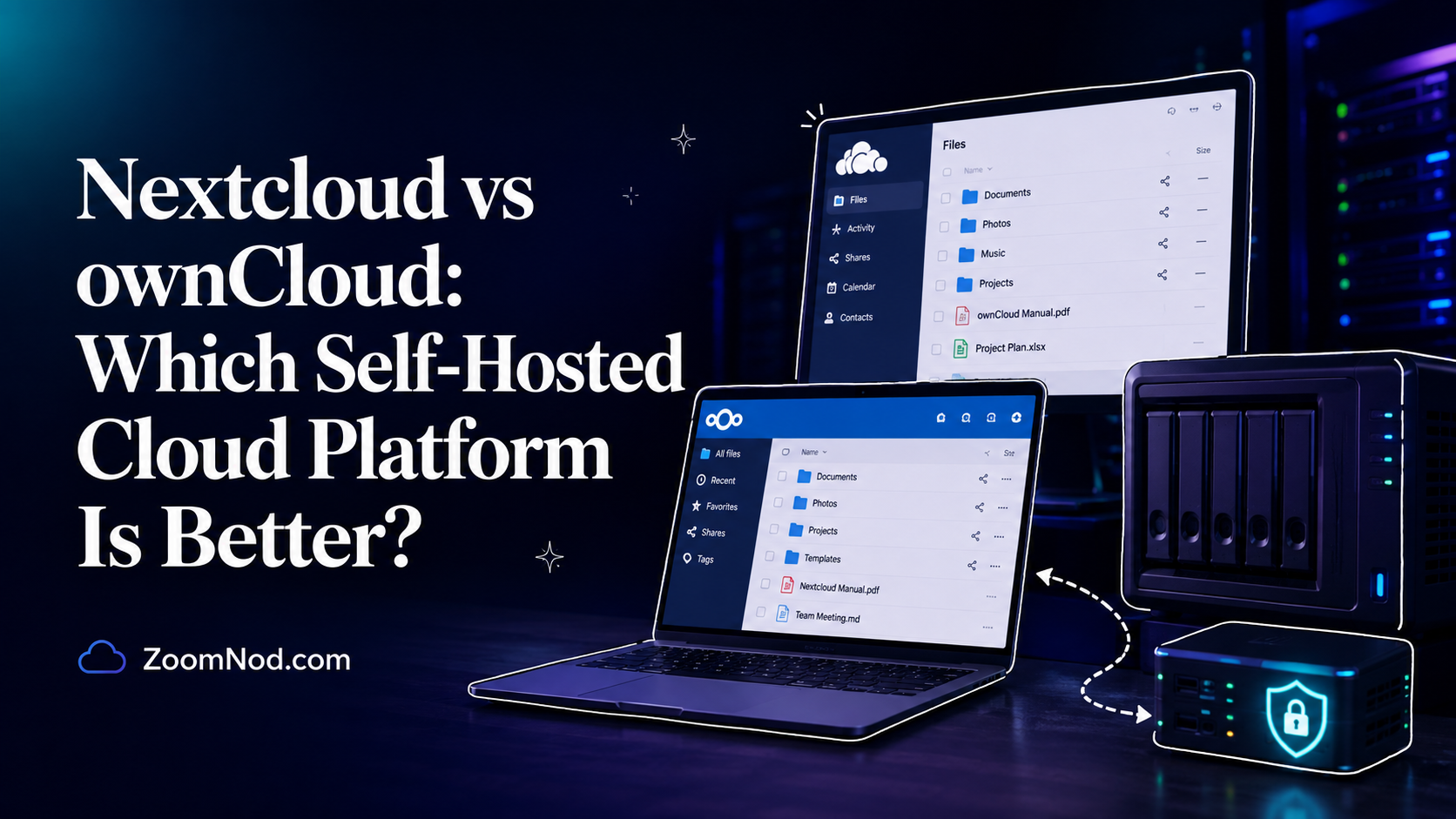
If you want private cloud storage on your own VPS, two names usually come up first: Nextcloud and ownCloud. Both let you host files, sync data across devices, share folders, control access, and reduce dependence on public cloud storage providers. But they are no longer the same type of product, and choosing the wrong one can make your server harder to manage later.
This Nextcloud vs ownCloud comparison covers features, hosting requirements, performance, security, collaboration tools, scalability, apps, pricing, use cases, and suitability for a VPS. Neither platform is universally better; the right choice depends on your technical skill level, business needs, storage requirements, and server budget.
If you already know that you want to build a personal cloud on a Linux server, you may also want to read our step-by-step guide on install Nextcloud on a VPS. If you are still choosing your infrastructure, our guides on best server OS, managed vs unmanaged VPS, and best server location can help you make a better hosting decision before installation. You can also compare the best Nextcloud hosting providers to decide between a managed service and a self-managed VPS.
Quick Answer: Nextcloud vs ownCloud
For most VPS users, small businesses, freelancers, and teams that want a feature-rich self-hosted productivity platform, Nextcloud is usually the better choice. It has a large app ecosystem, strong community adoption, built-in collaboration tools, document editing integrations, calendar, contacts, Talk, mail, workflow features, and broad hosting tutorials.
ownCloud remains suitable for organizations that want a focused enterprise file sync and share platform. The modern ownCloud direction is centered around ownCloud Infinite Scale, a newer cloud-native platform designed for scalable file collaboration, governance, and enterprise environments.
| Use Case | Better Choice | Why |
|---|---|---|
| Personal cloud on a VPS | Nextcloud | More tutorials, apps, and beginner-friendly hosting guides |
| Small business file sharing | Nextcloud | Good mix of files, calendar, contacts, chat, and document collaboration |
| Enterprise file sync and share | ownCloud | Strong focus on controlled enterprise file collaboration |
| Cloud-native large-scale deployment | ownCloud Infinite Scale | Designed around a modern scalable architecture |
| All-in-one collaboration suite | Nextcloud | Broader app ecosystem and productivity features |
| Simple VPS installation | Nextcloud | More common LAMP/LEMP tutorials and community support |
In short, choose Nextcloud if you want an all-in-one self-hosted cloud platform. Choose ownCloud if you want a file collaboration platform with a stronger enterprise file-sharing focus, especially if you are evaluating Infinite Scale.
What Is Nextcloud?
Nextcloud is an open-source self-hosted cloud collaboration platform. You can install it on a VPS, dedicated server, private cloud, or internal server and use it to store, sync, share, and manage files. It also supports many productivity features through official and community apps.
Nextcloud started after a fork from ownCloud in 2016. Since then, it has grown into a broad collaboration platform rather than just a file sync tool. Today, many users use Nextcloud as a private alternative to services like Google Drive, Dropbox, Microsoft OneDrive, and some parts of Google Workspace or Microsoft 365.
Common Nextcloud features include:
- File storage and synchronization
- Public and private file sharing
- User and group permissions
- Desktop and mobile sync clients
- WebDAV access
- Calendar and contacts
- Nextcloud Talk for chat and video calls
- Office document editing integrations
- Two-factor authentication
- Encryption options
- Workflow automation
- External storage integration
- Large app marketplace
Nextcloud is popular because it gives users control over their data while still offering a familiar cloud storage experience. A freelancer can use it to sync project files. A small business can use it to share documents with staff. A developer can use it as a private file and collaboration platform. A privacy-focused user can use it to move away from third-party cloud storage.
Nextcloud is more than file hosting. It is closer to a self-hosted collaboration suite. Its broader scope is useful, but it can also require more maintenance if you enable many apps or run it on a small VPS.
What Is ownCloud?
ownCloud is a self-hosted file sync and share platform. It helps users store, sync, access, and share files across devices while keeping data under their own control. ownCloud is also the original project from which Nextcloud later forked.
In 2026, ownCloud should be understood in two parts. First, there is the older ownCloud Server line, often called ownCloud Classic or ownCloud 10 in many discussions. Second, there is ownCloud Infinite Scale, the newer platform built with a modern architecture for scalable and enterprise-focused file collaboration.
ownCloud Infinite Scale is positioned as a cloud-native data platform. It focuses on secure file sharing, metadata, governance, integration, scalability, and enterprise deployment. This makes it different from Nextcloud’s broader app-driven collaboration approach.
Common ownCloud use cases include:
- Enterprise file sync and share
- Controlled document access
- Secure file sharing for organizations
- Private file collaboration
- Data governance workflows
- Institutional file platforms
- Large-scale storage access
ownCloud suits teams whose main goal is structured file collaboration rather than building a full productivity suite. If you want fewer extra apps and a more focused file-sharing approach, ownCloud may feel cleaner. If you want calendar, chat, contacts, office tools, and a larger community app ecosystem, Nextcloud is usually more attractive.
Nextcloud vs ownCloud: Main Difference
The main difference between Nextcloud and ownCloud is product direction. Nextcloud has become a broad self-hosted collaboration platform. ownCloud, especially Infinite Scale, focuses more directly on enterprise file sync, sharing, and scalable data collaboration.
Nextcloud tries to give you many tools in one platform. You can store files, edit documents, manage calendars, sync contacts, chat with users, run video meetings, connect external storage, automate workflows, and extend the system with many apps.
ownCloud focuses more on file access, file sharing, governance, and enterprise collaboration. Instead of trying to include every productivity feature in one place, ownCloud often integrates with other tools through open standards and enterprise workflows.
| Comparison Point | Nextcloud | ownCloud |
|---|---|---|
| Main focus | All-in-one collaboration suite | Enterprise file sync and share |
| Best for | Individuals, small teams, businesses, self-hosters | Organizations needing controlled file collaboration |
| App ecosystem | Very broad | More focused |
| Ease of VPS tutorials | Very strong | Good, but less common for general self-hosting |
| Cloud-native direction | Available through deployment choices | Strong focus with Infinite Scale |
| Best simple recommendation | Better for most VPS users | Better for focused enterprise file sharing |
For most users comparing Nextcloud vs ownCloud on a VPS, the decision is whether they need a private productivity cloud or a focused file collaboration system.
Nextcloud vs ownCloud for VPS Hosting
Both platforms can run on self-managed infrastructure, but Nextcloud is usually easier for VPS users because there are more tutorials, community examples, installation guides, and common LAMP or LEMP deployment paths.
A typical Nextcloud VPS setup uses:
- Ubuntu or Debian Linux
- Apache or Nginx
- PHP-FPM or Apache PHP module
- MariaDB, MySQL, or PostgreSQL
- Redis for file locking and caching
- Let’s Encrypt SSL
- Background jobs through cron or systemd
- Regular backups and updates
ownCloud Infinite Scale uses a different architecture. It is designed around modern deployment patterns and can be attractive for larger, more controlled, and more scalable environments. That can be powerful, but it may not be the first choice for a beginner who wants a simple personal cloud on a small VPS.
If you are buying a VPS specifically for self-hosted cloud storage, consider these practical factors:
- CPU: More users, previews, encryption, and document editing need more CPU.
- RAM: Small personal setups may work with modest RAM, but teams should start higher.
- Storage: Choose NVMe SSD for active files and reliable backup storage for recovery.
- Bandwidth: File sync can use a lot of transfer, especially with desktop clients.
- Location: Choose a data center near users for faster sync and downloads.
- Backups: File platforms are only useful if recovery is easy.
- Support: Managed support is valuable if you do not want to troubleshoot Linux services.
For a small team or personal cloud, Nextcloud on a Linux VPS is usually the more practical choice. For a larger organization planning a formal file collaboration platform, ownCloud Infinite Scale is worth evaluating carefully.
Feature Comparison: Nextcloud vs ownCloud
Feature depth is a main reason users choose Nextcloud. It offers a broad set of collaboration features that go beyond storage. ownCloud is more focused and may be easier to position as a controlled file platform.
File Sync and Sharing
Both platforms support file sync and sharing. You can upload files, organize folders, sync files across devices, share links, assign permissions, and access files through web and desktop clients.
Nextcloud suits personal and business sharing because it combines file sync with collaboration apps. ownCloud suits organizations that want structured enterprise file sharing and governance.
Office Document Collaboration
Nextcloud can integrate with office tools such as Collabora Online or OnlyOffice. This lets users edit documents, spreadsheets, and presentations in the browser. This is particularly useful when you want a private alternative to Google Docs or Microsoft Office Online.
ownCloud also supports document collaboration workflows, but the overall experience depends on the deployment model and integrations. If browser-based document editing is a major priority, compare the exact setup you plan to use before choosing.
Calendar, Contacts, and Groupware
Nextcloud provides broader support for calendar, contacts, mail, tasks, and personal productivity. Users who want a private workspace often prefer Nextcloud because these tools can live inside the same platform.
ownCloud is more focused on files and sharing. That can be a benefit if your team already uses separate groupware tools and does not want extra collaboration features inside the file platform.
Chat and Video Calls
Nextcloud Talk is a key platform feature. It gives teams chat, audio calls, and video meetings inside the Nextcloud environment. For small teams, this can reduce the number of separate tools needed.
ownCloud does not try to compete in the same way as a full communication suite. ownCloud is better viewed as a file platform that integrates with other communication tools.
Apps and Extensions
Nextcloud has a larger app marketplace and stronger community extension culture. This flexibility is useful, but it can also lead to maintenance issues if you install too many apps or rely on apps that are not maintained well.
ownCloud is more controlled and focused. This can suit enterprise environments where fewer moving parts are preferred.
Performance Comparison
Performance depends more on your VPS configuration than the brand name alone. A badly configured Nextcloud server can feel slow. A well-tuned Nextcloud server with Redis, PHP-FPM, OPcache, good database settings, and NVMe storage can be fast. The same general rule applies to ownCloud: architecture, storage, database, caching, and network quality matter.
Nextcloud can become heavier if you enable many apps, generate previews for many files, run office editing, use Talk, or serve many users from a small VPS. If you only use it for file sync, it can be reasonably efficient. If you turn it into a full collaboration suite, you need more server resources.
ownCloud Infinite Scale is designed with scalability in mind. It suits larger deployments where file collaboration needs to grow beyond a simple single-server setup. However, that does not automatically make it better for every small VPS user. A cloud-native platform can be more capable, but it may also require more planning.
For a personal cloud, family cloud, freelancer storage system, or small business document server, Nextcloud usually balances features and setup simplicity more effectively. For enterprise-scale file access and governance, ownCloud Infinite Scale merits evaluation.
Security Comparison
Security is a major reason people compare Nextcloud vs ownCloud. Both platforms are designed for self-hosted file access, but security still depends heavily on your server setup.
Important security controls include:
- HTTPS with a valid SSL certificate
- Strong admin passwords
- Two-factor authentication
- Regular platform updates
- Operating system security updates
- Firewall rules
- Limited SSH access
- Database backups
- File backups
- Secure permissions
- Login rate limiting
- Monitoring and audit logs
Nextcloud provides many security-related features and has a strong community around hardening self-hosted deployments. It also has admin warnings that help identify configuration problems. This helps VPS users identify misconfiguration, which is often the main risk.
ownCloud also focuses on secure file sharing, especially for business environments. Infinite Scale centers on enterprise-grade file collaboration, governance, and control.
Security depends less on feature count than on keeping the platform updated and configured correctly. A neglected Nextcloud server is risky. A neglected ownCloud server is risky. A well-maintained VPS with backups, HTTPS, updates, and strong access control is the real foundation.
Ease of Installation and Maintenance
Nextcloud is usually easier to install for general VPS users because there are many standard installation paths. You can install it manually, use scripts, use containers, use a control panel, or use a provider image if available.
If you want to run Nextcloud manually, the typical process is:
- Choose a Linux VPS.
- Install Ubuntu or Debian.
- Install Apache or Nginx.
- Install PHP and required modules.
- Install MariaDB or PostgreSQL.
- Create a database and database user.
- Download Nextcloud.
- Configure web server virtual host.
- Enable HTTPS.
- Run the web installer.
- Configure cron background jobs.
- Add Redis and caching.
- Set up backups and updates.
ownCloud Infinite Scale has a different deployment model. It suits teams comfortable with modern service-based architecture, containers, and scalable deployments. But for someone who simply wants a private cloud on a VPS, Nextcloud has a lower learning curve.
Maintenance should also influence your decision. Nextcloud needs regular updates, app compatibility checks, PHP version planning, backup testing, and occasional tuning. ownCloud also needs updates and operational care, especially if used in production.
If you do not want to manage updates yourself, a managed VPS or managed hosting option is safer. You can compare this decision in our guide to managed vs unmanaged VPS.
Scalability Comparison
Scalability means different things for different users. For a personal VPS, scalability may mean upgrading from 2 GB RAM to 4 GB RAM. For a business, it may mean supporting 50 users. For an enterprise, it may mean thousands of users, large storage backends, strict access control, and integration with identity systems.
Nextcloud scales well when planned correctly. You can improve performance with Redis, database tuning, object storage, preview generation control, caching, background jobs, and separate services. But the more features you enable, the more carefully you need to plan resources.
ownCloud Infinite Scale is designed with a scalable architecture in mind. This suits enterprise deployments that want modern file collaboration infrastructure.
For most VPS buyers, the practical question is not “Which one scales more in theory?” It is “Which one can I manage at my expected size?”
| Deployment Size | Recommended Choice | Reason |
|---|---|---|
| Personal cloud | Nextcloud | Easy setup and broad tutorials |
| Family file storage | Nextcloud | Good mobile apps, sharing, and productivity features |
| Small business | Nextcloud | Strong collaboration feature set |
| Enterprise file platform | ownCloud or Nextcloud Enterprise | Depends on support, compliance, and deployment model |
| Cloud-native file collaboration | ownCloud Infinite Scale | Modern scalable architecture focus |
Nextcloud vs ownCloud Pricing
Both Nextcloud and ownCloud have open-source roots, but pricing depends on how you deploy and support them.
If you self-host Nextcloud on a VPS, your main costs are the VPS, storage, backups, bandwidth, domain name, SSL setup, monitoring, and your own time. The software itself can be used without paying a per-user cloud storage subscription, but that does not make the system free to operate. You still need server resources and maintenance.
ownCloud can also be self-hosted, but enterprise use cases may involve commercial support, enterprise features, or vendor agreements. Pricing can depend on deployment size, support needs, and licensing model.
For small VPS users, server sizing is the primary pricing factor. A small file server can run on an affordable VPS, but once you add office editing, previews, multiple users, backups, and large storage, costs increase.
Budget for:
- VPS monthly cost
- Extra storage or block storage
- Backup storage
- Domain name
- Monitoring
- Admin time
- Optional paid support
- Optional office editing infrastructure
If you only compare software license cost, you may underestimate the real cost of ownership. For self-hosted cloud storage, operations matter as much as software.
Best VPS Configuration for Nextcloud or ownCloud
The right VPS size depends on users, files, storage type, and features. The following figures provide a starting point.
| Use Case | Suggested VPS | Notes |
|---|---|---|
| Personal testing | 1-2 vCPU, 2 GB RAM | Good for learning, not ideal for heavy file sync |
| Personal production cloud | 2 vCPU, 4 GB RAM | Better for stable usage with Redis and backups |
| Small team | 4 vCPU, 8 GB RAM | Better for multiple users and larger sync activity |
| Office editing workload | 4+ vCPU, 8-16 GB RAM | Document editing can increase CPU and memory needs |
| Large storage platform | Dedicated server or scalable storage | Consider backups, bandwidth, and storage performance |
Choose NVMe storage when possible for active data. Use separate backup storage. Do not rely on the same server as your only backup. If your cloud contains business files, test restoration before you need it.
Server location also matters. If most users are in Europe, hosting in Europe is usually faster than hosting in a faraway region. If your team is global, consider a location with strong international connectivity or a larger architecture. Our guide on best server location for low latency can help with this decision.
When Should You Choose Nextcloud?
Choose Nextcloud if you want a complete self-hosted cloud experience. It is usually the practical default for personal users, small businesses, freelancers, agencies, and teams that want many collaboration tools in one platform.
Nextcloud suits users who want:
- A private Google Drive or Dropbox alternative
- File sharing and sync
- Calendar and contacts
- Chat or video calling through Nextcloud Talk
- Office document editing integrations
- A large app ecosystem
- Many tutorials and community support
- A practical VPS installation path
- Good control over data location
Nextcloud is not ideal if you want the simplest possible file server with no extra features, or if you do not want to maintain a web application stack. It also requires careful updates and app management.
When Should You Choose ownCloud?
Choose ownCloud if your main priority is controlled file sync and share, especially in an organization that values enterprise file collaboration and governance over a broad app marketplace.
ownCloud suits organizations that want:
- A focused file collaboration platform
- Enterprise file sync and share features
- A modern cloud-native direction through Infinite Scale
- Controlled data access
- Integration with existing enterprise tools
- Less emphasis on being an all-in-one productivity suite
ownCloud may not be the easiest choice for a beginner who wants a simple VPS-based personal cloud. It is better suited to users who know they want ownCloud’s specific file collaboration model or who are evaluating enterprise requirements.
Nextcloud vs ownCloud for Small Businesses
Small businesses usually want a solution that is practical, secure, affordable, and easy to support. In many cases, Nextcloud is the better fit because it provides a complete workspace without forcing the business to buy several separate tools.
A small business can use Nextcloud for:
- Internal file sharing
- Client file portals
- Team calendars
- Shared contacts
- Document editing
- Basic team chat
- Remote file access
- Mobile file sync
ownCloud can also work for small businesses, especially when the business mainly needs secure file access. If the team wants more collaboration features, Nextcloud provides more options.
Management matters more. A small business should not run either platform without backups, updates, monitoring, HTTPS, and a clear admin owner. If no one on the team can maintain Linux, choose managed hosting or hire support.
Nextcloud vs ownCloud for Developers and Technical Users
Developers often prefer Nextcloud because it has many integrations, apps, APIs, WebDAV access, and community examples. It is easy to test on a VPS, connect to external storage, integrate with identity systems, and automate around.
ownCloud may appeal to developers working on enterprise file collaboration, scalable data platforms, or integrations where Infinite Scale’s architecture is a better match.
If you are building a simple private cloud, Nextcloud is usually faster to deploy. If you are building a larger file platform and want to evaluate cloud-native architecture, ownCloud Infinite Scale should be tested against those requirements.
Migration Considerations
If you already run ownCloud or Nextcloud, do not migrate casually. File platforms store user data, permissions, shares, calendars, contacts, app data, and database records. A migration should be planned and tested before touching production data.
Before migrating, check:
- Current version
- Target version
- PHP compatibility
- Database compatibility
- Installed apps
- User accounts
- Shared links
- External storage
- Desktop sync clients
- Mobile clients
- Backup and restore process
Never begin a migration without a full file and database backup. Ideally, test the migration on a staging VPS first. If you use your cloud platform for business files, schedule downtime and notify users before moving data.
Nextcloud vs ownCloud: Pros and Cons
Nextcloud Pros
- Excellent all-in-one collaboration platform
- Large app ecosystem
- Strong community and tutorial availability
- Good for VPS self-hosting
- File sync, calendar, contacts, Talk, and office integrations
- Good option for individuals and small businesses
- Flexible and widely adopted
Nextcloud Cons
- Can become heavy if too many apps are enabled
- Requires regular maintenance
- App compatibility can matter during upgrades
- Office and video features need more resources
- Not as simple as basic file storage
ownCloud Pros
- Strong file sync and share focus
- Enterprise-oriented positioning
- Infinite Scale offers modern architecture
- Good for controlled file collaboration
- Useful where organizations want fewer extra apps
ownCloud Cons
- Less attractive for users wanting a full productivity suite
- Fewer general VPS tutorials than Nextcloud
- Product direction can be confusing because of classic ownCloud vs Infinite Scale
- May require more planning for modern deployments
Final Verdict: Which One Should You Choose?
For most people comparing Nextcloud vs ownCloud in 2026, Nextcloud is the better default choice. It is easier to recommend for personal clouds, small business file sharing, VPS hosting, document collaboration, and users who want more than basic file sync.
Choose Nextcloud if you want:
- A private cloud on a VPS
- An alternative to Google Drive or Dropbox
- File sharing plus collaboration tools
- Calendar, contacts, chat, and office integrations
- Many tutorials and community support
- A practical small business cloud platform
Choose ownCloud if you want:
- A focused enterprise file sync and share platform
- Controlled file collaboration
- Enterprise-oriented governance and integration
- To evaluate ownCloud Infinite Scale
- A less app-heavy file platform
The best choice depends on your goal. If you want a flexible self-hosted collaboration suite, choose Nextcloud. If you want enterprise file collaboration with a stronger focus on scale and controlled sharing, evaluate ownCloud Infinite Scale.
For most VPS buyers, the practical starting point is Nextcloud on a properly configured Linux VPS with NVMe storage, backups, HTTPS, Redis, and regular updates. For a step-by-step deployment path, use our guide on install Nextcloud on a VPS.
FAQs About Nextcloud vs ownCloud
Is Nextcloud better than ownCloud?
Nextcloud suits most VPS users, small businesses, and self-hosters because it offers a broader collaboration suite, more apps, and more community tutorials. ownCloud suits deployments where the priority is focused enterprise file sync and share, especially with ownCloud Infinite Scale.
What is the main difference between Nextcloud and ownCloud?
The main difference is product direction. Nextcloud is a broad self-hosted collaboration platform with files, apps, calendar, contacts, chat, and office integrations. ownCloud focuses more on secure enterprise file collaboration and scalable file sharing.
Can I install Nextcloud or ownCloud on a VPS?
Yes. Both can be hosted on VPS infrastructure, but Nextcloud is usually easier for general VPS users because there are more common tutorials and standard LAMP or LEMP installation paths.
Which is easier to install, Nextcloud or ownCloud?
Nextcloud is usually more accessible to beginners because manual installation guides, community support, and troubleshooting examples are readily available. ownCloud Infinite Scale may require more planning depending on the deployment model.
Is ownCloud still active in 2026?
Yes. ownCloud continues through ownCloud Infinite Scale, which is its modern file collaboration platform. Users should understand the difference between ownCloud Classic and ownCloud Infinite Scale before choosing a deployment.
Is Nextcloud free?
Nextcloud can be self-hosted using open-source software, but running it is not completely free because you still need a VPS, storage, backups, bandwidth, domain, maintenance, and optional support.
Is ownCloud free?
ownCloud has open-source roots and self-hosted options, but enterprise deployments may involve commercial support, licensing, or vendor agreements depending on requirements.
Which is better for small businesses?
Nextcloud is usually better for small businesses that want file sharing plus collaboration tools. ownCloud can be better when the business wants a more focused file sync and share platform.
Which is better for enterprise file sharing?
ownCloud Infinite Scale suits enterprise file sync and share. Nextcloud Enterprise suits organizations that want broader collaboration features. The decision depends on compliance, support, integrations, and deployment size.
Does Nextcloud need a powerful VPS?
Nextcloud does not always need a powerful VPS, but it does need enough CPU, RAM, storage, and caching for the workload. A personal cloud can start small, while teams and office editing workloads need more resources.
Can Nextcloud replace Google Drive?
Nextcloud can replace many Google Drive-style file storage and sharing functions, especially if you use desktop sync and office integrations. However, it requires server maintenance that Google Drive users do not normally handle.
Can ownCloud replace Dropbox?
ownCloud can replace many Dropbox-style file sync and share functions for organizations that want to host data on their own infrastructure.
Latest Hosting Guides
VPS Hosting for Kubernetes: Complete Guide for 2026
VPS Hosting for Docker Containers: Complete Guide for 2026
VPS Hosting for Redis: Complete Guide for 2026
VPS Hosting for Elasticsearch: Complete Guide for 2026
How to Host a Discord Bot on a VPS in 2026: Complete Step-by-Step Guide
Swipe or scroll to explore more guides
The Nextcloud vs ownCloud comparison should include more than basic file synchronization. I would compare community and enterprise editions, mobile and desktop clients, collaboration apps, office integration, user management, external storage, security features, update process, performance, support, and long-term product direction. The better platform may depend on whether the goal is a personal VPS, a small-team private cloud, or an enterprise deployment with formal support. Migration complexity, app compatibility, database requirements, backups, and high-availability options should also influence the decision.
Before choosing Nextcloud or ownCloud, I would test the desktop sync client, mobile apps, sharing workflow, and any required office or calendar integrations. Daily user experience can matter more than the feature list.
Whichever self-hosted cloud platform is selected, the VPS needs application, database, configuration, and user-file backups plus a tested upgrade process. File sync is not a backup strategy by itself.