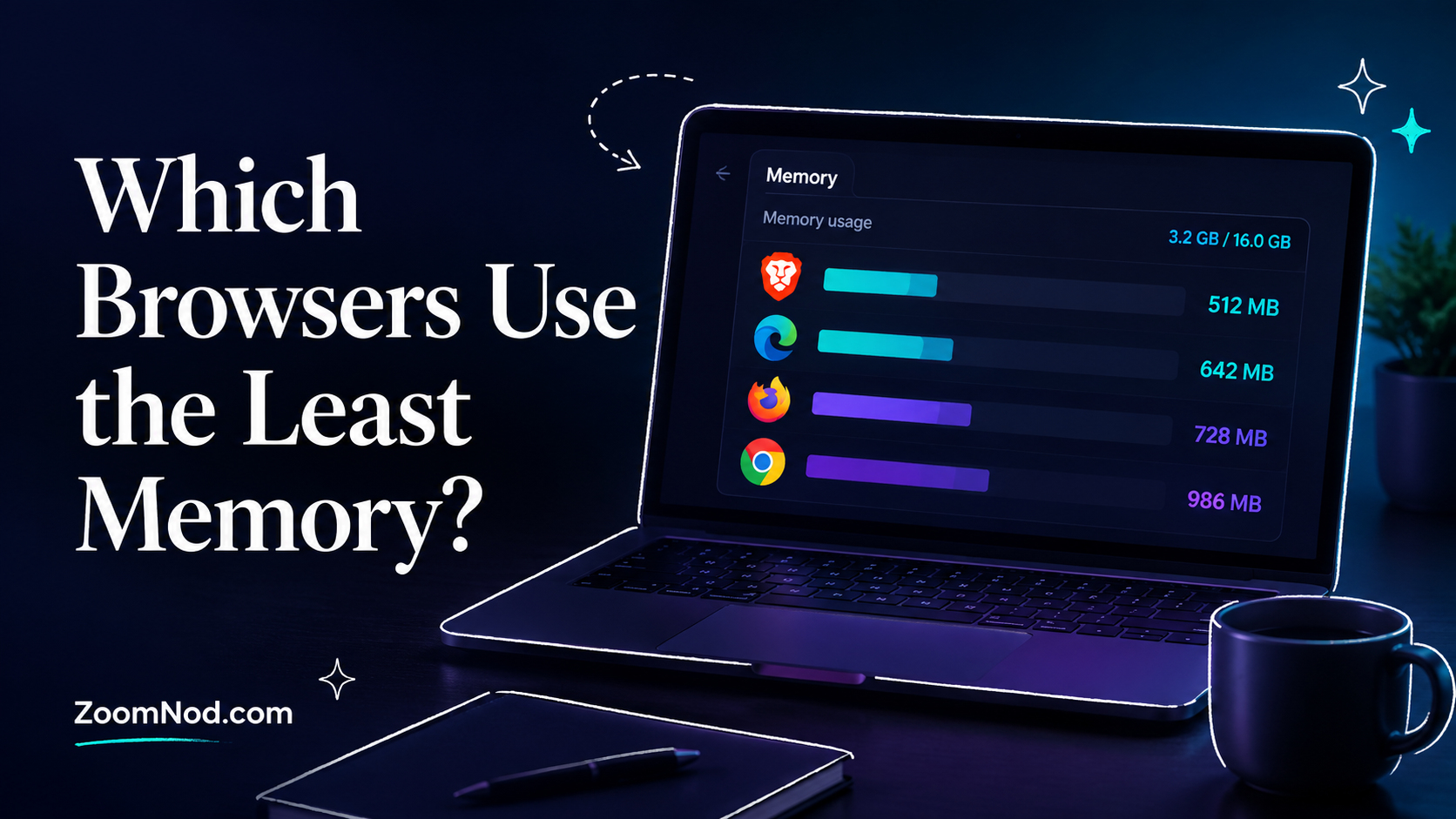
Quick Answer: Which Browsers Use the Least Memory in 2026?
The browsers that use the least memory in 2026 are usually the ones that combine three things: efficient tab management, built-in resource-saving features, and fewer heavy extensions. For most users, the best low-memory browser is not always the smallest browser on paper. It is the browser that stays responsive when you open multiple tabs, stream video, use web apps, and leave pages running in the background.
For a quick shortlist, compare Brave, Microsoft Edge, Firefox, Vivaldi, Falkon, and Google Chrome with Memory Saver enabled in 2026. Edge is especially good for Windows users because of sleeping tabs and efficiency features. Brave is a strong option for people who want Chromium compatibility with built-in ad and tracker blocking. Firefox is a balanced choice for users who want good memory behavior without depending on Chromium. Vivaldi is useful for heavy tab users because of tab hibernation. Falkon is a lightweight Linux-focused option, but it may not fit every modern web workload.
The right browser depends on your operating system, number of tabs, extensions, browsing habits, and required web-app compatibility. A browser that feels light with five tabs can become heavy with 40 tabs, several extensions, video calls, and background web apps. That is why the right approach is to choose a browser that matches your workflow, then tune its memory settings.
| Browser | Best For | Memory-Saving Strength | Main Limitation |
|---|---|---|---|
| Microsoft Edge | Windows users and heavy tab users | Sleeping tabs and efficiency features | Best experience is on Windows |
| Brave | Privacy-focused users and ad-heavy websites | Blocks ads and trackers by default; includes Memory Saver | Chromium base can still use more RAM with many tabs |
| Firefox | Balanced Linux, Windows, and privacy-friendly browsing | Good control, strong troubleshooting tools, non-Chromium engine | Extensions and heavy sites can still increase RAM usage |
| Vivaldi | Tab-heavy users who want deep control | Tab hibernation and Memory Saver | Feature-rich interface may feel heavier than minimal browsers |
| Falkon | Lightweight Linux desktop browsing | Designed as a lightweight browser | Smaller ecosystem and less mainstream compatibility |
| Google Chrome | Maximum compatibility with Google services and web apps | Memory Saver modes and tab memory display | Can use high RAM if not tuned |
| LibreWolf | Privacy-focused Firefox users | Firefox base with hardened defaults | Not mainly designed as a low-memory browser |
| Opera GX | Users who want manual resource controls | RAM and CPU limiters | Limiting RAM can reduce performance rather than improve efficiency |
Why Browser Memory Usage Matters in 2026
Modern browsers are no longer simple tools for reading static web pages. They run video conferencing apps, cloud dashboards, online IDEs, trading platforms, AI tools, social media apps, webmail, analytics platforms, productivity suites, and entertainment services. Each open tab can behave like a small application. Browser memory can therefore become a major performance constraint on a laptop, desktop, or Linux workstation.
High memory usage is not always bad. Modern operating systems use free RAM for caching, and browsers intentionally keep resources in memory to make page switching faster. The problem starts when your browser consumes so much memory that other apps slow down, your system begins swapping, tabs reload constantly, or video calls and web apps become unstable.
This is especially important for users who run development tools, hosting dashboards, SSH terminals, trading platforms, analytics dashboards, or server monitoring panels in the browser. If you are managing servers through browser-based panels, also read our guide on the best control panel for linux VPS. For users comparing Linux browsers specifically, our guide to the best browser for ubuntu can help narrow the choices for Ubuntu desktops and Linux workstations.
Browser memory usage matters most when you have limited RAM, such as 4 GB or 8 GB laptops, small virtual desktops, older PCs, or lightweight Linux systems. It also matters when you keep many tabs open for research, trading, coding, server management, or content work. The more your browser behaves like your main workspace, the more important memory efficiency becomes.
How Browser RAM Usage Actually Works
Before choosing the lowest-memory browser, it helps to understand how browsers use RAM. A browser does not use memory only for the visible page. It uses memory for the rendering engine, JavaScript engine, extensions, cache, GPU process, media playback, tab isolation, security sandboxing, fonts, site data, and background workers.
Most modern browsers use a multi-process architecture. This means one browser window may show many separate processes in Task Manager, htop, System Monitor, or Activity Monitor. One process may handle the browser interface, another may handle GPU work, another may handle extensions, and several more may handle individual websites or groups of tabs. This can look alarming, but it is normal. The design improves security and stability because one crashing tab is less likely to crash the whole browser.
RAM usage usually grows because of these factors:
- Number of tabs: More open tabs usually means more memory use, especially if they keep scripts running.
- Website complexity: Web apps like Gmail, Notion, YouTube, Figma, trading dashboards, or analytics tools use more memory than static pages.
- Extensions: Ad blockers, password managers, grammar tools, shopping extensions, privacy extensions, and developer tools can add background processes.
- Media playback: Video, audio, screen sharing, and live streams can increase memory and CPU load.
- Browser settings: Preloading, background apps, sync, startup behavior, and tab sleep settings affect RAM usage.
- Operating system: Windows, Linux, and macOS may report browser memory differently.
- Hardware acceleration: GPU acceleration can improve performance but may change how memory appears in system tools.
As a result, browser memory comparisons can be misleading. One test may show Firefox using less memory. Another may show Edge or Brave performing better. A third may show Chrome improving significantly after Memory Saver is enabled. The result depends on what was tested and how long the browser was left running.
How We Compare Low-Memory Browsers
A fair browser comparison should examine practical behavior instead of a single RAM number. A good low-memory browser should perform well in daily use, not only in a fresh install benchmark.
The main comparison points are:
- Idle memory usage: How much RAM the browser uses with one or two tabs open.
- Multi-tab behavior: How well the browser handles 10, 20, or 50 tabs.
- Tab sleeping or hibernation: Whether inactive tabs are automatically unloaded from memory.
- Extension impact: How much extensions affect memory usage.
- Ad and tracker blocking: Blocking heavy ads and trackers can reduce memory use on many websites.
- Web compatibility: A light browser is not useful if important sites break.
- Linux support: Some lightweight browsers are stronger on Linux than on Windows.
- Security and update frequency: A browser should be actively maintained, not just lightweight.
For server admins and Linux users, you should also know how to measure memory properly. If you are not sure how to read memory on Linux, see our guide on check Linux memory usage. If you want a broader system monitoring setup, read our Linux System Monitor guide.
Best Browsers That Use the Least Memory in 2026
1. Brave: Best Low-Memory Browser for Privacy and Ad-Heavy Websites
Brave is a practical low-memory browser in 2026 for users who want Chromium compatibility without loading as many ads and trackers by default. Because many modern websites include heavy ad scripts, tracking scripts, video ads, pop-ups, and background analytics, blocking those elements can reduce page weight and improve responsiveness.
Brave is based on Chromium, so it generally works well with Chrome-compatible websites and many Chrome extensions. A memory-efficient browser still needs to support important web apps. Brave’s advantage is that it combines mainstream compatibility with built-in privacy protections, so many users can avoid installing multiple extra privacy and ad-blocking extensions.
Brave also includes Memory Saver and Energy Saver options. Brave’s support documentation explains that Memory Saver can be enabled from Settings, System, and Performance. This allows Brave to put inactive tabs to sleep and free memory for active tabs. For people who keep many tabs open while researching, managing servers, checking trading dashboards, or working in web apps, that feature can make a noticeable difference.
Choose Brave if you want a browser that is practical, private by default, and efficient on ad-heavy websites. It is especially useful if you want Chrome-like compatibility but do not want to rely on a large stack of extensions.
Brave is not always the absolute lowest-memory browser in every test. Because it uses Chromium, RAM usage can still rise with many active tabs, media-heavy websites, and extensions. But for real-world browsing, Brave often feels lighter than browsers that load more third-party content by default.
2. Microsoft Edge: Best Low-Memory Browser for Windows Users
Microsoft Edge is well suited to low-memory browsing on Windows in 2026 because of its sleeping tabs and efficiency features. Microsoft’s Edge performance documentation explains that sleeping tabs put inactive background tabs to sleep to free resources for active tabs and other applications.
Edge is built on Chromium, so it has strong compatibility with modern websites, web apps, and many Chrome extensions. Its main advantage is close integration with Windows. If you use a Windows laptop, Windows desktop, or Windows VPS desktop environment, Edge often handles background tabs more efficiently than an untuned browser with many active tabs.
Edge suits users who keep work dashboards, documentation, email, analytics, and web apps open all day. Instead of forcing you to close every tab manually, sleeping tabs reduce the resource cost of pages you are not actively using. This makes Edge suitable for productivity users who need many tabs without slowing the whole system.
Choose Edge if you use Windows and want built-in resource-saving features without installing extensions. It also suits users who need Microsoft account sync, Microsoft 365 compatibility, and enterprise management features.
Edge may not be the best choice for users who prefer open-source browsers or users who want a minimal Linux desktop browser. But for Windows systems, it is one of the easiest recommendations for low-memory browsing.
3. Mozilla Firefox: Best Balanced Non-Chromium Browser
Mozilla Firefox remains a solid choice for users who want a capable browser that is not based on Chromium. Firefox is available on Linux, Windows, and macOS, and it gives users strong control over privacy, extensions, performance settings, and troubleshooting.
Firefox can use memory efficiently when you keep extensions under control and avoid leaving too many heavy web apps running. Mozilla’s support documentation includes troubleshooting steps for high memory or CPU usage, including updating Firefox, checking extensions and themes, using fewer tabs, closing tabs that use too many resources, checking hardware acceleration, and using Firefox troubleshooting tools.
Firefox is a practical choice for Linux users because it is widely packaged, well supported, and often included by default or easily installed on major distributions. If you use Ubuntu, Debian, Linux Mint, Fedora, or other desktop Linux systems, Firefox is usually easy to install and maintain.
Choose Firefox if you want a balanced browser with strong compatibility, privacy controls, and a non-Chromium engine. It is also a good option if you want to avoid depending entirely on Chromium-based browsers.
Firefox is not immune to memory issues. Heavy extensions, long sessions, large numbers of tabs, and complex web apps can still increase RAM usage. But for many users, Firefox balances memory usage, privacy, compatibility, and control.
4. Vivaldi: Best Browser for Heavy Tab Users Who Want Control
Vivaldi is a feature-rich browser designed for users who want deep control over tabs, workspaces, panels, shortcuts, and browser layout. It is not the most minimal browser, but it can be effective for people who keep many tabs open and want better tab management.
Vivaldi’s Memory Saver feature helps reduce memory usage by automatically hibernating tabs that have not been used for a while. Vivaldi also supports manual tab hibernation, which lets users put background tabs to sleep and bring them back when needed. This helps researchers, developers, marketers, traders, and admins who keep reference pages open while focusing on a smaller set of active tabs.
The main benefit of Vivaldi is control. Instead of simply trying to use less RAM by default, it gives power users more ways to organize and suspend tabs. If your main problem is not one heavy tab but dozens of forgotten tabs, Vivaldi can solve that problem.
Choose Vivaldi if you want advanced tab control, workspaces, hibernation, and customization. It suits tab-heavy users who want to avoid closing everything manually.
Avoid Vivaldi if you want the absolute simplest interface or the smallest possible browser. It includes many features, and some users may find it heavier than minimal browsers. Its strength is smart tab management, not extreme minimalism.
5. Google Chrome with Memory Saver: Best for Compatibility, Not Lowest RAM by Default
Google Chrome is often criticized for memory usage, but in 2026 it includes more performance controls than many users realize. Google’s Chrome performance settings include Memory Saver, Energy Saver, performance issue alerts, inactive tab appearance, and tab memory usage display.
Chrome Memory Saver can deactivate inactive tabs so active tabs run more smoothly. Chrome also lets users choose a tab deactivation level such as moderate, balanced, or maximum, depending on how aggressively they want inactive tabs to be unloaded. Chrome can also show memory usage on tab hover cards, which helps identify which tabs are consuming resources.
Chrome is not usually the first browser people choose when searching for the least memory browser. However, if you need maximum compatibility with Google Workspace, Chrome extensions, browser-based tools, developer platforms, SaaS dashboards, and web apps, Chrome can still be practical if Memory Saver is enabled and extensions are controlled.
Choose Chrome if your work depends on Google services, Chrome extensions, or full web compatibility. Use Memory Saver in Maximum mode if RAM is limited, and remove extensions you do not need.
Avoid Chrome as your low-memory choice if you keep many heavy tabs active, install too many extensions, or never tune performance settings. Chrome can be efficient enough for many users, but it needs configuration.
6. Falkon: Best Lightweight Browser for Simple Linux Desktop Use
Falkon is a KDE browser that aims to be lightweight and is available across major platforms. It uses QtWebEngine and targets Linux users who want a simpler browser for basic browsing.
Falkon suits lightweight Linux desktops, older machines, and users who mostly browse documentation, forums, simple websites, dashboards, and low-complexity web pages. It can feel faster and lighter than full-featured browsers because it avoids some of the large ecosystems and background services that come with mainstream browsers.
Choose Falkon if you use Linux and want a lightweight browser for basic tasks. It can serve as a secondary browser for server documentation, local dashboards, router panels, or admin pages.
Avoid Falkon if you need perfect compatibility with every modern web app, advanced extension support, or mainstream browser sync. It is better as a lightweight practical tool than as a full replacement for Chrome, Edge, Firefox, or Brave in every workflow.
7. LibreWolf: Best Privacy-Focused Firefox Alternative
LibreWolf is a privacy-focused browser based on Firefox. Its official site describes it as built from the latest Firefox stable source with privacy and security-focused defaults.
LibreWolf is not mainly marketed as a low-memory browser, but it can suit users who want Firefox-style browsing with fewer privacy-invasive defaults. Because privacy-focused defaults may reduce some background activity and unwanted tracking, it can feel leaner on certain websites. However, memory usage still depends heavily on tabs, sites, extensions, and session length.
Choose LibreWolf if your priority is privacy and you like Firefox’s engine. It suits users who want a hardened Firefox-based experience.
Avoid LibreWolf if you want the easiest mainstream setup, automatic updates on every platform, or maximum site compatibility with minimal configuration. Some websites may require adjusting privacy settings.
8. Opera GX: Best for Manual RAM Limits, Not Always Lowest Memory
Opera GX is often discussed because it offers RAM and CPU control features. This appeals to gamers and users who want to set resource limits manually.
However, a RAM limiter is not the same as true memory efficiency. Limiting RAM can help prevent the browser from taking too much memory, but it can also cause tabs to reload, slow down, or behave less smoothly. Opera GX can therefore control memory use, but it is not automatically the lightest browser in every workflow.
Choose Opera GX if you want visible resource controls and you are comfortable tuning limits manually.
Avoid Opera GX if your goal is the simplest low-memory browser. For many users, Edge sleeping tabs, Brave Memory Saver, Vivaldi hibernation, or Firefox with fewer extensions may be more practical.
Best Low-Memory Browser by Use Case
The best browser depends on how you browse. A user with five tabs and no extensions needs a different browser from a user with 60 tabs, three dashboards, two video streams, and developer tools open.
| Use Case | Best Browser Choice | Why |
|---|---|---|
| Windows laptop with many tabs | Microsoft Edge | Sleeping tabs and efficiency features are easy to use |
| Linux desktop with low RAM | Firefox, Brave, or Falkon | Good Linux support; Falkon is lighter for basic browsing |
| Ad-heavy websites | Brave | Blocks many ads and trackers by default |
| Heavy tab research | Vivaldi | Strong tab organization and hibernation |
| Google Workspace and Chrome extensions | Chrome with Memory Saver | Strong compatibility with better memory controls |
| Privacy-focused browsing | LibreWolf or Brave | Better privacy defaults than many mainstream browsers |
| Manual RAM control | Opera GX | RAM and CPU limiters are available |
| Server admin dashboards | Firefox, Brave, or Edge | Stable, mainstream compatibility with good resource controls |
Best Browser for Low-RAM Linux Systems
If you use Linux on an older laptop, lightweight desktop, or workstation with limited RAM, start with Firefox, Brave, or Falkon. Firefox is the safest all-around choice because it is widely supported and works well across distributions. Brave is a strong option if you browse ad-heavy websites and want Chromium compatibility. Falkon is worth testing if you want a lightweight Linux browser for simpler workloads.
For Ubuntu users, Firefox and Brave are often more practical than obscure lightweight browsers because they are easier to update and more compatible with modern websites. A very lightweight browser that lacks current security updates or breaks important sites is not a good long-term choice. Update frequency matters as much as RAM usage.
If you are using Linux for server work, browser memory is only one part of performance. Also check system memory, swap usage, CPU load, and background services. A browser may look like the problem when the real issue is low RAM, too many background services, or heavy desktop extensions. Our guide on linux server management tools can help you monitor and manage the broader system.
How to Measure Browser Memory Usage Correctly
To choose the least memory browser for your own device, run a simple test. Install two or three browsers, open the same websites, disable unnecessary extensions, wait a few minutes, then compare memory usage with system tools.
On Windows
Use Task Manager to check browser processes, but remember that modern browsers show multiple processes. You can also use the browser’s built-in task manager when available. In Chrome and many Chromium-based browsers, press Shift + Esc to open the browser task manager and see memory per tab, extension, or process.
On Linux
Use System Monitor, htop, top, ps, smem, or browser-specific task managers. For example:
ps -eo pid,comm,rss --sort=-rss | head -20This command shows high-memory processes, but it does not always group browser child processes perfectly. For a deeper view, use tools like htop, smem, or process grouping. If you are not comfortable with Linux memory commands, read check Linux memory usage first.
On Chrome, Brave, Edge, and Vivaldi
Use the internal task manager with:
Shift + EscThis helps identify heavy tabs and extensions. You may discover that one dashboard or extension uses more memory than the browser itself.
On Firefox
Use Firefox’s internal process tools and troubleshooting pages. You can also inspect memory usage using system tools and Firefox’s built-in performance troubleshooting options.
How to Reduce Browser Memory Usage
Changing browsers can help, but tuning your browser often makes an even bigger difference. Before switching, apply these practical steps.
- Enable Memory Saver or tab sleeping: Turn on Chrome Memory Saver, Brave Memory Saver, Edge sleeping tabs, or Vivaldi hibernation.
- Remove unused extensions: Extensions can run background processes even when you are not actively using them.
- Use one ad blocker or built-in blocking: Do not stack multiple blockers unless you know why.
- Close heavy web apps: Email, video, AI tools, social media, and dashboards can use significant memory.
- Restart long browser sessions: Restarting can reclaim memory after days of use.
- Disable background apps: Some browsers continue running background tasks after closing the window.
- Use tab groups or bookmarks: Do not keep every research page open forever.
- Turn off preloading if RAM is tight: Preloading may improve speed but can use resources.
- Keep your browser updated: Updates often include performance, security, and memory fixes.
- Check the actual tab causing the problem: One bad tab can make the entire browser look inefficient.
If you are managing a low-resource Linux VPS with a GUI, consider whether you need a browser on the server at all. In many cases, a local browser plus SSH, SFTP, web panels, or CLI tools is more efficient. For server OS choices, see our guide to the Best Server OS.
Common Myths About Low-Memory Browsers
Myth 1: The Browser With the Lowest Idle RAM Is Always Best
Idle RAM is only one metric. A browser that uses low memory with one tab may perform poorly with real web apps, video, extensions, or many tabs. Real-world behavior matters more than idle numbers.
Myth 2: Chrome Is Always the Worst
Chrome can use a lot of RAM, but Memory Saver and performance controls can make it much better than an untuned setup. If you need Chrome compatibility, tune it before replacing it.
Myth 3: Lightweight Browsers Are Always Safer for Old PCs
A lightweight browser is not automatically better if it lacks fast security updates, modern web compatibility, or reliable HTTPS support. Use a maintained browser.
Myth 4: RAM Usage Alone Means the Browser Is Bad
Browsers use RAM to improve speed, cache pages, isolate processes, and protect stability. High RAM is a problem only when it causes slowdown, swapping, crashes, or app instability.
Myth 5: One Browser Is Best for Everyone
The least memory browser for a Windows gamer may not be the best browser for an Ubuntu user, developer, server admin, writer, trader, or older laptop owner.
Which Browser Should You Choose?
If you want a practical low-memory browser in 2026, start with your operating system and workload.
Choose Microsoft Edge if you use Windows and keep many tabs open. Sleeping tabs and efficiency features make it a practical low-memory choice on Windows.
Choose Brave if you want Chromium compatibility with built-in ad and tracker blocking. This can reduce resource usage on ad-heavy websites and limit the need for extra extensions.
Choose Firefox if you want a balanced, non-Chromium browser with strong Linux support and good control.
Choose Vivaldi if your main problem is tab overload and you want hibernation, workspaces, and deep tab management.
Choose Falkon if you use Linux and want a lightweight browser for simpler browsing tasks.
Choose Chrome if you need maximum compatibility, but enable Memory Saver and remove unnecessary extensions.
Choose LibreWolf if privacy matters more than mainstream convenience.
Choose Opera GX if you want manual RAM and CPU controls, but understand that limiting memory is not the same as true efficiency.
Final Verdict: Which Browsers Use the Least Memory in 2026?
The browsers that use the least memory in 2026 are usually Edge, Brave, Firefox, Vivaldi, Falkon, and Chrome with Memory Saver enabled, depending on your system and browsing style. There is no single winner for every user.
For Windows users, Microsoft Edge is well suited because sleeping tabs and efficiency features are built in. For privacy-conscious users, Brave can reduce page load by blocking many heavy ads and trackers by default. For Linux users, Firefox, Brave, and Falkon are worth testing. For heavy tab users, Vivaldi is useful because of tab hibernation. For maximum compatibility, Chrome is still practical if Memory Saver is enabled.
Test two or three browsers with your actual tabs and extensions. Open your normal websites, check memory usage, enable tab sleeping, remove unnecessary extensions, and compare responsiveness. The browser with the best result for your workflow is the right choice.
FAQs About Browsers That Use the Least Memory
Which browser uses the least memory in 2026?
There is no single browser that uses the least memory for every user, but Edge, Brave, Firefox, Vivaldi, Falkon, and Chrome with Memory Saver enabled are practical candidates to compare. Edge suits Windows, Brave suits ad-heavy websites, Firefox is balanced, and Falkon is lightweight on Linux.
Is Brave lighter than Chrome?
Brave can feel lighter than Chrome on many websites because it blocks ads and trackers by default. However, both are Chromium-based browsers, so memory usage can still rise with many tabs, extensions, and heavy web apps.
Is Firefox better than Chrome for memory usage?
Firefox can use less memory than Chrome in some workflows, especially with fewer extensions and moderate tab counts. Chrome can also perform well when Memory Saver is enabled. The better choice depends on your tabs, extensions, and websites.
Does Microsoft Edge use less RAM than Chrome?
Microsoft Edge can use less active memory in many Windows workflows because sleeping tabs can unload inactive tabs. Chrome also has Memory Saver, so the result depends on settings and usage.
What is the best low-memory browser for Linux?
Firefox, Brave, and Falkon are suitable low-memory browsers for Linux. Firefox is the mainstream choice, Brave suits ad-heavy websites, and Falkon handles simpler browsing.
What is the best browser for Ubuntu with low RAM?
Firefox and Brave are practical choices for Ubuntu users with low RAM. Falkon is also worth testing for lightweight browsing, but Firefox and Brave usually offer better mainstream compatibility.
Does opening many tabs use more memory?
Yes. More tabs usually increase memory usage, especially if the tabs run JavaScript, video, dashboards, webmail, or background workers. Tab sleeping and hibernation can reduce the impact of inactive tabs.
Do extensions increase browser RAM usage?
Yes. Extensions can add background processes, inject scripts into pages, and consume memory even when you are not actively using them. Removing unused extensions is a direct way to reduce browser RAM usage.
Is Opera GX good for low memory?
Opera GX is useful if you want manual RAM and CPU limiters. However, limiting RAM is not the same as making the browser truly efficient. It can reduce resource use, but it may also make tabs reload or slow down.
How can I check which browser tab uses the most memory?
In Chrome and many Chromium-based browsers, press Shift + Esc to open the browser task manager. On Linux, you can also use System Monitor, htop, top, ps, smem, and other monitoring tools.
Should I use a lightweight browser on an old computer?
Yes, but choose a browser that is still maintained and secure. Falkon can be useful for lightweight Linux browsing, but Firefox, Brave, or Edge may be better if you need modern website compatibility.
Does more RAM make browser performance better?
More RAM helps if your system is swapping or constantly reloading tabs. However, browser tuning still matters. A system with more RAM can still slow down if extensions, tabs, and heavy web apps are unmanaged.
Latest Hosting Guides
VPS Hosting for Kubernetes: Complete Guide for 2026
VPS Hosting for Docker Containers: Complete Guide for 2026
VPS Hosting for Redis: Complete Guide for 2026
VPS Hosting for Elasticsearch: Complete Guide for 2026
How to Host a Discord Bot on a VPS in 2026: Complete Step-by-Step Guide
Swipe or scroll to explore more guides
Comparing which browser uses the least memory should use the same websites, number of tabs, extensions, and test duration because modern browsers manage background tabs differently. I would measure idle memory, active-tab memory, tab sleeping, process count, CPU use, responsiveness, and how quickly suspended tabs reload. The best low-memory browser may also depend on whether the user needs Chrome extensions, privacy features, multiple profiles, or vertical tabs. A lightweight installation can become heavy once many extensions and always-active web apps are added.
Extensions can change browser memory use more than the browser choice itself. Ad blockers, password managers, productivity tools, and sidebar apps may keep background processes active across every tab.
The most useful test is the user’s real workflow. A browser that benchmarks well with ten static tabs may behave differently with video calls, dashboards, webmail, and dozens of active extensions.