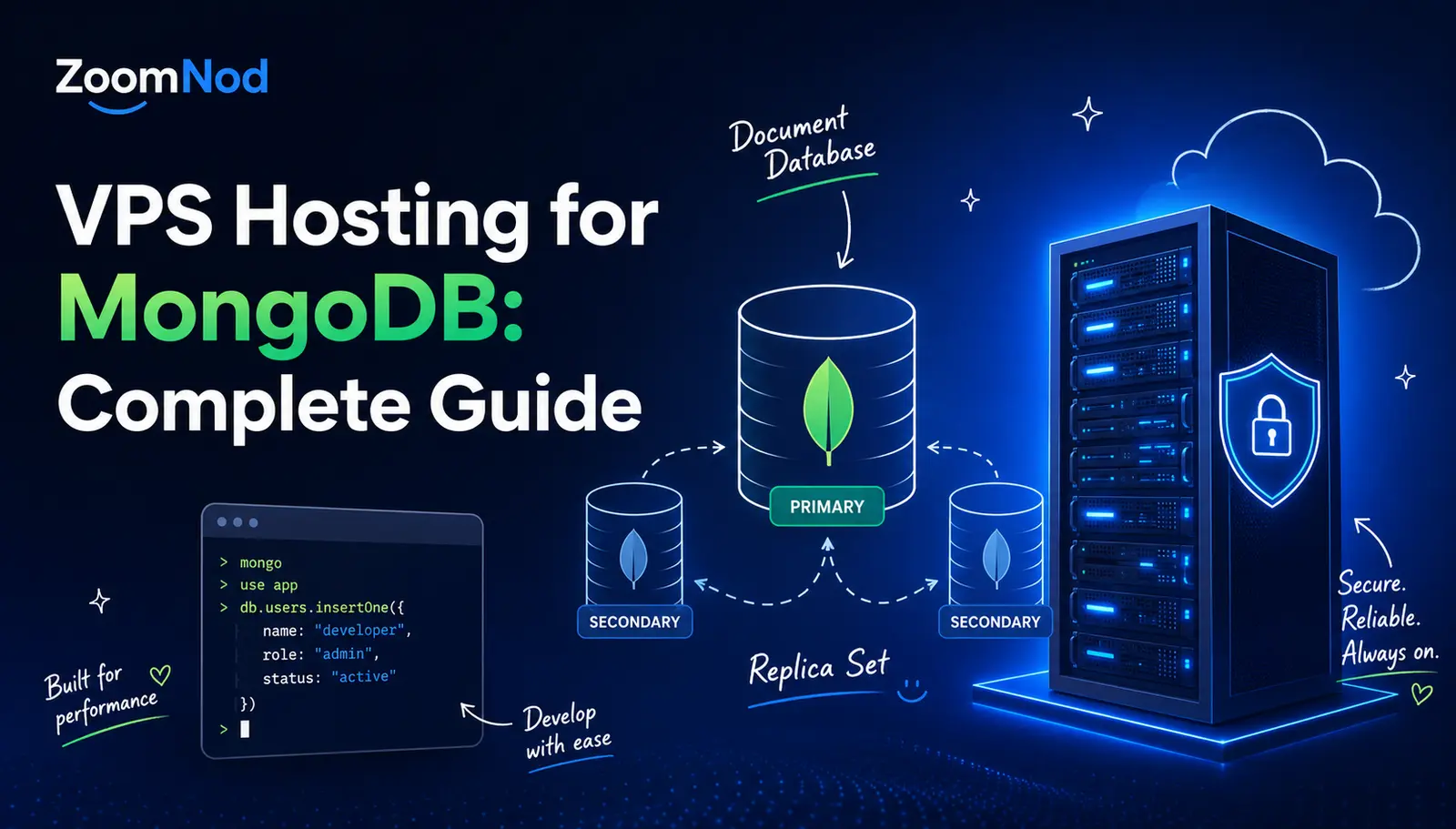
VPS Hosting for MongoDB: Complete Guide for 2026
VPS hosting suits self-managed MongoDB deployments that need predictable CPU, RAM, NVMe storage, operating-system control, private networking, custom backup policies, replica sets, and more flexibility than shared database hosting provides. A reasonable starting configuration for a small production MongoDB deployment is 4 vCPUs, 8–16 GB RAM, 150–300 GB NVMe storage, a supported Linux distribution, the current stable MongoDB 8.3 series, access control, TLS, a three-member replica set for high availability, off-server backups, monitoring, and at least 30% capacity headroom.
As of July 2026, MongoDB 8.3 is the current stable self-managed server series. MongoDB 8.2 and 8.0 remain previous stable releases, while MongoDB 6.0 has reached end of life. Production teams need a supported release and the latest patch within that release line, and verify driver, extension, operating-system, backup-tool, and monitoring compatibility before upgrading.
A single MongoDB VPS can support development, staging, or a modest production database, but it remains one failure domain. A production system that requires automatic recovery from a server failure should normally use a replica set across at least three independent VPS nodes or a managed MongoDB service.
MongoDB VPS Requirements at a Glance
| MongoDB workload | Suggested starting infrastructure | Primary requirements |
|---|---|---|
| Development or testing | 2 vCPUs, 4 GB RAM, 50–100 GB NVMe | Restricted access, disposable data, snapshots |
| Small standalone production database | 4 vCPUs, 8–16 GB RAM, 150 GB+ NVMe | TLS, authentication, backups, monitoring |
| Small highly available production database | Three VPS nodes, 4 vCPUs and 8–16 GB RAM each | Replica set, private networking, elections, backups |
| Growing application database | 8+ vCPUs, 32 GB+ RAM per data-bearing node | Working-set analysis, oplog planning, replicas |
| Sharded deployment | Multiple replica sets plus mongos nodes | Shard-key design, balancer operations, monitoring |
Treat these values as planning ranges rather than transaction guarantees. Document size, index size, working-set size, read-to-write ratio, aggregation pipelines, connection count, replication lag, and storage latency determine real capacity.
Why Use MongoDB on a VPS?
- Control the MongoDB version and update process.
- Use private networking and host firewalls.
- Configure WiredTiger cache behavior.
- Control indexes, profiling, logs, and diagnostics.
- Build replica sets across independent nodes.
- Use custom backup and retention policies.
- Install approved monitoring agents.
- Control storage layout and encryption.
- Run selected operational tooling.
- Scale vertically or move to sharding.
When MongoDB on a VPS Is a Good Fit
A MongoDB VPS fits APIs, SaaS platforms, content systems, event-driven applications, catalogs, telemetry, and document-oriented workloads that need more control than a shared database account provides.
It works best when the team can administer Linux and MongoDB, application growth is measurable, the document model is appropriate, and recovery can be tested regularly.
When Managed MongoDB Is Better
A managed database service may fit better when the team wants automated backups, upgrades, failover, monitoring, scaling, encryption, and support without operating the database hosts directly.
Managed MongoDB makes sense when:
- No database administrator owns operations.
- Automatic failover is a strict requirement.
- Recovery objectives are aggressive.
- Global distribution is required.
- Compliance favors managed controls.
- Operational simplicity outweighs host-level control.
Managed vs Unmanaged MongoDB VPS
| Choose managed hosting when | Choose unmanaged hosting when |
|---|---|
| Provider-owned failover is required | Your team operates replica sets confidently |
| Backups and patching need automation | You need complete OS and storage control |
| 24/7 support is necessary | You have monitoring and on-call processes |
| Staff time is more expensive than service fees | Portability and infrastructure cost matter |
Use How to Set Up a VPS Server from Scratch for the underlying Linux host.
How to Size a MongoDB VPS
Measure or estimate:
- Data size.
- Index size.
- Active working set.
- Peak active connections.
- Reads and writes per second.
- Average document size.
- Aggregation memory and spill behavior.
- Oplog generation rate.
- Replication lag tolerance.
- Backup and restore duration.
- Expected growth.
- Retention requirements.
Keep at least 30% headroom for elections, initial sync, index builds, backups, compaction, data growth, and maintenance.
CPU Requirements
MongoDB uses CPU for query execution, BSON encoding, index traversal, aggregation, compression, encryption, replication, journaling, checkpoints, and background maintenance.
Faster single-core performance helps latency-sensitive queries. More cores support concurrent operations, compression, aggregation pipelines, index builds, replication, and background work.
Compare processors with Choosing the Best Server CPU.
Shared vs Dedicated vCPU
Shared vCPU can support development and bursty databases. Dedicated vCPU provides more consistent latency for sustained production traffic, aggregation-heavy workloads, index builds, and service-level objectives.
Monitor CPU steal time, run queue, query latency, and replication lag. A database can appear underutilized while suffering from host contention.
RAM Requirements
| RAM | Typical MongoDB workload |
|---|---|
| 4 GB | Development or small low-concurrency service |
| 8–16 GB | Practical starting range for small production |
| 32–64 GB | Growing database with larger active working set |
| 128 GB+ | Large indexes, analytics, or high-throughput workloads |
RAM supports the WiredTiger cache, operating-system filesystem cache, connections, aggregation memory, index builds, journaling, replication, monitoring, and backup tools.
WiredTiger Cache
MongoDB’s WiredTiger storage engine uses an internal cache. By default, the cache is approximately the larger of 50% of RAM minus 1 GB or 256 MB. The operating system uses remaining memory for filesystem cache and other processes.
Free RAM alone does not justify increasing the WiredTiger cache. MongoDB also needs memory outside the cache for:
- Connections.
- Aggregation operations.
- Index builds.
- Compression.
- Journaling.
- Replication.
- Diagnostic data.
- Backup tools.
- Operating-system cache.
Working-Set Planning
The active working set includes frequently accessed data and indexes. Performance improves when hot index and document pages remain in memory or filesystem cache.
Monitor cache reads, evictions, page faults, disk latency, index usage, and query latency. A database can be much larger than RAM when most requests touch a small active subset.
Connection Capacity
Every connection consumes memory and file descriptors. Application drivers maintain pools, so total possible connections grow with each application node, background worker, administration tool, and monitoring service.
Total potential MongoDB connections =
application nodes
× pool size per node
+ background workers
+ migrations
+ monitoring
+ administration
+ replication and backup tools
Bound driver pools and monitor active, available, and queued operations.
NVMe Storage
NVMe reduces latency for WiredTiger data files, indexes, journal writes, checkpoints, temporary aggregation files, initial sync, backups, and recovery.
Evaluate sustained latency and consistency, not only advertised sequential throughput. Database workloads are sensitive to small random reads and writes, as the comparison of SSD vs HDD for servers explains.
Storage Capacity Planning
Plan space for:
- Data files.
- Indexes.
- Journal files.
- Oplog.
- Temporary aggregation files.
- Index builds.
- Initial sync.
- Logs and diagnostics.
- Backups.
- Growth headroom.
Keep at least 20% free disk space and alert well before any data-bearing volume becomes full.
Choose the Operating System
Use a supported 64-bit Linux distribution with current security updates, a supported filesystem, predictable storage drivers, and a documented upgrade path.
Compare platforms in Best Server OS in 2026.
Choose the MongoDB Version
MongoDB 8.3 is the current stable release series in July 2026. Use the latest patch within the chosen supported line and confirm compatibility with application drivers, backup tools, automation, and third-party integrations.
Keep beta and release-candidate servers out of default production deployments.
Install from an Official Repository
Use MongoDB packages from the official repository for the selected distribution. Document the repository, version, package pinning, service name, data path, log path, and upgrade process.
Avoid distribution packages that are outdated, unofficial, or incompatible with the supported MongoDB server packages.
Production Filesystem and Kernel Planning
Use a supported filesystem and avoid storage layouts that create unpredictable latency. Keep time synchronization accurate across replica-set members because elections, certificates, logs, and operational analysis depend on correct clocks.
Raise file-descriptor and process limits according to connection and workload requirements, and validate kernel, transparent huge page, NUMA, and storage recommendations for the selected MongoDB version and operating system.
Enable Access Control
Never run MongoDB as an unauthenticated public database. Enable authorization and create named users with roles that match application, administration, monitoring, backup, and replication responsibilities.
Turn on access control before exposing the server to any untrusted network.
Authentication Mechanisms
MongoDB Community deployments commonly use SCRAM or X.509 authentication. Replica-set members also require internal authentication through a keyfile or X.509 certificates.
Use separate credentials for:
- Application runtime.
- Database migrations.
- Backups.
- Monitoring.
- Replication membership.
- Human administration.
- Automation.
Role-Based Authorization
Grant the minimum database, collection, and administrative privileges required for each account. Avoid using broad built-in administrative roles for ordinary applications.
Review user roles after application changes, staff departures, incidents, and migrations.
TLS for Client and Internal Traffic
Encrypt connections between applications, administrators, backup tools, and MongoDB. Replica-set and sharded-cluster members should also use authenticated encrypted communication.
Configure certificate validation, hostname verification, certificate renewal, private-key permissions, and monitoring for expiration.
Firewall and Network Exposure
Keep MongoDB private whenever possible. Allow port 27017 only from approved application servers, administration networks, backup systems, monitoring nodes, and replica-set members.
Use provider and host firewalls together. Review Port Ping: How to Ping a Specific Port only when testing authorized connectivity, and follow the hardening checklist in How to Secure a VPS Server.
Choose the MongoDB Server Location
Place application servers close to the primary database and keep replica-set members within latency ranges suitable for elections, replication, and write concern.
Use Best Server Location for Low Latency for region selection.
Document Schema Design
MongoDB supports flexible documents, but production collections still need intentional schemas, validation, data types, index plans, and document-growth controls.
- Embed data that is read and updated together.
- Reference data when documents would grow without control.
- Avoid unbounded arrays.
- Use schema validation for critical collections.
- Keep document size below platform limits.
- Plan migrations for field and type changes.
- Version application serialization when needed.
Index Design
Indexes improve selected queries but consume RAM, storage, write throughput, backup time, and replication bandwidth.
Review:
- Equality, sort, and range field order.
- Compound indexes.
- Multikey behavior.
- Partial and sparse indexes.
- Unique constraints.
- TTL indexes.
- Collation.
- Unused and redundant indexes.
Use explain for Query Analysis
Review explain output to inspect winning plans, examined documents, examined keys, index scans, collection scans, sorts, memory use, and execution statistics.
Prioritize queries by total resource use and impact on important user workflows instead of focusing only on the single slowest request.
Aggregation Pipeline Planning
Aggregation stages can consume memory, CPU, and temporary disk. Filter early, project only required fields, use indexes where supported, and avoid moving large document sets through expensive stages unnecessarily.
Monitor aggregation spills, tracked query memory, execution time, examined documents, and temporary storage. MongoDB 8.3 adds improved visibility into tracked query memory for current operations.
Database Profiler and Slow Operations
Use slow-operation logging and profiling selectively. Full profiling can add overhead and record sensitive query details.
Protect profiler collections and logs, set useful thresholds, apply retention, and disable broad profiling after targeted troubleshooting.
Replica Sets
A replica set contains data-bearing members that maintain the same logical dataset. One member acts as primary and accepts writes, while secondaries replicate operations and can participate in elections.
A practical production topology uses three voting data-bearing members on independent VPS hosts or failure domains.
Why Three Data-Bearing Members?
Three voting members allow the replica set to retain a majority after one member fails. A two-member set loses majority when either member becomes unavailable.
An arbiter can vote without storing data, but it does not provide another data copy and can create durability and failure-domain trade-offs. Prefer three data-bearing members when budget and risk permit.
Replica-Set Placement
Place members on independent physical hosts and, where appropriate, separate availability zones. Keep network latency low enough for replication and the selected write concern.
Placing every replica-set member inside nested virtual machines on one outer VPS does not create high availability.
Write Concern
Write concern determines the acknowledgement required for a write. Stronger acknowledgement can reduce the risk of losing accepted writes but may increase latency or reduce availability during failures.
Choose write concern from business durability requirements, replica count, journaling, and network behavior. Test how applications handle timeouts and uncertain outcomes.
Read Concern and Read Preference
Read concern controls consistency guarantees, while read preference controls which replica-set members can serve reads.
Secondary reads can reduce selected primary read workloads but may return stale data. Keep read-after-write and critical consistency paths on suitable read concern and preference settings.
Oplog Sizing
The oplog stores replication operations in a capped collection. Its time window depends on configured size and write pattern, not database size alone.
Monitor:
- Oplog size.
- Oplog time window.
- Write volume.
- Replica lag.
- Initial-sync duration.
- Maintenance windows.
- Bulk updates and deletes.
The oplog must retain enough history for delayed or temporarily unavailable replicas to catch up.
Replication Lag
Lag can result from network latency, slow storage, insufficient CPU, long-running operations, index differences, resource contention, or a secondary that cannot apply changes fast enough.
Alert on lag relative to the oplog window and recovery objectives rather than using one universal threshold.
Automatic Elections
Replica sets can elect a new primary when the current primary becomes unavailable. Elections do not guarantee uninterrupted application behavior.
Applications need current drivers, replica-set connection strings, retry behavior, bounded timeouts, and handling for writes whose outcome is uncertain during a failover.
Replication Is Not a Backup
Replica sets copy accidental deletion, destructive application changes, and many forms of logical corruption. Maintain independent backups with historical retention and tested restoration. The same principle applies to disk redundancy, as the guide to RAID levels explains.
Back Up MongoDB
Backup methods include logical dumps, filesystem or volume snapshots, and coordinated replica-set backups. The correct method depends on dataset size, version, topology, recovery objectives, and consistency requirements.
| Backup method | Best use | Main limitation |
|---|---|---|
| mongodump and mongorestore | Logical collection and database recovery | Can be slow and resource-intensive at scale |
| Filesystem or volume snapshot | Fast physical copy | Requires database-consistent coordination |
| Secondary-based backup | Reduces primary backup load | Replica must be healthy and sufficiently current |
| Managed continuous backup | Point-in-time and automated recovery | Service cost and platform dependency |
Follow How to Back Up and Restore Data on a VPS for broader recovery principles.
Logical Backups
mongodump produces BSON data and metadata that mongorestore can restore. Logical backups are useful for selected databases, collections, migrations, and smaller deployments.
Protect credentials, monitor duration and impact, include oplog data when a consistent replica-set backup method requires it, and verify index restoration.
Snapshot Backups
Storage snapshots can create fast physical recovery points, but snapshots must be crash-consistent or application-consistent for the selected topology and storage engine.
Coordinate writes or use documented MongoDB snapshot procedures. Keep independent off-provider copies when one provider account or region is an unacceptable failure domain.
Restore Testing
Restore into an isolated VPS and verify:
- MongoDB version compatibility.
- Users and roles.
- Collections and indexes.
- Application connectivity.
- Replica-set metadata where applicable.
- Document counts and validation.
- TTL and unique indexes.
- Monitoring.
- Backup schedules.
- Measured recovery time.
A backup job is only proven by a successful recovery test.
Recovery Point and Recovery Time Objectives
| Objective | Question | Architecture impact |
|---|---|---|
| RPO | How much recent data can be lost? | Determines backup frequency and continuous-backup requirements |
| RTO | How quickly must service return? | Determines replica topology, automation, and restore testing |
MongoDB Monitoring
Monitor the database, operating system, storage, network, replication, and application together.
- Operations per second and latency.
- Connections and queued operations.
- WiredTiger cache use and evictions.
- Page faults and disk latency.
- Document and index growth.
- Replication state and lag.
- Oplog time window.
- Lock and ticket pressure.
- Slow operations and query plans.
- Backup and restore status.
- CPU, RAM, disk capacity, and network errors.
Use Best Linux System Monitor for host-level monitoring tools.
serverStatus and Diagnostic Metrics
MongoDB server statistics expose connections, operations, memory, network, WiredTiger, locks, replication, and storage behavior. Collect a stable subset at consistent intervals and correlate it with application traffic.
Test overhead before continuously collecting extremely high-cardinality or expensive diagnostics.
Current Operations
Use current-operation views to identify long-running queries, aggregation pipelines, blocked operations, index builds, maintenance work, and clients that are consuming unusual resources.
Terminate operations only after understanding application impact, transaction state, and whether the work will simply restart.
Locks and Concurrency
MongoDB uses multi-granularity locking and storage-engine concurrency controls. Long transactions, index builds, metadata operations, and storage pressure can still create waits.
Monitor operation queues, lock percentages, transaction age, write conflicts, and application retry behavior.
Transactions
Multi-document transactions are useful when business operations require atomic changes across documents or collections. They also consume memory, oplog capacity, locks, and transaction lifetime.
- Keep transactions short.
- Limit document and collection scope.
- Use bounded retries.
- Avoid user interaction inside transactions.
- Monitor transaction age and aborts.
- Design documents to reduce unnecessary transactions.
Change Streams
Change streams consume replication history and can support event-driven workflows. Consumers must handle resumable errors, resume tokens, duplicate processing, schema changes, and oplog-window limits.
Monitor consumer lag relative to the oplog window. A consumer that falls too far behind may be unable to resume.
TTL Indexes
TTL indexes remove expired documents asynchronously. They are useful for sessions, temporary events, and retention policies, but deletion timing is not exact.
Monitor deletion load, index use, replication impact, and storage behavior when large volumes expire simultaneously.
Sharding
Sharding distributes data across multiple replica-set shards. It is appropriate when one replica set cannot meet storage, throughput, or operational requirements.
A sharded cluster adds:
- Shard-key design.
- mongos routing.
- Config server replica sets.
- Balancer operations.
- Chunk distribution.
- Cross-shard query costs.
- More backups and monitoring.
- More complex upgrades and recovery.
Choose a Shard Key Carefully
A good shard key supports even data and traffic distribution while preserving efficient query routing. Poor cardinality, monotonically increasing values, or heavily skewed tenants can create hotspots.
Evaluate cardinality, frequency, monotonicity, query patterns, zones, resharding options, and future growth before enabling sharding.
Do Not Shard Too Early
Vertical scaling, indexes, query redesign, archival, replicas, and workload separation are usually simpler than sharding. Shard only when measurements show that one well-designed replica set cannot meet requirements.
Logging
Collect startup, shutdown, authentication, authorization, replication, storage, slow operation, election, backup, and configuration events.
Protect logs because they can contain namespaces, query shapes, client addresses, usernames, and application details. Rotate and centralize logs so they do not fill the VPS or disappear with a failed node.
Security Monitoring
Alert on unusual authentication failures, new administrative users, role changes, disabled authorization, certificate failures, replica-set membership changes, unexpected configuration changes, exposed ports, and backup failures.
Review Best Antivirus Software for Servers when host-level protection is required.
Provider and SSH Security
- Enable MFA on the hosting account.
- Use business-controlled email.
- Restrict provider API tokens.
- Use named SSH accounts and keys.
- Disable routine direct root login.
- Restrict SSH by VPN or trusted networks.
- Use provider and host firewalls.
- Review authentication logs.
- Remove former staff promptly.
- Protect snapshots and rescue-console access.
Encryption at Rest
Use provider volume encryption, filesystem encryption, MongoDB Enterprise encryption, or application-level field encryption according to the threat model and compliance requirements.
Protect encryption keys separately from the database and backups. Test recovery when the original VPS and key-management path are unavailable.
Patch Management
Apply MongoDB patch releases, operating-system updates, driver updates, and security fixes through a tested change process. Replica sets allow rolling maintenance, but version compatibility and feature compatibility must be respected.
Before patching:
- Review release notes.
- Confirm backup and replica health.
- Update staging.
- Patch secondaries one at a time.
- Validate replication after each restart.
- Step down or fail over deliberately.
- Patch the former primary.
- Monitor application errors and latency.
Major and Minor Release Upgrades
MongoDB major and minor release upgrades require compatibility review, supported upgrade paths, feature compatibility settings, driver checks, and rollback planning.
Test:
- Application queries and writes.
- Indexes and aggregations.
- Drivers and authentication.
- Backup and restore tools.
- Monitoring agents.
- Replica-set elections.
- Change streams.
- Sharding components where used.
Database Migration Checklist
- Inventory versions, databases, collections, indexes, users, roles, backups, and replicas.
- Measure data size, working set, oplog rate, traffic, and growth.
- Build and secure the target VPS or replica set.
- Install the supported MongoDB version.
- Configure monitoring and backups before cutover.
- Test logical restore, snapshot restore, or replica migration.
- Validate drivers, TLS, authentication, and connection strings.
- Synchronize final writes according to the migration method.
- Switch application endpoints.
- Validate counts, indexes, constraints, and business workflows.
- Keep the source protected during the rollback period.
Vertical Scaling
Vertical scaling adds CPU, RAM, or storage to one MongoDB VPS. It is usually the easiest growth path for a small deployment.
Add CPU when active operations saturate cores. Add RAM when the working set, indexes, connections, and aggregation memory create pressure. Improve storage when query, journal, checkpoint, temporary-file, backup, or replication latency is the bottleneck.
Measure first. More hardware does not fix missing indexes, unbounded arrays, inefficient aggregations, excessive connections, or poor shard-key design.
Read Scaling
Replica-set secondaries can serve selected stale-tolerant reads, reports, backups, and analytics. Applications must use appropriate read preferences and understand replication lag.
Secondary reads do not reduce write demand on the primary and can compete with replication for resources.
When to Use a Dedicated Server
A dedicated server can provide predictable physical CPU, large RAM, direct NVMe, higher IOPS, and fewer noisy-neighbor effects for large MongoDB workloads.
Read What Is Dedicated Server Hosting?, compare options with VPS vs Dedicated Server vs Cloud, and use the sizing method in How to Choose a Dedicated Server.
MongoDB VPS Cost
| Deployment profile | Typical monthly infrastructure budget |
|---|---|
| Development or staging | $10–$40 |
| Small standalone production database | $40–$140 |
| Three-member production replica set | $150–$600+ |
| Sharded or managed deployment | $500–$3,000+ plus operations |
Include backups, snapshot storage, private networking, public IPv4, monitoring, log retention, replicas, transfer, managed support, and database-administrator time.
Use 10 Cheapest VPS Providers Compared in 2026 for initial comparison, but prioritize CPU consistency, NVMe latency, private networking, failure-domain placement, snapshot behavior, and support.
Server Management Tools
Configuration management, monitoring, backup orchestration, patch automation, and database dashboards can reduce manual work. Each tool still requires access controls, updates, documentation, and recovery.
Review Best Server Management Tool in 2026 when selecting the operational layer.
MongoDB VPS Launch Checklist
- Supported Linux distribution.
- MongoDB 8.3 or latest supported patch selected.
- Provider-account MFA enabled.
- Named SSH and MongoDB administrator accounts configured.
- Provider and host firewalls enabled.
- MongoDB kept private.
- Authorization enabled.
- Application roles use least privilege.
- Internal replica authentication configured.
- TLS identity verification configured.
- WiredTiger memory budget reviewed.
- Connection pools bounded.
- Indexes and slow queries monitored.
- Oplog window and replication lag monitored.
- Database-aware backups active.
- Configuration files backed up.
- Restore test completed.
- Replica-set elections tested when used.
- Disk and capacity headroom verified.
Common MongoDB VPS Mistakes
- Running without authorization: clients can access or alter data without authentication.
- Exposing port 27017 publicly: the database becomes an unnecessary target.
- Increasing WiredTiger cache too aggressively: the operating system and other processes run out of memory.
- Creating too many indexes: writes, RAM, storage, backups, and replication slow down.
- Using two replica-set members: losing one member removes voting majority.
- Using an arbiter as a replacement for a data copy: availability may improve without improving data redundancy.
- Ignoring the oplog time window: delayed replicas and change-stream clients cannot catch up.
- Treating replication as backup: destructive changes copy to every member.
- Keeping the only backups on the same VPS: one failure removes production and recovery.
- Sharding before query and index optimization: complexity increases without solving the real bottleneck.
Final Verdict
A 4-vCPU, 8–16 GB RAM Linux VPS with 150–300 GB of NVMe storage is a reasonable starting configuration for a small self-managed MongoDB database. Use the current stable MongoDB 8.3 series, access control, TLS, least-privilege roles, bounded driver pools, measured WiredTiger memory, monitored indexes and oplog, database-aware backups, and tested restoration.
Use a three-member replica set for production high availability. Use vertical scaling before sharding, and move to dedicated or managed infrastructure when working-set size, storage latency, global availability, compliance, and operational complexity exceed a self-managed VPS design.
Frequently Asked Questions
Is a VPS good for MongoDB?
Yes. A VPS provides root access, private networking, predictable storage, replica-set control, backups, and monitoring for self-managed MongoDB.
How much RAM does MongoDB need?
Eight to sixteen gigabytes is a practical starting range for a small production database, while growing workloads commonly need 32 GB or more.
Which MongoDB version should production use in 2026?
MongoDB 8.3 is the current stable release series in July 2026. Use its latest supported patch after compatibility testing.
How large should the WiredTiger cache be?
The default is usually appropriate initially. Change it only after measuring the working set, operating-system cache, connections, aggregations, and other memory consumers.
Does MongoDB need a replica set?
A standalone server can run low-risk workloads, but production high availability normally requires a replica set with at least three voting members.
Is MongoDB replication a backup?
No. Replica sets copy accidental deletion and logical corruption, so independent retained backups and restore tests are still required.
Should MongoDB be exposed to the Internet?
No. Keep it private and allow only approved application, administration, monitoring, backup, and replica networks.
When should MongoDB use sharding?
Use sharding when one optimized replica set cannot meet storage or throughput requirements and a suitable shard key has been proven.
When should MongoDB move to a dedicated server?
Move when sustained CPU, RAM, NVMe latency, IOPS, database size, or predictable-performance requirements exceed the VPS platform.
How much does MongoDB VPS hosting cost?
A small standalone production MongoDB VPS commonly costs $40–$140 monthly, while replica sets, managed services, and sharded clusters cost more.
For a production MongoDB VPS, how much RAM and NVMe storage should be reserved for the working set, indexes, journaling, and operating-system overhead?
MongoDB performance on a VPS depends heavily on memory, storage latency, and backup design. Replica sets, private networking, authentication, and tested snapshots matter more than simply choosing a high CPU count.
A sensible MongoDB hosting plan should also account for growth in indexes and replication traffic. Monitoring cache pressure, disk latency, connection counts, and slow queries can reveal when the VPS needs tuning or scaling.
For production MongoDB on a VPS, how should the server size change when moving from a single node to a replica set? A small application may work on 4 vCPUs, 8 GB RAM, and NVMe storage, but replication adds memory, storage, networking, monitoring, and backup requirements. I would also consider WiredTiger cache behavior, disk IOPS, private networking between nodes, snapshot consistency, point-in-time recovery, and whether an arbiter is actually appropriate. A practical sizing example for small, medium, and write-heavy MongoDB workloads would make VPS selection much easier.
MongoDB memory planning should leave room for the operating system and filesystem cache instead of assigning all VPS RAM to the database. Heavy swapping can create major latency spikes even when average CPU usage looks normal.
NVMe storage, tested backups, and alerts for replication lag, disk space, and slow queries are probably more important than simply choosing the VPS with the largest advertised CPU count.