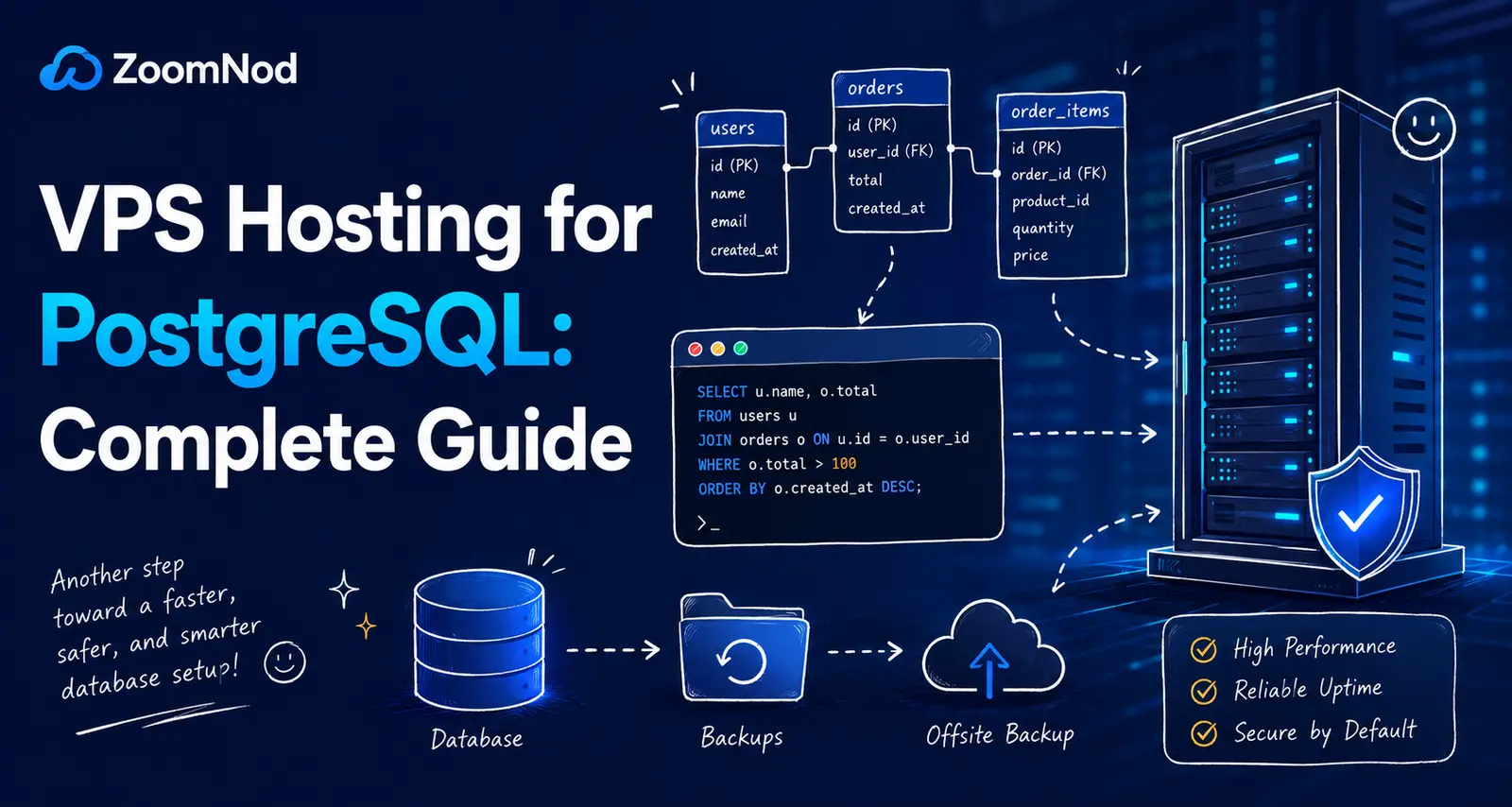
VPS Hosting for PostgreSQL: Complete Guide for 2026
VPS hosting suits PostgreSQL deployments that need predictable CPU, RAM, NVMe storage, private networking, operating-system control, custom extensions, point-in-time recovery, replication, and more control than shared hosting provides. A reasonable starting configuration for a small production PostgreSQL server is 4 vCPUs, 8 GB RAM, 100–200 GB NVMe storage, a supported Linux distribution, PostgreSQL 18.4 or the latest supported minor release, encrypted client connections, restricted firewall rules, connection pooling, database-aware backups, WAL archiving, monitoring, and at least 30% capacity headroom.
As of July 2026, PostgreSQL 18.4 is the current minor release in the PostgreSQL 18 series. PostgreSQL 18 is supported until November 14, 2030. PostgreSQL 17, 16, 15, and 14 are also supported, although PostgreSQL 14 reaches end of life on November 12, 2026. PostgreSQL 19 remains in beta and should not be the default production choice.
A VPS can host a small transactional database economically, but database performance depends on far more than vCPU count. Memory settings, active connections, query plans, indexes, WAL generation, autovacuum, storage latency, checkpoints, backups, and application behavior all affect capacity.
If your application uses a document database instead of PostgreSQL’s relational model, review VPS hosting for MongoDB for workload-specific memory, storage, replication and backup considerations.
PostgreSQL VPS Requirements at a Glance
| PostgreSQL workload | Suggested starting VPS | Primary requirements |
|---|---|---|
| Development or staging | 2 vCPUs, 4 GB RAM, 50 GB NVMe | Snapshots, test data, restricted access |
| Small production database | 4 vCPUs, 8 GB RAM, 100–200 GB NVMe | Backups, WAL archiving, monitoring, pooling |
| Growing SaaS database | 8 vCPUs, 16–32 GB RAM, 250 GB+ NVMe | Query tuning, replicas, PITR, capacity planning |
| Write-heavy transactional system | Dedicated vCPU, 32–64 GB RAM | Low-latency storage, WAL tuning, replication |
| High-availability platform | Primary plus standby VPS nodes | Failover, quorum design, backups, testing |
Treat these ranges as planning points, not transaction guarantees. Table size alone does not determine performance. Working-set size, query shape, concurrency, indexes, transaction duration, and storage latency matter more.
Why Use PostgreSQL on a VPS?
- Choose the PostgreSQL major and minor version.
- Control memory, WAL, checkpoints, and autovacuum.
- Install approved extensions.
- Use private networking and host firewalls.
- Run connection poolers.
- Create physical or logical replicas.
- Archive WAL for point-in-time recovery.
- Control storage layout and encryption.
- Automate monitoring and backups.
- Scale vertically or move to dedicated infrastructure.
When a PostgreSQL VPS Is a Good Fit
A VPS fits SaaS applications, business systems, APIs, content platforms, analytics with moderate data volumes, internal tools, development environments, and transactional databases that need more control than shared database services provide.
It works best when one team owns the operating system and database, workload growth is measurable, a single primary database is acceptable, and recovery can be tested regularly.
When Managed PostgreSQL Is Better
A managed database service may fit better when the team wants automated backups, patching, failover, monitoring, encryption, and replica management without operating Linux and PostgreSQL directly.
Managed PostgreSQL makes sense when:
- No administrator owns database operations.
- Automatic failover is a business requirement.
- Recovery objectives are strict.
- Compliance requires managed controls.
- Operational simplicity outweighs root access.
- The team cannot support incidents around the clock.
Managed vs Unmanaged PostgreSQL VPS
| Choose managed hosting when | Choose unmanaged hosting when |
|---|---|
| Backups and failover need provider ownership | Your team operates PostgreSQL confidently |
| 24/7 support is required | You already run monitoring and on-call support |
| Patch management must be simplified | You need custom extensions or OS control |
| Staff time is more expensive than service fees | Infrastructure cost and portability matter |
Use How to Set Up a VPS Server from Scratch for the underlying Linux host.
How to Size a PostgreSQL VPS
Measure or estimate:
- Database size.
- Active working-set size.
- Peak concurrent connections.
- Transactions per second.
- Read-to-write ratio.
- Query duration.
- Temporary-file generation.
- WAL generation rate.
- Index size and growth.
- Backup and restore duration.
- Replication lag tolerance.
- Retention requirements.
Keep at least 30% headroom for growth, maintenance, backup activity, replication, vacuuming, and failover.
CPU Requirements
PostgreSQL uses CPU for query parsing, planning, joins, sorting, aggregation, expression evaluation, index maintenance, compression, encryption, vacuuming, checkpoints, and replication.
Faster single-core performance helps latency-sensitive queries. More cores support concurrent active queries, parallel query, background workers, autovacuum, WAL processing, and backups.
Compare processors with Choosing the Best Server CPU.
Shared vs Dedicated vCPU
Shared vCPU can support development and bursty databases. Dedicated vCPU is better suited to sustained transactional demand, predictable latency, high connection activity, reporting, and service-level objectives.
Monitor CPU steal time. A database can show high query latency even when its own CPU percentage appears moderate if the physical host is contended.
RAM Requirements
| RAM | Typical PostgreSQL workload |
|---|---|
| 4 GB | Development or small low-concurrency production database |
| 8 GB | Practical starting point for a small production database |
| 16–32 GB | Growing SaaS database with larger working set |
| 64 GB+ | Large transactional or analytical workload |
RAM supports shared buffers, per-query work memory, maintenance operations, connections, the operating-system page cache, monitoring, backup tools, and any co-located services.
PostgreSQL Memory Is Not One Setting
Total database memory can include:
shared_buffers.work_memfor sorts and hash operations.maintenance_work_mem.- Autovacuum worker memory.
- Backend process memory.
- Connection-pooler memory.
- WAL buffers.
- Extension memory.
- Operating-system cache.
work_mem is not a server-wide maximum. One query can use it several times, and many queries can run concurrently. Large values can exhaust RAM unexpectedly.
shared_buffers
shared_buffers controls PostgreSQL’s shared buffer cache. The correct value depends on total RAM, workload, operating-system cache, connection count, and co-located software.
Increase it conservatively, benchmark representative traffic, and monitor cache behavior, checkpoints, I/O, and operating-system memory. Avoid applying a percentage rule without measuring the real VPS.
work_mem
work_mem is available to individual sort, hash, and other plan operations before they spill to temporary files. Increasing it can accelerate selected queries, but a high global value multiplies across operations and sessions.
Use lower global defaults and raise it for controlled reporting sessions or roles when evidence supports the change.
Connection Memory
PostgreSQL commonly uses one server process per client connection. Thousands of idle or active connections consume memory and increase scheduling overhead.
Track:
- Total connections.
- Active connections.
- Idle connections.
- Idle-in-transaction sessions.
- Connection age.
- Waiting sessions.
- Application pool behavior.
Connection Pooling
Set up an application connection pool or an external pooler such as PgBouncer when many application processes or short-lived clients connect to PostgreSQL.
Pool sizing should reflect active database work, not the total number of web users.
Total potential connections =
application nodes
× pool size per node
+ background workers
+ migrations
+ monitoring
+ administration
+ replication
Keep administrative reserve connections available for incidents.
NVMe Storage
NVMe reduces latency for table and index reads, WAL writes, checkpoints, temporary files, vacuuming, backups, and recovery.
Evaluate database storage quality by sustained latency, IOPS consistency, durability, and behavior under contention—not only advertised sequential throughput. The comparison of SSD vs HDD for servers explains why random-access latency dominates database performance.
Storage Capacity Planning
Plan space for:
- Table and index data.
- WAL.
- Temporary files.
- Autovacuum and table rewrites.
- Major-version upgrades.
- Replication slots.
- Logs.
- Base backups.
- Backup staging.
- Growth headroom.
Keep at least 20% free space and alert well before the data or WAL filesystem becomes full.
Separate Data, WAL, and Backups
Separate storage can reduce contention and limit the effect of one filesystem filling. However, additional volumes increase complexity and do not replace backups.
Never store the only backup copy on the same physical VPS storage as the production database.
Choose the Operating System
Use a supported Linux distribution with current security updates, a maintained PostgreSQL repository, predictable storage drivers, and a documented upgrade path.
Compare platforms in Best Server OS in 2026.
Choose the PostgreSQL Version
PostgreSQL 18.4 is a reasonable default for new deployments in July 2026 when application drivers, extensions, backup tools, and monitoring software support it.
Use the latest minor release within the selected major version. PostgreSQL minor upgrades contain fixes and normally do not require dump-and-restore migration within the same major series.
Install from a Maintained Repository
Use packages from the operating-system vendor or the official PostgreSQL package repository. Document the source, major version, package pinning, service name, data directory, and update process.
Avoid mixing packages from unrelated repositories without testing.
PostgreSQL 18 Performance Features
PostgreSQL 18 introduced an asynchronous I/O subsystem that can improve selected sequential scans, bitmap heap scans, vacuum operations, and related storage work. It also improved upgrade behavior by allowing pg_upgrade to retain optimizer statistics.
New features still require appropriate indexes, query analysis, storage monitoring, and workload testing. Benchmark the complete application before and after a major upgrade.
Authentication with pg_hba.conf
pg_hba.conf controls which clients can connect, which databases and roles they can use, which source networks are accepted, and which authentication methods apply.
- Allow only required application and administrator networks.
- Use narrow CIDR ranges.
- Place specific rules before broad rules.
- Use strong password authentication or certificates.
- Reject unnecessary remote access.
- Review changes before reload.
- Keep an emergency administration path.
Roles and Least Privilege
Create separate PostgreSQL roles for application runtime, migrations, reporting, backups, replication, monitoring, and administration.
The normal application role does not need superuser access, ownership of unrelated databases, or broad schema privileges.
Protect the postgres Superuser
Restrict operating-system and database access to the PostgreSQL superuser. Keep the superuser connection string out of applications and automated reports.
Use named administrative accounts where possible so audit records identify the person or automation responsible for a change.
TLS for Client Connections
Encrypt PostgreSQL connections across untrusted or shared networks. Configure valid certificates, approved protocol versions, correct host verification, and certificate renewal monitoring.
Client applications need to verify server identity, not merely request encryption without certificate validation.
Firewall and Network Exposure
Keep PostgreSQL private whenever possible. Allow port 5432 only from application servers, bastion hosts, trusted administrator networks, backup systems, and replicas that require it.
Use provider firewalls and host firewalls together. Review Port Ping: How to Ping a Specific Port for basic connectivity diagnosis, and follow the broader hardening checklist in How to Secure a VPS Server.
Choose the Database Location
Place PostgreSQL close to the application servers that generate most queries. Database round-trip latency affects every transaction, connection, and multi-query request.
Use Best Server Location for Low Latency when selecting the VPS region.
Schema and Index Design
PostgreSQL performance begins with correct data types, constraints, indexes, and query patterns.
- Use primary keys and foreign keys appropriately.
- Create indexes for observed query predicates and joins.
- Avoid duplicate and unused indexes.
- Use partial indexes for selective subsets.
- Use multicolumn indexes in the correct column order.
- Monitor index bloat and write overhead.
- Use constraints to protect data integrity.
Every index accelerates selected reads but consumes storage and adds work to inserts, updates, deletes, vacuuming, backups, and replication.
Use EXPLAIN Carefully
EXPLAIN shows the query plan. EXPLAIN ANALYZE executes the query and reports actual behavior, so use it carefully with writes or expensive production statements.
Review estimated rows, actual rows, loops, scan types, join methods, sort methods, temporary files, buffer activity, and execution time.
pg_stat_statements
The pg_stat_statements extension tracks planning and execution statistics for SQL statements. It helps identify high-total-time queries, frequent statements, slow averages, and planning overhead.
Enable it through the required preload configuration, protect access to statistics, and reset data only through a documented monitoring process.
Slow Query Investigation
Prioritize queries by business impact and total resource use instead of focusing only on the single slowest execution.
Investigate:
- Missing or ineffective indexes.
- Incorrect row estimates.
- N+1 application queries.
- Large sorts and hashes.
- Temporary-file growth.
- Lock waits.
- Long transactions.
- Network round trips.
- Excessive result sets.
- Table and index bloat.
Autovacuum
PostgreSQL requires routine vacuuming to reclaim reusable space, update planner statistics, maintain visibility information, and prevent transaction ID wraparound. Autovacuum is sufficient for many installations, but busy or large tables often need tuning.
Monitor:
- Dead tuples.
- Last vacuum and autovacuum time.
- Last analyze time.
- Transaction ID age.
- Autovacuum workers.
- Vacuum progress.
- Tables growing faster than vacuum can process.
Do Not Disable Autovacuum Casually
Turning off autovacuum can lead to bloat, poor plans, degraded performance, and transaction ID wraparound risk. Tune table-specific thresholds and costs when needed instead of removing the maintenance mechanism.
VACUUM vs VACUUM FULL
Regular VACUUM marks dead space reusable without rewriting the entire table. VACUUM FULL rewrites the table and requires an exclusive lock, so it is not routine maintenance.
Use table rewrites only with measured need, free disk capacity, a maintenance window, and a rollback or recovery plan.
ANALYZE and Planner Statistics
Planner statistics help PostgreSQL estimate row counts and choose query plans. Autovacuum normally runs analyze operations, but large data changes, bulk loads, and unusual distributions may need targeted analysis or higher statistics targets.
Incorrect estimates can produce poor join order, scan type, and memory decisions.
Checkpoints and WAL
PostgreSQL writes changes to the write-ahead log before data files. Checkpoints coordinate durable data-file progress and affect recovery time and I/O patterns.
Monitor WAL generation, checkpoint frequency, checkpoint write time, checkpoint sync time, archive backlog, and storage latency. Very frequent checkpoints can create heavy write bursts.
WAL Capacity
Write-heavy workloads, large transactions, bulk loads, replication slots, delayed replicas, and failed archiving can cause WAL growth.
Alert on the WAL filesystem and replication-slot retention. If the WAL volume fills, the database can shut down to protect consistency.
Back Up PostgreSQL
Use a combination of logical backups, physical base backups, WAL archiving, and snapshots according to database size and recovery objectives.
| Backup method | Best use | Main limitation |
|---|---|---|
| pg_dump | Logical database or object recovery | Can be slow for very large databases |
| pg_dumpall | Cluster-wide roles and global objects | Logical restore time |
| Base backup | Physical cluster recovery and replicas | Version and cluster compatibility |
| WAL archive | Point-in-time recovery | Requires continuous successful archiving |
| VPS snapshot | Fast infrastructure recovery aid | May not be database-consistent by itself |
Follow How to Back Up and Restore Data on a VPS for broader recovery principles.
Point-in-Time Recovery
Point-in-time recovery combines a physical base backup with a continuous sequence of archived WAL files. It can restore the database to a selected moment before an accidental deletion, faulty migration, or application incident.
WAL archiving does not automatically back up manually edited configuration files such as postgresql.conf, pg_hba.conf, and pg_ident.conf. Protect them separately.
Backup Retention
Choose retention from business and regulatory requirements. Keep several independent recovery points so a silent corruption or application mistake discovered later does not invalidate every backup.
Monitor backup age, duration, size, archive continuity, checksum results, encryption, and destination capacity.
Restore Testing
Restore into an isolated VPS and verify:
- Roles and permissions.
- Database startup.
- Schema and data integrity.
- Application connectivity.
- Extensions.
- WAL replay.
- Selected recovery time.
- Indexes and constraints.
- Monitoring.
- Future backup execution.
A backup is only proven after a successful restore.
Streaming Replication
Streaming replication sends WAL records from a primary to standby servers. It can support read scaling, maintenance, recovery, and high-availability designs.
Monitor replication state, replay lag, retained WAL, network health, standby storage, conflicts, and recovery readiness.
Asynchronous vs Synchronous Replication
| Mode | Benefit | Trade-off |
|---|---|---|
| Asynchronous | Lower commit latency and simpler availability | Recent transactions may be lost during primary failure |
| Synchronous | Stronger durability across selected standbys | Commit latency and availability depend on standby response |
Choose from acceptable data loss, latency, network reliability, and failure behavior.
Replication Is Not a Backup
A replica can copy accidental deletes, bad updates, corrupted application logic, and malicious changes. Maintain independent backups with historical retention and point-in-time recovery. The same principle applies to disk redundancy, as the guide to RAID levels explains.
Replication Slots
Replication slots can prevent WAL removal until a consumer receives it. They protect replication continuity but can fill the primary storage when a replica or logical consumer remains offline.
Monitor every slot’s activity and retained WAL, and remove abandoned slots through a controlled process.
Failover Planning
Document how a standby is selected, promoted, addressed by applications, fenced from the old primary, and reintegrated. Test:
- Primary failure.
- Network partition.
- Replica lag.
- DNS or proxy changes.
- Application reconnection.
- Old-primary fencing.
- Backup continuity after promotion.
- Failback or rebuild.
PostgreSQL Monitoring
Monitor the database, operating system, storage, replication, and application together.
- Connection count and state.
- Transactions and query latency.
- Cache and disk-read behavior.
- Temporary files.
- Locks and deadlocks.
- Checkpoints and WAL generation.
- Autovacuum and dead tuples.
- Table and index growth.
- Replication lag.
- Backup and archive success.
- CPU, memory, storage latency, and free space.
Use Best Linux System Monitor for host-level monitoring tools.
pg_stat_activity
pg_stat_activity shows server processes, session state, current queries, transaction timing, wait events, and application names.
Use it to identify idle-in-transaction sessions, blocked queries, long-running statements, abandoned clients, and connection-pool problems. Restrict access to sensitive query text.
Locks and Deadlocks
Short waits are normal in transactional systems, but long lock chains can stop critical business work. Monitor blocked sessions, blocking sessions, transaction age, relation locks, and deadlock counts.
Reduce lock incidents by keeping transactions short, accessing objects in consistent order, indexing foreign keys appropriately, and avoiding user interaction inside transactions.
Temporary Files
Large sorts, hashes, and materialization operations can spill to disk. Monitor temporary bytes and files by database and statement.
Raising global work_mem does not solve every spill. Improve the query, indexes, statistics, or session-specific memory first.
Database Logging
Log startup, shutdown, errors, failed authentication, slow statements, checkpoints where useful, lock waits, and connection context according to operational requirements.
Avoid logging passwords, full confidential payloads, tokens, or unnecessary personal information. Apply rotation and centralized retention so logs do not fill the VPS.
Security Monitoring
Alert on unusual login failures, new superusers, privilege changes, unexpected configuration reloads, unknown extensions, replication changes, firewall changes, and backup failures.
Review Best Antivirus Software for Servers when host-level protection is required.
Provider and SSH Security
- Enable MFA on the provider account.
- Use business-controlled email.
- Restrict provider API tokens.
- Use named SSH accounts and keys.
- Disable routine direct root login.
- Restrict SSH by VPN or trusted networks where practical.
- Review authentication logs.
- Remove former staff access promptly.
- Protect rescue-console and snapshot access.
Data Encryption at Rest
Use provider volume encryption, filesystem encryption, application-level encryption, or database-column encryption according to the threat model and compliance requirements.
Encryption does not replace access control. Protect keys separately from encrypted backups and document how recovery works when the original VPS is unavailable.
Major-Version Upgrades
PostgreSQL major upgrades require a deliberate migration method such as dump and restore, pg_upgrade, or logical replication. Minor upgrades within one major line are different and normally use package replacement and restart.
Before a major upgrade:
- Review release notes and extension compatibility.
- Inventory database size and restore time.
- Test the complete process on a copy.
- Validate drivers and applications.
- Back up databases and configuration.
- Confirm disk headroom.
- Schedule a cutover and rollback window.
- Analyze and validate the upgraded cluster.
- Monitor query plans and performance.
PostgreSQL 14 End-of-Life Planning
PostgreSQL 14 reaches end of life on November 12, 2026. Organizations still using PostgreSQL 14 should complete compatibility testing and schedule an upgrade to a supported major version before security and bug-fix support ends.
Database Migration Checklist
- Inventory versions, extensions, roles, databases, tablespaces, jobs, backups, and replicas.
- Measure data size, WAL rate, connections, traffic, and maintenance windows.
- Build the target VPS and secure it.
- Install the chosen PostgreSQL version and extensions.
- Configure monitoring and backups before cutover.
- Test dump/restore, pg_upgrade, or logical replication.
- Validate application queries and transactions.
- Reduce DNS or connection-endpoint cutover risk.
- Freeze or synchronize writes according to the migration method.
- Validate row counts, constraints, permissions, and business workflows.
- Keep the old environment protected during the rollback period.
Vertical Scaling
Vertical scaling adds CPU, RAM, or storage to one PostgreSQL VPS. It is usually the easiest growth path for a small database.
Add CPU when active queries saturate cores. Add RAM when the working set, connection memory, and query operations create pressure. Improve storage when read, WAL, checkpoint, temporary-file, or backup latency is the bottleneck.
Measure first. More hardware does not repair missing indexes, long transactions, poor query plans, excessive connections, or blocked autovacuum.
Read Scaling
Standby replicas can serve selected read-only traffic, reporting, backups, and analytics. Applications must tolerate replication lag and route read-after-write operations carefully.
Read replicas do not reduce write demand on the primary and can add WAL, network, monitoring, and operational overhead.
When to Use a Dedicated Server
A dedicated server can provide predictable physical CPU, large RAM, direct NVMe performance, higher IOPS, and fewer noisy-neighbor effects for large PostgreSQL workloads.
Read What Is Dedicated Server Hosting?, compare options with VPS vs Dedicated Server vs Cloud, and use the sizing method in How to Choose a Dedicated Server when specifying the hardware.
PostgreSQL VPS Cost
| Database profile | Typical monthly infrastructure budget |
|---|---|
| Development or staging | $10–$30 |
| Small production database | $30–$100 |
| Growing dedicated-vCPU database | $100–$350+ |
| High-availability primary and standby | $250–$900+ |
Include backups, object storage, replicas, monitoring, public IPv4, private networking, transfer, managed support, encryption, and database-administrator time.
Use 10 Cheapest VPS Providers Compared in 2026 for initial comparison, but prioritize storage latency, CPU consistency, backup quality, private networking, snapshot behavior, and support.
Server Management Tools
Configuration management, backup orchestration, monitoring, patch automation, and database dashboards can reduce manual work. Each tool still needs access control, updates, documentation, and recovery.
Review Best Server Management Tool in 2026 when selecting the operational layer.
PostgreSQL VPS Launch Checklist
- Supported Linux distribution.
- PostgreSQL 18.4 or latest supported minor selected.
- Provider-account MFA enabled.
- Named SSH and database administrator accounts configured.
- Host and provider firewalls enabled.
- PostgreSQL kept private.
- pg_hba.conf restricted.
- TLS and certificate verification configured.
- Application roles use least privilege.
- Connection pool budget calculated.
- Memory settings tested.
- Autovacuum monitored.
- Disk, WAL, and replication alerts configured.
- pg_stat_statements evaluated.
- Logical or physical backups active.
- WAL archiving configured when PITR is required.
- Configuration files backed up separately.
- Restore test completed.
- Failover procedure tested when replicas exist.
- Capacity headroom verified.
Common PostgreSQL VPS Mistakes
- Setting work_mem too high globally: concurrent operations exhaust RAM.
- Allowing unlimited application connections: backend memory and scheduling overhead grow.
- Disabling autovacuum: bloat and transaction ID risks accumulate.
- Exposing port 5432 publicly: the database becomes an unnecessary target.
- Using the postgres superuser in applications: one compromise gains cluster-wide control.
- Ignoring replication slots: retained WAL fills storage.
- Treating a replica as a backup: bad changes replicate immediately.
- Keeping backups on the same VPS: one failure removes production and recovery.
- Upgrading without extension testing: the database cannot start or applications fail.
- Scaling hardware before query analysis: inefficient SQL remains inefficient.
Final Verdict
A 4-vCPU, 8 GB RAM Linux VPS with 100–200 GB of NVMe storage is a reasonable starting configuration for a small production PostgreSQL database. Use PostgreSQL 18.4 or the latest supported minor, private networking, TLS verification, least-privilege roles, connection pooling, conservative memory settings, monitored autovacuum, database-aware backups, WAL archiving for PITR, and tested recovery.
Begin with vertical scaling to keep operations simple. Add read replicas for appropriate read workloads, separate the database from application services, and move to dedicated or managed infrastructure when storage latency, high availability, compliance, and operational demands exceed a single VPS.
Frequently Asked Questions
Is a VPS good for PostgreSQL?
Yes. A VPS provides dedicated resources, private networking, storage control, custom extensions, backups, replication, and operating-system access.
How much RAM does PostgreSQL need?
Eight gigabytes is a practical starting point for a small production database, while growing workloads commonly need 16–32 GB or more.
Which PostgreSQL version should production use in 2026?
PostgreSQL 18.4 is the current stable minor in July 2026 and is a strong choice when applications and extensions support it.
How much shared_buffers should PostgreSQL use?
There is no universal percentage. Set it conservatively and test it alongside operating-system cache, workload, connections, and other memory settings.
Does PostgreSQL need connection pooling?
Connection pooling is recommended when many application processes, short-lived clients, or serverless workers could create excessive database connections.
What is PostgreSQL point-in-time recovery?
It restores a physical base backup and replays archived WAL to a selected moment before an unwanted change or failure.
Is PostgreSQL replication a backup?
No. Replication can copy accidental deletion, corruption, or malicious changes, so independent retained backups are still required.
Should PostgreSQL be exposed to the Internet?
No. Keep it private and allow connections only from approved application, administration, backup, and replica networks.
When should PostgreSQL move to a dedicated server?
Move when sustained CPU, RAM, storage latency, IOPS, database size, or predictable-performance needs exceed the VPS platform.
How much does PostgreSQL VPS hosting cost?
A small production PostgreSQL VPS commonly costs $30–$100 monthly, while replicas, dedicated vCPU, managed support, and high availability cost more.
What VPS specifications are a practical starting point for PostgreSQL when the database needs point-in-time recovery, extensions, and several concurrent application connections?
PostgreSQL VPS performance depends on more than RAM. NVMe latency, shared_buffers, work_mem, connection pooling, WAL storage, backups, and query indexes should be planned together.
For production PostgreSQL hosting, testing restore procedures is just as important as creating backups. A valid base backup, archived WAL files, and a documented recovery target reduce the risk of discovering problems during an outage.
For PostgreSQL VPS hosting, I would like to see sizing guidance that separates database size from active working set and connection count. A 100 GB database does not automatically require 100 GB of RAM, but high concurrency, complex queries, large sorts, and background jobs can change the requirement quickly. It would also be useful to compare direct connections with PgBouncer, explain shared_buffers and work_mem planning, and show how WAL archiving, point-in-time recovery, streaming replication, and private networking affect the minimum VPS configuration for a production PostgreSQL server.
PostgreSQL usually benefits more from consistent NVMe IOPS and enough RAM for caching than from a large number of slow shared CPU cores. Storage latency becomes especially visible during checkpoints, vacuum activity, and write-heavy workloads.
A PostgreSQL backup plan should include both regular base backups and WAL retention, with restore tests performed on another VPS. A backup is not reliable until the team has verified that point-in-time recovery actually works.