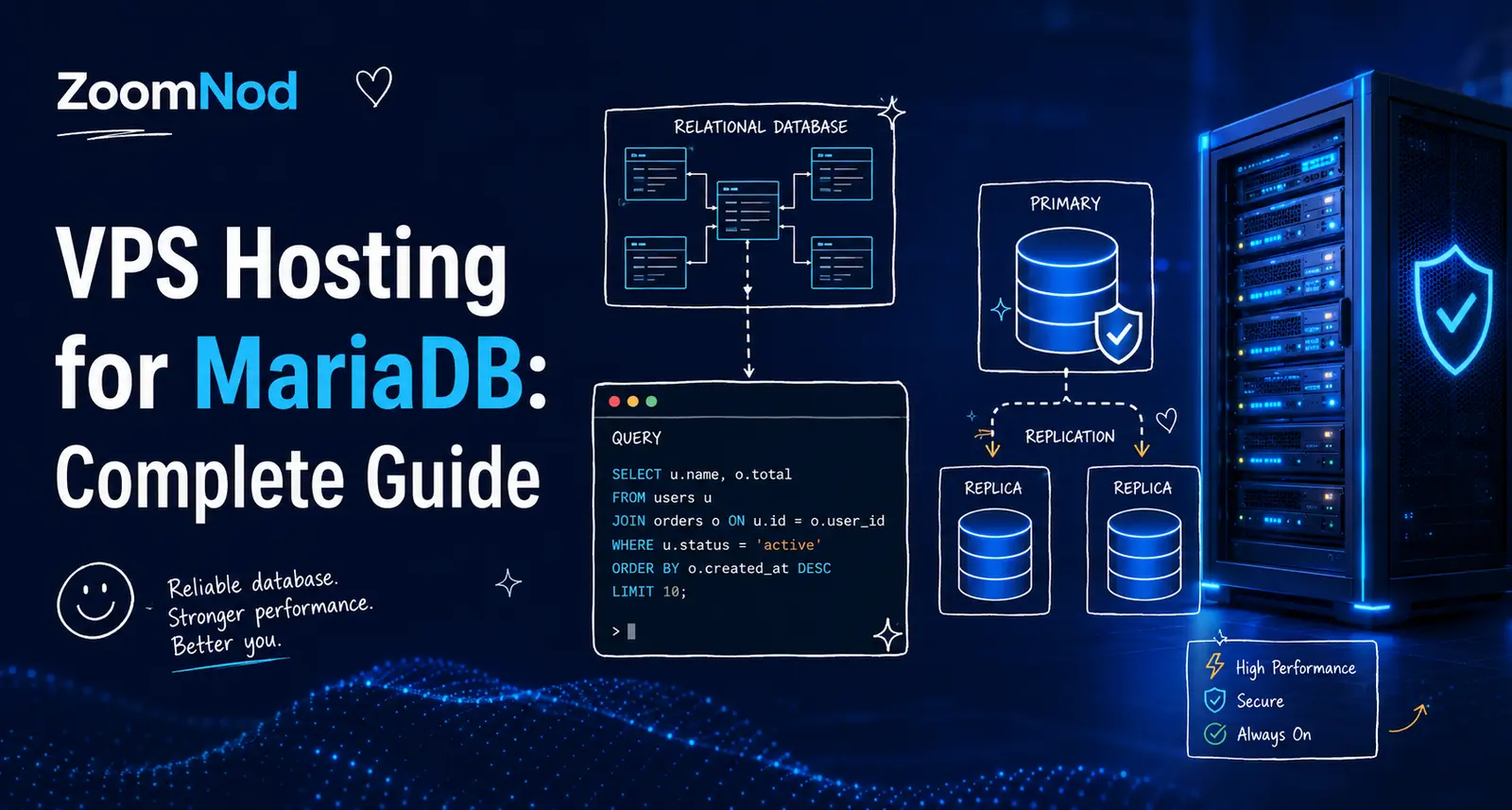
VPS Hosting for MariaDB: Complete Guide for 2026
VPS hosting suits MariaDB deployments that need predictable CPU, RAM, NVMe storage, InnoDB tuning, private networking, binary-log recovery, replication, custom configuration, and more control than shared hosting provides. A reasonable starting configuration for a small production MariaDB server is 4 vCPUs, 8 GB RAM, 100–200 GB NVMe storage, a supported Linux distribution, the latest MariaDB 12.3 LTS patch, encrypted client connections, restricted firewall rules, an appropriately sized InnoDB buffer pool, database-aware backups, binary-log retention for point-in-time recovery, monitoring, and at least 30% capacity headroom.
As of July 2026, MariaDB 12.3 is the current Long-Term Support branch and is the default choice for production environments that prioritize stability. MariaDB 13.0 is the current rolling release for teams that want newer features and can follow a faster upgrade cycle. MariaDB 10.6 has reached the end of its standard long-term maintenance window and should be upgraded to MariaDB 12.3 or another supported branch.
A MariaDB VPS can host an application database economically, but capacity depends on working-set size, InnoDB buffer-pool behavior, query plans, indexes, connection count, temporary tables, redo and binary logs, storage latency, backup activity, and replication.
MariaDB VPS Requirements at a Glance
| MariaDB workload | Suggested starting VPS | Primary requirements |
|---|---|---|
| Development or staging | 2 vCPUs, 4 GB RAM, 50 GB NVMe | Snapshots, restricted access, test data |
| Small production database | 4 vCPUs, 8 GB RAM, 100–200 GB NVMe | Backups, binary logs, monitoring, TLS |
| Growing application database | 8 vCPUs, 16–32 GB RAM, 250 GB+ NVMe | Query tuning, replicas, PITR, capacity planning |
| Write-heavy transactional system | Dedicated vCPU, 32–64 GB RAM | Low-latency storage, redo tuning, replication |
| High-availability platform | Primary plus replicas or Galera Cluster nodes | Failover, proxy layer, backups, testing |
Treat these values as planning ranges, not transaction guarantees. Table size alone does not determine performance. Working-set size, query shape, indexes, concurrency, transactions, and storage consistency matter more.
Why Use MariaDB on a VPS?
- Choose the LTS or rolling release track.
- Control InnoDB memory and storage settings.
- Use private networking and host firewalls.
- Configure binary logs and point-in-time recovery.
- Create replicas or a Galera Cluster.
- Use custom authentication plugins and TLS.
- Install approved storage engines and plugins.
- Control backups and retention.
- Monitor Information Schema and InnoDB metrics.
- Scale vertically or move to dedicated infrastructure.
When a MariaDB VPS Is a Good Fit
A VPS fits SaaS products, content platforms, e-commerce applications, APIs, internal business systems, development environments, and transactional databases that need more control than a shared database account provides.
It works best when the team can administer Linux and MariaDB, traffic is measurable, one primary server is acceptable or replication is designed, and backups are restored regularly.
When Managed MariaDB Is Better
A managed database service may fit better when the team wants automated backups, patching, failover, monitoring, encryption, replica management, and provider support without operating MariaDB directly.
Managed MariaDB makes sense when:
- No database administrator owns the service.
- Automatic failover is required.
- Recovery objectives are strict.
- Compliance requires managed controls.
- Operational simplicity is more valuable than root access.
- The business needs 24/7 platform support.
Managed vs Unmanaged MariaDB VPS
| Choose managed hosting when | Choose unmanaged hosting when |
|---|---|
| Backups and failover need provider ownership | Your team operates MariaDB confidently |
| 24/7 support is required | You already run monitoring and on-call support |
| Patch management must be simplified | You need complete configuration control |
| Staff time is more expensive than service fees | Infrastructure cost and portability matter |
Use How to Set Up a VPS Server from Scratch for the underlying Linux host.
How to Size a MariaDB VPS
Measure or estimate:
- Total database size.
- Active working-set size.
- Peak active connections.
- Transactions and queries per second.
- Read-to-write ratio.
- Temporary-table activity.
- Redo-log generation.
- Binary-log generation and retention.
- Index size and growth.
- Backup and restore duration.
- Replica lag tolerance.
- Expected growth.
Keep at least 30% capacity headroom for traffic peaks, backups, schema changes, index builds, replication, and maintenance.
CPU Requirements
MariaDB uses CPU for query parsing, optimization, joins, sorting, aggregation, InnoDB background work, encryption, compression, index maintenance, replication, and backups.
Faster single-core performance improves latency-sensitive queries. More cores support concurrent active sessions, parallel background work, replication appliers, and maintenance.
Compare processors with Choosing the Best Server CPU.
Shared vs Dedicated vCPU
Shared vCPU can support development and bursty databases. Dedicated vCPU is better suited to sustained production traffic, consistent query latency, large backups, reporting, and service-level objectives.
Monitor CPU steal time. A contended physical host can create unpredictable MariaDB latency even when the database does not report full CPU utilization.
RAM Requirements
| RAM | Typical MariaDB workload |
|---|---|
| 4 GB | Development or small low-concurrency production database |
| 8 GB | Practical starting point for a small production server |
| 16–32 GB | Growing application with larger working set |
| 64 GB+ | Large transactional, reporting, or multi-database workload |
RAM supports the InnoDB buffer pool, per-connection buffers, table caches, temporary operations, replication, the operating-system cache, backup tools, and co-located services.
The InnoDB Buffer Pool
The InnoDB buffer pool caches table and index pages in memory. It is commonly the largest MariaDB memory allocation and a major performance setting.
On a dedicated database VPS, a substantial portion of RAM can be assigned to the buffer pool, but the exact value must leave room for connections, temporary work, replication, backup processes, and the operating system.
Do Not Copy an 80% Rule Blindly
Documentation and tuning guides often discuss high buffer-pool percentages on dedicated servers. That is not a safe universal setting for every VPS.
Use a smaller percentage when:
- The VPS also runs an application server.
- Connection count is high.
- Large temporary operations occur.
- Backups run locally.
- Several MariaDB instances share the host.
- Monitoring and security tools use significant RAM.
- The operating-system cache is important.
Per-Connection Memory
MariaDB can allocate buffers for sorting, joining, reading, writing, and temporary operations per connection or per statement. A high maximum connection count combined with large per-session buffers can exhaust RAM.
Track active connections, threads running, connection errors, aborted clients, maximum-used connections, and application pool behavior.
Thread Pool
MariaDB includes a thread pool that can reduce the cost of many concurrent connections compared with a thread-per-connection model. It can help workloads with high connection counts and short queries.
Test the thread pool against the real workload; it does not replace application connection pooling, appropriate indexes, or bounded concurrency.
Connection Pooling
Set bounded minimum and maximum sizes for application connection pools. Pool size should represent concurrent database work, not the total number of users.
Total potential database connections =
application nodes
× pool size per node
+ background workers
+ migrations
+ monitoring
+ administration
+ replication
Keep emergency administrative capacity available.
NVMe Storage
NVMe reduces latency for InnoDB data pages, redo logs, doublewrite activity, temporary files, binary logs, backups, and recovery.
Evaluate sustained latency, IOPS consistency, durability, queue behavior, and performance during snapshots or noisy-neighbor activity. The comparison of SSD vs HDD for servers explains why random-write latency matters more than raw capacity for database workloads.
Storage Capacity Planning
Plan space for:
- InnoDB tablespaces.
- Indexes.
- Redo logs.
- Undo tablespaces.
- Binary logs.
- Temporary tables and files.
- General, slow, and error logs.
- Schema changes.
- Backups.
- Growth headroom.
Keep at least 20% free space and alert before binary logs, temporary files, or online schema changes fill the volume.
Choose the Operating System
Use a supported Linux distribution with current security updates, a maintained MariaDB repository, predictable storage drivers, and a documented upgrade path.
Compare platforms in Best Server OS in 2026.
Choose MariaDB 12.3 LTS or 13.0 Rolling
| Track | Best fit | Operational trade-off |
|---|---|---|
| MariaDB 12.3 LTS | Production stability and longer lifecycle | New features arrive more slowly |
| MariaDB 13.0 rolling release | Teams adopting recent features | Faster upgrade cadence |
MariaDB 12.3 LTS is the more conservative choice for most new production VPS deployments in July 2026. Use a rolling release only when its features are needed and the team can test and upgrade frequently.
MariaDB Release Lifecycle Planning
MariaDB 10.6 has reached the end of its standard long-term maintenance window. Remaining MariaDB 10.6 servers should be inventoried, tested, and upgraded to MariaDB 12.3 LTS or another supported branch.
Install from an Official Repository
Use MariaDB packages from the MariaDB Foundation repository, your distribution’s maintained packages, or another supported vendor source. Document the repository, branch, patch version, package pinning, service name, data directory, and update process.
Do not mix MySQL and MariaDB packages or repositories against one data directory. The two projects have diverged, and the data directory formats are not freely interchangeable in both directions.
MariaDB and MySQL Compatibility
MariaDB began as a MySQL fork and retains substantial compatibility for common SQL, connectors, and tooling. The projects have diverged over time in optimizer behavior, JSON handling, authentication plugins, system tables, replication features, storage engines, and version numbering.
Test the exact application, connector, ORM, backup tool, and monitoring stack against the target MariaDB version. Guidance written for MySQL may not apply unchanged.
InnoDB Architecture
InnoDB is MariaDB’s default transactional storage engine. Its in-memory structures include the buffer pool and log buffer, while on-disk structures include tablespaces, redo logs, undo tablespaces, and the doublewrite buffer.
Treat the complete InnoDB system as one workload when tuning performance. Increasing one setting can shift pressure to storage, checkpoints, recovery, or memory.
Storage Engine Options
MariaDB supports additional storage engines including Aria, ColumnStore for analytics, Spider for sharding, and others. InnoDB remains the standard choice for general transactional workloads.
Use alternative engines only when the workload clearly benefits and the team understands the backup, replication, crash-recovery, and operational implications of that engine.
Redo Log Capacity
Redo logs record changes before modified data pages are written to tablespaces. Adequate redo capacity can smooth write-heavy workloads, while capacity that is too small can force aggressive flushing.
Monitor redo generation, checkpoint age, dirty-page flushing, storage latency, and crash-recovery expectations. Verify the correct redo sizing variables for the exact MariaDB version in use, because these have changed across releases.
Durability Settings
Durability settings affect when transaction and binary-log data is flushed to stable storage. Reducing durability can improve benchmarks but increase the amount of committed data lost after a crash or power failure.
Choose settings from the recovery point objective, storage guarantees, replication design, and business impact—not from performance tests alone.
Temporary Tables
Sorting, grouping, joins, and derived queries can create internal temporary tables. Temporary work may remain in memory or spill to disk depending on size and configuration.
Monitor:
- Created temporary tables.
- Disk-based temporary tables.
- Large sorts.
- Temporary storage capacity.
- Queries creating repeated spills.
Improve indexes and query design before increasing memory limits globally.
Table and Index Design
MariaDB performance begins with appropriate data types, primary keys, constraints, indexes, and query patterns.
- Use a suitable primary key for InnoDB tables.
- Index observed joins and predicates.
- Remove redundant indexes.
- Use composite indexes in the correct order.
- Keep indexed columns appropriately sized.
- Review low-selectivity indexes.
- Protect data integrity with constraints.
Every secondary InnoDB index contains the primary-key value, so an unnecessarily wide primary key increases secondary-index storage.
Use EXPLAIN
EXPLAIN shows the optimizer’s selected plan. ANALYZE statements execute the query and report actual timing and row behavior, so use them carefully on production systems.
Review access type, selected indexes, rows examined, join order, filtering, temporary tables, filesorts, and actual execution time.
Optimizer Statistics
Engine-independent and InnoDB statistics help the optimizer estimate rows and choose indexes and join strategies. Large data changes, skewed distributions, or outdated statistics can produce poor plans.
Analyze tables after significant controlled changes and monitor plan regressions following upgrades or schema modifications.
Information Schema and Performance Schema
MariaDB exposes server state through Information Schema tables and an optional Performance Schema. Together they report waits, statements, memory, locks, replication, and connection behavior.
Use them to identify:
- High-total-time statements.
- Lock waits.
- File and table I/O.
- Memory consumers.
- Connection activity.
- Replication worker status.
- Stage and wait bottlenecks.
Enable only the instrumentation required for operations and performance analysis, then validate overhead under real traffic.
Slow Query Log
The slow query log records statements that exceed configured thresholds and optional administrative or non-indexed-query criteria.
Configure:
- A useful latency threshold.
- Log rotation.
- Protected file permissions.
- Sampling or review workflow.
- Retention.
- Correlation with application traces.
Keep broad diagnostic logging temporary and apply storage and privacy controls.
General Query Log
The general query log records connections and statements and can create significant overhead and sensitive data exposure. Use it briefly for targeted troubleshooting, then disable it.
InnoDB Monitor
InnoDB status information helps diagnose deadlocks, transactions, semaphores, buffer-pool behavior, redo progress, and I/O.
Capture relevant status during an incident and correlate it with schema instrumentation, operating-system metrics, and application logs.
Authentication and Accounts
Create separate MariaDB accounts for applications, migrations, reporting, backups, monitoring, replication, and administration.
MariaDB accounts include both user and host components, so restrict each account to the networks and hosts that require access.
Least-Privilege Roles
Grant only the schema, table, procedure, and administrative privileges required for each role. Avoid broad wildcard grants and do not use the MariaDB administrative account in application connection strings.
Review default roles, inherited roles, grant options, and unused accounts regularly.
Protect Administrative Accounts
Create named administrator accounts with strong authentication, restricted source networks, and auditable change procedures. Protect the local operating-system account that can bypass normal database access controls through socket authentication.
TLS for MariaDB Connections
Encrypt MariaDB traffic across untrusted or shared networks. Client modes that verify the certificate authority and server identity provide stronger protection than encryption without identity verification.
Automate certificate renewal and test clients, replicas, backup tools, and monitoring after certificate changes.
Firewall and Network Exposure
Keep port 3306 private. Allow only approved application servers, administrator networks, backup systems, and replicas.
Use provider and host firewalls together. Review Port Ping: How to Ping a Specific Port when diagnosing an authorized connection, and follow the broader hardening checklist in How to Secure a VPS Server.
Choose the MariaDB Server Location
Place the database close to application servers. Network latency affects connection setup, transactions, chatty ORM patterns, and multi-query requests.
Use Best Server Location for Low Latency for region selection.
Application Connection Security
- Store credentials outside source control.
- Use separate credentials by environment.
- Rotate passwords and certificates.
- Use short connection and query timeouts.
- Verify TLS identity.
- Restrict account hosts.
- Limit privileges.
- Prevent connection strings from entering logs.
MariaDB Backup with mariadb-backup
mariadb-backup creates physical backups for InnoDB-based databases and supports preparation and restoration workflows. It is appropriate for larger datasets where logical dump and restore would take too long.
- Run through a least-privilege backup account.
- Store backups off-server.
- Prepare backup copies before restore.
- Record binary-log and GTID positions.
- Encrypt and verify retained copies.
- Test restoration on a clean VPS.
Back Up MariaDB
Use logical backups, physical backups, binary logs, and snapshots according to database size and recovery objectives.
| Backup method | Best use | Main limitation |
|---|---|---|
| mariadb-dump | Logical schema and data recovery | Backup and restore can be slow for large databases |
| mariadb-backup | Fast physical backup and large-instance recovery | Version, tooling, and storage compatibility |
| Binary logs | Point-in-time recovery and replication | Require continuous retention and monitoring |
| Filesystem snapshot | Fast infrastructure recovery aid | Needs coordination to be transaction-consistent |
| VPS snapshot | Whole-server rollback | May not be application-consistent by itself |
Follow How to Back Up and Restore Data on a VPS for broader recovery principles.
Point-in-Time Recovery
MariaDB point-in-time recovery restores a full backup, then replays binary-log events to a selected position or time. Binary logging is required for standard replication and for this recovery method.
Protect binary logs, monitor retention and storage, and verify that backups contain the information needed to identify the correct replay starting point.
Binary Log Retention
Retention must cover the longest expected time between a base backup and the recovery point, plus operational delay. Logs that expire too early make point-in-time recovery impossible.
Logs retained indefinitely can fill storage. Monitor generation rate, oldest retained log, replica positions, backup requirements, and available disk space.
Backup Consistency
Use transaction-consistent logical backups for InnoDB where appropriate, or supported physical-backup tooling. Include routines, events, triggers, users, roles, and configuration according to the recovery scope.
Copying live InnoDB data files does not guarantee a consistent restore.
Restore Testing
Restore into an isolated VPS and verify:
- Server startup.
- Schemas, tables, routines, and events.
- Users, roles, and privileges.
- Application connectivity.
- Binary-log replay.
- Selected recovery point.
- Indexes and constraints.
- Character sets and collations.
- Monitoring.
- Future backup execution.
MariaDB Replication
MariaDB replication sends binary-log events from a primary to one or more replicas. It can support read scaling, backup operations, analytics, migration, and high availability.
Monitor primary and replica health, IO and SQL threads, lag, relay logs, errors, disk space, network latency, and consistency.
Global Transaction ID Replication
MariaDB Global Transaction IDs make replicated transactions uniquely identifiable and can simplify failover, provisioning, and topology changes. Note that MariaDB GTIDs use a different format and implementation from MySQL GTIDs.
Enable and test GTIDs through a planned migration. Ensure backup, replication, and failover tools understand the selected configuration.
Asynchronous Replication
Standard asynchronous replication allows the primary to commit without waiting for a replica to apply or receive every event. This reduces commit latency but can lose recent transactions if the primary fails before replicas receive them.
Semisynchronous Replication
Semisynchronous replication can wait for acknowledgement that at least one replica received the transaction. It can reduce data-loss exposure but adds network dependency and does not guarantee that the replica applied the transaction.
Replication Is Not a Backup
Replicas copy accidental deletion, bad updates, malicious changes, and many forms of logical corruption. Maintain independent historical backups and point-in-time recovery. The same principle applies to disk redundancy, as the guide to RAID levels explains.
Replication Security
Use a dedicated replication account, least privilege, TLS identity verification, restricted networks, protected metadata, and encrypted binary or relay logs where required.
Use separate credentials for replication instead of application or administrator credentials.
Galera Cluster
MariaDB Galera Cluster provides virtually synchronous multi-primary replication and can support high availability across at least three independent nodes. It requires low-latency networking, quorum, consistent versions, flow-control monitoring, and application testing.
Galera does not replace backups. Destructive transactions can replicate across every member, and network partitions can reduce availability. Test node loss, state snapshot transfer, incremental state transfer, donor selection, and complete-cluster restart procedures.
Galera Design Considerations
- Use at least three nodes for quorum.
- Place nodes in independent failure domains.
- Keep node hardware and versions consistent.
- Require primary keys on replicated tables.
- Monitor flow control and replication queues.
- Test large transactions and schema changes.
- Plan donor impact during state transfer.
- Document full-cluster bootstrap procedures.
Proxy and Routing Layer
A proxy such as MaxScale, ProxySQL, or HAProxy can provide application endpoints that follow the current primary or route selected reads to replicas. Run redundant proxy instances when the routing layer itself must be highly available.
Monitor backend discovery, routing errors, TLS, connection counts, and failover behavior.
Failover Planning
Document how a replica or cluster member becomes primary, how applications discover it, how the old primary is fenced, and how backups continue.
Test:
- Primary failure.
- Network partition.
- Replica lag.
- Proxy failure.
- Application reconnection.
- Old-primary fencing.
- Backup continuity.
- Failback or rebuild.
MariaDB Monitoring
Monitor the database, operating system, storage, replication, and application together.
- Connections and threads running.
- Query latency and throughput.
- Buffer-pool use and reads.
- Redo and dirty-page behavior.
- Temporary tables and files.
- Locks and deadlocks.
- Binary-log generation.
- Replica lag and thread errors.
- Galera flow control where used.
- Table and index growth.
- CPU, memory, disk latency, and free space.
- Backup and restore status.
Use Best Linux System Monitor for host-level tools.
Connections and Thread Activity
Track connected sessions, active threads, maximum-used connections, aborted connections, authentication errors, and connection duration.
A high connection count with low active work usually indicates inefficient application pooling rather than a need to increase max_connections.
Buffer-Pool Monitoring
Review buffer-pool size, free pages, dirty pages, reads, read requests, flushing, and hit behavior. A high hit ratio is useful but does not prove the database is healthy.
Correlate buffer-pool metrics with query latency, working-set changes, storage reads, checkpoints, and operating-system memory.
Locks and Deadlocks
InnoDB detects many deadlocks and rolls back one transaction. Applications should retry appropriate deadlock victims safely.
Reduce lock incidents by:
- Keeping transactions short.
- Accessing rows in consistent order.
- Using suitable indexes.
- Avoiding user interaction inside transactions.
- Reducing unnecessarily broad updates.
- Monitoring long-running transactions.
MariaDB Logs
Protect and rotate the error log, slow query log, audit logs where used, binary logs, relay logs, and backup logs.
Do not log passwords, connection strings, authentication tokens, payment data, or unnecessary personal information. Centralize important operational logs so they survive VPS loss.
Security Monitoring
Alert on unusual login failures, privilege grants, new administrative users, plugin changes, replication reconfiguration, disabled binary logging, TLS failures, firewall changes, and backup failures.
Review Best Antivirus Software for Servers when host-level protection is required.
Provider and SSH Security
- Enable MFA on the provider account.
- Use business-controlled email.
- Restrict provider API tokens.
- Use named SSH accounts and keys.
- Disable routine direct root login.
- Restrict SSH by VPN or trusted networks where practical.
- Review authentication logs.
- Remove former staff access promptly.
- Protect rescue-console and snapshot permissions.
Encryption at Rest
Use provider volume encryption, filesystem encryption, InnoDB tablespace encryption, binary-log encryption, or application-level encryption according to the threat model.
Protect key-management material and recovery procedures. Encryption without recoverable keys can turn a normal incident into permanent data loss.
Patch MariaDB Regularly
Install supported patch releases after reviewing release notes and validating them in staging. MariaDB LTS patch releases are designed as in-place updates within the series, but applications, plugins, replication, backup tools, and operating systems still need testing.
Upgrade from MariaDB 10.6 to 12.3 LTS
- Inventory the exact MariaDB 10.6 patch and platform.
- Review the supported upgrade path and any required intermediate versions.
- Review removed features and changed defaults.
- Run compatibility checks.
- Test applications, connectors, authentication, and SQL modes.
- Back up databases, users, configuration, and binary logs.
- Test the complete upgrade on a clone.
- Schedule a maintenance and rollback window.
- Upgrade and run the upgrade utility to complete system-table changes.
- Validate schemas, privileges, replication, backups, and query performance.
MariaDB upgrades are generally supported one major version at a time. Skipping several major versions in one step is not the documented path and should be tested carefully or performed in stages.
Schema Changes
Large ALTER TABLE operations can consume temporary storage, lock metadata, generate substantial redo and binary logs, delay replicas, and affect query latency.
Before a large change:
- Test with representative data.
- Review supported online DDL behavior.
- Estimate temporary space.
- Monitor replication lag.
- Choose a maintenance window.
- Prepare rollback or forward recovery.
- Keep backups current.
Database Migration Checklist
- Inventory versions, plugins, users, roles, databases, jobs, backups, and replicas.
- Measure data size, binary-log rate, connections, and traffic.
- Build and secure the target VPS.
- Install MariaDB 12.3 LTS or the selected supported branch.
- Configure monitoring and backups before cutover.
- Test logical dump/load, physical migration, or replication.
- Validate character sets, collations, SQL modes, and authentication.
- Synchronize final writes according to the migration method.
- Switch application endpoints.
- Validate row counts, constraints, privileges, and business workflows.
- Keep the source protected during the rollback period.
Vertical Scaling
Vertical scaling adds CPU, RAM, or storage to one MariaDB VPS. It is usually the easiest growth path for a small database.
Add CPU when active queries saturate cores. Add RAM when the working set, connection buffers, and temporary operations create pressure. Improve storage when data, redo, temporary-table, binary-log, or backup latency is the bottleneck.
Measure first. More hardware does not fix missing indexes, long transactions, inefficient joins, excessive connections, or poor schema design.
Read Scaling
Replicas can serve selected read-only traffic, reports, analytics, and backups. Applications must tolerate replication lag and route read-after-write operations carefully.
Read replicas do not reduce write pressure on the primary and can increase binary-log, network, monitoring, and operational load.
When to Use a Dedicated Server
A dedicated server can provide predictable physical CPU, large RAM, direct NVMe performance, higher IOPS, and fewer noisy-neighbor effects for large MariaDB workloads.
Read What Is Dedicated Server Hosting?, compare options with VPS vs Dedicated Server vs Cloud, and use the sizing method in How to Choose a Dedicated Server when specifying the hardware.
MariaDB VPS Cost
| Database profile | Typical monthly infrastructure budget |
|---|---|
| Development or staging | $10–$30 |
| Small production database | $30–$100 |
| Growing dedicated-vCPU database | $100–$350+ |
| Galera Cluster or replica topology | $250–$1,000+ |
Include backups, object storage, replicas, proxy or load balancing, monitoring, private networking, transfer, managed support, and database-administrator time.
Use 10 Cheapest VPS Providers Compared in 2026 for initial comparison, but prioritize storage latency, CPU consistency, backup quality, private networking, snapshot behavior, and support.
Server Management Tools
Configuration management, backup orchestration, monitoring, patch automation, and database dashboards can reduce manual work. Each tool still needs access control, updates, documentation, and recovery.
Review Best Server Management Tool in 2026 when selecting the operational layer.
MariaDB VPS Launch Checklist
- Supported Linux distribution.
- MariaDB 12.3 LTS or another supported branch selected.
- MariaDB 10.6 upgrade plan completed.
- Provider-account MFA enabled.
- Named SSH and MariaDB administrator accounts configured.
- Host and provider firewalls enabled.
- Port 3306 kept private.
- TLS identity verification configured.
- Application accounts use least privilege.
- Connection-pool budget calculated.
- InnoDB buffer pool tested.
- Per-connection memory controlled.
- Redo, temporary-file, and binary-log alerts configured.
- Slow-query monitoring configured.
- mariadb-backup or logical backups active.
- Binary-log retention supports PITR.
- Restore test completed.
- Replication, Galera, and failover tested when used.
- Capacity headroom verified.
Common MariaDB VPS Mistakes
- Remaining on an end-of-life branch: security and bug-fix support has ended.
- Assigning nearly all RAM to the buffer pool: connections and operating-system memory are starved.
- Increasing max_connections without budgeting memory: the VPS runs out of RAM.
- Exposing port 3306 publicly: the database becomes an unnecessary target.
- Using an administrative account in applications: one compromise gains excessive control.
- Keeping binary logs too briefly: point-in-time recovery becomes impossible.
- Treating a replica or Galera node as a backup: bad changes replicate immediately.
- Copying live InnoDB files casually: restored data may be inconsistent.
- Assuming MySQL guidance applies unchanged: the projects have diverged in meaningful ways.
- Scaling hardware before query analysis: inefficient SQL remains inefficient.
Final Verdict
A 4-vCPU, 8 GB RAM Linux VPS with 100–200 GB of NVMe storage is a reasonable starting configuration for a small production MariaDB database. Use MariaDB 12.3 LTS or another supported branch, private networking, verified TLS, least-privilege accounts, bounded connection pools, a measured InnoDB buffer pool, slow-query analysis, mariadb-backup or logical backups, binary-log recovery, and tested restoration.
Begin with vertical scaling to keep operations simple. Add replicas or a Galera Cluster for appropriate read or availability requirements, separate the database from application services, and move to dedicated or managed infrastructure when storage latency, high availability, compliance, and operational demands exceed a single VPS.
Frequently Asked Questions
Is a VPS good for MariaDB?
Yes. A VPS provides predictable resources, private networking, InnoDB tuning, binary-log recovery, replication, Galera, backups, and operating-system control.
How much RAM does MariaDB need?
Eight gigabytes is a practical starting point for a small production database, while growing workloads commonly need 16–32 GB or more.
Which MariaDB version should production use in 2026?
MariaDB 12.3 LTS is a strong default for new production deployments in July 2026, while 13.0 is the current rolling release.
Is MariaDB the same as MySQL?
No. MariaDB began as a MySQL fork and retains substantial compatibility, but the projects have diverged in optimizer behavior, replication, authentication, and version numbering.
How large should the InnoDB buffer pool be?
There is no universal percentage. Size it from total RAM, working set, connection memory, backup activity, and operating-system needs.
Does MariaDB need connection pooling?
Application pooling is recommended when many processes or users could create excessive concurrent database connections.
What is MariaDB point-in-time recovery?
It restores a full backup and replays binary-log events to a selected time or GTID position.
Is MariaDB replication a backup?
No. Replication copies accidental deletion and logical corruption, so independent retained backups are required.
What is Galera Cluster?
Galera is a virtually synchronous multi-primary clustering technology used with MariaDB for high availability across several nodes.
How much does MariaDB VPS hosting cost?
A small production MariaDB VPS commonly costs $30–$100 monthly, while replicas, Galera, dedicated vCPU, and managed support cost more.
For MariaDB VPS hosting, which resource usually becomes the first bottleneck for a busy InnoDB workload: RAM, CPU, disk IOPS, or connection limits?
MariaDB performance improves when buffer-pool sizing, query indexes, binary logs, backups, and storage latency are considered together. A larger VPS cannot compensate for inefficient queries indefinitely.
Production MariaDB hosting should include private access where possible, restricted database users, encrypted connections, automated backups, and a tested recovery process. Replication is useful, but it is not a replacement for backups.
For MariaDB on a VPS, how should the configuration differ between a small website database and a write-heavy application? I would expect the main variables to be the InnoDB buffer pool, connection count, temporary tables, binary logging, disk IOPS, and backup retention. It would also help to explain when a single MariaDB VPS is enough and when replication or a Galera Cluster becomes justified. A practical example showing RAM allocation, expected database size, read/write ratio, and recovery requirements would make MariaDB VPS sizing much more concrete.
MariaDB performance on a VPS often depends on NVMe storage consistency and correct InnoDB memory settings more than headline CPU numbers. Slow disks can make backups, index creation, and write-heavy queries noticeably worse.
A secure MariaDB VPS should keep the database off the public internet whenever possible, restrict bind addresses and firewall rules, use separate application users, and test both full backups and binary-log recovery.