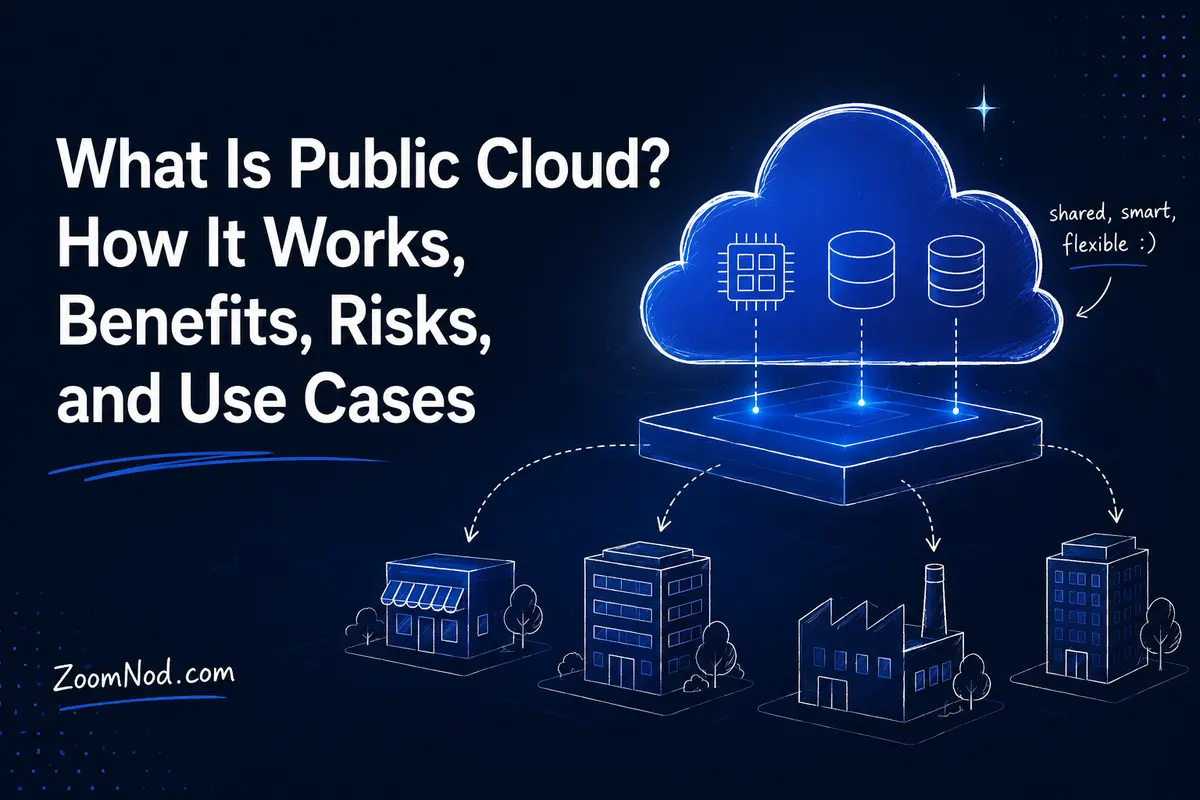
A public cloud is a cloud computing model in which a third-party provider delivers computing resources such as virtual machines, storage, databases, networking, containers, analytics, and AI services over the internet to many customers from a shared cloud platform.
In practical terms, public cloud lets a business rent technology on demand instead of buying and operating all the underlying data center hardware itself. Customers can provision resources through web consoles, APIs, command-line tools, or infrastructure-as-code workflows, scale capacity as requirements change, and pay according to the provider’s pricing model.
The infrastructure is shared across many organizations, but customer workloads, accounts, virtual networks, identities, and data are logically isolated by the cloud platform. The cloud provider operates the physical data centers, servers, storage systems, network fabric, and virtualization layer. Customers remain responsible for the parts of the technology stack they control, including identities, configurations, data protection, applications, and—in Infrastructure as a Service environments—the guest operating system.
Public cloud is now a foundation for websites, mobile apps, APIs, SaaS products, data platforms, disaster recovery, machine learning, generative AI, software development, enterprise applications, and global digital services. However, it is not automatically cheaper, simpler, or more secure than every alternative. The right choice depends on workload behavior, operational skills, compliance requirements, data transfer, performance needs, and the value of elasticity.
This guide explains how public cloud works in 2026, distinguishes IaaS, PaaS, and SaaS, and covers benefits, limitations, security responsibilities, costs, examples, migration considerations, and when public cloud is or is not the right choice.
What Is Public Cloud?
A public cloud is a cloud deployment model in which computing services are made available for use by the general public or a broad group of customers and are operated by a cloud service provider.
Public cloud platforms pool large amounts of physical infrastructure inside provider data centers and expose that capacity as on-demand services. Instead of ordering a physical server and waiting for installation, a user can often create a virtual server in minutes.
Typical public cloud resources include:
- Virtual machines
- Block and object storage
- Virtual networking
- Managed databases
- Load balancers
- Container platforms
- Serverless functions
- Content delivery networks
- Backup and disaster recovery services
- Identity and access management
- Monitoring and logging
- Data warehouses
- AI and machine-learning services
Amazon Web Services, Microsoft Azure, Google Cloud, and other large providers are common examples of public cloud platforms.
What Makes Public Cloud a Cloud?
Public cloud provides more than remote hosting. The established cloud model includes several essential characteristics.
On-Demand Self-Service
Authorized users can provision resources without waiting for manual provider intervention. A developer can create a VM, database, storage bucket, or network through a portal or API.
Broad Network Access
Cloud services are accessible over networks using standard mechanisms and can support many device and application types.
Resource Pooling
The provider pools compute, storage, and networking across large infrastructure estates. Capacity is dynamically assigned to customer workloads while logical isolation separates tenants.
Rapid Elasticity
Resources can expand or contract as demand changes. A web platform may run a small number of instances during normal traffic and add more during a product launch.
Measured Service
Cloud usage is metered. The provider tracks resource consumption for billing, governance, quotas, and optimization.
These characteristics explain why a traditional leased server is not necessarily public cloud, even when hosted in a data center. Cloud emphasizes on-demand, pooled, automated, measurable consumption.
How Does Public Cloud Work?
A public cloud starts with large physical data centers operated by a service provider. The provider installs compute servers, storage systems, high-capacity networking, power, cooling, and security controls. Software layers then convert that infrastructure into services customers can consume.
1. The Provider Builds the Physical Infrastructure
The provider operates data centers and the hardware inside them. Customers generally do not choose or administer individual physical hosts.
2. Virtualization and Software Abstraction Pool Resources
Hypervisors, container systems, software-defined networking, storage control planes, and distributed services divide physical capacity into logical resources.
3. Customers Create Accounts, Projects, and Networks
Organizations use cloud identity systems to create users, roles, projects, subscriptions, accounts, virtual networks, policies, and billing boundaries.
4. Users Provision Services
Resources can be requested through:
- Web consoles
- Command-line tools
- APIs
- Infrastructure as code
- CI/CD pipelines
- Automation platforms
5. The Platform Schedules the Resource
The provider places the workload on available infrastructure while maintaining logical isolation and applying the requested region, zone, resource class, network, and policy configuration.
6. Usage Is Metered
Compute time, storage, database capacity, requests, network transfer, IP addresses, managed services, or other dimensions are measured according to the service’s pricing rules.
Public Cloud Service Models: IaaS, PaaS, and SaaS
| Model | What You Receive | You Commonly Manage | Examples of Workloads |
|---|---|---|---|
| IaaS | Virtualized compute, storage, networking | OS, applications, data, many configurations | VMs, custom servers, lift-and-shift apps |
| PaaS | Managed application platform | Application code, data, app configuration | Web apps, APIs, managed databases |
| SaaS | Finished software application | Users, data, access, business configuration | Email, CRM, collaboration, accounting |
Infrastructure as a Service
IaaS provides virtual infrastructure such as VMs, networks, and disks. The provider manages the physical hardware and virtualization layer, while the customer commonly manages the operating system, patches, applications, and data.
IaaS is useful when you need significant control without owning physical servers.
Platform as a Service
PaaS removes more infrastructure management. The provider may manage the operating system, runtime, scaling platform, and supporting infrastructure while the customer focuses on application code and data.
Examples include managed application runtimes, managed databases, and serverless execution environments.
Software as a Service
SaaS delivers a complete application. Customers configure users, permissions, data, and business settings rather than operating servers.
One company may use all three models simultaneously: IaaS for a legacy application, PaaS for a new API, and SaaS for email.
Public Cloud Examples in 2026
Amazon Web Services
AWS provides public cloud services across compute, networking, storage, databases, containers, serverless computing, AI, analytics, security, and other categories.
Microsoft Azure
Azure provides public cloud infrastructure and managed services that integrate closely with Microsoft identity, Windows, enterprise applications, developer tooling, data platforms, and hybrid infrastructure.
Google Cloud
Google Cloud provides public cloud compute, storage, networking, containers, data analytics, databases, AI, and developer platforms. Teams comparing ecosystems can also review Google Cloud alternatives for compute, AI, and business workloads before standardizing on one provider.
Other public cloud providers focus on specific markets, regions, price points, developer communities, and workload types. Zoomnod’s best cloud server hosting providers guide compares cloud compute options for businesses and developers.
Public Cloud vs Private Cloud
| Factor | Public Cloud | Private Cloud |
|---|---|---|
| Primary users | Many customers | One organization |
| Physical infrastructure | Provider-operated shared platform | Dedicated to one organization |
| Capacity | Provider-scale | Limited to private capacity |
| Upfront hardware | Usually none for customer | May be substantial |
| Physical control | Low | High |
| Managed services | Very broad | Depends on platform |
| Elasticity | Usually excellent | Bound by installed/rented capacity |
| Operations | Shared with provider | Customer or managed provider |
Public cloud emphasizes scale, flexible consumption, global services, and reduced physical infrastructure ownership. Private cloud emphasizes dedicated organizational infrastructure and greater environmental control.
For the detailed single-organization model, read Zoomnod’s private cloud guide.
Public Cloud vs VPS Hosting
A VPS is a virtual private server sold as a relatively simple hosting product. Public cloud IaaS can also deliver virtual servers, so the categories overlap.
The surrounding platform usually creates the main practical difference.
A VPS provider may give you:
- A VM
- A fixed amount of RAM and vCPU
- SSD/NVMe storage
- Bundled bandwidth
- A monthly price
A hyperscale public cloud may give you:
- Hundreds of VM families
- Managed databases
- Object storage
- Serverless platforms
- Load balancers
- Private networking
- Global regions
- AI services
- Complex IAM
- Advanced observability
If you only need one always-on Linux server, a conventional VPS can be simpler and more predictable. If you need a platform of interconnected cloud services, public cloud can provide far more capability.
Read Zoomnod’s What Is a Virtual Private Server? guide for the VPS model.
Public Cloud vs Dedicated Server
A dedicated server gives one customer an entire physical machine. Public cloud normally abstracts physical hosts into services consumed on demand.
Public cloud is attractive for variable workloads, automation, managed services, and rapid scaling. Dedicated servers can offer predictable hardware performance and favorable economics when utilization is high and stable.
Zoomnod’s VPS vs dedicated server vs cloud comparison explores the broader infrastructure trade-offs.
Benefits of Public Cloud
1. Fast Provisioning
Infrastructure can often be created in minutes. This can accelerate development, testing, experimentation, disaster recovery, and expansion into new regions.
2. Elastic Capacity
Public cloud can add or remove resources as demand changes. This is particularly valuable for seasonal commerce, event traffic, batch processing, analytics, and new products with uncertain demand.
3. Reduced Hardware Ownership
The customer does not need to buy, rack, power, cool, and replace every server supporting a cloud workload.
4. Global Infrastructure
Large public clouds operate multiple regions and availability zones, enabling businesses to place services closer to users or meet regional requirements.
Region selection remains important. Use Zoomnod’s best server location guide to evaluate latency, users, regulation, and resilience.
5. Broad Managed-Service Portfolio
A public cloud can replace parts of self-managed infrastructure with databases, queues, storage, serverless functions, data platforms, AI services, monitoring, identity tools, and other managed services.
6. Automation
Cloud APIs allow infrastructure to be versioned and deployed through code. Teams can create repeatable environments instead of manually configuring servers.
7. Experimentation
Organizations can test a new database, AI service, GPU instance, or analytics platform without first purchasing hardware.
8. Disaster Recovery Options
Businesses can replicate data and applications across zones or regions, maintain backup storage, or create infrastructure only when recovery is required.
Limitations and Risks of Public Cloud
1. Cost Can Be Difficult to Predict
Usage-based billing is flexible, but separately billed services can make invoices difficult to predict. Compute, disks, snapshots, egress, databases, logs, load balancers, public IP addresses, support, and managed services can all contribute.
Zoomnod’s cloud pricing models guide explains on-demand, commitment, Spot, subscription, and other pricing structures.
2. Data Transfer Can Be Expensive
Moving large volumes of data out of a cloud environment or between services and regions may generate substantial charges.
3. Provider-Specific Services Can Create Lock-In
A conventional VM is relatively portable. An application deeply integrated with proprietary databases, serverless platforms, identity services, queues, APIs, and AI services may be far more difficult to migrate.
4. Complexity Can Grow Quickly
A public cloud account can contain hundreds of services and thousands of resources. Without governance, tagging, identity design, network standards, and cost controls, cloud sprawl can quickly become a problem.
5. Shared Responsibility Is Often Misunderstood
The provider secures the underlying cloud infrastructure, but customers still own important responsibilities. Cloud does not remove the need to address common public-cloud vulnerabilities across identities, configurations, applications, and data.
6. Outages Still Happen
Public cloud infrastructure is designed for reliability, but applications still require failure-aware architecture. A service running in one VM or one zone can fail even when the overall cloud platform remains available.
7. Compliance Needs Careful Architecture
Using a provider with compliance certifications does not automatically make an application compliant. Customers must configure and operate their workloads according to applicable controls.
Public Cloud Security and the Shared Responsibility Model
Public cloud security is a shared responsibility between the provider and customer.
For an IaaS VM, the provider typically manages:
- Physical data center
- Physical servers
- Physical network
- Hypervisor
The customer commonly manages:
- User accounts and identities
- Permissions
- Guest operating system
- OS updates
- Application software
- Firewall and network rules
- Data classification
- Encryption choices
- Secrets
- Backups
As the service becomes more managed, responsibility for operating systems and platform components shifts toward the provider. The customer still retains responsibility for areas such as data, identities, access, and configuration.
Public Cloud Security Best Practices
- Require multi-factor authentication.
- Use least-privilege roles.
- Avoid permanent administrator access.
- Protect API keys and secrets.
- Restrict public network exposure.
- Encrypt sensitive data.
- Centralize logs.
- Enable cloud security alerts.
- Patch IaaS operating systems.
- Back up critical data independently.
- Test recovery.
- Use infrastructure as code for repeatable configuration.
The server-level principles in Zoomnod’s VPS security guide also apply to many IaaS virtual machines.
Public Cloud Pricing in 2026
Public cloud pricing can include several models:
- Pay-as-you-go
- Per-second or per-hour compute
- Monthly bundles
- Committed-use discounts
- Reserved capacity
- Savings plans
- Spot or interruptible compute
- Per-request pricing
- Per-user subscriptions
- Storage per GB-month
- Network transfer charges
The cheapest way to run an application depends on its utilization pattern.
A development environment used eight hours a day may benefit from on-demand resources that can be deleted when idle. A production database running continuously for three years may benefit from commitments. Batch jobs that can tolerate interruption may use Spot capacity.
For small-business planning, Zoomnod’s cloud server cost guide provides practical monthly budget ranges.
Common Public Cloud Use Cases
Websites and APIs
Cloud VMs, managed application platforms, serverless services, CDNs, and load balancers can support websites and APIs from small projects to global platforms.
SaaS Applications
Startups can combine compute, managed databases, queues, object storage, identity, monitoring, and analytics without building a data center.
Development and Testing
Temporary environments can be provisioned automatically and removed after testing.
Backup and Disaster Recovery
Cloud object storage and cross-region infrastructure can support off-site backups and recovery plans.
Data Analytics
Businesses can process large datasets using elastic warehouses, distributed processing, and managed analytics platforms.
AI and Machine Learning
Public cloud provides access to GPUs, model APIs, managed training platforms, vector databases, data services, and AI development tooling without requiring every organization to own specialized hardware.
Business Applications
ERP, CRM, internal portals, remote applications, collaboration services, and line-of-business systems can run in public cloud environments.
Global Applications
Multiple regions, CDNs, global DNS, and distributed databases can help serve users across continents.
Public Cloud for Small Businesses
Public cloud can benefit small businesses by removing the need to build a server room before launching digital services.
Benefits include:
- Low initial infrastructure investment
- Remote administration
- Scalable capacity
- Access to managed databases and backups
- Professional data center infrastructure
- Ability to start small
Small businesses should still avoid unnecessary complexity. A local business website does not automatically need a multi-region Kubernetes platform. A single well-managed VPS, managed hosting plan, or SaaS product may be simpler.
Zoomnod’s cloud computing solutions for small business guide helps match cloud adoption to actual business needs.
Public Cloud Reliability and High Availability
Cloud providers operate resilient infrastructure, but application reliability still depends on design decisions.
For a production application, consider:
- Multiple availability zones
- Health checks
- Load balancing
- Database replication
- Automated backups
- Recovery testing
- Infrastructure as code
- Monitoring and alerts
- Capacity limits and quotas
Running one VM in public cloud does not automatically make the application highly available.
Zoomnod’s load balancing algorithms guide explains how traffic can be distributed across multiple healthy application servers.
How to Choose a Public Cloud Provider
1. Start With Workload Requirements
Define CPU, RAM, GPU, storage, database, network, operating-system, and availability requirements.
2. Check Region Availability
Choose locations close to users and compatible with data-location requirements.
3. Compare Total Cost
Include compute, storage, data transfer, backups, managed databases, load balancers, IP addresses, licenses, monitoring, and support.
4. Evaluate Managed Services
A provider with the right database or AI service may reduce engineering work even if raw VM pricing is higher.
5. Review Security and Identity
Assess IAM, encryption, logging, key management, network controls, and compliance options.
6. Evaluate Portability
Identify which services would be difficult to replace if you migrate later.
7. Test Before Committing
Benchmark performance, support, network latency, deployment automation, and operating effort.
How to Migrate to Public Cloud
A public-cloud migration should begin with workload analysis, not the immediate copying of every server.
- Inventory applications and dependencies.
- Measure current resource use.
- Classify data and compliance requirements.
- Choose a migration strategy.
- Design identity and networking.
- Establish cloud security guardrails.
- Set budgets and cost alerts.
- Move a low-risk pilot workload.
- Test performance, recovery, and monitoring.
- Migrate production in controlled phases.
- Optimize after real usage data is available.
Use Zoomnod’s cloud migration guide for a complete migration framework.
When Public Cloud Is a Good Choice
Public cloud is a strong choice when:
- Demand is unpredictable.
- You need rapid provisioning.
- You need multiple geographic regions.
- You want managed databases or AI services.
- You prefer OpEx-style consumption to buying hardware.
- Your team uses infrastructure automation.
- You need temporary development or analytics capacity.
- Time to market is more important than owning infrastructure.
When Public Cloud May Not Be the Best Choice
Consider alternatives when:
- The workload is stable, high-utilization, and hardware-intensive.
- Data-transfer volume is extremely high.
- You need specialized physical hardware.
- Strict control requirements favor private infrastructure.
- The application can run more economically on one VPS or dedicated server.
- Your team lacks the skills to govern a complex cloud environment.
Common Public Cloud Mistakes
Moving Servers Without Redesigning Operations
Cloud migration without automation, monitoring, identity design, or cost governance can reproduce existing problems in a more complex platform.
Leaving Resources Running
Unused VMs, disks, snapshots, IP addresses, databases, and logs can accumulate recurring costs.
Using Administrator Accounts for Daily Work
Strong IAM and least privilege should be established early.
Assuming Backups Are Automatic
Cloud durability and high availability are not the same as application-consistent backup and tested recovery.
Zoomnod’s backup and restore guide explains the principles behind recoverable server data.
Ignoring Egress
Network design can materially affect cost. Estimate outbound traffic before migrating large data workloads.
Choosing Services Because They Are New
Use managed services when they solve a business or engineering problem, not merely because they are available.
Public Cloud Checklist for 2026
- Define workload requirements.
- Select the right service model: IaaS, PaaS, or SaaS.
- Choose regions close to users.
- Design identity before production deployment.
- Enable MFA and least privilege.
- Define virtual network architecture.
- Encrypt sensitive data.
- Configure backups and test restores.
- Set cost budgets and alerts.
- Tag resources consistently.
- Enable centralized logs.
- Design for failures.
- Estimate egress.
- Document shared responsibilities.
- Use infrastructure as code where practical.
- Review portability and lock-in.
- Reassess architecture as usage grows.
Final Verdict: What Does Public Cloud Mean for Businesses in 2026?
Public cloud is a shared provider-operated cloud platform that gives organizations on-demand access to computing resources without requiring them to own the underlying physical infrastructure.
Its strongest advantages are speed, elasticity, automation, access to managed services, geographic reach, and the ability to consume infrastructure according to demand.
Its biggest challenges are cost complexity, shared security responsibility, provider-specific architecture, data-transfer charges, and the operational complexity that appears when organizations adopt too many services without governance.
For a small application, public cloud may mean one virtual machine and a database. For a global software company, it may mean hundreds of services across many regions. The model scales because customers can consume the capabilities they need.
The right question is therefore not “Is public cloud better?” It is “Which workloads benefit enough from public cloud elasticity, managed services, automation, and global infrastructure to justify its cost and complexity?”
When those advantages align with the workload, public cloud can dramatically reduce the time required to build and scale digital systems. When they do not, a VPS, dedicated server, hosted private cloud, or hybrid architecture may be a better fit.
Frequently Asked Questions About Public Cloud
What is public cloud in simple terms?
Public cloud is computing infrastructure and software services provided over the internet by a third-party provider to many customers. Users can rent compute, storage, databases, networking, and other services without owning the underlying data center hardware.
What are examples of public cloud?
Major examples include Amazon Web Services, Microsoft Azure, and Google Cloud. They provide public cloud compute, storage, networking, databases, AI, analytics, containers, and other services.
How does public cloud work?
The provider operates large data centers and pools physical compute, storage, and network infrastructure. Customers create logically isolated resources through portals, APIs, or automation and pay according to the service’s pricing model.
What is the difference between public and private cloud?
Public cloud uses a provider-operated platform serving many customers, while private cloud infrastructure is dedicated to one organization. Public cloud generally offers greater provider-scale elasticity, while private cloud provides more infrastructure control.
Is public cloud secure?
Public cloud can be highly secure, but security is shared between provider and customer. The provider secures the underlying cloud infrastructure, while customers remain responsible for areas such as identities, data, configurations, and the systems they control.
Is AWS a public cloud?
Yes. AWS is a major public cloud provider offering compute, storage, networking, databases, containers, serverless services, analytics, AI, and other cloud services.
Is Azure a public cloud?
Yes. Microsoft Azure is a public cloud platform that delivers computing resources and managed services over Microsoft’s global cloud infrastructure.
Is Google Cloud a public cloud?
Yes. Google Cloud provides public cloud infrastructure and managed services for compute, storage, networking, data, AI, containers, and application development.
Is a VPS public cloud?
A VPS can be delivered from cloud infrastructure, but VPS usually describes a virtual server product rather than the complete public-cloud model. Public cloud platforms typically provide a much broader ecosystem of on-demand services.
Is public cloud cheaper than private cloud?
It can be cheaper for variable or smaller workloads because there is no need to purchase private hardware. For large, stable, high-utilization workloads, dedicated or private infrastructure can sometimes provide better long-term economics.
What are the disadvantages of public cloud?
Common disadvantages include complex usage-based billing, network egress costs, provider lock-in, governance complexity, reduced physical infrastructure control, and continuing customer security responsibilities.
What are IaaS, PaaS, and SaaS?
IaaS provides virtual infrastructure, PaaS provides managed application platforms, and SaaS provides complete software applications. Responsibility for infrastructure management decreases as you move from IaaS to PaaS to SaaS.