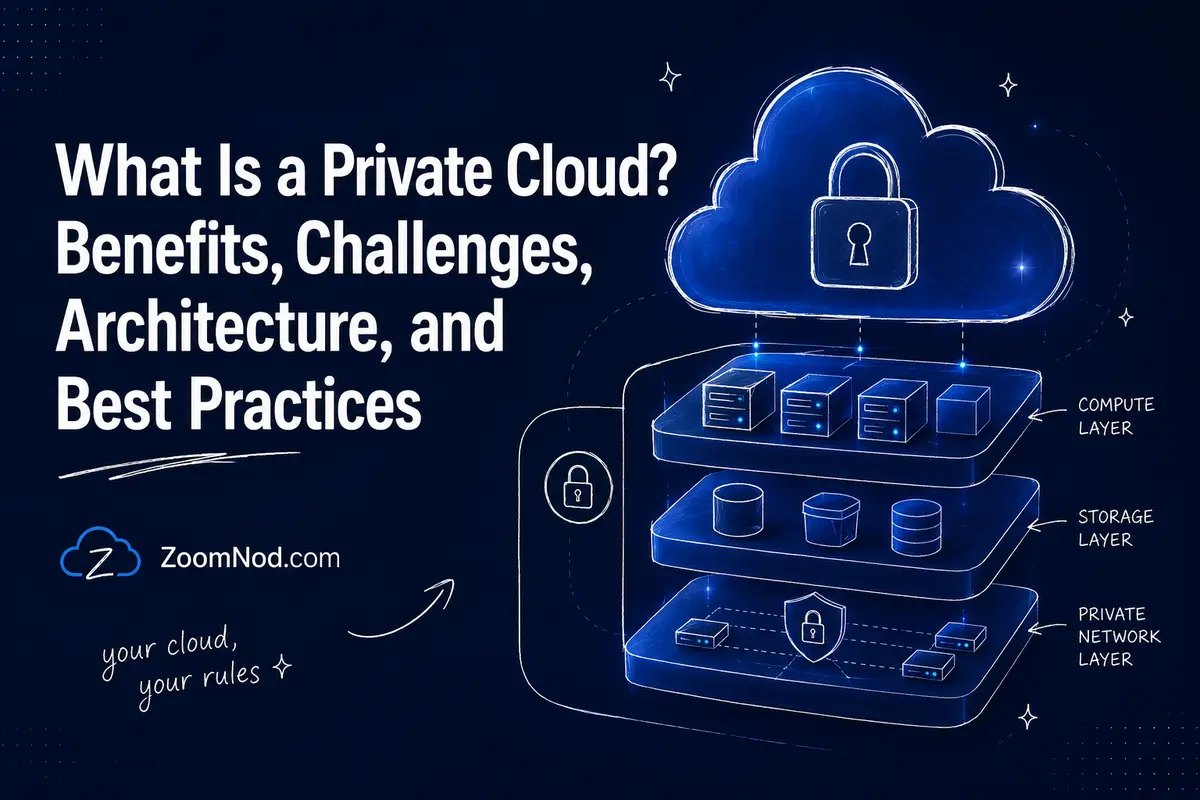
A private cloud is a cloud computing environment dedicated to a single organization. Unlike a public cloud, where infrastructure is shared across many customers, a private cloud gives one organization exclusive access to the environment and greater control over compute, storage, networking, security policies, automation, and data placement. For teams that mainly need private file sync and collaboration rather than a full infrastructure platform, compare the best Nextcloud hosting providers as a lighter alternative.
A private cloud is not simply a group of virtual machines in a company data center. A modern private cloud combines dedicated infrastructure with cloud-like capabilities such as self-service provisioning, APIs, automation, resource pooling, orchestration, rapid deployment, governance, and usage measurement. It can run on hardware owned by the organization, on dedicated infrastructure in a colocation facility, or as a hosted or managed private cloud operated by a service provider.
Private cloud is especially relevant in 2026 for organizations that need strong infrastructure control, predictable performance, data sovereignty, specialized hardware, regulatory alignment, private AI infrastructure, or consistent environments across virtual machines and containers. However, private cloud also introduces significant cost, skills, lifecycle management, and capacity-planning responsibilities.
This guide explains how private cloud works, its major deployment models, benefits and disadvantages, comparisons with public cloud, VPCs, dedicated servers, and hybrid cloud, the required architecture, and when building or renting one makes business sense.
What Is a Private Cloud?
A private cloud is a cloud environment provisioned for exclusive use by a single organization. That organization may contain multiple internal consumers—such as departments, development teams, subsidiaries, or business units—but the underlying cloud environment is dedicated to that organization rather than offered as a shared public service to unrelated customers.
The organization may own and operate the private cloud itself, outsource its management, host it in its own facility, or place it on dedicated hardware in a third-party data center.
The defining characteristics are exclusive organizational use and a cloud operating model, not simply physical location.
A Private Cloud Can Be:
- On-premises: Built in the organization’s own data center or server room.
- Colocated: Built on dedicated equipment installed in a third-party data center.
- Hosted: Dedicated infrastructure provided from a service provider’s facility.
- Managed: Operated partly or entirely by an external managed-service provider.
- Distributed: Extended across data centers, edge sites, or other dedicated locations.
For this reason, “private cloud” is not a synonym for “on-premises.” A hosted environment can still be a private cloud when the cloud resources are dedicated to one organization and provide the required cloud capabilities.
What Makes a Private Cloud a Cloud?
A traditional virtualized data center and a private cloud may use similar physical servers and hypervisors, but the operating model is different.
A true cloud environment should provide capabilities such as:
- On-demand resource provisioning
- Self-service access for authorized users
- Resource pooling
- Automation and orchestration
- APIs
- Rapid provisioning and scaling
- Centralized policy and governance
- Usage metering or chargeback/showback
- Standardized infrastructure templates
Imagine a development team that needs a new Linux environment.
In a traditional data center, the team might create a ticket, wait for an administrator to allocate a VLAN, request storage, create a VM manually, configure firewall rules, and then wait several days for approval.
In a private cloud, an authorized developer might choose an approved template from a self-service catalog and receive a compliant environment within minutes. Automation creates the compute, networking, storage, policies, metadata, and monitoring according to predefined standards.
The advantage extends beyond virtualization to the automated consumption of standardized infrastructure.
How Does a Private Cloud Work?
A private cloud pools physical infrastructure and exposes it through a software control layer. Users request resources through a portal, API, command-line interface, infrastructure-as-code system, or automation pipeline instead of managing physical servers individually.
A typical private cloud contains several layers.
Physical Infrastructure
The foundation includes physical servers, network switches, storage systems, power, cooling, racks, and connectivity. Some platforms use hyperconverged infrastructure that combines compute and storage resources across standardized nodes.
Virtualization or Workload Layer
Hypervisors create virtual machines from physical resources. Modern private clouds may also support Kubernetes clusters, containers, and sometimes bare-metal provisioning alongside VMs.
Software-Defined Networking
The network layer can provide virtual networks, routing, segmentation, load balancing, firewall policy, IP management, and tenant or project isolation without requiring administrators to configure every physical device manually.
Software-Defined Storage
Storage services can expose block, file, or object storage from shared infrastructure while applying performance, redundancy, encryption, and lifecycle policies.
Cloud Management and Orchestration
This is the layer that turns infrastructure into a consumable cloud. It provides APIs, catalogs, automation, quotas, templates, policy controls, resource scheduling, and lifecycle management.
Identity and Access Management
Identity systems determine who can provision infrastructure, administer the cloud, access projects, view resources, or modify network and security policies.
Observability and Operations
Monitoring, logging, capacity analytics, security telemetry, performance data, alerting, and configuration management help operators maintain the environment.
Private Cloud Architecture at a Glance
| Layer | Purpose | Examples of Capabilities |
|---|---|---|
| Physical infrastructure | Provide raw compute, network, and storage | Servers, switches, SSD/NVMe, GPU nodes |
| Virtualization | Abstract physical compute | Virtual machines, hypervisors |
| Containers | Run cloud-native applications | Kubernetes, container runtimes |
| Software-defined networking | Automate connectivity and isolation | Virtual networks, routing, firewalling |
| Software-defined storage | Pool and automate data storage | Block, object, file storage |
| Cloud management | Provide cloud consumption model | Portal, API, catalog, orchestration |
| IAM and governance | Control access and policy | Roles, projects, quotas, approvals |
| Observability | Operate and optimize the platform | Logs, metrics, alerts, capacity data |
Types of Private Cloud
1. On-Premises Private Cloud
An on-premises private cloud runs inside facilities controlled by the organization. The business may own the servers, storage, networking, racks, and supporting data center infrastructure.
This model offers the greatest physical control and creates the greatest operational responsibility. The organization must plan hardware capacity, procurement, lifecycle replacement, power, cooling, redundancy, security, upgrades, and staffing.
Best for: organizations with existing data centers, strong infrastructure teams, specialized hardware, strict physical-control requirements, or predictable large-scale workloads.
2. Hosted Private Cloud
A hosted private cloud runs on dedicated infrastructure located in a service provider’s data center. The customer receives private cloud resources without operating its own facility.
This reduces responsibility for power, cooling, physical security, hardware installation, connectivity, and facility operations while retaining dedicated infrastructure.
Best for: organizations that want private cloud control without maintaining their own data center.
3. Managed Private Cloud
A managed private cloud adds operational services. A provider may handle platform deployment, monitoring, upgrades, patching, capacity planning, incident response, infrastructure replacement, or other operations.
This model suits organizations that need private cloud but lack enough specialist staff to operate OpenStack, VMware, Kubernetes, storage, networking, and automation platforms internally.
Best for: companies that require dedicated cloud infrastructure but want to outsource part of the operational burden.
4. Virtual Private Cloud
A Virtual Private Cloud, or VPC, is not the same as a private cloud.
A VPC is typically an isolated, software-defined network environment inside a public cloud. It can provide private address ranges, subnets, routing, firewall controls, and logical isolation, while the underlying public cloud infrastructure may still be shared across customers.
A private cloud is dedicated to one organization at the cloud-environment level. A VPC provides logical isolation within a public-cloud platform.
Private Cloud vs Public Cloud
| Feature | Private Cloud | Public Cloud |
|---|---|---|
| Primary tenancy | Single organization | Shared provider platform |
| Infrastructure control | High | Lower at physical layer |
| Upfront cost | Can be high | Usually lower |
| Elastic capacity | Limited by private capacity | Very large provider pools |
| Customization | High | Limited to provider options |
| Hardware ownership | Optional | Provider-owned |
| Operations | Customer or managed provider | Shared with public cloud provider |
| Cost model | CapEx, subscription, hosted, or mixed | Primarily consumption/subscription |
Private cloud prioritizes control and dedicated infrastructure. Public cloud prioritizes provider-scale elasticity, global services, rapid capacity access, and reduced physical-infrastructure ownership.
Neither model is universally better. A startup launching a new API may benefit from public cloud because it avoids hardware investment. A financial institution running steady, regulated workloads may value private cloud control and predictable resource ownership.
Private Cloud vs Dedicated Server
A dedicated server is a physical server allocated to one customer. A private cloud is an entire cloud operating model that may use many dedicated servers.
A single dedicated server typically provides:
- CPU
- RAM
- Storage
- Network interfaces
- Operating system or hypervisor
A private cloud adds:
- Resource pooling across multiple hosts
- Automated provisioning
- APIs
- Self-service
- Virtual networks
- Storage services
- Templates and images
- Quotas
- Governance
- Orchestration
- High-availability mechanisms
If you only need one or a few predictable servers, building a full private cloud can be unnecessary. Read Zoomnod’s guide to dedicated server hosting before assuming that every single-tenant workload needs a cloud platform.
Private Cloud vs VPS
A VPS is a virtual server delivered from a provider’s infrastructure. You typically rent a specific allocation of virtual CPU, RAM, storage, and network transfer.
A private cloud provides a much broader platform. It can provide hundreds or thousands of VMs, projects, networks, storage volumes, images, policies, and automation workflows to many internal teams.
Choose a VPS when: you need a server.
Choose a private cloud when: you need an internal cloud platform.
For smaller workloads, VPS is dramatically simpler. Zoomnod’s cheapest VPS provider comparison shows how inexpensive standalone virtual infrastructure can be compared with operating an entire private-cloud stack.
Private Cloud vs Hybrid Cloud
A hybrid cloud combines two or more connected computing environments, often a private cloud plus public cloud services.
An organization might use:
- Private cloud for regulated databases.
- Public cloud for burst computing.
- SaaS for collaboration.
- Public object storage for selected data.
- Private GPU infrastructure for sensitive AI models.
The main advantage is workload placement: each application runs where its security, performance, cost, and operational requirements fit best.
The disadvantage is complexity. Identity, networking, monitoring, security, backup, data movement, and governance must work across environments.
Benefits of Private Cloud
1. Greater Infrastructure Control
Private cloud lets organizations make deeper decisions about hypervisors, hardware, networking, storage, encryption, workload placement, lifecycle policies, and security architecture.
This control matters when public-cloud defaults or available instance types do not match operational requirements.
2. Single-Organization Resource Isolation
The cloud environment is dedicated to one organization. Depending on design, this can provide stronger control over infrastructure isolation and reduce dependence on multi-tenant physical resource sharing.
Private infrastructure is not automatically secure. Misconfigured identity, exposed management interfaces, weak segmentation, outdated software, or poor backups can make a private cloud highly vulnerable.
3. Compliance and Data Governance
Private cloud can help organizations meet requirements involving data location, hardware control, auditability, access, encryption, or separation.
Compliance still depends on the complete control environment, not simply the choice of private cloud. Policies, documentation, logging, identity, operational processes, and technical safeguards must all meet the relevant standard.
4. Predictable Performance
Because infrastructure is dedicated to one organization, capacity planning can be tailored to the exact applications. Organizations can deploy specialized storage, high-frequency CPUs, GPUs, network adapters, or large-memory systems.
5. Customization
Teams can customize:
- VM templates
- Network architecture
- Storage tiers
- Hardware generations
- GPU configurations
- Security tooling
- Backup systems
- Observability
- Automation workflows
- Chargeback models
6. Potentially Favorable Economics at High Utilization
Public cloud is excellent for variable demand, but a large organization running predictable infrastructure continuously may find private infrastructure economically attractive over several years.
The comparison must include hardware, facilities, staff, software licenses, support, networking, power, replacement cycles, and spare capacity, not only server purchase prices.
7. Data Sovereignty
A private cloud can be placed in specific countries, facilities, or organizational locations when data-location requirements matter.
Zoomnod’s guide to choosing the best server location explains why geography influences compliance, network latency, disaster recovery, and user experience.
8. Support for Private AI
AI infrastructure has become an increasingly important private-cloud use case. Organizations may want to run models close to sensitive business data, use dedicated GPU capacity, maintain control over training datasets, and standardize AI infrastructure for internal teams.
Private AI is not automatically more economical than public AI services. GPU utilization must be high enough to justify dedicated hardware, and specialized systems require strong capacity planning and operations.
Challenges and Disadvantages of Private Cloud
1. High Initial Cost
An on-premises private cloud can require substantial investment in servers, storage, networking, software, racks, power, cooling, redundancy, and professional services.
A hosted private cloud converts part of this into recurring service cost but does not eliminate the premium associated with dedicated infrastructure.
2. Operational Complexity
Private clouds combine several difficult infrastructure disciplines:
- Linux or hypervisor administration
- Networking
- Storage
- Identity
- Automation
- Monitoring
- Security
- Backup and disaster recovery
- Kubernetes
- Capacity planning
Organizations need sufficient specialist skills to keep the platform secure and available.
3. Capacity Is Not Infinite
A public cloud provider can expose massive capacity pools. A private cloud can only provision resources that physically exist.
If 90% of the private cloud is already allocated and a team suddenly needs 200 additional VMs, the organization may need to purchase and install hardware before capacity is available.
4. Hardware Refresh Cycles
Servers, storage devices, and network hardware age. Private-cloud operators must plan replacement cycles, firmware, warranty coverage, compatibility, and migrations from old generations.
5. Software Upgrade Complexity
Cloud platforms contain many interdependent services. Upgrading hypervisors, orchestration platforms, networking components, storage systems, Kubernetes, drivers, and monitoring software requires testing and lifecycle planning.
6. Risk of Building an Expensive Virtualization Silo
A common failure is to buy virtualization software, call it a private cloud, and retain manual ticket-based operations.
If users cannot obtain standardized resources through automation or self-service, the organization receives much of the cost of private cloud without much of the agility.
Private Cloud Security: Is Private Cloud More Secure?
Private cloud is not inherently more secure than public cloud. It gives the organization greater control over the security architecture, but that also means greater responsibility.
A well-operated public cloud can be more secure than a poorly maintained private cloud. The relevant question is whether the organization can properly design, monitor, patch, and govern the environment. Start by reviewing the main cloud vulnerabilities and mitigation controls, then map each risk to the private cloud components your team operates.
Private Cloud Security Controls Should Include:
- Multi-factor authentication
- Role-based access control
- Separate privileged accounts
- Network segmentation
- Secure management networks
- Encryption in transit and at rest
- Centralized logs
- Vulnerability management
- Patch management
- Secrets management
- Configuration baselines
- Backup and recovery
- Incident response
- Physical security
- Administrative audit trails
Zoomnod’s VPS security guide provides useful server-hardening principles, although a private cloud requires additional controls at the orchestration, network, storage, identity, and platform layers.
Private Cloud Platforms in 2026
Organizations can build private cloud with commercial, open-source, or integrated infrastructure platforms. The correct platform depends on existing skills, workload types, automation requirements, licensing strategy, hardware, and desired operating model.
OpenStack
OpenStack is an open-source cloud infrastructure platform that provides Infrastructure as a Service through a collection of services for compute, networking, storage, identity, images, orchestration, and related functions.
The 2026.1 OpenStack release is named Gazpacho. OpenStack can manage large pools of virtual machines, networking, storage, bare metal, and supporting cloud infrastructure through APIs and dashboards.
OpenStack is powerful and flexible, but production operations require significant Linux, networking, storage, automation, and platform expertise. Organizations can operate it themselves or use a hosted or managed OpenStack provider.
VMware Cloud Foundation
VMware Cloud Foundation combines private-cloud infrastructure capabilities around compute, networking, storage, automation, operations, security, virtual machines, and modern application workloads.
It is especially relevant to organizations with substantial VMware environments that want to evolve traditional virtualization toward a more automated private-cloud operating model.
Red Hat OpenStack Services on OpenShift
Red Hat’s current OpenStack approach combines enterprise OpenStack cloud infrastructure with OpenShift-based platform operations. It targets organizations building scalable private cloud while integrating virtual-machine infrastructure and container-oriented operations.
Nutanix Private Cloud
Nutanix provides integrated cloud infrastructure that combines compute, storage, virtualization, automation, and management. It can be attractive to organizations seeking a hyperconverged private-cloud architecture with a unified operational model.
The best platform is not necessarily the one with the longest feature list. Evaluate operational skills, upgrade model, licensing, automation, workload compatibility, APIs, ecosystem, support, and exit strategy.
Private Cloud Use Cases
Regulated Workloads
Financial services, healthcare, government, defense, and other regulated sectors may use private cloud where dedicated infrastructure and detailed environmental control support compliance requirements.
Predictable High-Utilization Enterprise Applications
Applications that consume large amounts of compute continuously can make better use of dedicated private capacity than highly variable workloads.
Private AI and GPU Infrastructure
Enterprises can pool GPU servers and make accelerated compute available through self-service workflows while keeping datasets and model workloads inside a controlled environment.
Internal Developer Cloud
Development teams can request standardized VMs, Kubernetes clusters, storage, or test environments without submitting manual infrastructure tickets.
Edge Computing
Organizations with factories, telecom infrastructure, retail locations, or remote operational sites may deploy compact private-cloud infrastructure near workloads that cannot depend on distant public regions.
Data-Intensive Applications
Large internal data platforms can benefit from high-speed local networking and dedicated storage when constantly moving data in and out of a public cloud would be expensive.
Legacy Application Modernization
A private cloud can provide a modern automation and management layer for legacy virtual machines while teams gradually modernize selected applications.
How Much Does a Private Cloud Cost?
Private-cloud cost depends heavily on scale and deployment model.
On-Premises Cost Components
- Compute servers
- Storage hardware
- Network switches
- Firewalls and load balancers
- Racks and cabling
- Power and cooling
- Data center space
- Cloud platform software
- Hypervisor licenses
- Backup software
- Monitoring and security
- Staff
- Support contracts
- Replacement hardware
Hosted Private Cloud Cost Components
- Dedicated compute capacity
- Storage
- Bandwidth
- Platform licensing
- Management services
- Backup
- Security services
- Support
The correct financial metric is total cloud cost of ownership over several years, not the price of one server.
For infrastructure comparison, Zoomnod’s dedicated server price guide provides a useful reference point for the underlying single-tenant hardware model.
Private Cloud Capacity Planning
Capacity planning is a major difference between private and public cloud operations.
A private cloud must have enough spare capacity to handle:
- Normal growth
- Server maintenance
- Hardware failures
- Traffic peaks
- New projects
- Disaster recovery
- Platform upgrades
If every physical host runs at 95% utilization, one host failure may overload the remaining cluster.
Monitor:
- Allocated and actual CPU
- Memory consumption
- Storage capacity
- IOPS and throughput
- Network bandwidth
- GPU utilization
- VM growth
- Container demand
- Power and rack capacity
Zoomnod’s guide to the best server management tools can help when evaluating monitoring and administration software for the servers supporting a private environment.
Private Cloud Backup and Disaster Recovery
Private cloud does not eliminate backup requirements. High availability protects against some infrastructure failures, while backup protects against data loss and corruption.
A Complete Recovery Plan Should Consider:
- VM backups
- Database-aware backups
- Object and file storage protection
- Configuration backups
- Cloud-control-plane recovery
- Off-site copies
- Immutable backup storage
- Encryption-key recovery
- Recovery time objectives
- Recovery point objectives
- Disaster recovery location
Use Zoomnod’s guide to backing up and restoring VPS data for foundational recovery practices, then extend those controls to the private-cloud management plane and shared infrastructure.
How to Build a Private Cloud: 8-Step Framework
Step 1: Define Why You Need Private Cloud
Write measurable requirements. Examples include data-location control, lower cost for a large steady workload, private GPU infrastructure, developer self-service, replacement of an aging virtualization platform, or regulatory requirements.
If the only requirement is “we need VMs,” a private cloud may be unnecessary.
Step 2: Inventory Workloads
Collect CPU, memory, storage, network, operating-system, application, database, GPU, and growth data.
Step 3: Define the Service Catalog
Decide what users should be able to request:
- Small, medium, and large VMs
- GPU instances
- Kubernetes clusters
- Block storage
- Object storage
- Virtual networks
- Load balancers
- Database services
Step 4: Choose the Platform
Compare OpenStack, VMware Cloud Foundation, Nutanix, Red Hat platforms, and other options according to existing infrastructure and skills.
Step 5: Design for Failure
Plan redundant management nodes, compute capacity, networking, storage, power, and backups. Assume hardware will eventually fail.
Step 6: Automate Provisioning
Use templates and infrastructure as code. A private cloud should reduce manual infrastructure tickets, not reproduce them behind a new dashboard.
Step 7: Establish Governance
Define identity, project structure, quotas, naming, tags, security standards, approved images, patching, logging, backup, cost allocation, and lifecycle rules.
Step 8: Start With a Pilot
Deploy a representative workload, test performance and failure behavior, validate self-service, measure operations effort, and refine the design before migrating critical systems.
Private Cloud Best Practices for 2026
- Automate from the beginning. Manual provisioning undermines the purpose of cloud infrastructure.
- Provide self-service with guardrails. Users should move quickly without bypassing security policies.
- Standardize infrastructure templates. Reduce configuration drift.
- Maintain spare capacity. Plan for failures and growth.
- Separate management networks. Protect control-plane interfaces from normal workload traffic.
- Use least privilege. Cloud administrators have powerful access.
- Patch the entire stack. Hypervisors, storage, networking, cloud controllers, guest systems, and container platforms all need lifecycle management.
- Measure usage. Use showback or chargeback to discourage waste.
- Back up the control plane. Workload backups alone are not enough.
- Test disaster recovery. Documentation is not proof that recovery works.
- Design an exit strategy. Know how workloads and data can move to another platform.
- Benchmark before overcommitting resources. CPU and memory overcommit can improve utilization but also create contention.
When Should You Use a Private Cloud?
Private cloud is a strong candidate when several of these conditions are true:
- Your organization runs a large number of workloads.
- Infrastructure utilization is consistently high.
- You need dedicated organizational infrastructure.
- Data location and infrastructure governance are important.
- You need specialized hardware or GPUs.
- You have strong infrastructure engineering skills or a managed provider.
- Self-service infrastructure would materially improve developer productivity.
- You need to integrate deeply with on-premises systems.
- Predictable multi-year capacity makes dedicated infrastructure financially attractive.
When Should You Avoid a Private Cloud?
A private cloud is generally a poor choice when:
- You only need a few servers.
- Your workloads change dramatically every month.
- You lack infrastructure operations expertise.
- You need immediate access to hundreds of managed public-cloud services.
- You operate globally but cannot build or host infrastructure near users.
- You do not have enough steady utilization to justify dedicated capacity.
- You are building the cloud only because “everyone is moving to cloud.”
For organizations that need dedicated infrastructure without an entire cloud platform, Zoomnod’s guide on how to choose a dedicated server may lead to a simpler architecture.
Common Private Cloud Mistakes
Calling Virtualization a Private Cloud
Virtualization alone does not create self-service, automated infrastructure consumption.
Underestimating Operations
Cloud platforms are complex distributed systems. Budget for upgrades, monitoring, incident response, security, capacity, and specialist skills.
Buying Too Much Hardware
Private cloud economics depend on utilization. Idle servers still cost money, consume power, and age.
Buying Too Little Hardware
Operating with no spare capacity creates problems during hardware failure, maintenance, upgrades, and demand spikes.
Ignoring Developer Experience
If provisioning still takes a week, application teams will look for faster alternatives. Self-service and APIs are core to the value proposition.
Assuming Private Means Secure
Private infrastructure can still be compromised through weak identity controls, exposed management systems, unpatched software, poor segmentation, or stolen credentials.
Ignoring Cost Allocation
Internal infrastructure feels “free” when teams never see the resource cost. Showback or chargeback encourages responsible consumption.
Private Cloud Decision Checklist
- Do we have enough workloads to justify a cloud platform?
- Are workloads stable enough for private capacity planning?
- Do we require physical or strong infrastructure-level control?
- Do regulations or contracts influence deployment location?
- Do we need self-service infrastructure for internal teams?
- Can we operate the platform securely?
- Do we have skills in compute, storage, networking, automation, and security?
- Should the cloud be self-managed, hosted, or fully managed?
- What happens when hardware fails?
- How much spare capacity is required?
- What is the three- to five-year total cost of ownership?
- How will workloads be backed up?
- How will disaster recovery work?
- How will costs be allocated to teams?
- How will we exit or migrate to another platform?
Final Verdict: Is Private Cloud Worth It in 2026?
Private cloud is worth considering when an organization needs cloud automation and self-service together with dedicated infrastructure, deeper control, predictable high utilization, data-location requirements, or specialized hardware.
It is not the best answer simply because an organization wants more control than public cloud. A few dedicated servers or VPS instances may provide the necessary control with far less operational complexity.
The strongest private clouds behave like real cloud platforms: infrastructure is pooled, provisioning is automated, users access approved services through APIs or self-service, policies are enforced consistently, capacity is measured, and operations are designed for hardware failure.
Weak private clouds become expensive virtualization clusters with manual ticket queues and little automation.
Before investing, compare four questions:
- What business requirement cannot be met efficiently with public cloud, SaaS, VPS, or dedicated hosting?
- Do we have enough sustained workload demand to justify dedicated infrastructure?
- Can we operate the platform securely and keep it upgraded?
- Will self-service and automation create measurable value for application teams?
If the answers are strong, private cloud can provide a powerful foundation for virtual machines, containers, regulated applications, internal developer platforms, data-intensive systems, and private AI. If the answers are weak, a simpler hosting model will usually provide better economics and lower operational risk.
Frequently Asked Questions About Private Cloud
What is a private cloud in simple terms?
A private cloud is a cloud computing environment dedicated to one organization. It combines single-organization infrastructure with cloud capabilities such as self-service provisioning, automation, APIs, resource pooling, and centralized management.
Is private cloud the same as on-premises?
No. A private cloud can run on-premises, in a colocation facility, or on dedicated infrastructure hosted and managed by a third party. Private describes who the cloud is dedicated to, not necessarily where it is located.
Is a VPC a private cloud?
No. A VPC is typically a logically isolated network environment inside a public cloud. A private cloud is a cloud environment dedicated to a single organization at the infrastructure or platform level.
Is a dedicated server a private cloud?
Not by itself. A dedicated server is a single-tenant physical machine. A private cloud normally pools multiple infrastructure resources and adds self-service, APIs, automation, orchestration, networking, storage services, and governance.
What are the main benefits of private cloud?
Main benefits can include greater infrastructure control, dedicated resources, customization, data-location control, support for specialized hardware, predictable performance, and potential cost advantages for large steady workloads.
What are the disadvantages of private cloud?
Common disadvantages include high upfront or recurring dedicated-infrastructure cost, operational complexity, limited capacity compared with public cloud, specialist skill requirements, hardware refresh cycles, and complicated platform upgrades.
Is private cloud more secure than public cloud?
Not automatically. Private cloud provides greater control over security architecture, but the organization must operate that environment correctly. A poorly patched or misconfigured private cloud can be less secure than a well-managed public-cloud environment.
What software is used to build a private cloud?
Private-cloud platforms include OpenStack, VMware Cloud Foundation, Red Hat OpenStack-based solutions, Nutanix platforms, and other commercial or open-source cloud infrastructure systems.
What is OpenStack private cloud?
OpenStack is an open-source Infrastructure-as-a-Service platform that can manage compute, networking, storage, identity, images, and other cloud functions through APIs and dashboards. Organizations can use it to build on-premises, hosted, or managed private clouds.
Who should use a private cloud?
Private cloud is most appropriate for organizations with significant infrastructure scale, predictable utilization, dedicated-infrastructure requirements, specialized hardware, strict data-location needs, or internal teams that benefit from self-service infrastructure.
Can a small business use private cloud?
Yes, but it is often unnecessary for a small business with only a few workloads. A VPS, dedicated server, managed hosting platform, or public cloud usually provides lower operational complexity unless the business has specific regulatory, performance, or dedicated-infrastructure requirements.
What is managed private cloud?
A managed private cloud is a private cloud whose infrastructure or platform operations are handled partly or fully by a third-party provider. Management can include deployment, monitoring, upgrades, security, capacity planning, and incident response.
What is private cloud used for?
Common use cases include regulated workloads, high-utilization enterprise applications, private AI and GPU infrastructure, developer self-service, edge computing, data-intensive systems, legacy application hosting, and hybrid-cloud architectures.