Kubernetes can run on VPS infrastructure, but a production cluster should use several VPS nodes rather than one server. A practical small production starting point is three control-plane VPS nodes with 2–4 vCPUs and 4–8 GB RAM each, at least three worker VPS nodes with 4–8 vCPUs and 8–16 GB RAM each, private networking, fast SSD or NVMe storage, a supported Container Runtime Interface implementation such as containerd, a compatible Container Network Interface plugin, load-balanced API access, persistent storage, monitoring, backups, and a documented upgrade and disaster-recovery process.
A single VPS can run a learning cluster, local-style development environment, or low-risk edge deployment, but it does not provide node-level high availability. If that VPS fails, the control plane and every workload on it fail together. Kubernetes adds orchestration, policy, scheduling, health checks, and automation; it cannot create physical redundancy where none exists.
In July 2026, the current Kubernetes documentation targets Kubernetes 1.36. Kubernetes 1.36 requires a container runtime that conforms to the Container Runtime Interface. Docker Engine is not used directly as the Kubernetes runtime through the old dockershim integration, which was removed in Kubernetes 1.24.
If your cluster will support a search workload, review the Elasticsearch VPS hosting guide when planning memory, storage, snapshots and recovery. Those workload requirements still matter when Kubernetes manages the containers.
Kubernetes VPS Requirements at a Glance
| Cluster purpose | Suggested infrastructure | Main limitation or requirement |
|---|---|---|
| Learning cluster | 1 VPS, 2–4 vCPUs, 4–8 GB RAM | No node redundancy; disposable workloads only |
| Small development cluster | 3 VPS nodes, 4 vCPUs, 8 GB RAM each | Limited failure capacity and shared control-plane workload |
| Small production cluster | 3 control-plane and 3 worker VPS nodes | Load balancer, storage, backups, monitoring, upgrades |
| Growing production platform | 3 control-plane and 4–10+ worker nodes | Node pools, autoscaling, policy, observability, DR |
| Stateful or high-I/O platform | Dedicated-vCPU VPS or dedicated servers | Predictable storage, replication, backup, failure testing |
Treat these figures as planning ranges. Workload requests, limits, Pod count, image size, network traffic, storage latency, DaemonSets, monitoring, logging, and failure headroom determine actual requirements.
What Kubernetes Provides
- Declarative application deployment.
- Pod scheduling across nodes.
- Replica management.
- Service discovery.
- Rolling updates and rollback.
- Liveness, readiness, and startup probes.
- Configuration and Secret objects.
- Persistent-volume integration.
- Resource requests and limits.
- Role-based access control.
- Horizontal Pod Autoscaling.
- Extensible networking, storage, and policy.
When Kubernetes on VPS Is a Good Fit
Kubernetes on VPS nodes can be appropriate when a team needs multi-service orchestration, several independent applications, workload rescheduling, shared platform standards, policy enforcement, multiple environments, and portable infrastructure without using a fully managed Kubernetes service.
It suits teams whose engineers already understand Linux, containers, networking, TLS, storage, DNS, observability, backups, and incident response.
When Kubernetes Is Too Complex
Kubernetes may be excessive for one website, one API, a small Compose stack, or a team without platform-engineering capacity. Docker Compose on one VPS is simpler when node-level failover and multi-team policy are not required.
Avoid adopting Kubernetes only to run two or three containers. The control plane, networking, storage, upgrades, certificates, policy, observability, and recovery all require ongoing work.
Managed Kubernetes vs Self-Managed VPS Cluster
| Managed Kubernetes | Self-managed VPS Kubernetes |
|---|---|
| Provider operates control-plane components | Your team operates control plane and etcd |
| Integrated upgrades and API availability | You control timing and configuration |
| Higher platform pricing | Potentially lower infrastructure cost |
| Provider-specific integrations | Greater infrastructure portability |
| Reduced control-plane operations | Full responsibility for security and recovery |
Self-managed Kubernetes is cost effective only when the team values control and can operate the platform reliably.
Can Kubernetes Run on One VPS?
Yes, for learning, CI experiments, development, demonstrations, and low-risk workloads. Tools such as kubeadm-based single-node clusters or lightweight Kubernetes distributions can run control-plane and worker roles together.
One-node Kubernetes does not protect against:
- VPS failure.
- Kernel panic.
- Host maintenance.
- Disk failure.
- Network loss.
- Control-plane corruption.
- Operator error affecting the node.
Nested Virtualization for Kubernetes Labs
Nested virtualization can create several virtual nodes inside one larger VPS for training or testing, but all nested nodes still share one outer host and failure domain.
Review VPS with Nested Virtualization when building a laboratory environment, not a resilient production cluster.
Production Cluster Architecture
A resilient self-managed cluster generally includes:
- An odd number of control-plane and etcd members.
- A stable API endpoint through a load balancer.
- Several worker nodes.
- Private node networking.
- A compatible CNI plugin.
- A CSI storage driver or external storage system.
- External DNS and ingress.
- Centralized monitoring and logging.
- etcd and application-data backups.
- Documented upgrades and recovery.
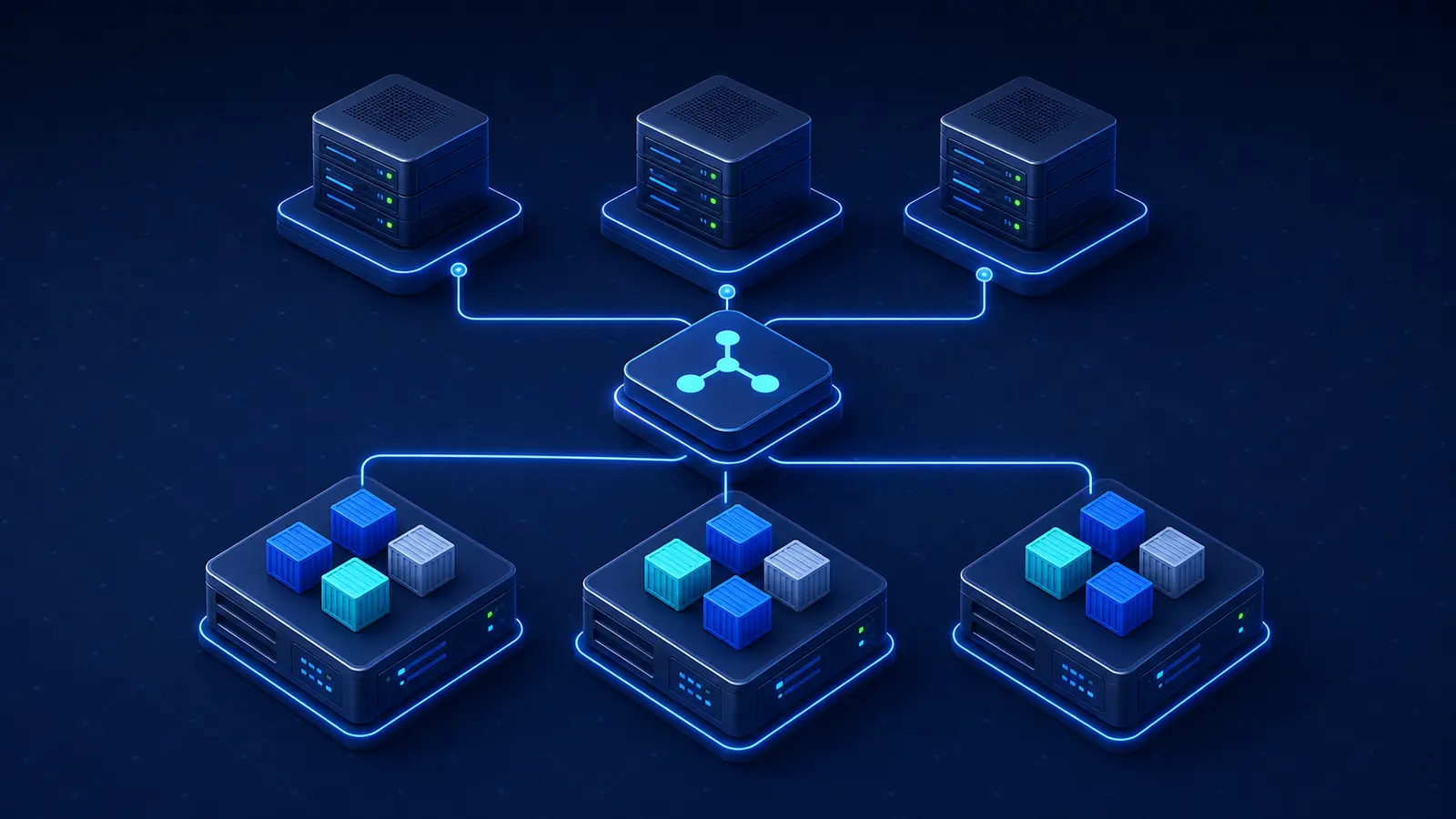
Why Three Control-Plane Nodes?
Three control-plane nodes allow an etcd quorum to continue after one member fails. Two-member etcd clusters do not provide the same failure tolerance because losing either member removes quorum.
Place control-plane members on separate physical hosts or failure domains when the provider supports that placement. Three VPS instances on one physical server are not true host-level redundancy.
etcd Requirements
etcd stores Kubernetes cluster state and requires low-latency, reliable storage and stable networking. Control-plane responsiveness can degrade when etcd storage is slow or the network is unstable.
Monitor:
- Leader changes.
- Disk latency.
- Database size.
- Request duration.
- Peer communication.
- Snapshot success.
- Member health.
- Certificate expiration.
Control-Plane Sizing
For a small cluster, start with 2–4 vCPUs and 4–8 GB RAM per control-plane node. Larger clusters, many custom controllers, large object counts, heavy admission processing, or extensive monitoring require more capacity.
Keep ordinary application workloads off dedicated control-plane nodes unless the cluster is intentionally small and the availability trade-off is understood.
Worker-Node Sizing
Size worker nodes from Pod requests, system reservations, DaemonSets, eviction thresholds, and failure headroom.
Allocatable worker capacity =
Node CPU and memory
- operating-system reservation
- kubelet and runtime reservation
- DaemonSets
- eviction headroom
Leave capacity above scheduled workload requests instead of matching the full VPS specification.
CPU Requirements
Kubernetes control-plane components, container runtimes, networking, storage drivers, monitoring agents, log collectors, and workloads all consume CPU. Dedicated vCPU is preferable for control-plane nodes and latency-sensitive production workers.
Compare processor options with Choosing the Best Server CPU.
RAM Requirements
Memory must cover Pods, kubelet, the container runtime, networking, storage plugins, DaemonSets, kernel cache, monitoring, and eviction headroom.
A node can become unstable when actual workload memory substantially exceeds requests or when limits are absent. Monitor node available memory, working sets, OOM kills, evictions, and memory pressure.
NVMe and Storage Latency
NVMe storage improves image extraction, container writable layers, etcd, local persistent volumes, log buffering, and database workloads. For etcd and stateful workloads, consistent latency matters more than headline sequential throughput.
Choose the Operating System
Use a supported Linux distribution with a current kernel, container-runtime packages, networking requirements, and security updates. Keep node configuration consistent through automation.
Review Best Server OS in 2026 before standardizing the cluster node image.
Container Runtime
Every node requires a runtime that implements the Kubernetes Container Runtime Interface. containerd and CRI-O are common choices. Configure the runtime and kubelet to use compatible cgroup drivers.
Installing Docker Engine does not make it available to Kubernetes through dockershim. That integration was removed from upstream Kubernetes.
kubeadm
kubeadm creates a minimum viable, conformant Kubernetes cluster and supports bootstrap, node joins, certificate operations, and upgrades. It does not install a CNI plugin, provide cloud load balancers, design storage, or operate monitoring and backups for you.
Use How to Set Up a VPS Server from Scratch for the host baseline before cluster bootstrap.
Kubernetes Version Planning
Run a supported Kubernetes minor release and apply patch releases promptly. Plan minor upgrades regularly because Kubernetes support moves quickly and skipping minor versions during kubeadm upgrades is unsupported.
Keep kubeadm, kubelet, kubectl, the control plane, CNI, CSI, ingress, metrics, and policy components within their supported compatibility ranges.
Private Networking
Use private node interfaces for control-plane, etcd, kubelet, storage, and inter-node traffic where possible. Expose only the API endpoint, ingress, and approved services publicly.
Provider firewalls and host firewalls should restrict management and cluster ports to known nodes and administrator networks.
Cluster Networking and CNI
Kubernetes assigns network identities to Pods and expects network communication between Pods, Services, nodes, and external clients. A CNI plugin implements Pod networking and may also provide NetworkPolicy enforcement, encryption, observability, and routing features.
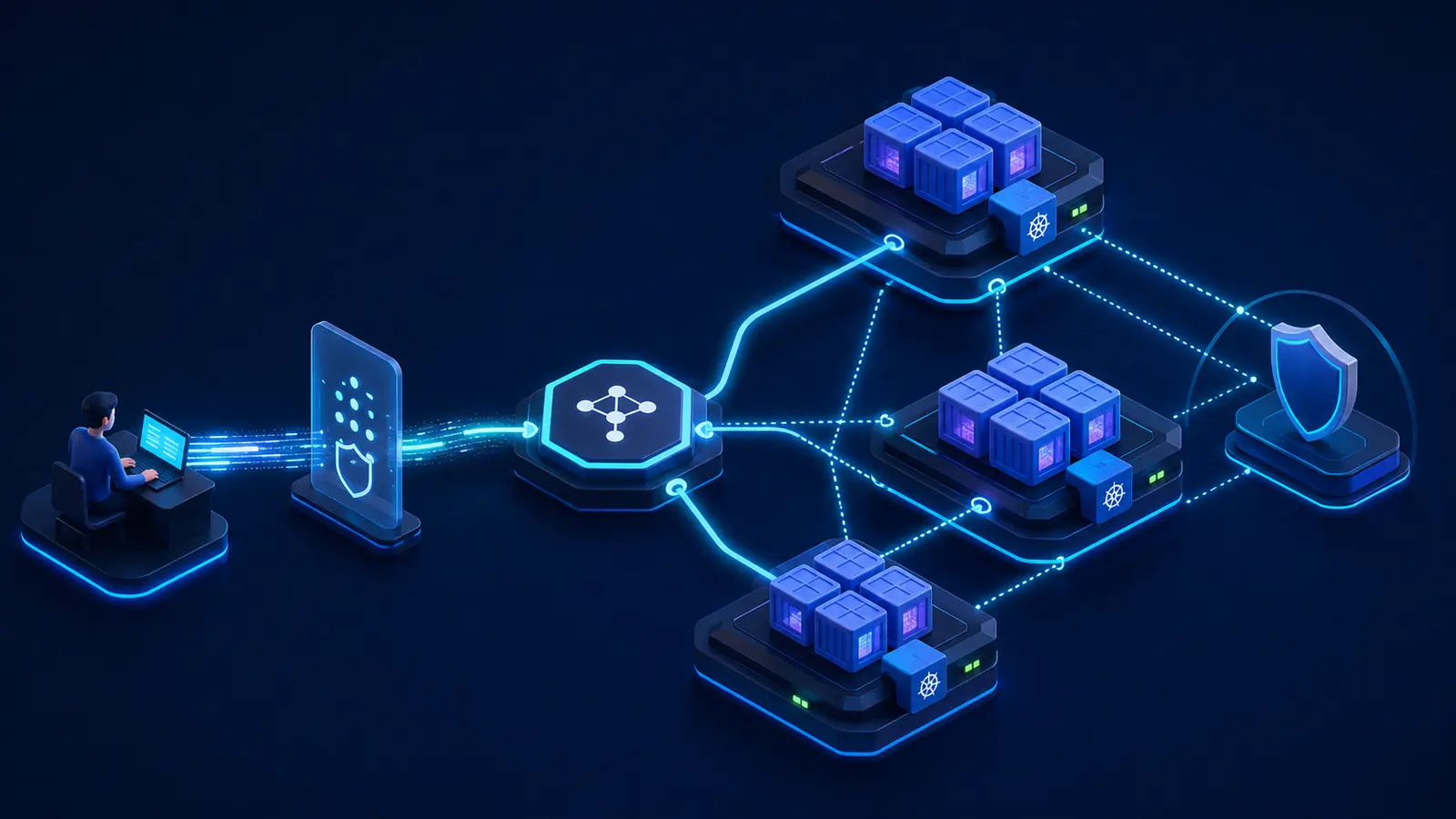
Choose a CNI from:
- Provider compatibility.
- NetworkPolicy support.
- Overlay or routed networking.
- Encryption requirements.
- IPv4 and IPv6 support.
- Operational complexity.
- Performance and observability.
Services and Load Balancing
A Kubernetes Service provides a stable endpoint for Pods that can be replaced or rescheduled. Common service types include ClusterIP, NodePort, and LoadBalancer.
On generic VPS infrastructure, a LoadBalancer service may require an external provider integration, a software load balancer, or another implementation. Creating the object does not necessarily provision a public load balancer.
Ingress and Gateway
Use an ingress controller or Gateway API implementation to route HTTP and HTTPS traffic to services. Configure TLS, redirects, timeouts, request-size limits, WebSocket support, rate limiting, access logs, and health behavior.
Run more than one ingress replica on separate worker nodes when availability matters.
DNS
Cluster DNS is a critical dependency for service discovery. Monitor DNS latency, errors, cache behavior, resource use, and availability.
Application failures that appear to be network or database problems can originate from overloaded or unavailable cluster DNS.
NetworkPolicy
NetworkPolicy restricts Pod traffic when the selected CNI enforces it. Begin with namespace and workload boundaries, then allow only required ingress and egress.
If the CNI does not support enforcement, a policy object has no effect, so verify the behavior through tests.
Choose the Cluster Location
Place nodes near users and critical dependencies while keeping control-plane and etcd latency low. Avoid stretching one etcd cluster across distant regions.
Use Best Server Location for Low Latency for region planning.
Persistent Volumes
Pods are disposable, but application data may need to survive rescheduling. PersistentVolumes and PersistentVolumeClaims separate application storage requests from the underlying storage implementation.
Document:
- StorageClass.
- Access mode.
- Reclaim policy.
- Volume expansion.
- Snapshot support.
- Failure domain.
- Backup method.
- Restore procedure.
Storage Classes and Dynamic Provisioning
A StorageClass describes a class of storage and can enable dynamic volume provisioning. On VPS infrastructure, this requires a compatible CSI driver or external storage platform.
Choose a storage class by more than capacity. Evaluate latency, IOPS, replication, attachment behavior, zone restrictions, snapshots, expansion, and cost.
Local Storage
Local persistent volumes can provide high performance, but data remains tied to one node. A Pod cannot simply move to another worker and retain the same local disk unless the application replicates or the storage layer provides another recovery mechanism.
Use local storage only when node affinity, replication, backup, and failure recovery are explicit.
StatefulSets
StatefulSets provide stable identities and ordered operations for stateful Pods. They do not automatically make a database highly available, back it up, or repair data corruption.
The database or storage system still needs replication, quorum, failover, consistency, and recovery design.
Resource Requests and Limits
Requests influence scheduling, while limits constrain selected resource use. Set CPU and memory requests from observed normal demand and limits from safe peak behavior.
Requests help the scheduler place Pods accurately. Without memory limits, one workload can consume excessive node memory. CPU limits can cause throttling, so test latency-sensitive services carefully.
LimitRanges and ResourceQuotas
LimitRanges can provide minimums, maximums, or defaults inside a namespace. ResourceQuotas constrain aggregate namespace use and object counts.
Use them to prevent one team or workload from consuming the entire cluster, but monitor rejected deployments and ensure platform services retain capacity.
Namespaces
Namespaces organize workloads, access, quotas, policies, and operational ownership. They are not a complete security boundary by themselves.
Separate production, staging, teams, and sensitive workloads using namespaces plus RBAC, NetworkPolicy, Pod Security, Secrets controls, quotas, and admission policies.
Deployments
Use Deployments for stateless applications that need replicas, rolling updates, rollback, and declarative management.
Set:
- Replica count.
- Resource requests and limits.
- Readiness, liveness, and startup probes.
- Rolling-update strategy.
- Pod disruption behavior.
- Security context.
- Topology spread or anti-affinity.
- Termination grace period.
DaemonSets and System Overhead
DaemonSets run Pods on every selected node and are commonly used for networking, storage, logging, monitoring, and security agents.
Account for DaemonSet CPU, memory, disk, and connection use on every worker. Adding a new agent can reduce allocatable workload capacity across the entire cluster.
Jobs and CronJobs
Use Jobs for finite work and CronJobs for scheduled tasks. Configure deadlines, retries, concurrency policy, history limits, resource controls, and cleanup.
Make tasks idempotent when retries can occur and prevent overlapping billing, imports, backups, and migrations unless parallel execution is safe.
Liveness, Readiness, and Startup Probes
| Probe | Purpose | Common mistake |
|---|---|---|
| Liveness | Detect a process that should be restarted | Depending on a temporary external service |
| Readiness | Decide whether a Pod should receive traffic | Returning ready before warm-up finishes |
| Startup | Protect slow-starting applications from early liveness failure | Using excessively long failure windows |
Probe endpoints should be fast, bounded, safe, and free from sensitive output.
Graceful Termination
Applications should respond to termination signals, stop accepting new traffic, finish in-flight work within a deadline, release leases, stop queue consumption, and close database connections.
Coordinate readiness changes, pre-stop behavior, termination grace periods, load-balancer draining, and application shutdown.
Horizontal Pod Autoscaling
Horizontal Pod Autoscaling changes replica counts from observed metrics. It is a control loop, not an instant reaction to every request.
Autoscaling requires accurate requests, reliable metrics, startup behavior, readiness, and enough unused node capacity. Scaling Pods cannot help when the worker nodes are already full or the database is the bottleneck.
Cluster Autoscaling
Node autoscaling on generic VPS infrastructure requires provider integration or custom automation. Many simple VPS environments do not provide a supported Cluster Autoscaler implementation.
Without node autoscaling, maintain spare worker capacity for Pod growth, node maintenance, and one-node failure.
Pod Disruption Budgets
PodDisruptionBudgets help protect application availability during voluntary disruptions such as node drains. They do not prevent involuntary failures and can block maintenance when replica counts or readiness are inadequate.
Test drain behavior before upgrades.
Topology Spread and Anti-Affinity
Spread replicas across nodes and provider failure domains so one host failure does not remove every copy. Use topology labels that reflect real infrastructure placement.
Rules that are too strict can leave Pods pending when the cluster lacks suitable capacity.
RBAC
Role-based access control should grant users, service accounts, and controllers only the permissions required for their roles.
- Avoid routine cluster-admin access.
- Use namespace-scoped Roles where possible.
- Separate human and workload identities.
- Review privilege-escalation paths.
- Restrict Secret access.
- Audit bindings.
- Remove unused accounts and tokens.
Service Accounts
Use a dedicated service account for each workload that needs Kubernetes API access. Disable automatic token mounting for Pods that do not need an API token.
Do not share broad service accounts across unrelated applications.
Pod Security Standards
Kubernetes defines Privileged, Baseline, and Restricted Pod Security Standards. Enforce an appropriate level through Pod Security Admission and approved exceptions.
Production application Pods should normally avoid privileged mode, host namespaces, unrestricted capabilities, root execution, writable root filesystems, and broad host mounts.
Secrets
Kubernetes Secret objects are not a complete secret-management solution. By default, Secret data can be stored unencrypted in etcd unless encryption at rest is configured.
- Enable etcd encryption at rest.
- Restrict RBAC access.
- Use short-lived credentials.
- Avoid committing Secret manifests to Git.
- Use an external secret store where appropriate.
- Rotate credentials.
- Prevent secrets from entering logs and environment dumps.
Image Security
- Use trusted minimal images.
- Pin versions or digests.
- Run as non-root.
- Drop unnecessary Linux capabilities.
- Use read-only root filesystems where practical.
- Scan images and dependencies.
- Sign or verify images for higher-risk environments.
- Restrict registries.
- Rebuild images for security patches.
Review Best Antivirus Software for Servers when node-level malware protection is required.
Admission Control and Policy
Admission policies can reject workloads that violate security, image, resource, labeling, networking, or organizational requirements.
Start policy in audit or warning mode, fix existing workloads, then enforce it gradually to avoid unexpected production outages.
API Server Security
Expose the Kubernetes API only through a restricted load balancer or trusted network. Use strong authentication, RBAC, audit logs, certificate management, and provider firewalls.
Protect kubeconfig files because they may contain client certificates, tokens, and cluster-admin access.
Certificate Management
Track API server, etcd, kubelet, front-proxy, and administrator certificate expiration. kubeadm-generated client certificates commonly require renewal through supported upgrade or certificate-management procedures.
Alert well before expiration and test renewal in staging or a noncritical cluster.
Provider and SSH Security
- Enable MFA on the VPS provider account.
- Use business-controlled email.
- Restrict API tokens.
- Use named SSH accounts and keys.
- Disable routine direct root login.
- Restrict SSH by VPN or trusted networks.
- Use provider and host firewalls.
- Audit administrator access.
- Remove former staff promptly.
Logging
Collect application, container, kubelet, runtime, control-plane, audit, ingress, networking, and storage logs centrally. Nodes and Pods are replaceable, so important logs should not exist only on local disks.
Use structured logs and avoid passwords, tokens, kubeconfig content, private keys, payment data, and unnecessary personal information.
Metrics and Observability
Monitor the cluster, nodes, workloads, and business services.
- API server latency and errors.
- etcd health and storage latency.
- Scheduler and controller-manager behavior.
- Node CPU, memory, disk, and network.
- Pod requests, limits, working sets, and restarts.
- Pending and evicted Pods.
- Probe failures.
- Container-runtime errors.
- CNI and DNS latency.
- Persistent-volume capacity and latency.
- Ingress traffic and errors.
- Certificate expiration.
- Backup success.
Use Best Linux System Monitor for node-level monitoring options.
Alerting
Assign every alert an owner, severity, runbook, and escalation path. Alert on conditions that require action rather than every transient event.
Important alerts include:
- Control-plane or etcd member unavailable.
- API error rate or latency increasing.
- Node NotReady.
- Disk or inode pressure.
- Memory pressure and evictions.
- PersistentVolume nearly full.
- Pods crash-looping.
- Workloads without ready replicas.
- Certificate expiration.
- Backup or snapshot failure.
- Upgrade version drift.
Network and Port Troubleshooting
Separate DNS, provider firewall, host firewall, API load balancer, CNI, Service, ingress, NetworkPolicy, kube-proxy, and application failures.
Review Port Ping: How to Ping a Specific Port for basic connectivity testing, while recognizing that cluster networking requires additional Pod and Service diagnostics.
Back Up etcd
etcd snapshots protect cluster state, including Kubernetes objects and encrypted Secret data. Store snapshots off-cluster, encrypt them, retain several recovery points, and record the Kubernetes and etcd versions.
An etcd backup does not include application databases, persistent-volume contents, object storage, container images, or external load-balancer configuration.
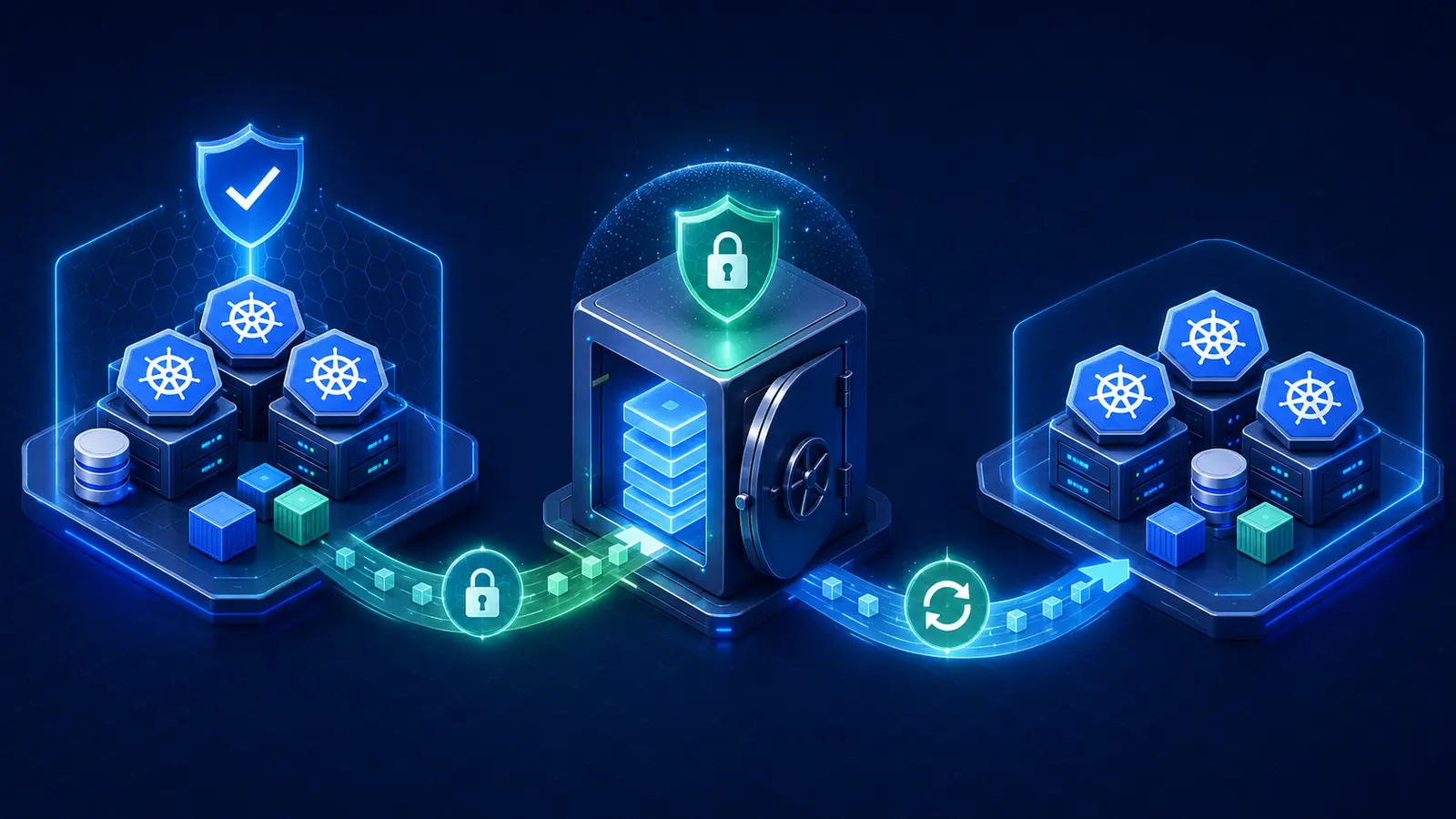
Back Up Application Data
Protect:
- Databases with database-aware tools.
- Persistent volumes.
- Object-storage data.
- Cluster manifests and GitOps repositories.
- Custom resource definitions and controller configuration.
- Ingress and DNS configuration.
- Certificate and identity configuration.
- External secret-store recovery.
- Container images or reproducible image builds.
Follow How to Back Up and Restore Data on a VPS for the underlying node and backup principles.
GitOps and Configuration Recovery
Store declarative workload and platform configuration in protected version control. GitOps can recreate many cluster resources, but it does not replace backups of databases, volumes, Secrets, signing keys, or external services.
Review How to Install a Git Server on Linux VPS when self-hosting the configuration repository.
Restore Testing
Test recovery in an isolated environment:
- Provision clean VPS nodes.
- Install compatible Kubernetes and runtime versions.
- Restore etcd or rebuild cluster state from Git.
- Restore storage classes and persistent data.
- Restore databases and object data.
- Recreate ingress, DNS, certificates, and Secrets.
- Validate workloads, probes, and networking.
- Verify monitoring and backups.
- Measure actual recovery time.
Disaster Recovery
Define recovery point and recovery time objectives for cluster state and application data separately. Document provider failure, region failure, credential compromise, etcd corruption, storage loss, and administrator error.
Keep recovery credentials, runbooks, snapshots, images, and repositories outside the failed cluster and provider account where business risk requires it.
Kubernetes Upgrades
Stay on supported minor releases and apply patch releases promptly. With kubeadm, upgrade one minor version at a time and follow the documented order for kubeadm, control-plane components, kubelet, kubectl, and worker nodes.
Before upgrading:
- Review version-skew rules.
- Verify CNI, CSI, ingress, metrics, and controller compatibility.
- Back up etcd and application data.
- Test staging.
- Confirm PodDisruptionBudgets and spare capacity.
- Drain nodes safely.
- Monitor probes, DNS, storage, and networking.
- Keep a recovery plan.
Node Maintenance
Cordon a node to stop new scheduling, drain it while respecting workload rules, perform maintenance, then uncordon it after validation.
DaemonSets, local storage, unmanaged Pods, disruption budgets, and stateful workloads need special handling. Test node drains before an urgent kernel update.
Capacity Planning
Maintain enough spare capacity to lose one worker node without evicting or leaving critical Pods pending. Include DaemonSets, rolling-update surges, autoscaling delay, and maintenance overhead.
Review requests against actual usage regularly. Excessive requests waste nodes, while requests that are too low create overcommit and eviction risk.
Vertical and Horizontal Scaling
Scale Pods horizontally when independent replicas can share traffic. Scale resource requests vertically when one process needs more CPU or memory. Add worker VPS nodes when the cluster lacks allocatable capacity.
Scaling application replicas does not solve database, storage, cache, queue, or external-service bottlenecks.
When to Use Dedicated Servers
Dedicated servers can offer predictable physical CPU, large RAM, local NVMe, high network throughput, and lower costs for sustained Kubernetes worker capacity. They may also reduce noisy-neighbor behavior for etcd and stateful workloads.
Compare deployment models with VPS vs Dedicated Server vs Cloud.
Kubernetes VPS Cost
| Cluster type | Typical monthly infrastructure budget |
|---|---|
| Single-node learning cluster | $15–$50 |
| Three-node development cluster | $60–$180 |
| Small HA production cluster | $250–$800+ |
| Growing platform | $800–$3,000+ plus operations |
Include control-plane nodes, workers, load balancers, public IPv4, private networking, persistent storage, backups, image registry, logging, monitoring, security tooling, transfer, and administrator time.
Use 10 Cheapest VPS Providers Compared in 2026 for early price comparison, but prioritize private networking, failure-domain placement, API automation, storage quality, load-balancer integration, and support.
Server Management Tools
Infrastructure-as-code, configuration management, GitOps, monitoring, vulnerability management, and cluster dashboards reduce manual work. Each tool still needs access controls, updates, backups, and operational ownership.
Review Best Server Management Tool in 2026 when selecting the supporting operations stack.
Kubernetes VPS Launch Checklist
- Cluster purpose and availability target documented.
- Supported Kubernetes minor and patch selected.
- Three control-plane nodes used for production HA.
- Worker failure headroom available.
- Supported Linux distribution standardized.
- CRI-compatible runtime configured.
- CNI and NetworkPolicy tested.
- API endpoint load balanced and restricted.
- Provider-account MFA enabled.
- Named administrator identities and RBAC configured.
- Pod Security Standards enforced.
- Secrets encrypted at rest and restricted.
- Requests, limits, quotas, and probes configured.
- Ingress, DNS, and certificates monitored.
- Persistent storage and backups tested.
- etcd snapshots stored off-cluster.
- Centralized logs and metrics active.
- Upgrade procedure tested.
- Node drain behavior verified.
- Disaster-recovery exercise completed.
Common Kubernetes VPS Mistakes
- Calling one VPS highly available: every component shares one node failure.
- Using two control-plane members: etcd quorum is fragile.
- Assuming Docker Engine is the Kubernetes runtime: dockershim was removed.
- Skipping requests and limits: scheduling and node stability become unpredictable.
- Using local disks without a recovery design: rescheduled Pods lose access to data.
- Exposing the API server broadly: the cluster control plane becomes a public target.
- Granting cluster-admin routinely: one account can compromise the platform.
- Storing Secrets unencrypted in etcd: database access exposes credentials.
- Skipping etcd backups and restore tests: cluster recovery remains unproven.
- Delaying upgrades: unsupported versions and incompatible add-ons accumulate.
Final Verdict
Kubernetes can run successfully on VPS infrastructure, but production should begin with multiple nodes, not one large VPS. Use three control-plane nodes, several workers, a CRI-compatible runtime, tested CNI and CSI integrations, strict RBAC and Pod Security, resource requests and limits, probes, centralized observability, off-cluster etcd snapshots, application-data backups, and a rehearsed upgrade and disaster-recovery process.
Use a single-node cluster only for learning or low-risk workloads. Choose Docker Compose or a managed platform when the team does not need Kubernetes orchestration or cannot support its operational complexity.
Frequently Asked Questions
Can Kubernetes run on a VPS?
Yes. VPS nodes can host control-plane and worker components when networking, storage, security, and recovery requirements are met.
Can Kubernetes run on one VPS?
Yes for learning and low-risk workloads, but one VPS provides no node-level high availability.
How many VPS nodes does production Kubernetes need?
A practical highly available starting point is three control-plane nodes and at least three worker nodes.
How much RAM does a Kubernetes node need?
Small control-plane nodes often start with 4–8 GB, while production workers commonly start with 8–16 GB depending on Pod requests.
Does Kubernetes use Docker?
Kubernetes uses CRI-compatible runtimes such as containerd or CRI-O. The old dockershim integration was removed in Kubernetes 1.24.
What Kubernetes version should be used in 2026?
Use a currently supported minor release and the latest compatible patch. The current documentation targets Kubernetes 1.36 in July 2026.
Does Kubernetes provide persistent storage automatically?
No. The cluster needs a compatible CSI driver or storage system, StorageClasses, PersistentVolumes, and a backup design.
Does Kubernetes back up applications?
No. You must back up etcd, databases, persistent volumes, object data, configuration, Secrets, and external services separately.
Is self-managed Kubernetes cheaper than managed Kubernetes?
The infrastructure may cost less, but control-plane operations, upgrades, monitoring, security, backups, and staff time can make total cost higher.
How much does Kubernetes VPS hosting cost?
A small highly available production cluster commonly starts around $250–$800 monthly before significant operations and growth costs.
Latest Hosting Guides
VPS Hosting for Docker Containers: Complete Guide for 2026
VPS Hosting for Redis: Complete Guide for 2026
VPS Hosting for Elasticsearch: Complete Guide for 2026
How to Host a Discord Bot on a VPS in 2026: Complete Step-by-Step Guide
Forex Dedicated Server: How to Choose the Best Low-Latency Trading Server in 2026
Swipe or scroll to explore more guides
Can Kubernetes run reliably on VPS infrastructure, and how many control-plane and worker nodes are reasonable for a small production cluster?
A production Kubernetes VPS design should consider node failure, private networking, load balancing, persistent storage, backups, observability, and upgrade procedures. A single-node cluster is better suited to learning or noncritical workloads.
VPS providers for Kubernetes should offer predictable CPU, enough RAM, fast networking, snapshots, and suitable storage. Cluster cost includes every node, load balancer, backup target, and data-transfer requirement.
For Kubernetes on VPS infrastructure, I would like a practical small-production design rather than a single-node example. Three control-plane nodes and multiple workers improve availability, but they also add load balancing, private networking, persistent storage, monitoring, upgrades, and backup requirements. It would help to compare managed Kubernetes with self-managed kubeadm or k3s, explain etcd backup and restore, ingress, CNI choice, storage classes, resource requests and limits, and how VPS anti-affinity across physical hosts or availability zones affects resilience. The cost of the supporting infrastructure should be included in the cluster sizing.
A single-node Kubernetes VPS can be useful for development, testing, or small internal workloads, but it should not be presented as highly available production infrastructure because the control plane and workloads share one failure point.
A Kubernetes VPS plan should include tested etcd backups, persistent-volume backups, cluster monitoring, certificate renewal, node patching, and a controlled upgrade process. Container images alone do not restore the complete cluster state.