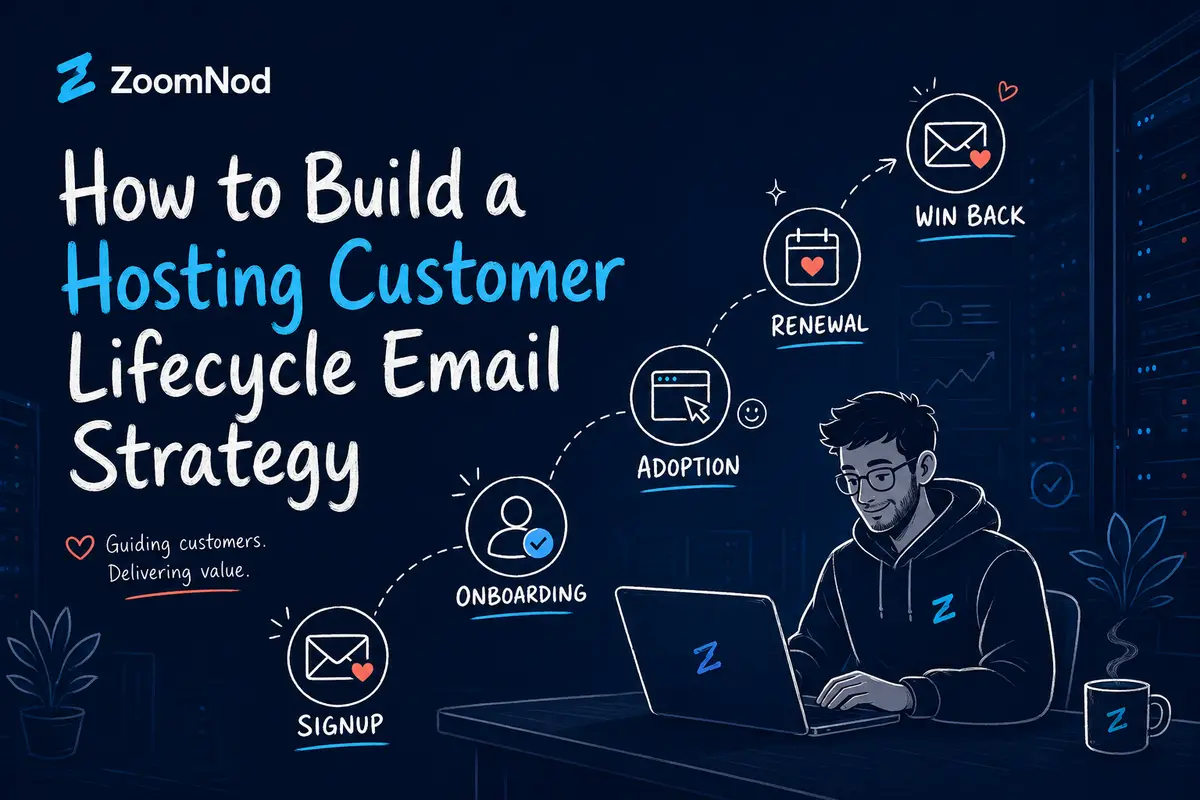
A hosting customer lifecycle email strategy is a coordinated system of messages triggered by customer stage, product, behavior and account status.
It guides customers from purchase and onboarding through product adoption, support, renewal, payment recovery, expansion and win-back.
Hosting companies often rely on isolated welcome emails, newsletters and renewal reminders.
These messages may communicate useful information, but they do not create a complete customer journey when they operate independently.
A useful strategy connects each email to an action the customer has taken or still needs to complete.
A shared hosting customer who has not connected a domain should receive different guidance from a VPS customer who has deployed an application but has not enabled backups.
A failed payment should trigger a billing recovery workflow rather than a promotional campaign.
A managed hosting customer approaching renewal may require an account review rather than an automated discount.
Lifecycle email can improve customer experience and retention when each message has a clear trigger, purpose, audience and exit condition.
Poorly configured workflows create problems when customers receive duplicate reminders, irrelevant promotions or messages after completing the required action.
Zoomnod provides specialist digital marketing and customer lifecycle services for hosting companies based on six years of hosting industry experience and work with multiple hosting providers.
Our approach connects acquisition, onboarding, email automation, product adoption, renewals and customer lifetime value.
This guide explains how shared hosting, VPS, WordPress hosting, agency hosting, cloud and dedicated server companies can build an effective lifecycle email strategy.
What Is a Hosting Customer Lifecycle Email Strategy?
A hosting customer lifecycle email strategy defines which messages customers receive at each stage of their relationship with the company.
The strategy uses customer data and event triggers to determine when communication is relevant.
Unlike a general newsletter, lifecycle email responds to actions such as purchasing a plan, failing to complete setup, reaching a resource limit, approaching renewal or experiencing a failed payment.
The goal is to help the customer complete the next valuable action while supporting retention and recurring revenue.
- Lead nurturing
- Purchase confirmation
- Customer onboarding
- Product activation
- Product adoption
- Support and education
- Customer health monitoring
- Renewal
- Payment recovery
- Expansion
- Cancellation
- Win-back
Why Lifecycle Email Matters for Hosting Companies
Hosting services are recurring, technical and often essential to a customer’s website, application or business operations.
Customers may need guidance long after the purchase is completed.
Lifecycle email can answer common questions, show customers how to use the product and prompt timely action without turning every interaction into a support ticket.
It also helps hosting companies scale communication across large customer bases while reserving human intervention for complex or high-value accounts.
- Faster customer activation
- Shorter time to first value
- Higher product adoption
- Lower avoidable support demand
- Clearer billing communication
- Improved renewal readiness
- Better payment recovery
- More relevant expansion offers
- Stronger customer retention
- Higher customer lifetime value
Map the Hosting Customer Lifecycle
Before writing emails, map the complete customer journey.
For each stage, identify the customer’s goal, required action, available data and likely points of friction.
The map should name the team responsible for each part of the experience.
| Stage | Customer Goal | Email Role |
|---|---|---|
| Lead | Understand which hosting product fits the requirement. | Education, comparison and consultation. |
| New customer | Access and begin configuring the service. | Confirmation and onboarding. |
| Activation | Complete the first meaningful product action. | Behavior-based setup guidance. |
| Adoption | Use the service successfully and consistently. | Education, feature guidance and support. |
| Renewal | Review the service, amount and billing details. | Transparent renewal communication. |
| Expansion | Adapt the service to changing requirements. | Relevant upgrade or cross-sell guidance. |
| Cancellation | Resolve a problem or end the service clearly. | Reason-based support and confirmation. |
| Former customer | Evaluate whether returning is relevant. | Segmented win-back communication. |
Build a Reliable Customer Data Foundation
Lifecycle email depends on accurate product, billing, support and behavior data.
Even a well-written message creates a poor experience when its trigger fires incorrectly or the customer record is wrong.
The company should define which systems supply each field and how frequently data is updated.
- Customer name
- Company name
- Product
- Plan
- Managed or unmanaged status
- Billing period
- Purchase date
- Renewal date
- Server location
- Onboarding stage
- Migration status
- Product usage events
- Support status
- Payment status
- Customer health score
- Cancellation reason
- Communication preferences
Segment Lifecycle Emails by Hosting Product
Setup tasks, educational content and renewal conversations vary by hosting product.
Using one lifecycle flow for every customer usually produces irrelevant messages.
Shared hosting
- Domain connection
- Website installation
- Email setup
- SSL
- Backups
- Plan upgrades
WordPress hosting
- Migration
- Staging
- Caching
- Backups
- Security
- Additional websites
Unmanaged VPS
- Secure access
- Operating system guidance
- Firewall
- Backups
- Monitoring
- Resource usage
Managed VPS
- Management scope
- Migration
- Monitoring
- Support
- Renewal review
- Resource planning
Agency hosting
- Client site migration
- Team access
- Staging
- Additional sites
- Agency support
Dedicated server or cloud
- Deployment
- Security
- Monitoring
- Capacity planning
- Account reviews
- Contract renewal
Create a Purchase Confirmation Workflow
The first operational email should confirm that the order was received and explain what happens next.
It should not overload the customer with every available feature.
The message should provide the most important immediate action.
- Product purchased
- Order or account reference
- Billing summary
- Deployment or activation status
- Secure account access link
- Expected next step
- Support contact
- Important managed or unmanaged clarification
Build a Product-Specific Onboarding Sequence
Onboarding emails should help customers move from purchase to first value.
The sequence should respond to completed and incomplete actions rather than send every message on a fixed schedule.
| Trigger | Purpose | Cta | |
|---|---|---|---|
| 1 | Order completed | Confirm the service and provide account access. | Access your account |
| 2 | Account accessed | Guide the customer through the primary setup action. | Complete your setup |
| 3 | Primary setup remains incomplete | Provide help for that specific task. | Continue setup |
| 4 | First value completed | Confirm success and introduce security, backup or monitoring. | Protect your service |
| 5 | Initial onboarding period completed | Request feedback and explain ongoing support. | Review your experience |
Related: email marketing for hosting companies
Use Behavioral Triggers
Triggers based on customer behavior make lifecycle emails more relevant.
A message should respond to what the customer has or has not done.
| Event | |
|---|---|
| Account has not been accessed | Send login help and a support option. |
| Domain remains unconnected | Send DNS and domain guidance. |
| VPS has not been accessed | Send secure access instructions. |
| Migration is delayed | Provide status, required information and escalation. |
| Backup is not configured | Explain backup options and responsibilities. |
| Customer reaches a resource threshold | Provide usage guidance and an appropriate path to review the plan. |
| Customer completes first value | Confirm success and introduce the next useful feature. |
Build Product Adoption Emails
After activation, lifecycle emails should help customers use the features that create ongoing value.
Adoption emails should be based on the customer’s actual product use and behavior, not a generic promotional calendar.
- Backup activation
- Security setup
- Resource monitoring
- Staging adoption
- Additional team members
- Additional website creation
- Support process education
- Managed service guidance
Create Customer Education Workflows
Educational messages can reduce avoidable support demand and help customers use the service correctly.
Useful topics often come from support ticket patterns and onboarding friction.
- How to connect a domain
- How to configure DNS
- How to migrate a website
- How to secure a VPS
- How to configure backups
- How to monitor server resources
- How managed hosting responsibilities work
- How to prepare for traffic growth
- When to upgrade a plan
- How renewal billing works
Related: content marketing for hosting companies
Build At-Risk Customer Workflows
Lifecycle email can support churn prevention when it is connected to clear risk signals.
An unhealthy account should not automatically receive a discount.
| Risk | Response |
|---|---|
| Incomplete onboarding | Send task-specific setup help. |
| Low product adoption | Explain the next value milestone. |
| Repeated support issues | Trigger human escalation rather than another automated campaign. |
| Payment method expiring | Send a secure request to update billing. |
| Renewal approaching with unresolved issues | Trigger an account review. |
| Cancellation page activity | Offer help based on the stated reason without obstructing cancellation. |
Create Renewal Email Workflows
Renewal emails should be transparent, timely and specific to the product.
Customers should not have to search for the date, amount or service being renewed.
B2B accounts with high contract values may need earlier personal communication and stakeholder coordination.
| Timing | Purpose |
|---|---|
| 30 to 60 days before renewal | Account review for annual or high-value services. |
| 14 to 30 days before renewal | Provide service, amount, date and billing details. |
| 7 days before renewal | Send a concise reminder and payment update option. |
| Renewal day | Confirm successful payment or begin recovery. |
| After renewal | Confirm the invoice and continued service. |
- Service name
- Renewal date
- Renewal amount
- Billing period
- Payment method where appropriate
- Billing update link
- Support contact
- Plan change information
Build a Failed Payment Recovery Sequence
A failed payment does not always indicate that the customer wants to leave.
Payment recovery emails should explain the problem clearly and provide a secure, direct action.
- Notify the customer after the failed payment.
- Explain the affected service and amount.
- Provide a link to update billing.
- Use appropriate payment retries.
- Send further messages only while the issue remains unresolved.
- Escalate high-value accounts.
- Explain timing of any service impact.
- Stop messages immediately after successful payment.
Build Expansion and Cross-Sell Workflows
Expansion emails should be tied to an identifiable customer need.
A customer approaching a resource limit may need an upgrade.
A VPS customer without backups may need a backup service.
An agency adding more client sites may need a larger plan.
The message should explain why the recommendation is relevant.
- Storage approaching plan limits
- Sustained CPU or memory growth
- Additional websites created
- Additional team members added
- Need for managed support
- New geographic traffic
- Backup or security need
- Monthly customer eligible for annual billing
Create Cancellation and Win-Back Workflows
Cancellation emails should confirm the customer’s decision clearly and collect useful feedback where appropriate.
Former customers should enter win-back campaigns only when they remain eligible and there is a credible reason to reconnect.
Cancellation messages
- Cancellation request received
- Service end date
- Data export or migration guidance
- Final billing information
- Cancellation survey
- Confirmation of service termination
Win-back triggers
- New server location
- Improved migration support
- New managed service
- Previously missing feature
- More suitable plan
- Resolved support issue
- New project cycle
Define Entry, Exit and Suppression Rules
Every automated workflow should define who enters, when they leave and which other messages should be suppressed.
Without these rules, customers may receive duplicate or contradictory emails.
- Remove customers after they complete the target action.
- Stop onboarding reminders after activation.
- Stop payment recovery after successful payment.
- Suppress promotional messages during critical incidents.
- Remove customers from win-back after reactivation.
- Respect unsubscribes and communication preferences.
- Exclude unsuitable or restricted accounts.
- Prevent overlapping renewal and cancellation messages.
Protect Deliverability and Sender Trust
Lifecycle emails only work when they reliably reach customers.
Hosting companies should authenticate sending domains, maintain accurate contact data and separate essential account communication from promotional messaging.
Sender identity, frequency and preference management should remain consistent.
- Configure SPF, DKIM and DMARC appropriately.
- Use accurate sender names.
- Maintain clean customer records.
- Remove invalid addresses.
- Respect unsubscribe requests.
- Provide simple preference management.
- Use unsubscribe options that work with one click where required.
- Monitor bounce and complaint rates.
- Avoid misleading subject lines.
- Limit unnecessary message frequency.
Measure Lifecycle Email Performance
Open and click data can support diagnosis, but lifecycle email should be measured by customer outcomes.
The company should connect each workflow with the action it is intended to influence.
Onboarding
- Activation rate
- Time to first value
- Migration completion
- Early churn
Adoption
- Feature activation
- Product usage
- Support demand
- Retention
Renewal
- Renewal rate
- Billing updates
- Revenue renewed
Payment recovery
- Payment recovery rate
- Revenue recovered
- Involuntary churn
Expansion
- Upgrade conversion
- Expansion revenue
- Net revenue retention
Win-back
- Reactivation rate
- Recurring revenue restored
- Second renewal rate
Test Lifecycle Email Systematically
Tests should measure meaningful customer actions, not only cosmetic differences.
The company should change one important variable, maintain a comparison where practical and review downstream retention.
- Trigger timing
- Subject line
- Primary CTA
- Message length
- Content specific to the product
- Human assistance offer
- Renewal timeline
- Payment recovery sequence
- Message about reviewing the plan
- Landing page destination
Common Hosting Lifecycle Email Mistakes
- Using the same sequence for every product
- Relying only on time-based emails
- Sending duplicate workflows
- Continuing reminders after task completion
- Mixing critical billing messages with promotions
- Sending upgrades before solving support issues
- Using discounts as the default retention response
- Hiding renewal pricing
- Ignoring communication preferences
- Measuring only opens and clicks
- Failing to assign human escalation
- Using outdated customer data
A Step-by-Step Hosting Lifecycle Email Plan
Step 1: Map the Customer Lifecycle
Document stages, goals, friction and internal ownership.
Step 2: Audit Customer Data
Confirm product, usage, billing, support and preference fields.
Step 3: Create Product Segments
Separate shared hosting, VPS, agencies and managed infrastructure.
Step 4: Prioritize Core Workflows
Begin with onboarding, renewal and payment recovery.
Step 5: Define Triggers
Connect messages with meaningful customer events.
Step 6: Define Exit and Suppression Rules
Prevent duplicate and irrelevant communication.
Step 7: Prepare Human Escalation
Route complex, high-risk and high-value accounts.
Step 8: Protect Deliverability
Authenticate sending domains and maintain data quality.
Step 9: Measure Customer Outcomes
Connect workflows with activation, renewal, recovery and retention.
Step 10: Optimize Continuously
Test triggers, content and customer journeys.
How Zoomnod Builds Hosting Customer Lifecycle Email Strategies
Zoomnod approaches lifecycle email as a connected system for customer growth rather than a collection of isolated campaigns.
We review how customers are acquired, which products they purchase, where onboarding becomes difficult, what signals appear before churn and how renewal and expansion communication should work.
Our six years of hosting industry experience helps us understand the different email journeys required by shared hosting, VPS, WordPress hosting, agency hosting, managed cloud and dedicated infrastructure.
- Lifecycle email audit
- Customer journey mapping
- Product and customer segmentation
- Onboarding email strategy
- Automation planning based on behavior
- Product adoption workflows
- Communication with customers at risk
- Renewal email campaigns
- Payment recovery sequences
- Expansion and cross-sell workflows
- Cancellation and win-back email strategy
- Email performance reporting
Related services: digital marketing for hosting companies; email marketing for hosting companies; conversion rate optimisation for hosting companies; content marketing for hosting companies; lead generation for hosting companies
Build a Connected Hosting Lifecycle Email System
Zoomnod can review your customer data, onboarding, retention, renewal and expansion journeys before creating a practical lifecycle email strategy.
Send the Right Hosting Email at the Right Customer Stage
A hosting customer lifecycle email strategy should guide customers toward useful actions at each stage of the relationship.
It should begin with accurate purchase confirmation and product-specific onboarding.
It should continue through adoption, education, support, renewal, payment recovery and expansion.
Customers should leave each workflow when they complete the relevant task, and duplicate or contradictory messages should be suppressed.
Effective lifecycle systems connect product data, billing, support, CRM and customer preferences.
They use automation for relevant routine communication and human intervention for complex or high-value accounts.
Hosting companies should measure activation, product adoption, renewal, payment recovery, expansion and retention rather than rely only on email engagement.
Zoomnod can help hosting and infrastructure providers build this connected lifecycle communication system.
Book a free consultation with Zoomnod to discuss your hosting email workflows, customer lifecycle and retention opportunities.
Frequently Asked Questions
What is a hosting customer lifecycle email strategy?
It is a coordinated system of emails triggered by customer stage, product, behavior and account status throughout the hosting relationship.
Which lifecycle emails should a hosting company create first?
Start with purchase confirmation, onboarding, renewal reminders and failed payment recovery before adding adoption, expansion and win-back workflows.
How should hosting lifecycle emails be segmented?
Segment by product, plan, billing period, onboarding stage, usage, support status, customer value and renewal timing.
What is a behavior-based hosting email?
It is an email triggered by an action or missing action, such as an unconnected domain, incomplete migration or failed payment.
How can lifecycle email reduce hosting churn?
It can identify incomplete setup, low adoption, billing risk and renewal issues early, then deliver relevant guidance or escalation.
What should a hosting onboarding email sequence include?
It should confirm the order, provide account access, guide the main setup action, address incomplete activation and confirm first value.
What should a hosting renewal email include?
It should include the service, renewal date, amount, billing period, link to update billing and support information.
How should failed-payment emails work?
They should explain the failed payment, identify the affected service, provide a secure update link and stop after payment succeeds.
How should hosting companies measure lifecycle email?
Measure activation, time to value, product adoption, renewal, payment recovery, expansion revenue and customer retention.
Can Zoomnod build a hosting lifecycle email strategy?
Yes. Zoomnod can review customer data, map lifecycle stages and create onboarding, adoption, renewal, recovery, expansion and win-back workflows.
Which triggers should be included in a hosting customer lifecycle email strategy beyond welcome messages and renewal reminders?
Useful lifecycle emails can respond to onboarding progress, low product adoption, resource limits, failed payments, support outcomes, renewal timing, upgrades, and win-back opportunities. Timing should follow customer behavior rather than a generic newsletter calendar.
Email performance should be measured against business outcomes such as activation, renewal, payment recovery, expansion, and reduced churn. Opens and clicks alone do not show whether lifecycle automation is creating value.
A hosting customer lifecycle email strategy should probably be built around events rather than a fixed newsletter calendar. Useful triggers could include purchase, incomplete onboarding, first website launch, backup activation, high resource usage, support resolution, failed payment, renewal approach, upgrade eligibility, cancellation, and win-back timing. The content should also vary by product because a new shared hosting customer needs different guidance from a managed VPS or dedicated server buyer. I would be interested in how CRM, billing, support, and product-usage data can be combined without creating too many overlapping automations.
Transactional hosting emails and lifecycle marketing emails should be coordinated but not treated the same. Password resets, invoices, and service alerts need immediate delivery, while onboarding and retention messages require frequency control and segmentation.
Lifecycle email performance should be measured beyond open rate. Activation, renewal, payment recovery, product adoption, upgrade conversion, complaint rate, and unsubscribe rate show whether the messages are actually helping customers.