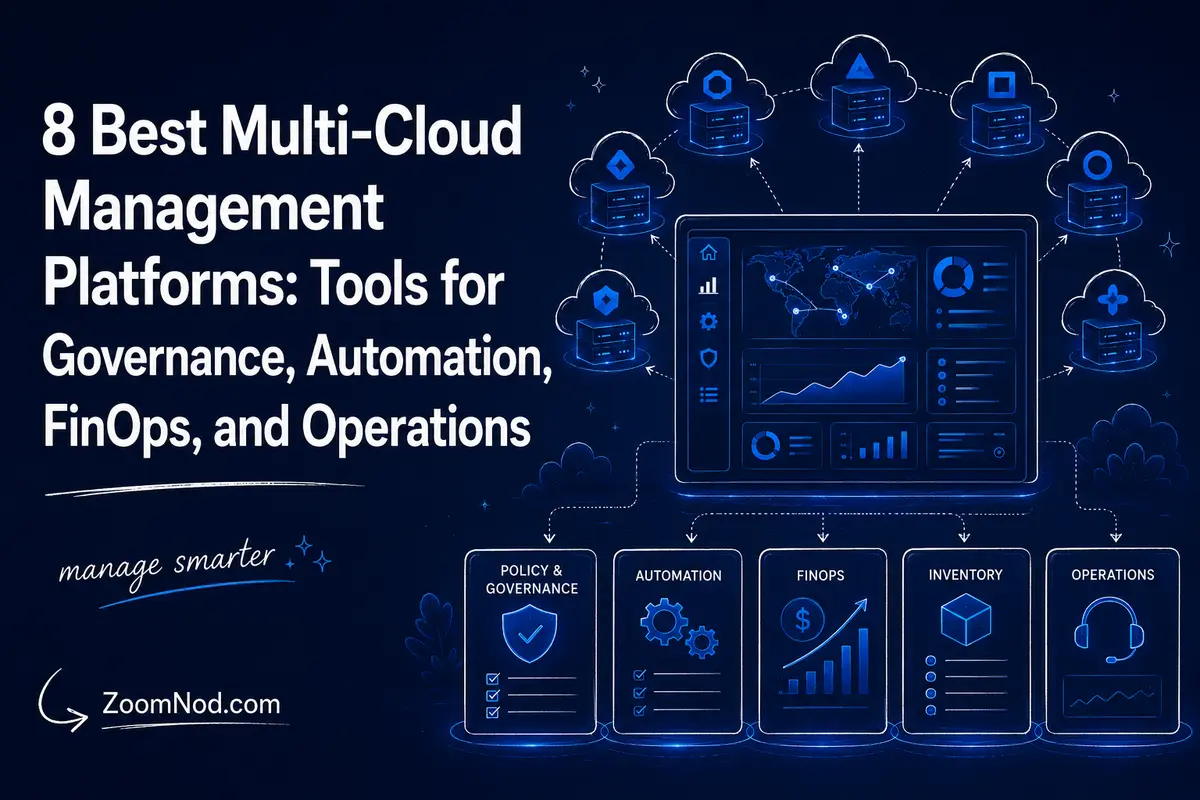
Multi-cloud management platforms give organizations a way to control infrastructure, costs, security, automation, inventory, and operations across multiple clouds or hybrid environments that combine public cloud, private cloud, data centers, and edge systems.
The key point in 2026 is that “multi-cloud management platform” does not describe one type of product. Azure Arc focuses on centralized governance and management across Azure, AWS, Google Cloud, on-premises systems, and Kubernetes. HCP Terraform standardizes infrastructure provisioning across providers. Red Hat Ansible Automation Platform automates operational workflows. HPE Morpheus Software provides a broader governed hybrid-cloud control plane. Nutanix Cloud Manager focuses on build, operate, govern, self-service, and cost capabilities across hybrid estates. IBM Turbonomic optimizes workload resources and performance. IBM Cloudability focuses on FinOps and cloud-cost management. AWS Systems Manager manages servers and nodes across AWS, on-premises, edge, and other clouds.
The right platform depends on the problem you need to solve. If cost visibility is the main issue, a provisioning tool is not enough. If your goal is infrastructure as code, a FinOps dashboard cannot replace Terraform. If you need operating-system patching across thousands of servers, a cloud broker alone may not solve the problem.
Below, we compare eight leading multi-cloud management platforms in 2026, clarify what each one manages, show where they overlap, and outline how to build a multi-cloud tool stack without paying for duplicate capabilities.
What Is a Multi-Cloud Management Platform?
A multi-cloud management platform provides a shared way to manage one or more parts of infrastructure across multiple cloud or hybrid environments.
Depending on the product, those aspects may include:
- Resource inventory
- Infrastructure provisioning
- Policy and governance
- Configuration management
- Operating-system patching
- Kubernetes management
- Cost allocation and FinOps
- Resource optimization
- Observability
- Self-service catalogs
- Security posture
- Automation and orchestration
No platform leads every category.
Why Do Businesses Need Multi-Cloud Management?
Cloud environments fragment quickly. An organization may acquire another company using a different provider, run Microsoft workloads in Azure, data workloads in Google Cloud, customer applications in AWS, and private systems in its own data center.
Without a management strategy, each environment develops its own:
- Identity models
- Tags and naming standards
- Provisioning workflows
- Security controls
- Cost reports
- Monitoring systems
- Patch processes
- Automation scripts
In August 2026, NIST published draft guidance specifically describing multi-cloud security and compliance challenges, reinforcing that identity, telemetry, configuration, data protection, staffing, and governance become harder as provider diversity increases.
Best Multi-Cloud Management Platforms in 2026: Quick Comparison
| Platform | Primary Strength | Best For |
|---|---|---|
| Azure Arc | Centralized governance and hybrid/multi-cloud resource management | Microsoft-oriented enterprises |
| HCP Terraform | Multi-provider infrastructure as code | Platform engineering and provisioning |
| Red Hat Ansible Automation Platform | Cross-cloud IT automation and orchestration | Operations and configuration workflows |
| HPE Morpheus Software | Broad hybrid-cloud control plane and self-service | Enterprise cloud management |
| Nutanix Cloud Manager | Build-operate-govern hybrid cloud management | Nutanix/VMware-heavy estates |
| IBM Turbonomic | Performance and resource optimization | Hybrid and multi-cloud optimization |
| IBM Cloudability | FinOps and cloud-cost management | Finance, FinOps, cloud economics |
| AWS Systems Manager | Server/node operations across hybrid and multi-cloud | AWS-centric operations teams |
1. Azure Arc — Best for Microsoft-Centric Multi-Cloud Governance
Best for: enterprises that use Azure as a central governance and management plane for resources running in other clouds, data centers, and edge locations.
Azure Arc extends Azure management concepts beyond Azure. It supports Arc-enabled servers, Kubernetes, data services, selected private-cloud infrastructure, and a multicloud connector.
Microsoft’s current multicloud connector can connect AWS resources and Google Cloud resources, with GCP support currently documented as preview, to provide centralized inventory and governance in Azure.
Key Capabilities
- Hybrid and multi-cloud inventory
- Azure Resource Graph visibility
- Arc-enabled servers
- Arc-enabled Kubernetes
- Azure Policy integration
- Azure Monitor integration
- Azure Update Manager
- Microsoft Defender for Cloud integration
Strengths
Azure Arc is most useful when an organization already relies on Azure identity, monitoring, policy, and security tools. It reduces the need to operate entirely separate governance models for every environment.
Limitations
Arc does not make AWS or Google Cloud behave exactly like Azure. Provider-native services still have their own IAM, APIs, billing, networking, and operational models.
2. HCP Terraform — Best for Multi-Cloud Infrastructure as Code
Best for: platform engineering teams that want one infrastructure-as-code workflow across AWS, Azure, Google Cloud, OCI, Kubernetes, SaaS platforms, and on-premises resources.
Terraform uses providers to interact with infrastructure APIs. Its main multi-cloud advantage is not a unified GUI but a consistent declarative workflow for provisioning and lifecycle management.
Key Capabilities
- Multi-provider infrastructure provisioning
- Version-controlled infrastructure
- Remote state
- Remote runs
- Policy controls
- Private module registry
- Drift detection and continuous validation in supported plans
- VCS integration
HashiCorp explicitly documents multi-cloud deployment as a Terraform use case because one workflow can manage different provider APIs and dependencies.
Strengths
Terraform is well suited to standardizing infrastructure creation. Teams can define approved modules for networks, Kubernetes clusters, databases, or application environments and use similar review workflows across providers.
Limitations
Terraform is not a full observability, patch-management, FinOps, or application-performance platform. Organizations usually pair it with other tools.
3. Red Hat Ansible Automation Platform — Best for Cross-Cloud Operational Automation
Best for: IT operations teams that need to automate configuration, provisioning, patching, orchestration, remediation, and repeatable workflows across cloud and on-premises infrastructure.
Red Hat positions Ansible Automation Platform as a hybrid-cloud automation solution that can operate across AWS, Microsoft Azure, Google Cloud, private infrastructure, virtual environments, and cloud-native platforms.
Key Capabilities
- Cross-cloud provisioning workflows
- Configuration management
- Operating-system automation
- Security remediation
- Network automation
- Event-driven automation
- Automation mesh
- Central automation controller
Terraform vs Ansible
Terraform is primarily infrastructure lifecycle and desired-state provisioning. Ansible is strongest at operational tasks and orchestration across systems.
Many organizations use both: Terraform creates infrastructure and Ansible configures or operates what was created.
4. HPE Morpheus Software — Best Broad Enterprise Hybrid-Cloud Control Plane
Best for: enterprises that need self-service provisioning, governance, orchestration, FinOps, multi-hypervisor support, cloud integration, Kubernetes, and a centralized control plane.
HPE Morpheus Software is positioned as a hybrid-cloud platform that unifies provisioning and automation across VMs, containers, clouds, and AI-era infrastructure.
Key Capabilities
- Self-service catalog
- Multi-cloud provisioning
- Policy engine
- Role-based access
- Multi-tenancy
- Lifecycle orchestration
- Kubernetes ecosystem integration
- FinOps capabilities
- Large integration ecosystem
Why Choose Morpheus?
Morpheus suits organizations that need a cloud management platform rather than a single-purpose automation tool. It can provide a governed portal where application teams request infrastructure while central platform teams define policy.
Trade-Off
Broad platforms demand more implementation and governance than point tools. Evaluate whether your organization will actually use self-service, FinOps, orchestration, policy, and multi-cloud capabilities before purchasing a large CMP.
5. Nutanix Cloud Manager — Best for Nutanix and VMware Hybrid Estates
Best for: organizations managing Nutanix infrastructure, VMware estates, distributed sites, self-service, automation, observability, and cost governance.
Nutanix Cloud Manager 2.x is positioned in 2026 as a unified Build-Operate-Govern platform. Current capabilities include centralized visibility across multiple Prism Central domains and VMware vCenters, automation, self-service, and cost governance.
Key Capabilities
- Unified inventory
- Multi-site operations
- Self-service blueprints
- Automation runbooks
- Capacity planning
- Cost governance
- Security and compliance capabilities
- Sovereign/on-premises control options
Strength
NCM is relevant to organizations modernizing traditional virtualization while retaining private, distributed, or sovereign-cloud requirements.
6. IBM Turbonomic — Best for Multi-Cloud Resource and Performance Optimization
Best for: organizations trying to reduce cloud waste while maintaining application performance.
IBM Turbonomic continuously analyzes resource demand and can recommend or automate actions across AWS, Azure, Google Cloud, Kubernetes, OpenShift, and hybrid infrastructure.
Key Capabilities
- Cloud right-sizing
- Workload parking
- Resource allocation
- Capacity planning
- Kubernetes optimization
- Application performance assurance
- Migration what-if planning
- GPU and AI workload optimization
Why It Is Different
Turbonomic focuses on resource decisions, not just spend reporting. It attempts to connect application demand to infrastructure allocation.
Best Use Case
Large environments where teams need continuous optimization across VMs, containers, databases, and cloud services.
7. IBM Cloudability — Best for Multi-Cloud FinOps
Best for: FinOps teams, cloud centers of excellence, IT finance, engineering leaders, and businesses that need cost allocation and optimization across multiple providers.
IBM Cloudability provides cloud financial management capabilities across major cloud providers, including AWS, Azure, Google Cloud, OCI, and IBM Cloud in supported workflows.
Key Capabilities
- Multi-cloud cost visibility
- Cost allocation
- Budget management
- Rightsizing recommendations
- Commitment analysis
- Forecasting
- Cloud cost reporting
- Workload planning and cross-cloud comparison
Cloudability vs Turbonomic
Cloudability is primarily a FinOps and financial management platform. Turbonomic is primarily focused on application-resource optimization and performance-aware actions.
Some organizations use both because finance and operations optimize for different outcomes.
8. AWS Systems Manager — Best for AWS-Centric Hybrid and Multi-Cloud Server Operations
Best for: organizations that already use AWS and want to manage servers in AWS, on-premises, edge, and other cloud environments.
AWS Systems Manager can register non-EC2 machines as managed nodes, allowing organizations to perform selected management tasks across hybrid and multi-cloud environments.
Key Capabilities
- Managed-node inventory
- Run Command
- Session Manager
- Patch-related operations
- Automation runbooks
- Configuration and operational workflows
Current 2026 AWS documentation notes changes to hybrid-node pricing and removal of the previous advanced-instance tier, so organizations should recheck Systems Manager pricing before large-scale deployment.
Trade-Off
Systems Manager works best when AWS is already the operational center of gravity. It is not intended to replace every provider-native control plane.
What Features Should a Multi-Cloud Management Platform Have?
Central Inventory
Teams need to know which resources exist and who owns them.
Governance
Policies should control regions, resource types, security settings, tags, and access.
Automation
Common operations should be repeatable instead of relying on manual console work.
Cost Management
Teams need provider-normalized cost visibility, allocation, budgets, forecasts, and optimization.
Security
The platform should integrate with identity, configuration, vulnerability, and audit controls.
Observability
Operators need logs, metrics, events, inventory, and health signals.
API and IaC Integration
A platform should fit existing Git, CI/CD, Terraform, Ansible, Kubernetes, and service-management workflows.
Multi-Cloud Management Architecture: Do You Need One Platform or Several?
Most mature organizations need a toolchain, not one universal product.
A realistic stack might be:
- HCP Terraform: infrastructure provisioning.
- Ansible Automation Platform: configuration and operational automation.
- Cloudability: FinOps.
- Turbonomic: resource optimization.
- Azure Arc or AWS Systems Manager: provider-centered governance and server operations.
The goal is to make ownership explicit and avoid capability gaps, not to buy every category.
How to Choose a Multi-Cloud Management Platform
Step 1: Define the Actual Problem
Is the problem cost, provisioning, inventory, patching, security, Kubernetes, governance, or optimization?
Step 2: Inventory Environments
List AWS, Azure, GCP, private cloud, VMware, Nutanix, Kubernetes, edge, and physical infrastructure.
Step 3: Identify Existing Tools
Cloud-native services or ITSM platforms may already cover some requirements.
Step 4: Define the Source of Truth
Decide which system owns infrastructure state, inventory, cost data, identity, and configuration.
Step 5: Evaluate Integration Depth
“Supports AWS” may mean anything from importing billing data to full lifecycle management. Test the exact operations you need.
Step 6: Test Governance
Verify RBAC, policy, audit logs, approvals, and separation of duties.
Step 7: Calculate Tool TCO
Include licenses, implementation, integration, training, agents, data ingestion, and operational effort.
Step 8: Pilot With Real Workflows
Test provisioning, patching, cost allocation, policy enforcement, and incident response rather than relying only on a demo dashboard.
Multi-Cloud Management Platform Selection by Team
| Team | Primary Need | Platform Category to Prioritize |
|---|---|---|
| Platform engineering | Repeatable provisioning and policy | HCP Terraform, Morpheus, self-service platforms |
| IT operations | Patching, configuration, workflows | Ansible Automation Platform, Systems Manager, Azure Arc |
| FinOps | Allocation, budgets, forecasting | IBM Cloudability and native cost tools |
| SRE / performance | Capacity and resource optimization | IBM Turbonomic plus observability tooling |
| Security | Policy, posture, inventory, audit | Azure Arc/Defender integrations, Nutanix security capabilities, native CSPM tools |
| Application teams | Self-service environments | Morpheus, Nutanix Cloud Manager, Terraform modules |
This team-based view matters because cloud-management projects often fail when one purchase is expected to satisfy every stakeholder. Finance wants normalized spend. Security wants control evidence. Developers want fast self-service. Operations wants patch consistency. Architecture wants portability. Those goals are related, but they are not interchangeable.
How to Avoid Paying Twice for the Same Multi-Cloud Capability
Before adding another management platform, create a capability map. For each requirement—inventory, IaC, patching, configuration, policy, cost, optimization, security, observability, and self-service—identify the current source of truth.
For example, if Terraform already provisions infrastructure, avoid enabling a second platform to change the same resources independently unless ownership boundaries are explicit. If Cloudability is the financial source of truth, native provider cost dashboards can remain useful for engineering detail without becoming competing corporate reports. If Azure Arc owns server governance, decide whether Ansible handles configuration only or is also allowed to remediate policy findings.
The objective is clear authority, not consolidation at any cost. A multi-cloud estate becomes harder to operate when several platforms can make the same change and no team knows which one should win.
Benefits of Multi-Cloud Management Platforms
- More consistent governance
- Centralized inventory
- Reduced manual work
- Better cost allocation
- Common provisioning patterns
- Improved policy enforcement
- More standardized operations
- Better executive visibility
Limitations of Multi-Cloud Management Platforms
A management layer cannot erase provider differences.
You still need to understand:
- AWS IAM vs Azure RBAC vs Google IAM
- Different network models
- Different managed databases
- Different billing structures
- Different quotas
- Different incident processes
Every abstraction has limits, and deep troubleshooting still requires native cloud knowledge.
Common Multi-Cloud Management Mistakes
Buying a Platform Before Defining the Problem
A broad CMP cannot compensate for unclear ownership.
Assuming One Dashboard Means One Operating Model
Visibility alone does not provide control.
Duplicating Tools
Overlapping FinOps, monitoring, automation, and policy platforms can increase cost and confusion.
Ignoring Native Cloud Tools
Native services may solve a requirement more deeply than a generic abstraction layer.
Underestimating Skills
Central management reduces some complexity but teams still need provider expertise.
Multi-Cloud Management Checklist
- Cloud inventory complete
- Business owner for each cloud
- Central identity strategy
- Tagging standard
- Provisioning workflow defined
- Infrastructure state controlled
- Patch-management ownership defined
- Security policy centralized where practical
- Cloud spend allocated
- Budgets configured
- Optimization process defined
- Audit logs retained
- Tool overlap documented
- Provider-native troubleshooting skills retained
90-Day Multi-Cloud Management Implementation Roadmap
Buying a platform before defining the operating model usually produces another dashboard, not genuine control. A ninety-day implementation should begin with scope and ownership, then add data, policy, automation, and measurable adoption. The objective is not immediate management of every resource. It is to prove that the organization can apply one consistent process across a carefully selected group of services.
Days 1 to 15: Define Scope, Owners, and Success Metrics
Select one or two representative workloads across the clouds involved. Document cloud accounts, subscriptions, projects, regions, resource owners, business services, data sensitivity, and current management tools. Define the decisions the platform must improve, such as reducing untagged spend, standardizing access, accelerating environment provisioning, or detecting configuration drift. Review the architectural dependencies in the cloud architecture for business guide before choosing integrations.
Assign an executive sponsor, platform owner, security owner, FinOps owner, and application representatives. Agree on measurable targets such as resource discovery coverage, policy compliance, forecast variance, provisioning time, incident investigation time, or optimization savings that have been validated rather than merely recommended by a tool.
Days 16 to 30: Connect Inventory and Normalize Data
Connect the minimum read-only accounts needed for discovery. Validate that the inventory includes compute, storage, databases, networks, identities, Kubernetes resources, and relevant software licenses. Create a common tagging and ownership vocabulary. Provider-native labels rarely align automatically, so define how business service, environment, owner, cost center, data class, and lifecycle status map across clouds.
Grant write access only after reconciling discovery results with provider consoles and billing data. Missing or duplicated resources at this stage will undermine later automation. Use the risk categories in the cloud vulnerability guide to decide which security and exposure fields must be visible centrally.
Days 31 to 50: Implement Policies and Guardrails
Start with a small policy set: required ownership tags, prohibited public exposure, approved regions, encryption requirements, budget thresholds, stale-resource detection, and privileged access review. Decide whether each violation should alert, block, quarantine, or create a ticket. Blocking controls should first run in observation mode so teams can identify legitimate exceptions and avoid production disruption.
Create an exception process with a named approver, business justification, expiration date, and compensating control. Permanent undocumented exceptions quickly become the largest gap in centralized governance.
Days 51 to 70: Automate One High-Value Workflow
Choose a workflow that is frequent, measurable, and reversible. Good candidates include provisioning a standard development environment, scheduling non-production shutdowns, rotating a limited class of credentials, remediating untagged resources, or rightsizing a low-risk workload after approval. Version the workflow, test it in non-production, log every change, and define rollback.
If the organization is still migrating workloads, align automation with the phases in ZoomNod’s cloud migration guide. Automation should make the target operating model repeatable, not reproduce inconsistent legacy configurations faster.
Days 71 to 90: Measure Adoption and Decide What Scales Next
Compare the pilot against the baseline. Measure coverage, policy violations, time saved, cost accuracy, incident visibility, and user adoption. Interview the teams who used the platform and record where they still returned to provider-native tools. That behavior often exposes missing permissions, slow workflows, weak data quality, or a feature the central platform does not replace well.
Expand only the capabilities that produced a clear operational result. The next phase may add more accounts, deeper FinOps, self-service catalogs, automated remediation, Kubernetes governance, or optimization. Revisit the broader problems in the major cloud computing issues guide and cost mechanics in the cloud pricing models guide to keep tool adoption tied to business outcomes.
Multi-Cloud Platform KPIs to Track
- Inventory coverage: percentage of in-scope resources discovered and assigned to an owner.
- Policy coverage: percentage evaluated against required security, cost, and lifecycle controls.
- Exception age: number of expired or ownerless policy exceptions.
- Provisioning lead time: time from an approved request to a usable compliant environment.
- Cost allocation: percentage of spend mapped to a product, team, customer, or cost center.
- Action completion: percentage of optimization or security recommendations validated and completed.
- Platform adoption: percentage of target workflows completed through the management platform.
- Tool overlap: duplicated capabilities and licenses retired after successful adoption.
Final Verdict: What Is the Best Multi-Cloud Management Platform in 2026?
No single multi-cloud management platform is best for every organization because these products solve different layers of the problem.
Choose Azure Arc when Microsoft-centered governance and hybrid management are priorities. Choose HCP Terraform for standardized multi-provider provisioning. Choose Red Hat Ansible Automation Platform for operational automation. Choose HPE Morpheus Software for a broad enterprise cloud-management control plane. Choose Nutanix Cloud Manager for Nutanix/VMware-oriented hybrid estates. Choose IBM Turbonomic for performance-aware resource optimization. Choose IBM Cloudability for FinOps. Choose AWS Systems Manager for AWS-centered server and node operations across hybrid environments.
Most enterprises will use several platform layers. The important design decision is to give each platform a clear role so provisioning, governance, cost, security, and operations do not become competing sources of truth.
Frequently Asked Questions About Multi-Cloud Management
What is a multi-cloud management platform?
It provides shared management capabilities across more than one cloud or hybrid environment, including provisioning, governance, cost management, automation, inventory, or optimization.
Why do businesses need multi-cloud management?
Multiple cloud providers create fragmented identities, billing, policies, automation, logging, and operational workflows. Management platforms can standardize selected layers.
Is Terraform a multi-cloud management platform?
Terraform is primarily an infrastructure-as-code platform that can provision and manage resources across many providers. It does not replace every FinOps, monitoring, security, or patch-management function.
Is Azure Arc multi-cloud?
Yes. Azure Arc extends selected Azure management and governance capabilities to resources outside Azure, including on-premises systems and supported AWS and Google Cloud resources.
What is the difference between Terraform and Ansible?
Terraform focuses on declarative infrastructure provisioning and lifecycle management, while Ansible is especially strong for configuration, operations, orchestration, and automation across systems.
What is the best multi-cloud tool for cost management?
FinOps platforms such as IBM Cloudability are designed specifically for cloud cost allocation, visibility, forecasting, and optimization across providers.
Can one platform manage all clouds completely?
No practical abstraction removes every provider difference. Native provider skills remain necessary for deep architecture, troubleshooting, security, and managed-service operations.
Does multi-cloud reduce vendor lock-in?
It can reduce dependence in selected layers, but it may also increase complexity and tool dependence. Portability should be designed intentionally around the workloads where it creates business value.