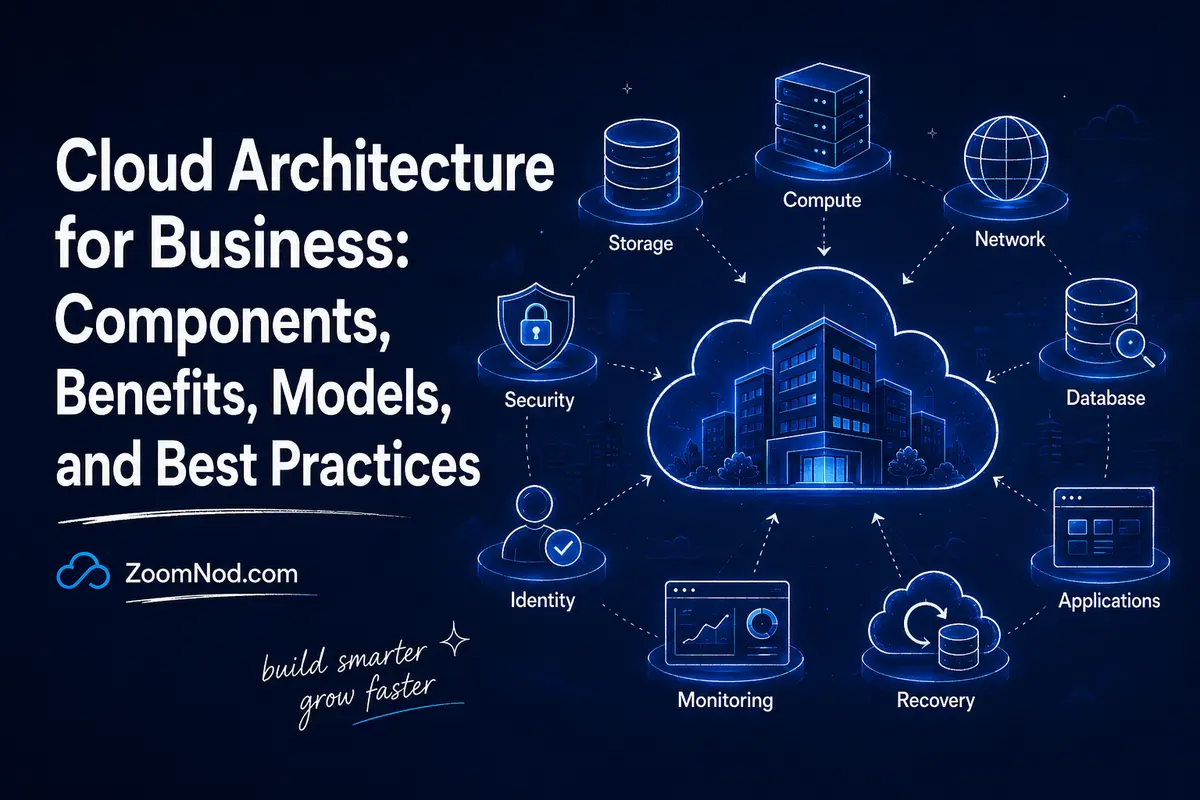
Cloud architecture is the blueprint for combining compute, storage, networking, databases, identity, security, applications, automation, monitoring, and recovery services into a working cloud environment.
For a business, good cloud architecture is not about using the most cloud services. It means designing applications to be secure, reliable, scalable, cost-aware, maintainable, and aligned with measurable outcomes.
A well-designed architecture can help a company launch faster, enter new regions, recover from failures, automate infrastructure, handle demand spikes, and reduce manual work. A poor design can produce unpredictable bills, weak security, outages, vendor lock-in, and a system that becomes harder to change each month.
This guide covers cloud architecture for business in 2026: core components, deployment and service models, benefits, patterns, trade-offs, security, reliability, cost, AI considerations, migration planning, and a framework for designing around the organization instead of copying someone else’s diagram.
What Is Cloud Architecture?
Cloud architecture describes how cloud technologies are arranged and connected.
It answers questions such as:
- Where will applications run?
- Where will data be stored?
- How will users reach the application?
- How will services authenticate?
- How will traffic be distributed?
- How will the system scale?
- What happens when a component fails?
- How will the business recover data?
- How will teams deploy changes?
- How will costs and performance be monitored?
Cloud architecture can describe one small application on a VPS, a multi-tier public-cloud application, an enterprise private cloud, or a global hybrid design spanning several environments.
Why Cloud Architecture Matters to Business Operations
Architecture choices directly influence business outcomes.
| Architecture Decision | Business Effect |
|---|---|
| Multiple availability zones | Can reduce outage impact but increases cost |
| Managed database | Can reduce administration but increase provider dependency |
| Global CDN | Can improve customer latency and reduce origin load |
| Autoscaling | Can absorb changing demand but requires scalable application design |
| Infrastructure as code | Improves repeatability, change review, and recovery |
| Central IAM | Reduces access-management risk |
| Independent backups | Improves recoverability from deletion or ransomware |
| Serverless architecture | Can reduce idle infrastructure but increase platform dependency |
The architecture therefore becomes an operating model, not merely a technical drawing.
Core Components of Cloud Architecture
1. Compute
Compute runs the application code. Options include virtual machines, containers, Kubernetes, serverless functions, managed application platforms, GPU instances, and bare metal.
Choose compute based on workload behavior, not fashion. A stable business application may need only two VMs. A bursty event-driven workload may fit serverless. A large microservices platform may justify Kubernetes.
2. Storage
Cloud storage typically includes block, object, and file storage.
- Block storage: attached disks for VMs and databases.
- Object storage: scalable storage for files, backups, media, logs, and data lakes.
- File storage: shared filesystem access for applications that require it.
The design must account for capacity, performance, durability, encryption, backup, retention, and data-transfer cost.
3. Networking
Networking connects users, applications, databases, cloud services, and private environments.
Common elements include virtual networks, subnets, routing, firewalls, private endpoints, VPNs, dedicated links, DNS, NAT, gateways, load balancers, and CDNs.
4. Databases
Cloud architectures may use relational databases, document databases, key-value stores, caches, time-series databases, search platforms, or warehouses.
The design must consider consistency, replication, failover, scaling, backup, latency, and portability.
5. Identity and Access Management
IAM defines which people and workloads can access resources.
Business-grade architecture should include multi-factor authentication, least privilege, role-based access, workload identities, centralized access review, and separation of administrative duties.
6. Security
Security covers identity, applications, networks, data, secrets, software supply chains, logging, vulnerability management, encryption, and incident response.
Zoomnod’s cloud vulnerabilities guide explains common cloud security weaknesses and controls.
7. Observability
Applications need logs, metrics, traces, alerts, dashboards, and audit records.
Observability shows whether an application is healthy, why customers experience delays, whether databases are saturated, and which deployment caused an error spike.
8. Automation and Infrastructure as Code
Infrastructure as code turns architecture into version-controlled configuration, making environments easier to reproduce, review, test, and recover.
9. Backup and Disaster Recovery
High availability addresses some failures. Backups address data loss. Disaster recovery addresses larger outages.
Zoomnod’s backup and restore guide covers recovery fundamentals.
The Six Cloud Architecture Qualities to Balance in 2026
Current well-architected guidance from major cloud providers emphasizes several recurring qualities.
Operational Excellence
Can the team deploy, monitor, troubleshoot, improve, and recover the workload repeatedly?
Security
Are identities, data, software, networks, and operations protected appropriately?
Reliability
Can the system continue operating or recover when components fail?
Performance Efficiency
Does the architecture use appropriate resources and deliver the required latency and throughput?
Cost Optimization
Does the business receive appropriate value for cloud spend?
Sustainability
Does the workload avoid unnecessary resource consumption and use efficient architectures where practical?
Every architecture decision involves trade-offs. Higher redundancy generally costs more. More managed services can reduce operations but increase lock-in. Stronger isolation may increase infrastructure complexity.
Cloud Architecture Deployment Models
Public Cloud
Infrastructure and managed services are provided from a cloud platform shared across many customers with logical isolation.
Read Zoomnod’s public cloud guide for the complete model.
Private Cloud
A cloud environment is dedicated to one organization and may run on-premises or on hosted dedicated infrastructure.
See Zoomnod’s private cloud guide.
Hybrid Cloud
Hybrid cloud connects private or on-premises infrastructure with public cloud services.
Multi-Cloud
Multi-cloud uses services from more than one cloud provider. It can improve strategic flexibility but increases IAM, networking, logging, cost, and governance complexity.
Cloud Service Models and Architecture Responsibility
| Model | Provider Manages More Of | Customer Focus |
|---|---|---|
| IaaS | Physical infrastructure and virtualization | OS, apps, data, configuration |
| PaaS | Infrastructure, OS, runtime | Application and data |
| SaaS | Complete application platform | Users, access, data, business configuration |
As a service becomes more managed, the customer operates less infrastructure but remains responsible for areas such as data, access, application behavior, and configuration.
Common Cloud Architecture Patterns
Single-Server Architecture
A single VM may host the application and database. This is inexpensive and simple but creates one failure domain.
Good for: development, small websites, internal tools, non-critical applications.
Three-Tier Architecture
A typical three-tier design separates:
- Web or presentation layer
- Application layer
- Database layer
This creates clearer scaling and security boundaries than placing everything on one server.
Load-Balanced Application Architecture
Multiple application servers sit behind a load balancer. If one server fails, healthy servers continue receiving traffic.
Zoomnod’s load balancing algorithms guide explains traffic-distribution methods.
Microservices Architecture
Microservices divide an application into independently deployable services. They can improve team autonomy and scaling flexibility while adding networking, observability, deployment, testing, and data-consistency complexity.
Serverless Architecture
In serverless architecture, the provider manages infrastructure while applications run in functions or managed runtimes. This can suit event-driven or variable workloads.
Event-Driven Architecture
Services communicate through events, queues, or streams. This can reduce tight coupling and help systems absorb demand spikes.
Edge Architecture
Selected processing or content moves closer to users or devices. Edge architectures are useful for low-latency, industrial, gaming, content, and geographically distributed workloads.
How Cloud Architecture Benefits Businesses
Faster Time to Market
Teams can provision infrastructure and managed services without waiting for physical hardware procurement.
Scalability
Applications can add resources as demand grows. Good architecture also makes it possible to scale individual components independently.
Business Continuity
Cloud platforms provide building blocks for multi-zone deployment, replication, backups, and recovery.
Global Reach
Businesses can choose multiple server regions and use CDNs to serve users closer to their location.
Automation
Infrastructure APIs enable repeatable deployment, policy enforcement, testing, and operational workflows.
Access to Managed Services
Managed databases, queues, object storage, analytics, AI, and security tools can reduce administrative work.
How Cloud Architecture Affects Cost
Architecture determines the bill more than the provider’s cheapest VM price does.
A single application server may cost little. Add a managed database, load balancer, redundant zone, backup, observability, CDN, NAT, and cross-region disaster recovery, and the cost changes significantly.
Use Zoomnod’s cloud server cost guide for practical budgeting and the cloud pricing models guide for payment options.
Architecture Cost Formula
Total cost = compute + storage + database + network + backup + observability + security + support + licenses + administration.
How Cloud Architecture Affects Reliability
Reliability design starts with business requirements.
Ask:
- How much downtime is acceptable?
- How much data loss is acceptable?
- What happens if one VM fails?
- What happens if one zone fails?
- What happens if a database is corrupted?
- How quickly must service be restored?
Design redundancy and recovery in proportion to the impact of failure.
How Cloud Architecture Affects Security
Secure architecture minimizes unnecessary trust.
Use:
- Central IAM
- MFA
- Least privilege
- Private networks
- Restricted administrative access
- Encryption
- Secrets management
- Protected audit logs
- Independent backups
- Vulnerability management
Design security into the architecture before production.
Cloud Architecture for Small Businesses
Small businesses should avoid overengineering.
A strong small-business architecture might be:
- One or two application servers
- Managed or carefully operated database
- CDN
- Automated backup
- Firewall
- MFA
- Monitoring
That approach can be more appropriate than a complex Kubernetes platform.
Zoomnod’s cloud computing solutions for small business guide provides workload-specific guidance.
Cloud Architecture for Enterprise
Enterprise architecture adds organizational controls:
- Multiple accounts/subscriptions/projects
- Landing zones
- Central identity
- Network hubs
- Policy enforcement
- Cost allocation
- Security operations
- Platform engineering
- Standard application patterns
Current Microsoft Cloud Adoption Framework guidance emphasizes strategy, planning, readiness, adoption, governance, security, and management as connected parts of cloud adoption rather than isolated infrastructure decisions.
Cloud Architecture for AI Workloads in 2026
AI adds specialized requirements such as GPUs, large datasets, vector stores, model APIs, inference services, data governance, and model observability.
Questions include:
- Should inference use an API or dedicated GPU?
- Where does sensitive data reside?
- How will GPU utilization be measured?
- How will model versions be managed?
- What happens when an AI provider is unavailable?
- How much does each inference request cost?
AI architecture should be evaluated against the same reliability, security, cost, performance, and operational principles as conventional workloads.
How to Design Cloud Architecture: 10-Step Framework
Step 1: Define Business Outcomes
Start with revenue, customer experience, compliance, availability, time to market, and operating goals.
Step 2: Document Workload Requirements
Capture users, traffic, CPU, memory, storage, database, data sensitivity, latency, and growth.
Step 3: Choose the Simplest Deployment Model
Select VPS, public cloud, private cloud, or hybrid infrastructure based on requirements.
Step 4: Define Security Boundaries
Design identity, networks, secrets, encryption, and access before production.
Step 5: Define Reliability Targets
Set availability, RPO, and RTO targets that reflect business impact.
Step 6: Select Data Architecture
Choose databases and storage based on consistency, latency, scale, backup, and portability.
Step 7: Automate Deployment
Use infrastructure as code and CI/CD for repeatable change.
Step 8: Design Observability
Identify the logs, metrics, traces, and alerts required to operate the workload.
Step 9: Model Cost
Calculate normal, peak, and failure-mode cost.
Step 10: Review Architecture Continuously
Traffic, services, prices, security risks, and business priorities change, so architecture should evolve deliberately.
Example Cloud Architecture for a Growing Business Application
Consider a growing B2B web application serving several thousand customers. A sensible architecture might begin with DNS and a CDN in front of a load balancer. The load balancer distributes requests across two application instances in separate failure domains. The application connects to a managed relational database with automated backups. Customer uploads are stored in object storage rather than on the local VM filesystem. Identity roles allow the application to access only the storage and database resources it requires.
Monitoring collects application errors, response time, CPU, database connections, and failed login activity. Infrastructure is defined in code so that a staging environment can be recreated from the same approved templates. Backups are copied to a protected location and restoration is tested on a schedule.
This architecture costs more than one VM, so the additional complexity is justified only when the business values higher availability and safer recovery. If the same company had twenty internal users and could tolerate a day of downtime, one properly backed-up VPS could still be the better architecture.
Cloud Architecture KPIs Businesses Should Track
Measure architecture after deployment using business and technical indicators such as:
- Availability: percentage of time the service meets its availability objective.
- Latency: median and tail response time such as p95 or p99.
- Error rate: failed requests as a percentage of total requests.
- Recovery time: how long it actually takes to restore a failed service.
- Recovery point: how much data would be lost in a realistic incident.
- Cloud cost per customer: infrastructure cost relative to business growth.
- Deployment frequency: how quickly teams can safely release changes.
- Mean time to recovery: how quickly operations can detect and resolve incidents.
- Resource utilization: whether expensive compute and database resources are consistently underused.
These metrics keep architecture reviews from becoming debates about diagrams. The business can see whether a design is actually improving reliability, customer experience, deployment speed, and cloud economics.
Common Cloud Architecture Mistakes
Designing for Imaginary Scale
Do not build a hundred-service architecture for an application with twenty users.
Using Managed Services Without Understanding Lock-In
Managed services can be valuable, but migration cost should be known.
Putting Everything in One Failure Domain
Critical workloads should reflect business availability requirements.
Assuming Autoscaling Fixes Application Design
Applications need to support horizontal scaling for autoscaling to help.
Ignoring Data Transfer
Cross-region and outbound traffic can become a major cost.
Skipping Recovery Testing
A backup strategy is incomplete until restoration succeeds.
Copying Reference Architecture Without Understanding It
Reference diagrams are starting points; the final architecture must reflect the workload.
Cloud Architecture Checklist for Business
- Business outcome defined
- Workload owner assigned
- Traffic and growth estimated
- Data classified
- IAM designed
- Network exposure minimized
- Database architecture selected
- Availability target defined
- RPO and RTO documented
- Backups tested
- Monitoring configured
- Cost owner assigned
- Infrastructure automated
- Lock-in understood
- Migration/exit path documented
- Architecture reviewed regularly
Cloud Architecture Maturity Roadmap for Businesses
Businesses rarely move from a basic server to a mature cloud platform in a single project. A safer approach improves architecture in stages, with each stage solving a measurable business problem. This avoids paying for enterprise complexity before the organization has the traffic, compliance requirements, or operational capacity to use it.
Stage 1: Establish a Secure and Recoverable Baseline
Begin with a documented inventory, named service owners, separate production and non-production environments, least-privilege access, centralized secrets, patching, monitoring, and tested backups. The objective is not sophisticated automation. It is knowing what exists, who owns it, how access is controlled, and how the business restores service after failure. Use the controls in our cloud vulnerabilities guide and the practical recovery steps in the VPS backup and restore guide.
Stage 2: Standardize Deployment and Configuration
Once the baseline is stable, reduce configuration drift with reusable templates, infrastructure as code, versioned application deployments, automated tests, and consistent logging. Define a small number of approved patterns for web applications, background workers, databases, storage, and scheduled workloads. Standardization improves delivery speed because teams solve common problems once instead of designing every workload from the beginning.
Stage 3: Design for Measured Reliability
Set service-level objectives that reflect business impact. Add redundancy only where the cost of downtime justifies it. Separate health checks from user-visible availability, remove single points of failure, test failover, and validate recovery time and recovery point objectives. Load distribution can improve availability and performance, but the correct method depends on workload behavior; the load balancing algorithm guide compares the main options.
Stage 4: Optimize Cost and Performance Together
Measure cost per useful business unit, such as cost per active customer, transaction, report, or model request. Rightsize resources, schedule non-production environments, review storage tiers, reduce unnecessary data transfer, and evaluate reserved or committed pricing only after demand is predictable. The cloud pricing models guide explains the purchasing choices, while the cloud server cost guide helps create a realistic baseline.
Stage 5: Add Platform Capabilities and Self-Service
As the engineering organization grows, create safe self-service workflows. Teams should be able to deploy approved resources without waiting for manual tickets, while policies automatically enforce identity, networking, tagging, logging, and budget requirements. A platform team should treat these workflows as an internal product with documentation, support, adoption metrics, and a clear roadmap.
Stage 6: Introduce Multi-Cloud Only for a Defined Requirement
A second cloud can support regional availability, acquisition integration, regulatory needs, negotiating leverage, or access to a unique service. It also duplicates skills, policies, monitoring, cost controls, and incident paths. Before expanding, document the specific benefit, the workloads involved, and the exit criteria. The multi-cloud management platform comparison explains the governance, infrastructure, automation, FinOps, and optimization layers required to operate this model.
Architecture Review Questions at Every Stage
- Which business capability does this architecture decision protect or improve?
- What new failure mode, cost, or operational responsibility does it introduce?
- Who owns the service, the data, the security controls, and the recovery process?
- How will the team know that the change improved reliability, performance, security, or cost?
- Can the organization operate the design during an incident without depending on one person?
- What would make the business reverse, replace, or simplify this decision?
Use a quarterly architecture review for critical systems and trigger an additional review after major incidents, acquisitions, rapid traffic changes, compliance changes, or material cost overruns. The review should produce decisions and owners, not only diagrams. Teams planning a larger move can combine this maturity roadmap with ZoomNod’s cloud migration guide and cloud computing issues guide.
Final Verdict: What Does Cloud Architecture Mean for Business?
Cloud architecture connects business requirements with cloud technology.
It determines whether the organization can scale efficiently, recover from failures, protect data, control costs, deliver good customer performance, and operate the system with the skills it actually has.
The best architecture is rarely the most complex. It is the simplest design that meets the required security, reliability, performance, compliance, and growth targets.
Start with business outcomes. Design around workload needs. Automate repeatable infrastructure. Measure cost and reliability. Review the architecture as the organization changes.
Cloud platforms provide enormous flexibility. Good architecture turns it into business value without creating uncontrolled complexity.
Frequently Asked Questions About Cloud Architecture
What is cloud architecture in simple terms?
Cloud architecture is the blueprint showing how compute, storage, networking, databases, security, identity, applications, and operations work together in a cloud environment.
Why is cloud architecture important for business?
It directly affects application reliability, security, performance, scalability, operating effort, and total cloud cost.
What are the main components of cloud architecture?
Common components include compute, storage, networking, databases, IAM, security, observability, automation, backup, and disaster recovery.
What is a good cloud architecture?
A good architecture meets business requirements with appropriate security, reliability, performance, cost, operational simplicity, and scalability.
What is the difference between cloud architecture and cloud infrastructure?
Cloud infrastructure is the actual compute, storage, networking, and platform resources. Cloud architecture is the design describing how those resources are arranged and interact.
Does every business need microservices?
No. Many applications are easier and cheaper to operate as a well-structured monolith or small number of services. Microservices should solve a real scaling or organizational problem.
Does cloud architecture reduce cost?
It can. Right-sizing, automation, managed services, efficient storage, and appropriate scaling can reduce waste, but redundant and highly managed architectures can also increase cost.
How often should cloud architecture be reviewed?
Review architecture whenever major workload, traffic, security, compliance, cost, or business requirements change, and perform periodic well-architected reviews for important production systems.