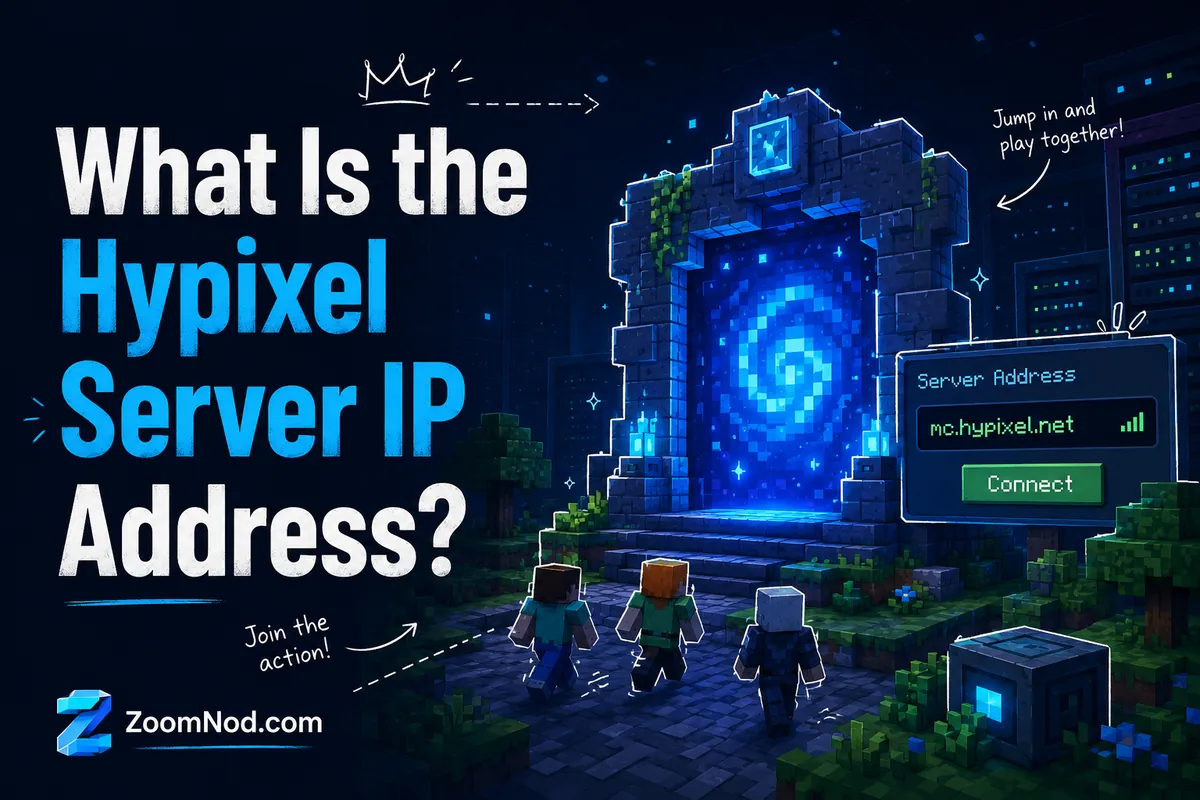
The Hypixel IP Address
The official Hypixel server IP, more accurately called the Hypixel server address, is:
mc.hypixel.net
You can add this address inside the Minecraft Java Edition multiplayer menu. Hypixel’s official support guide tells players to enter mc.hypixel.net in the Server Address field when joining the server. The official Hypixel play page also lists mc.hypixel.net as the server address.
mc.hypixel.net is not a numeric IP address; it is a domain-based server address. That is normal for large Minecraft networks because the domain can route players to the correct infrastructure without asking users to remember a long numeric IP. So when people search for “Hypixel IP,” “Hypixel address,” “Minecraft Hypixel IP,” or “Hypixel server address,” they usually mean the same thing: mc.hypixel.net.
Use this official address only:
- Java Edition server address: mc.hypixel.net
- Bedrock Edition IP: Not officially supported
- Default Java server port: 25565, usually not required when using the server address
- Official Hypixel help: Hypixel Support guide
- Official status page: Hypixel Status
What Is Hypixel?
Hypixel is one of the most popular Minecraft multiplayer server networks. It is known for custom minigames, competitive modes, player progression, cosmetics, lobbies, guilds, leaderboards, and large public matchmaking. Instead of joining one small survival world, players join a full Minecraft network with many separate game modes under one server address.
The official Hypixel website describes the network as a Minecraft server where players can join games such as Bed Wars, SkyWars, Murder Mystery, and other unique minigames. Because Hypixel is a large public network, it feels different from a private Minecraft server that you might host for friends. A private server usually has one world, one set of rules, and a small number of players. Hypixel has many game modes, large lobbies, custom systems, public matchmaking, and server-side features built for thousands of players.
That explains why players search for the Hypixel server IP so often. New players hear about Hypixel from YouTube, Twitch, Minecraft communities, Bed Wars guides, SkyBlock tutorials, PvP videos, and friends who already play. The setup requires only Minecraft Java Edition, an internet connection, and the official server address.
If you are interested in hosting a private world instead of joining a public network, you can read our guide on make a Minecraft server. If you want to compare private server costs, see our guide to Minecraft server price.
Quick Summary: Hypixel Server Address in 2026
| Question | Answer |
|---|---|
| What is the Hypixel server IP? | mc.hypixel.net |
| Is Hypixel for Java Edition? | Yes, Hypixel officially works with Minecraft Java Edition. |
| Is there a Hypixel Bedrock IP? | No official Hypixel Bedrock server IP is available. |
| Do I need a port? | Usually no. Add mc.hypixel.net as the server address. |
| Is Hypixel free? | Joining is free after you own Minecraft Java Edition, but ranks and cosmetics may be sold separately. |
| Where can I check outages? | Use the official Hypixel Status page. |
System Requirements Before You Join
Before you join Hypixel, make sure your system can run Minecraft Java Edition comfortably. Hypixel is a multiplayer Minecraft server, so performance depends on both your local computer and your internet connection.
At a basic level, you need:
- A legitimate Minecraft Java Edition account
- The official Minecraft Launcher
- A stable internet connection
- A supported desktop operating system such as Windows, macOS, or Linux
- Enough RAM for Minecraft Java Edition and your selected version
- A GPU and CPU capable of running Minecraft smoothly
Hypixel is not the same as hosting your own server. You do not need to rent a VPS, configure Java, open ports, install plugins, or manage server files just to play Hypixel. You only need to connect as a player from Minecraft Java Edition.
However, your local performance still matters. If your PC is slow, Minecraft can stutter even when Hypixel is online. If your internet connection is unstable, you may see lag, rubber banding, timeout errors, delayed hits, or disconnects. Players using Wi-Fi may also experience more inconsistent latency than players using a wired connection.
Recommended setup for a smoother Hypixel experience
- Use a stable wired Ethernet connection when possible.
- Close heavy background apps before playing.
- Allocate enough RAM to Minecraft, but do not allocate all system memory.
- Use performance-friendly video settings.
- Choose a Minecraft version that Hypixel supports well.
- Avoid untrusted mods, clients, and launchers.
If Minecraft feels slow because of memory settings, our guide on how to allocate more RAM to Minecraft explains how RAM allocation works for both the launcher and private servers.

How to Join Hypixel on Java Edition
To join Hypixel on Java Edition, use the correct server address and follow these steps:
- Open the official Minecraft Launcher.
- Select Minecraft: Java Edition.
- Click Play.
- From the main menu, click Multiplayer.
- Click Add Server.
- In the server name field, enter any name you like, such as Hypixel.
- In the server address field, enter mc.hypixel.net.
- Click Done.
- Select Hypixel from your multiplayer server list.
- Click Join Server.
The server name is simply a label inside your own Minecraft client. You can call it Hypixel, Hypixel Server, Bed Wars, or anything else. The field that matters is the server address. It must be typed correctly as mc.hypixel.net.
If the server does not appear immediately, click refresh in the multiplayer list. If it still fails, check spelling, restart Minecraft, and confirm that you are using Java Edition rather than Bedrock Edition.
Can you use hypixel.net instead of mc.hypixel.net?
Some players may try hypixel.net, but the recommended official server address is mc.hypixel.net. Use the official address shown on the Hypixel support and play pages to avoid confusion.
Do you need to enter a port?
In most cases, no. Minecraft Java servers commonly use port 25565 by default. When you enter mc.hypixel.net, Minecraft can connect without asking you to manually add the port. If a guide tells you to use a custom port for Hypixel, be careful. For the official Hypixel server, the normal address is enough.
How to Join Hypixel on Bedrock Edition
Hypixel does not officially support Minecraft Bedrock Edition. That means there is no official Hypixel Bedrock IP, no official Hypixel Bedrock port, and no official way to join the real Hypixel server from mobile, Xbox, PlayStation, Nintendo Switch, or the Windows Bedrock client.
This frequently causes confusion because many players search for:
- Hypixel IP Bedrock
- Hypixel Bedrock address
- Hypixel PE server IP
- Hypixel mobile IP
- Hypixel PS5 IP
- Hypixel Xbox server address
The official answer is: the Hypixel server is for Minecraft Java Edition. If you see websites or videos claiming to provide a Hypixel Bedrock IP, treat them carefully. They may be unofficial copycat servers, unrelated Bedrock servers, or outdated information.
That does not mean Bedrock players have no multiplayer options. Bedrock Edition has its own server ecosystem, featured servers, Realms, and community servers depending on platform. But those are not the official Hypixel Java network.
Hypixel IP Not Working? How to Fix It
If the Hypixel IP is not working, the problem may be the server, your Minecraft version, your network, DNS, your account, or a temporary outage. Check the basic causes before changing advanced settings.
1. Check the server address spelling
The correct server address is:
mc.hypixel.net
Common mistakes include extra spaces, misspellings, missing dots, or typing the address into the wrong field. Make sure the address is in the Server Address field, not the server name field.
2. Make sure you are using Minecraft Java Edition
Hypixel is not an official Bedrock server. If you are using Minecraft for Windows Bedrock Edition, mobile, console, or another Bedrock platform, the Hypixel address will not work the same way it does in Java Edition.
3. Restart Minecraft and refresh the multiplayer list
Sometimes the multiplayer list does not refresh correctly. Close Minecraft fully, reopen the launcher, start Java Edition again, and refresh the server list.
4. Check the official Hypixel status page
If many players are having trouble, Hypixel may be under maintenance, experiencing partial service issues, or dealing with a temporary network incident. Check the official Hypixel Status page before changing your local setup.
5. Check your internet connection
High packet loss, weak Wi-Fi, DNS issues, or a restrictive school/work network can block or interrupt Minecraft multiplayer connections. Try a stable home connection, restart your router, or test another network if possible.
6. Disable VPN or proxy services temporarily
Some VPNs or proxies can cause Minecraft login, routing, or anti-abuse checks to behave unpredictably. If you use a VPN, proxy, or network filtering tool, test the connection without it.
7. Check firewall and antivirus settings
Your local firewall or security suite may block Java or Minecraft networking. Make sure Minecraft and Java are allowed through your firewall. Do not disable security permanently; use a controlled allow rule instead.
8. Try a supported Minecraft version
Large public servers may support multiple Minecraft versions, but some versions can have temporary issues after game updates. If you cannot connect after a new Minecraft release, try a version known to work well with the server.
9. Avoid unofficial clients and risky mods
Untrusted clients, automation tools, unfair advantage mods, or modified networking tools can create connection problems and account risk. Hypixel’s official allowed modifications guidance explains that modifications are used at the player’s own risk and should not provide unfair gameplay advantages.
Is Hypixel Down? How to Check Server Status
Use the official status page to check whether Hypixel is down:
The status page can show whether the Minecraft server, website, API, store, or other systems are operational or affected by an incident. It is more reliable than guessing from your connection problem alone.
Use this checklist:
- Open the official Hypixel status page.
- Check whether the Minecraft Server is operational.
- Review any active incidents or maintenance notices.
- Check whether only one service is affected or the full network is affected.
- If everything is operational, troubleshoot your local connection.
If Hypixel is down, there is usually nothing you can fix locally. Wait for the official status page to update. Repeatedly changing DNS, reinstalling Minecraft, or modifying router settings will not solve a server-side incident.
Why Play on Hypixel?
Hypixel is popular because it offers a large selection of polished Minecraft minigames inside one server network. Instead of setting up multiple servers for different experiences, players can join one address and choose from different modes.
Reasons players choose Hypixel include:
- Large player base: It is usually easy to find active lobbies and matches.
- Many game modes: Players can switch between competitive, casual, and progression-based games.
- Custom systems: Hypixel uses server-side systems that go beyond a basic vanilla Minecraft world.
- Frequent events and updates: Popular modes often receive balancing, changes, and seasonal content.
- Community activity: The network has forums, support resources, rules, leaderboards, and social features.
- No server setup needed: You do not need to manage hosting, plugins, backups, or ports.
Choose Hypixel for a public Minecraft network with many players. Choose a private server instead if you want full control over world rules, whitelists, mods, custom plugins, or a survival world for friends. For that, hosting your own Minecraft server is usually better.
If you want a private experience, compare the setup process in our guide on make a Minecraft server. If you want modded gameplay, see host modded Minecraft server.
Popular Game Modes on Hypixel
Hypixel includes multiple game modes, and availability can change over time. The most familiar modes include competitive minigames, team-based games, progression modes, and social lobbies.
Bed Wars
Bed Wars is one of Hypixel’s best-known modes. Players protect their bed, collect resources, buy upgrades, bridge to other islands, and try to eliminate opposing teams. The mode combines PvP, strategy, resource control, defense, and teamwork.
SkyWars
SkyWars places players on floating islands where they collect loot, bridge or fight toward the center, and try to be the last player or team alive. It is faster than many survival modes and rewards quick decisions, movement, and PvP skill.
Murder Mystery
Murder Mystery is a social deduction-style mode where players take different roles. The murderer tries to eliminate players, the detective tries to identify the murderer, and innocent players try to survive. Its rules are easier for casual players to understand than those of highly competitive PvP modes.
SkyBlock
Hypixel SkyBlock is a progression-heavy mode with islands, skills, items, collections, economy systems, dungeons, and long-term goals. It is one of the reasons many players spend months or years inside the same server network.
Duels and PvP modes
Duels and related PvP modes are useful for players who want quick fights, practice, and skill improvement. These modes can be more competitive and may require better movement, aim, hotkey control, and knowledge of Minecraft combat mechanics.
What Mods Are Allowed on Hypixel?
Hypixel has official guidance for allowed modifications, and the key rule is that mods are used at your own risk. A mod that changes gameplay, automates actions, provides unfair information, or gives a significant advantage can put your account at risk.
Hypixel’s official allowed modifications page says that modifications should be obtained from official sources and should not provide a significant gameplay advantage. It also explains that not every disallowed modification is listed one by one, so players should use common sense and avoid anything that changes competitive fairness.
Generally safer categories include:
- Performance improvement mods
- Basic HUD/status display mods
- Cosmetic mods
- Brightness or visual convenience tools that do not create unfair advantage
- Screenshot, recording, or streaming tools
Riskier categories include:
- Auto-clickers
- Macros that automate gameplay
- X-ray or hidden information tools
- Combat advantage mods
- Movement hacks
- Packet manipulation tools
- Untrusted third-party clients
Before installing any mod, check the official Hypixel Allowed Modifications guidance. Also download mods only from official project pages or trusted platforms. Random downloads from videos, forums, or file mirrors can include malware.
Is Hypixel Free?
Hypixel is free to join after you own Minecraft Java Edition. You do not need to pay a monthly fee just to connect to mc.hypixel.net. However, you do need a legitimate Minecraft account, and Minecraft itself is a paid game.
Hypixel may also offer optional ranks, cosmetics, boosters, or store items. These are separate from the ability to join the server. For basic public games, start with the free access available after you own Minecraft Java Edition.
Be careful with websites claiming to provide free cracked access, free premium accounts, or unofficial login methods. They may violate Minecraft terms, put your account at risk, or expose your computer to malware.
Is Hypixel Safe?
Even on a well-known public Minecraft server network such as Hypixel, use normal online safety habits. Any large multiplayer community includes chat, public interaction, usernames, friend requests, parties, guilds, and possible links from other users.
Use these safety tips:
- Do not share your Minecraft account password.
- Do not download files from strangers.
- Do not click suspicious links in chat or Discord messages.
- Use official Hypixel support pages for appeals, rules, and account help.
- Follow the official server rules.
- Use parental controls where needed for younger players.
- Keep your Microsoft/Minecraft account secure.
Hypixel’s official rules page explains that the server, forums, and Discord are governed by its rules and policies. If you are unsure whether something is allowed, check official guidance first instead of relying only on random community comments.

Hypixel vs Hosting Your Own Minecraft Server
Hypixel is a public server network. Hosting your own Minecraft server is a private or semi-private hosting decision. They are not the same thing.
| Feature | Hypixel | Your Own Minecraft Server |
|---|---|---|
| Server address | mc.hypixel.net | Your own IP/domain |
| Control over rules | Limited to Hypixel’s rules | Full control |
| Mods/plugins | Player-side rules apply | You choose server mods/plugins |
| Cost to join | Free after owning Minecraft Java | Hosting cost if using a VPS/provider |
| Best for | Public minigames and large community | Private worlds, friends, mods, custom gameplay |
| Setup work | Very low | Medium to high depending on server type |
Choose Hypixel if you want quick multiplayer games without server management. Choose your own server if you want private control, custom world settings, whitelisting, mods, plugins, or a server for a specific community.
A VPS can be useful if you want your own Minecraft server running 24/7 without relying on a home PC. Compared with hosting from a personal computer, a VPS can offer better uptime, remote access, a cleaner network setup, and easier scaling. Our guides on Minecraft server price and how to allocate more RAM to Minecraft can help you estimate the right setup.
Final Answer: What Is the Hypixel Server IP Address?
The official Hypixel server address is:
mc.hypixel.net
Use it in Minecraft Java Edition by going to Multiplayer → Add Server → Server Address. Hypixel does not provide an official Bedrock Edition IP, so Bedrock players should not expect mobile, console, or Windows Bedrock clients to connect to the real Hypixel Java network.
If the Hypixel IP is not working, first check the spelling, confirm you are using Java Edition, restart Minecraft, and check the official Hypixel Status page. If the server is operational, troubleshoot your local internet connection, firewall, VPN, Minecraft version, and account access.
FAQ
What is the Hypixel server IP address?
The official Hypixel server address is mc.hypixel.net. Add it in Minecraft Java Edition under Multiplayer → Add Server → Server Address.
What is the Hypixel IP for Java Edition?
The Hypixel IP for Minecraft Java Edition is mc.hypixel.net. You do not usually need to enter a custom port.
What is the Hypixel IP for Bedrock Edition?
There is no official Hypixel Bedrock Edition IP. Hypixel officially works with Minecraft Java Edition, not Bedrock Edition.
Can I join Hypixel on PS5, Xbox, Switch, or mobile?
No, not through the official Hypixel Java server. PS5, Xbox, Switch, and mobile use Bedrock Edition, and Hypixel does not offer an official Bedrock server address.
Why is mc.hypixel.net not working?
Common reasons include incorrect spelling, using Bedrock Edition instead of Java Edition, a temporary Hypixel outage, an unsupported game version, firewall issues, VPN/proxy routing problems, or local internet instability.
How do I check if Hypixel is down?
Use the official Hypixel status page at status.hypixel.net. It shows current service status and incidents.
Do I need to pay to play Hypixel?
You do not need a separate subscription to join Hypixel, but you must own Minecraft Java Edition. Optional ranks, cosmetics, and store items may cost extra.
Is Hypixel safe to play?
Hypixel is a major public Minecraft server, but you should still protect your account, avoid suspicious links, follow server rules, and download mods only from trusted official sources.
What Minecraft version should I use for Hypixel?
Use a Minecraft Java Edition version supported by Hypixel. If you have trouble after a new Minecraft update, try a stable version commonly used by the server community and check official Hypixel updates.
Can I make my own server like Hypixel?
You can make your own Minecraft server, but building a network like Hypixel requires advanced development, server infrastructure, custom game modes, moderation, scaling, and ongoing management. Start with a smaller private server.
Does the Hypixel server IP mc.hypixel.net work only with Minecraft Java Edition, or is there an official Hypixel address for Bedrock players too?
A useful troubleshooting step is to confirm the server address is entered as mc.hypixel.net without extra spaces. If Hypixel is not connecting, checking the game edition, supported Minecraft version, firewall, VPN, and server status can narrow down the problem.
The distinction between a Hypixel IP address and a server domain is worth noting: players normally use mc.hypixel.net, while DNS resolves that hostname behind the scenes. Saving the domain is more reliable than trying to reuse a numeric IP.